FabulaTech

I have a need to use Fabulatech Sound for Remote Desktop. When I create a standalone connection .rdp windows file, the Fabulatech Server in the VM sees the FAbulatech Workstation Sound Devices. Even after importing the file straight into RDM, the Server cannot see the Workstation sound devices. I have read that it has to do with the way in which RDM does the Windowing, but I have not been able to figure out how to configure RDM properly to allow Sound for Remote Desktop to work. I have had to revert back to the Windows rdm file to connect to this machine.
Any thoughts?
All Comments (9)
Hello
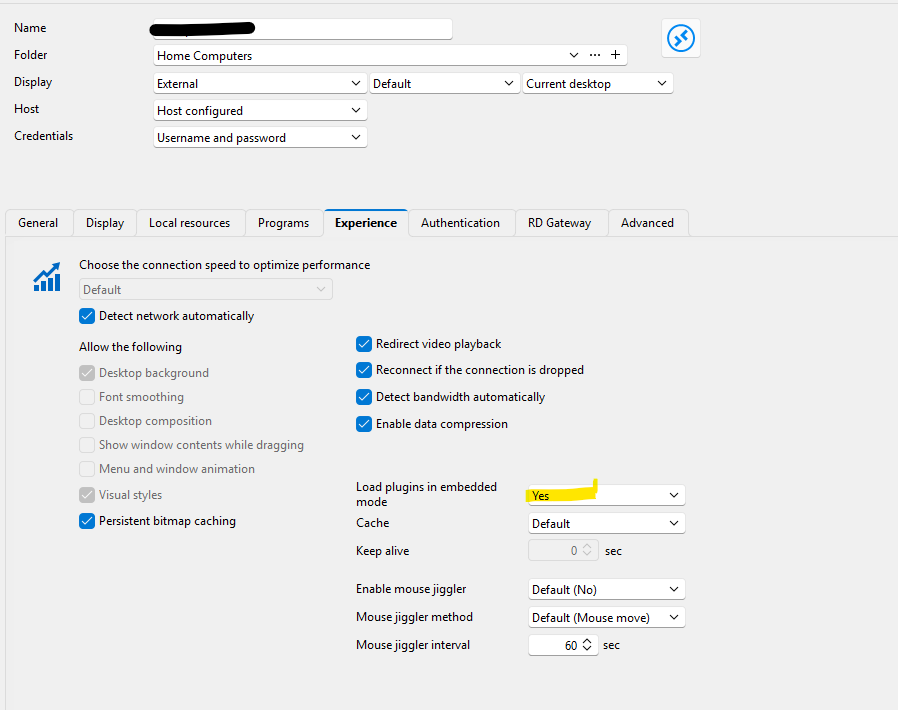
A quick check that might solve this immediately - can you set "load plugins in embedded mode" to "Yes":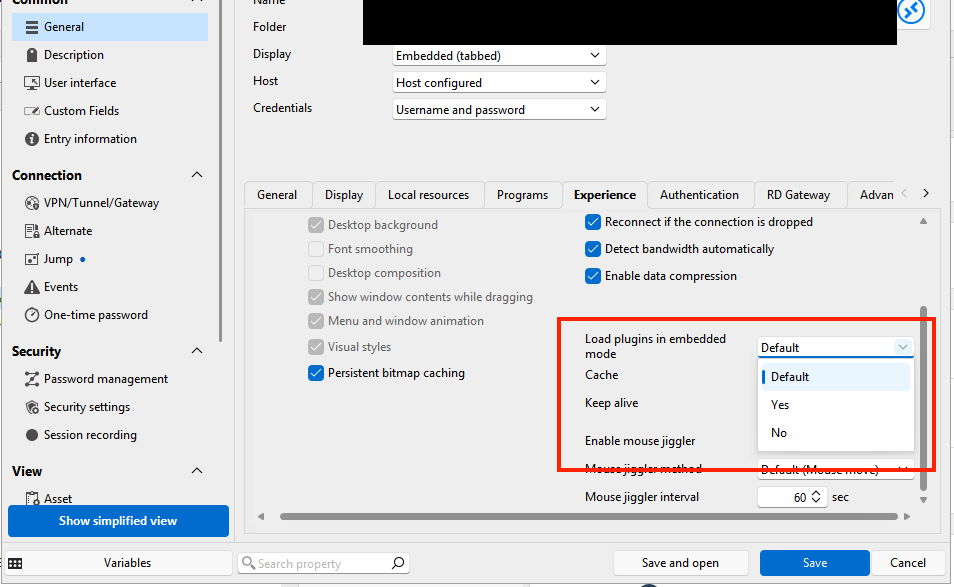
Let me know if it helps
Kind regards,
Richard Markievicz
Screenshot 2026-03-19 at 15.51.26.png
Richard,
Thanks for your quick response. That did not work :-(. I re-imported the working RDP file just to ensure all settings are the same. Let me know if you have any other suggestions.
Thank!
Nelson
Hello
Ok, I've reproduced the problem.
Fabulatech is using a DVC plugin which is a standard way of extending RDP functionality on Windows. The setting I mentioned is required, because it tells the embedded RDP control in RDM to load DVC plugins. However there is a bug in this case, where Fabulatech actually registers multiple plugins, and in RDM only the first one is loaded (when in fact all of them are needed).
I don't have a workaround for right now, but I've fixed it for the next (2026.1.15) release. Once that is available please try this again and let me know if it's working for you (it should).
Thanks for your patience
Kind regards,
Richard Markievicz
Hello
Ok, I've reproduced the problem.
Fabulatech is using a DVC plugin which is a standard way of extending RDP functionality on Windows. The setting I mentioned is required, because it tells the embedded RDP control in RDM to load DVC plugins. However there is a bug in this case, where Fabulatech actually registers multiple plugins, and in RDM only the first one is loaded (when in fact all of them are needed).
I don't have a workaround for right now, but I've fixed it for the next (2026.1.15) release. Once that is available please try this again and let me know if it's working for you (it should).
Thanks for your patience
Kind regards,
@Richard Markiewicz
Richard,
Thanks!
I will give it a shot once it is available and will let you know.
Hello
Ok, I've reproduced the problem.
Fabulatech is using a DVC plugin which is a standard way of extending RDP functionality on Windows. The setting I mentioned is required, because it tells the embedded RDP control in RDM to load DVC plugins. However there is a bug in this case, where Fabulatech actually registers multiple plugins, and in RDM only the first one is loaded (when in fact all of them are needed).
I don't have a workaround for right now, but I've fixed it for the next (2026.1.15) release. Once that is available please try this again and let me know if it's working for you (it should).
Thanks for your patience
Kind regards,
@Richard Markiewicz
Richard,
Thanks!
I will give it a shot once it is available and will let you know.
@nelson1
Richard,
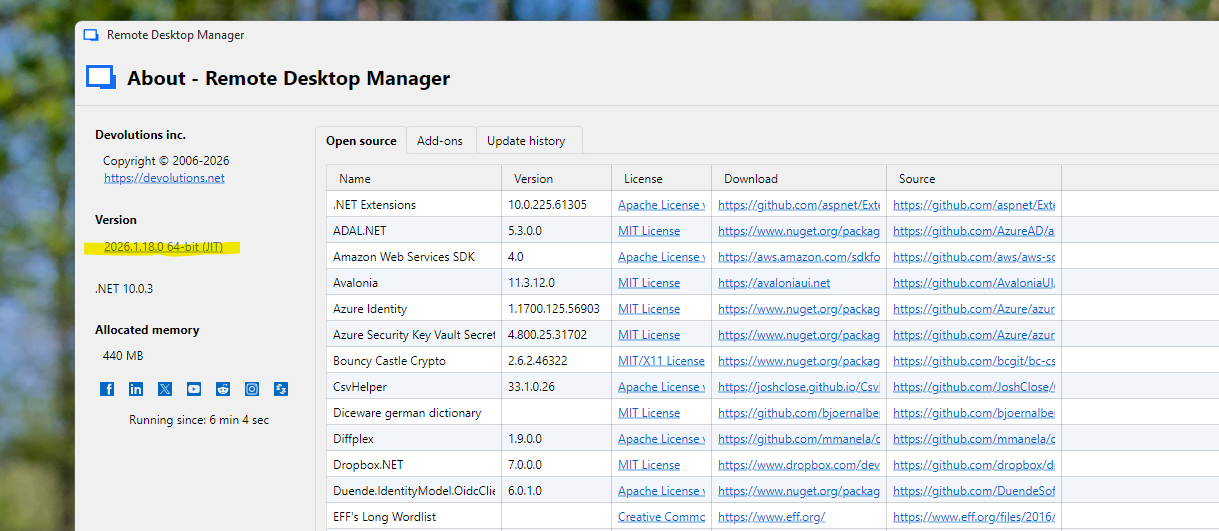
Unless I misunderstood, you mentioned this would be finxed for 2026.1.15. I just updated: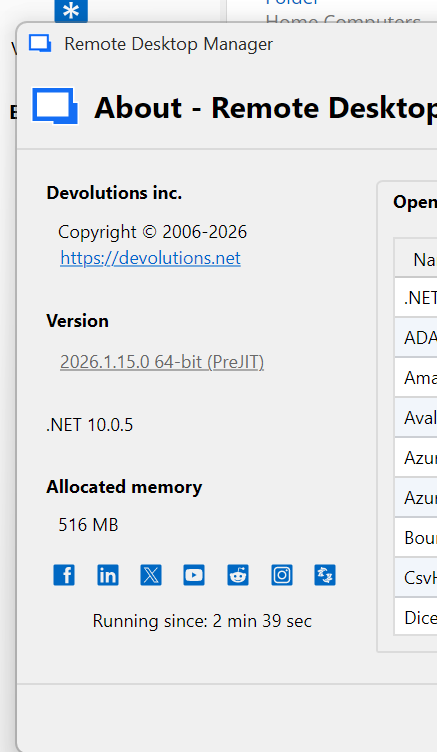
But I am still getting this:
No connection to the Workstation Module on FabulaTEch,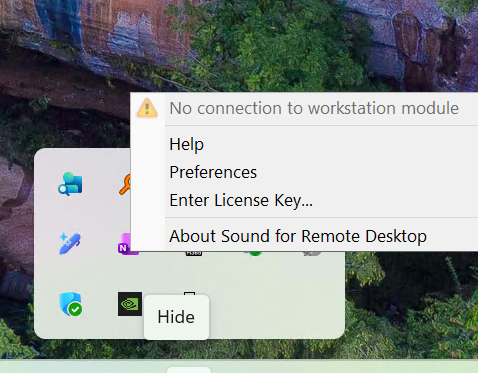
Any thoughts?
Thanks,
Nelson
08b2a936-98e9-4233-b6ab-25ecbd2310c5.png
5ea2c8df-b5b0-4da9-aaf6-199f59d199da.png
Hello
That's strange, I did confirm that version has the fixes.
Can you double-check you have the "Load plugins in embedded mode" still set to "Yes"?
If so, please go to File > Settings > Entry Types > Sessions > Remote Desktop (RDP) > API Hooking. In that section
- Make sure API hooking is "Enabled"
- Set the log level to "Trace"
- Provide a path to create a log file (e.g. your desktop)
Then save the changes, restart RDM and try the connection again. In the folder configured you'll find a file named "MsRdpEx_RDM.log" which you can send to me by PM (don't post it here). You might need to .zip the file in order to attach it to a PM.
Afterwards, please change the log level setting back to "Off". It has a non-zero performance impact.
Let me know if something isn't clear or you have other questions
Kind regards,
Richard Markievicz
Richard,
I am so sorry I missed this message. I did not realize I had to expand the post to see the reply. I am almost positive I did all you asked. I will check again, as soon as I can get to a place where I can test it and report back.
Thanks for your quick reply and again, apologies I missed it.
Nelson
Richard,
I tried it, no luck. I am adding a few screenshots in hopes I captured what you need to troubleshoot. I will send you the logs you requested via PM shortly.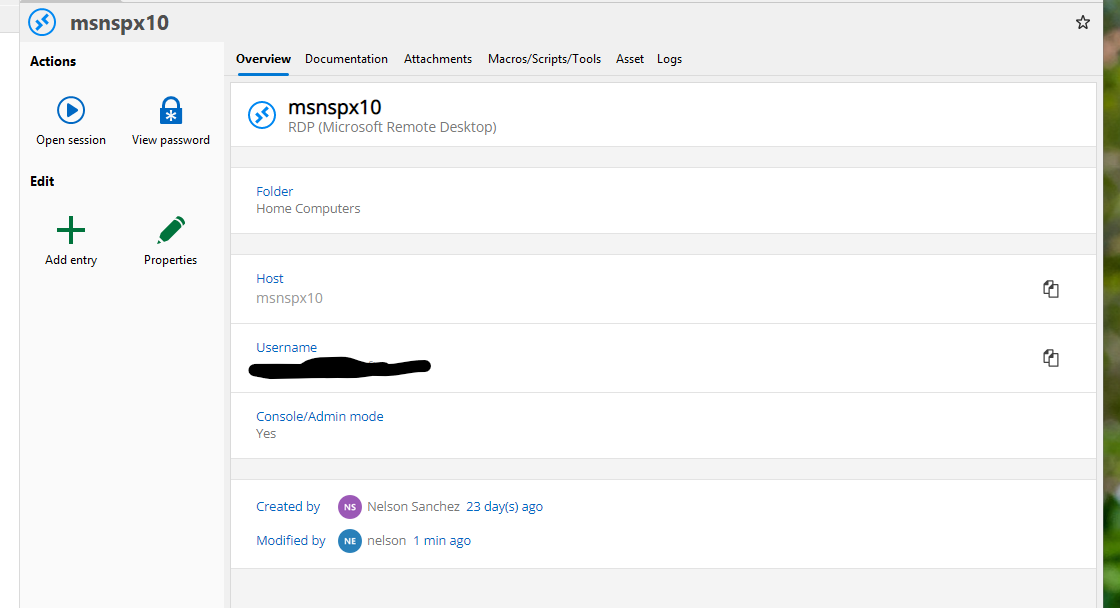
Thanks again for your invaluable help!
Nelson
Screenshot 3.png
Screenshot 2.png
Screenshot 1.png
Hello
Your configuration looks sound and from the log, I can see that the Fabulatech libraries are loading (which confirms the earlier fix - they need several libraries, and previously only the first was being loaded).
However it doesn't explain why it still doesn't work and sadly that reaches the limit of our logging (our API hook doesn't look closer at the details of what happens with the virtual channel, and at this point everything is "external" to RDM itself).
I'm afraid I don't have an answer right now, but it might be insightful to enable logging for Fabulatech. They have instructions to do that. Try to reproduce with the logging enabled and send the files to me by PM, and maybe we'll see the answer in there.
Sorry I can't be more helpful at this stage
Thanks and kind regards,
Richard Markievicz