All ready open prompt for a group of boxes
1 vote

I have a feature request regarding the "warn if already connected" prompt.
The Scenario:
We have two RDP items in our manager—let's call them "Big" and "Small". Both go to the exact same machine and log in as the exact same user. The only difference is the display setting: "Small" has a manually set resolution, and "Big" adapts to the user's screen.
The Issue:
We rely on the active user warning to make sure people wait their turn to use this machine. But, if someone is connected to "Big", and a second person clicks "Small", RDM doesn't warn the second person. They connect, the first person gets booted off, and frustration ensues.
The Request:
Is there a way to group or link distinct entries together so they share the same active connection status? We'd love it if RDM knew that "Big" and "Small" are the same box, so the "This machine is already in use" prompt fires regardless of which version of the entry is clicked.
All Comments (2)
Hello,
In your case, from what I understand, it's only display settings being different between both entries, is this correct?
If that's the case, maybe you could use the host type entry, with a set of two templates for the display settings.
First, you can configure your templates in File > Templates > Entry templates, in the "Shared" section. From there, you can create an RDP template for example, with specific display settings. In my case, I created a template called "Large" with a higher display resolution", and one called "small" with a smaller one, just to test.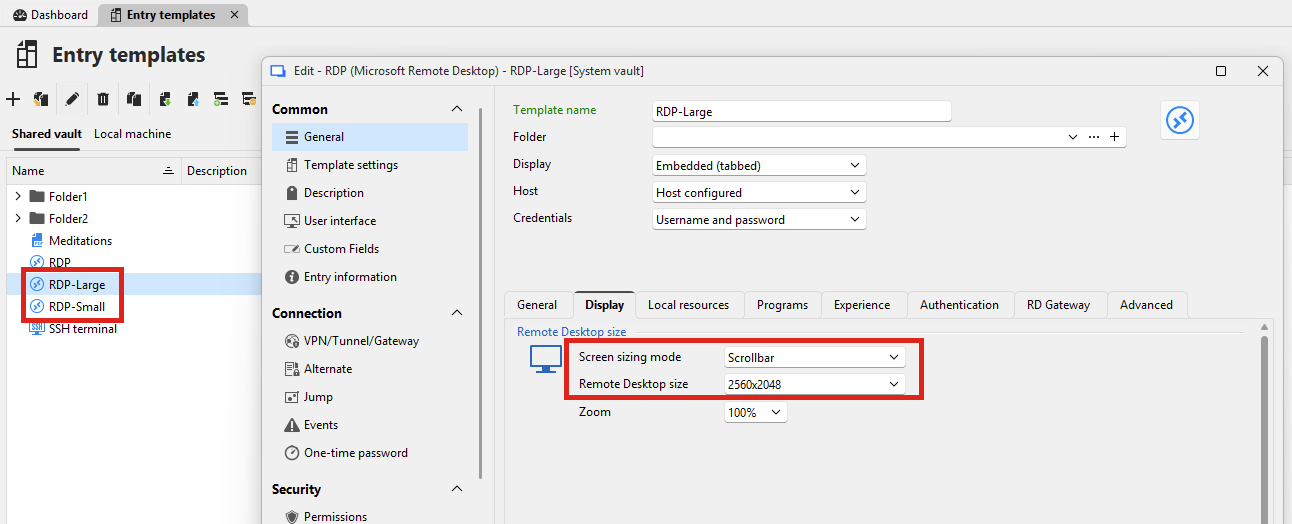
Then, you can create a "host" type entry in your tree. You can enter the host and other connection information in there.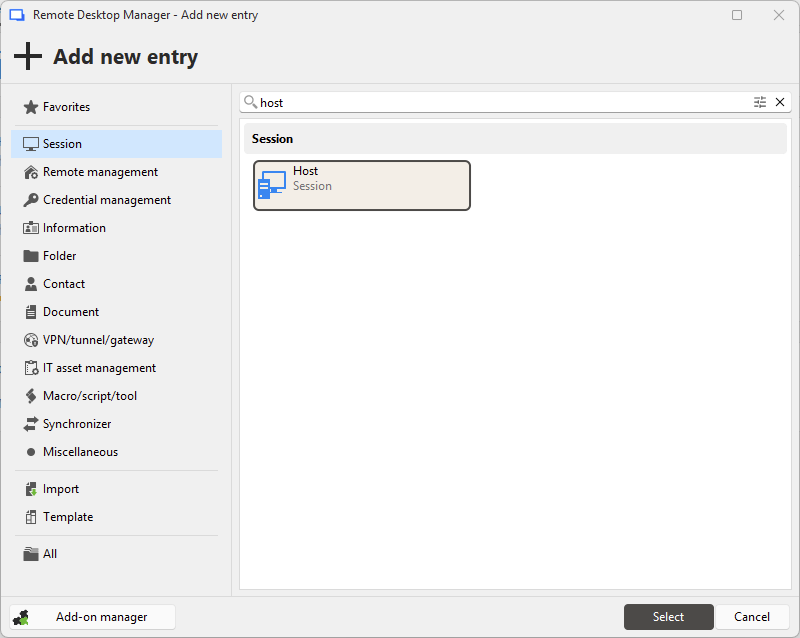
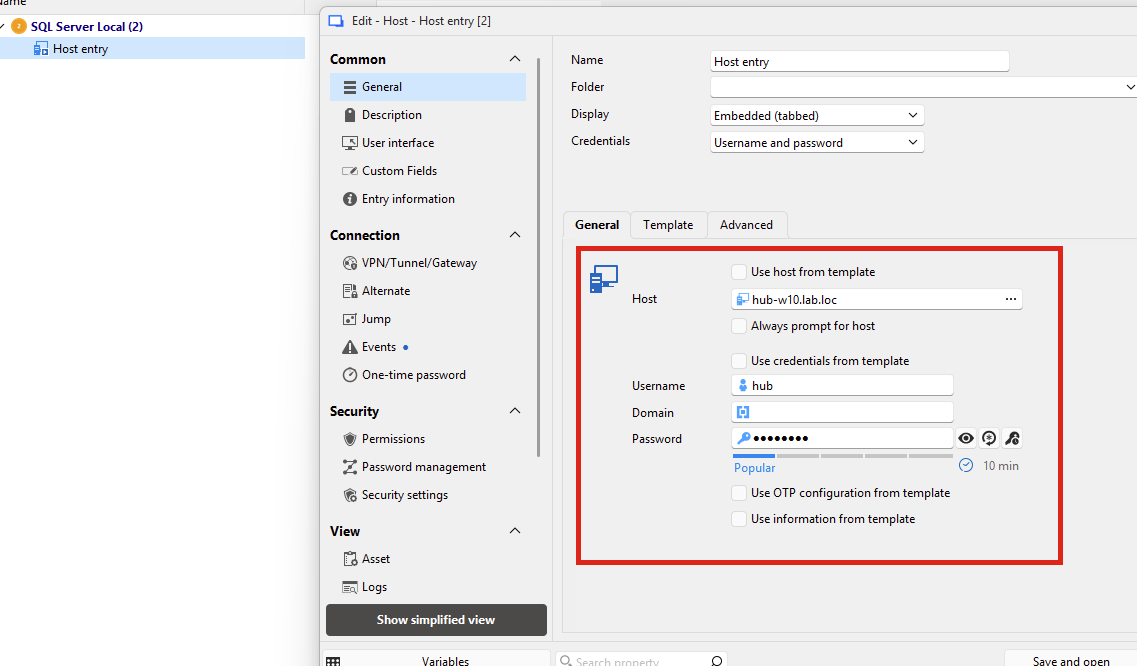
In the "template" tab of your host entry, you can then specify a list of templates that will be prompted when using the entry: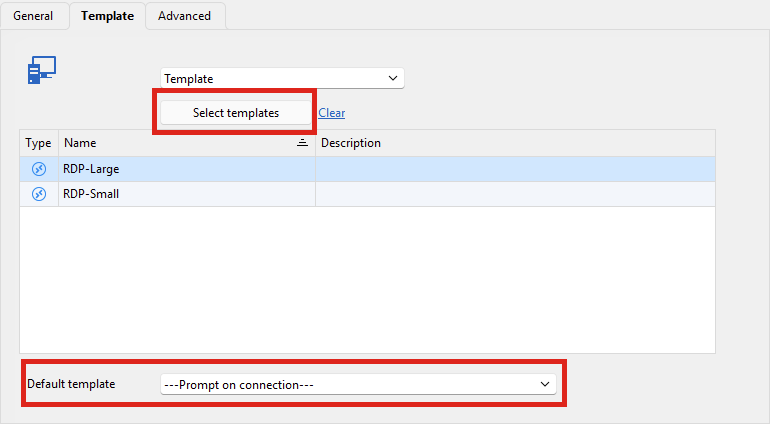
Then, when opening this host entry, you will be prompted to choose between the two configured templates.
Using this strategy, there's a few big positives:
- If you have a lot of entries using this pattern, you will only need to create one entry per host, as the templates can be reused among all of them. This simplifies setup, and will effectively cut in half the amount of entries you need
- If you decide to change what these display settings should map to, it's as simple as changing the template, no need to change all the hosts using these templates
- And of course, the scenario you mentioned should work: since the host is not split over two different entries, RDM should successfully be able to warn your users if the entry is already in use, whether they chose one template or another
I would suggest trying out this solution on a small scale to see if it works well for you, and if it does, applying it more broadly across your environment.
If I missed the mark and this doesn't answer your needs, please let me know.
Regards,
Hubert Mireault
930102a2-e557-49dc-97d7-bb2e7bb51fc6.png
77721cbb-71d9-4c96-be79-61e96c59b5bb.png
1c988546-e3c6-450e-94be-5814971c482f.png
26c34616-b299-42f8-bd93-ce1ee702837e.png
Hi Hubert,
This is almost what we need, but unfortunately, it doesn't fully solve the issue for two reasons:
- The warning doesn't trigger across templates: If we enable "Warn if already open" on the templates, it only checks if someone is using that specific template. If User A connects with Template 1 and User B connects with Template 2, the warning fails and someone still gets kicked off.
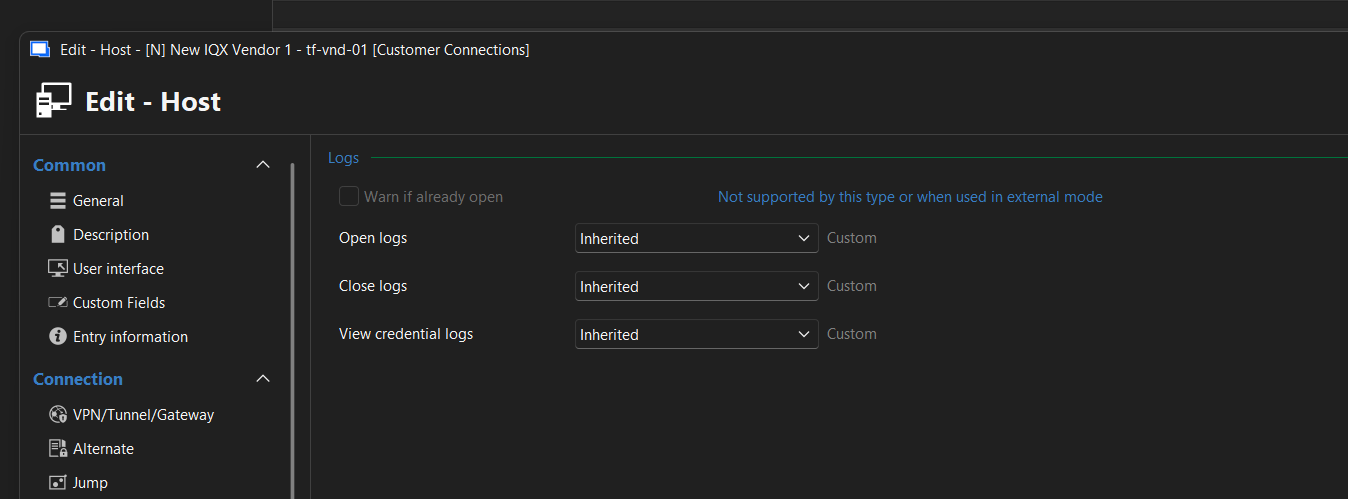
- RD Gateway limitations: Because we use RD Gateways, and there's no way to assign them at the "Host" level, we are forced to bake them into the templates. This means we'd have to create and manage multiple, nearly identical templates just to handle different RD Gateways, which creates a lot of unnecessary clutter.
Because of these limitations, we still really need a way for the warning prompt to look at the target machine/host itself, rather than the specific entry or template being used.
10b4d385-799d-4910-995e-e976fbdab88f.png