CANNOT use the clipboard when Devolutions Remote Desktop is running
CANNOT use the clipboard when Devolutions Remote Desktop is running

I recently upgraded Devolutions Remote Desktop to version 2026.1.11.0 (64-bit (PreJIT) and now ALL clipboard use in Windows 11 is broken. I cannot copy and paste from any app anywhere in Windows 11 when Devolutions Remote Desktop is running.
For example...
- Open Devolutions Remote Desktop
- Open Notepad
- Add the word "Hello"
- Right click and copy "Hello" to the clipboard
- The clipboard is empty
- Close Devolutions Remote Desktop
- Open Notepad
- Add the word "Hello"
- Right click and copy "Hello" to the clipboard
- The clipboard has "Hello" on it
This is 100% reproducible. Devolutions Remote Desktop is completely "owning" the clipboard. No, I don't want to add hundreds of exceptions into Clipboard Diagnostics. I want a feature to disable Devolutions Remote Desktop managing the clipboard in any way.
This is a deal breaker for using the app. I have to close it just to use the Windows clipboard for any app, anywhere.
All Comments (11)
Ok this is odd. We did "somewhat" change how we put things into the clipboard in v2026.1, but not how we read from it. So issues with content copied outside RDM should not be affected.
Give me a few minutes. I will investigate.
Stéfane Lavergne
I'm not able to reproduce it. Could it be that you have a session open that is taking the clipboard content?
Could you please perform the same actions as in this video and send us the results? (The video I'm doing CTRL+C/V, but I got the same result with right-click > copy/paste)
A video, if you can, would also be helpful, but the diagnostic output should be enough.
Stéfane Lavergne
Forum-52399.mp4
I have two machines with this version. 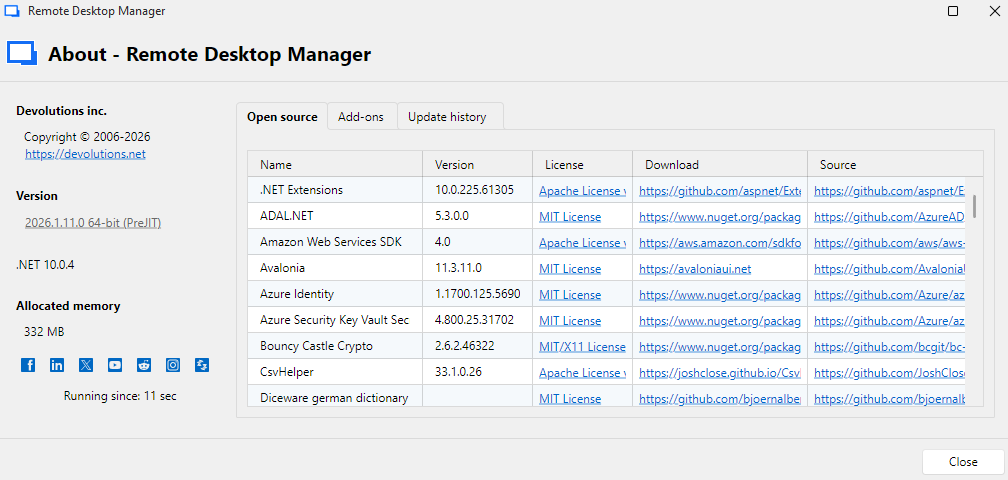
I have two other machines with older versions that do not have the newly introduced "Clipboard diagnostics". Those machines do not have the issue.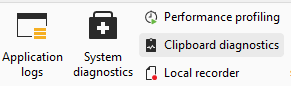
Side note... on the machines with the new version (above) both required I downloaded .NET 10. I am sure you are well aware of this.
I can reproduce this issue in anything...
Word
Notepad
Outlook
PWSH.exe
PowerShell.exe
CMD
Right click and copy something... immediately right click and the "Paste" option is grayed out. CTRL-V does nothing (as expected because the right click Paste is grayed out).
Closing the Devolutions Remote Desktop app immediately fixes the issue and the clipboard is fully available again in all of the listed apps.
1778a75d-14e9-4601-8209-4c89006aa32e.png
659f1e73-e215-493b-855b-48dbde28a99d.png
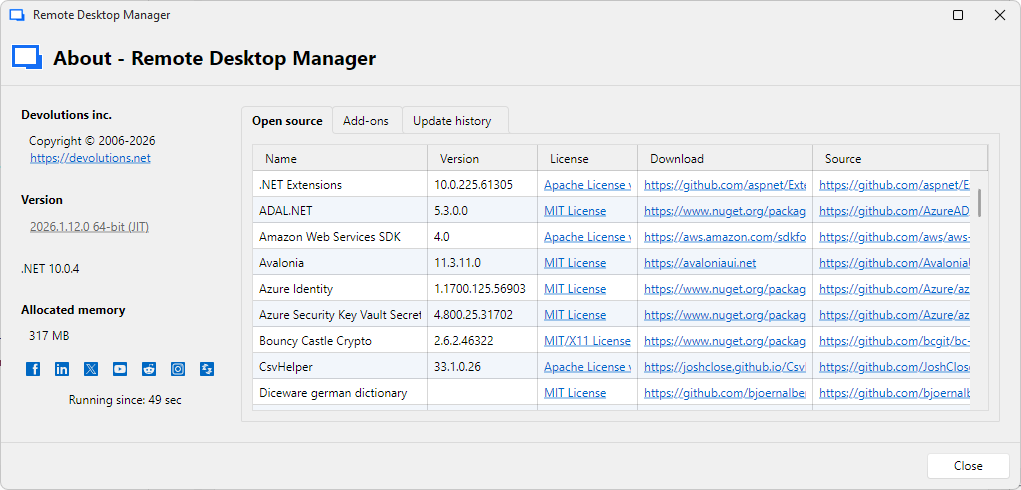
I now have this version and the issue appears to be fully resolved.
2926c837-5dbf-4e68-81a6-9895ff7623ee.png
Wow great news, thanks for the update.
Best regards,
Stéfane Lavergne
Gosh.... my apologies for the hit and miss responses because the problem is back :(
As a person who works in IT myself I find issues that are reproducible are the best because we can work on them until resolved. Issues that appear and then disappear are the annoying ones.
So, I just tried to use the clipboard to copy a few words into a Devolutions Remote Desktop session that is connected to a Windows server and the text does not paste into Notepad, well... because the clipboard is being cleared from my main machine the instant I copy it to the clipboard.
If I close Devolutions Remote Desktop and then simply mstsc.exe into the server I can copy and paste again.
Hmm....
We will need to identify the process that is taking the clipboard content.
But first...
The clipboard diagnostic window has existed for a few versions already, so I'm fairly confident the issue isn't with that window. Especially since if it isn't opened, it doesn't even exist in memory.
All that said, RDM 2026.1 includes two changes that might be affecting this.
First, we've implemented a honeypot approach for the secure clipboard. Instead of having to manually block any app or process, we automatically identify them. We still let them see the clipboard since they are not on the block list, but we also leave you a chance to paste the value.
This only applies to "secure" copy actions done in RDM:
- via buttons
- via right clicks
It does not apply to:
- CTRL+C
- any CTRL+C or right-click copy in sessions like RDP or VNC
Second, we've also had some issues with the Windows message pump in our Avalonia code. I don't know the exact details yet, but I've heard from others and we can't rule this out as a possible cause yet, we need to investigate.
But first let's identify the process.
- Close RDM
- Open RDM again. (this cleared the honeypot list)
- Using the clipboard diagnostic window on the Debug tab:
- click "Paste once"
- paste in Notepad
- click "Paste once - 2 items"
- paste twice in Notepad
- click "Legacy"
- paste in Notepad
Then please send me the output.
With the trace we should be able to identify the process that fell into the honeypot scenario. Yes, in your case, we should see RDM.
You could also try the same test with an RDP session opened, to see if RDM with an active session is the culprit.
Best regards,
Stéfane Lavergne
Clipboard - CopyMethod : PasteOnce
Clipboard - Paste Once - Count : 1
Clipboard - Empty
Clipboard - Promise - Format : 50534
Clipboard - Promise - Format : 49277
Clipboard - Promise - Format : 49247
Clipboard - Promise - Format : 49738
Clipboard - Promise - Format : 50535
Clipboard - Promise - Format : 13
Clipboard - Render - Requester : 0 - Format : 13
Clipboard - Render - LastError : 0
Clipboard - Render - Requester : 0 - Format : 13
Clipboard - Render - LastError : 0
Clipboard - Render - Requester : 0 - Format : 13
Clipboard - Render - LastError : 0
Clipboard - Render - Requester : 2823684 - Format : 13
Clipboard - Requester : 2823684 - Process Id : 21216 - Name : Notepad
Clipboard - Set - Format : 13
Clipboard - Render - Allowlisted - Requester : 2823684
Clipboard - Done!
Clipboard - Empty
Clipboard - Copy
Clipboard - Paste Once - Count : 2
Clipboard - Empty
Clipboard - Promise - Format : 50534
Clipboard - Promise - Format : 49277
Clipboard - Promise - Format : 49247
Clipboard - Promise - Format : 49738
Clipboard - Promise - Format : 50535
Clipboard - Promise - Format : 13
Clipboard - Render - Requester : 0 - Format : 13
Clipboard - Render - LastError : 0
Clipboard - Render - Requester : 0 - Format : 13
Clipboard - Render - LastError : 0
Clipboard - Render - Requester : 0 - Format : 13
Clipboard - Render - LastError : 0
Clipboard - Render - Requester : 2823684 - Format : 13
Clipboard - Render - Allow listed - Requester : 2823684
Clipboard - Requester : 2823684 - Process Id : 21216 - Name : Notepad
Clipboard - Set - Format : 13
Clipboard - Next Clipboard Data
Clipboard - Empty
Clipboard - Promise - Format : 50534
Clipboard - Promise - Format : 49277
Clipboard - Promise - Format : 49247
Clipboard - Promise - Format : 49738
Clipboard - Promise - Format : 50535
Clipboard - Promise - Format : 13
Clipboard - Render - Requester : 0 - Format : 13
Clipboard - Render - LastError : 0
Clipboard - Render - Requester : 0 - Format : 13
Clipboard - Render - LastError : 0
Clipboard - Render - Requester : 0 - Format : 13
Clipboard - Render - LastError : 0
Clipboard - CopyMethod : Legacy
Clipboard - Empty
Clipboard - Promise - Format : 50535
Clipboard - Set - Format : 13
Nice thanks for the trace, so let's look at the first part "Paste once"
Start with some log info
Clipboard - CopyMethod : PasteOnce Clipboard - Paste Once - Count : 1
Then we start with the content. First, we clear the clipboard.
Clipboard - Empty
We promise formats. 13 = text. The others are “private formats” as defined by Microsoft and the industry to signal to clipboard tools that the content is private and should not be added to clipboard history, for example.
Note: not all apps respect these flags, unfortunately.
Clipboard - Promise - Format : 50534 Clipboard - Promise - Format : 49277 Clipboard - Promise - Format : 49247 Clipboard - Promise - Format : 49738 Clipboard - Promise - Format : 50535 Clipboard - Promise - Format : 13
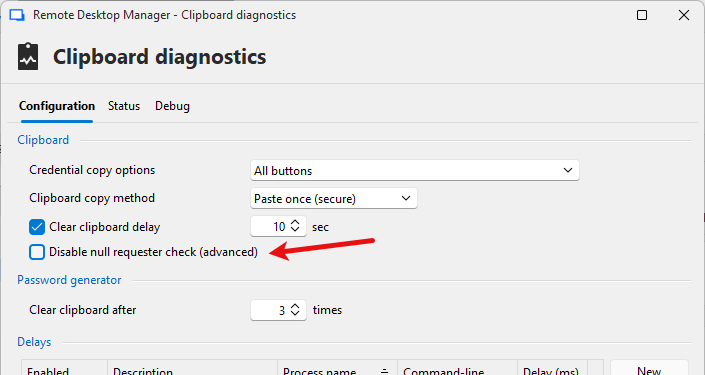
This is where it gets good and bad. We got 3 requests for the clipboard, all 3 from a process that did not give us the proper requester ID, it gave us 0. This is very unusual. RDM will not allow unidentified processes to take or see the clipboard so we blocked it. We will investigate further down, once we are done analyzing the trace.
Note: We have an option to allow it; it's off by default (see below). I would leave it unchecked.
Clipboard - Render - Requester : 0 - Format : 13 Clipboard - Render - LastError : 0 Clipboard - Render - Requester : 0 - Format : 13 Clipboard - Render - LastError : 0 Clipboard - Render - Requester : 0 - Format : 13 Clipboard - Render - LastError : 0
Notepad (2823684) requested to see the clipboard. We identified it as friendly and accepted the request, so we sent the data.
Clipboard - Render - Requester : 2823684 - Format : 13 Clipboard - Requester : 2823684 - Process Id : 21216 - Name : Notepad Clipboard - Set - Format : 13
Notepad added to allowlisted (in memory only, not saved), we are done
Clipboard - Render - Allowlisted - Requester : 2823684 Clipboard - Done! Clipboard - Empty
Ok so why are we seeing?
Clipboard - Render - Requester : 0 - Format : 13 Clipboard - Render - LastError : 0
We call the GetOpenClipboardWindow (Mircosoft) method to get the HWND of the caller. The documentation says if we get 0, call GetLastError (Microsoft) which we do but got nothing.
So all that to say we can’t identify who the requester is. It might be worth trying the same thing with RDM running elevated. This might help us identify the three callers.
Do you think you could give it a try?
Best regards,
Stéfane Lavergne
a99b6877-44cd-4d13-afaa-abe16ab7d812.png
I launched Devolutions Remote Desktop Manager as a local administrator and checking the "Disable null requested check (advanced)" seems to make the issue go away. Interesting...
Edited...
Checking the same checkbox as a non-administrator app launch also seems to help.
The checkbox might be the "Silver bullet".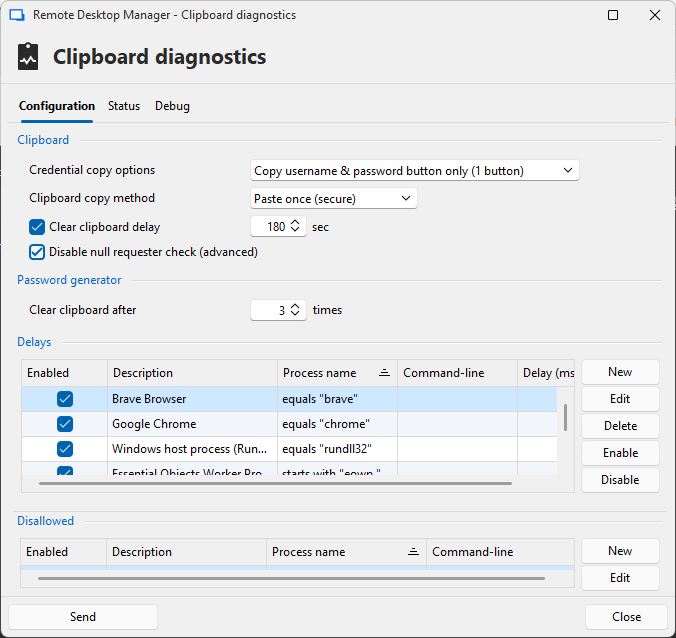
59c2ba51-0385-42f8-b8f8-534462cb61fc.png
What? My mind is blown. Keep me posted if this ever happens again. I have a feeling the issue might come back. If not, then great.
Have a good weekend.
Best regards,
Stéfane Lavergne
