Installation problem with .NET 10.0.0 which is required for RDM 2026 release
Installation problem with .NET 10.0.0 which is required for RDM 2026 release

I've been using this software for years and love it.
With the recent March 2026 update, I have been required to install the Microsoft Windows Desktop Runtime version 10.
In my instance, it is the version 10.0.3 (x64).
However, the setup failed. I got the "error 0x80070006 The handle is invalid."
There is a log file (snippet below) from the installer.
I did restart computer and got same error.
Until I get this installed, I can't run RDM.... :-(
Does anyone have some ideas to solve this?
Thanks
Michael Zwarg
[8470:93A8][2026-03-03T11:29:47]i010: Launching elevated engine process.
[8470:93A8][2026-03-03T11:29:49]i011: Launched elevated engine process.
[8470:93A8][2026-03-03T11:29:49]e000: Error 0x80070006: Failed to wait for child to connect to pipe.
[8470:93A8][2026-03-03T11:29:49]e000: Error 0x80070006: Failed to connect to elevated child process.
[8470:93A8][2026-03-03T11:29:49]e000: Error 0x80070006: Failed to actually elevate.
[8470:93A8][2026-03-03T11:29:49]e000: Error 0x80070006: Failed to elevate.
[8470:8528][2026-03-03T11:29:49]i000: Setting string variable 'WixStdBARestartRequired' to value ''
[8470:93A8][2026-03-03T11:29:49]i399: Apply complete, result: 0x80070006, restart: None, ba requested restart: No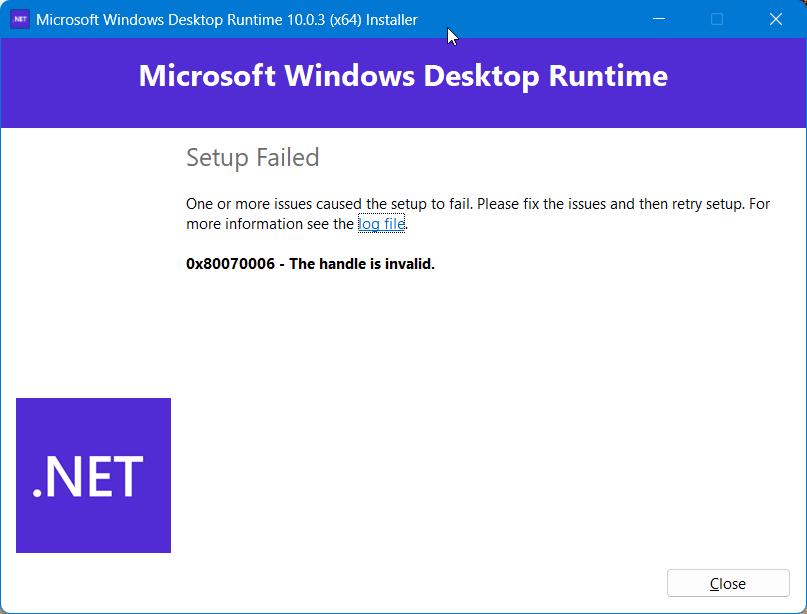
66cc49a1-7505-4aae-ba23-7ebab273fd01.png
All Comments (3)
Hi
I haven't seen that before, but it seems like the installer bootstrapper is having hard time elevating permissions (it's a per-machine install).
At a guess of something easy to try: can you launching the installer from an elevated context? i.e. Try right-click "run as administrator".
Thanks and kind regards,
Richard Markievicz
I solved it by uninstalling RDM ver 2026. Then installed .NET runtime v 10.0.2, installed .NET runtime v10.0.3, then reinstalled RDM v2026.x
Hello
I'm glad you got it working. For the record I don't think uninstalling RDM should have changed something; but it's hard to say - Windows Installer is a very old technology and sometimes you get strange issues like this. The .NET installer is especially complex, because the .exe is actually a bootstrapper for 4 separate .msi installers.
Please, don't hesitate to post back if you have further questions or comments
Best regards,
Richard Markievicz