Pre-authentication failure with DVLS via Azure App proxy renders RDM unresponsive
Pre-authentication failure with DVLS via Azure App proxy renders RDM unresponsive

Hello,
Using RDM 2023.3.32 and DVLS 2025.3.15 with Azure App Proxy.
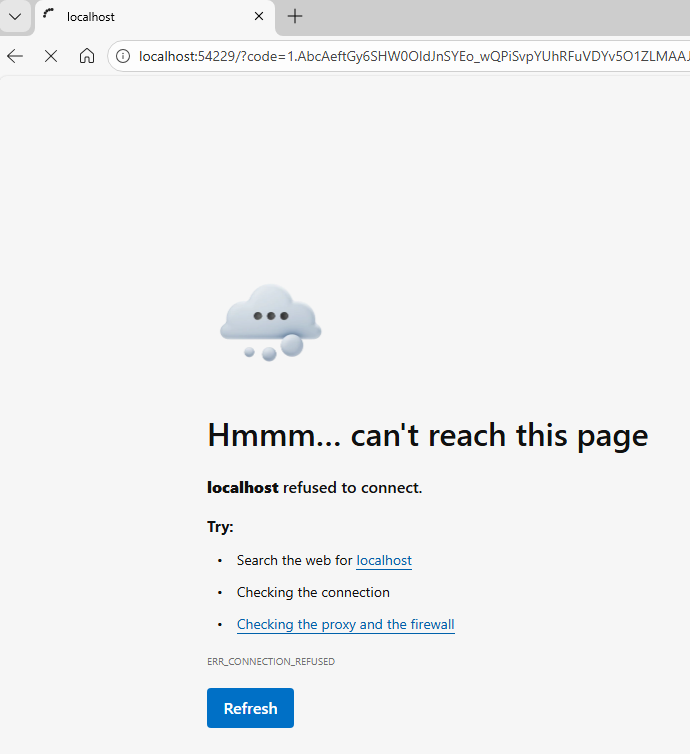
When using RDM to connect to DVLS via Azure App Proxy, if the pre-authentication fails for any reason, RDM becomes unresponsive and needs to be closed via task bar or manager. The issue also seems to manifest if the connectivity to the data source is interrupted, which can trigger reauthentication, which may timeout if unnoticed by the user.
Please let me know if you would like any additional info.
Thanks
Joe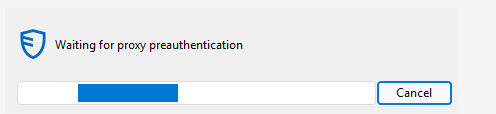
9439f2a4-630e-443c-87a2-5a204245616f.png
a046903e-ca70-4f22-89bb-a418d2103ec0.png
All Comments (8)
Hello Joe,
Thank you for the detailed report.
Remote Desktop Manager should not become unresponsive when the Azure pre-authentication flow fails, so we will need a bit more information to isolate whether this is configuration-related or a client-side hang.
Please check the following:
- Test bypassing Azure App Proxy (connect directly to the DVLS URL on the internal network). Let us know if the hang only happens when going through the App Proxy.
- Confirm the published external URL is not at the root. The Azure pre-auth setup requires DVLS to be under a suffix path (for example, https://myserver.com/dvls, not https://myserver.com).
If the issue still occurs, please provide DVLS logs around the time of the hang:
- DVLS Data Source Logs (Reports – Data Source Logs) after enabling debug logging.
- If you can enable it briefly, DVLS HTTP logs (DPS_Main.log) to see the request/redirect/auth sequence during the failure.
Documentation:
- Azure pre-authentication to a Devolutions Server data source in Remote Desktop Manager
- https://docs.devolutions.net/rdm/kb/how-to-articles/azure-pre-authentication-dvls-rdm/
- View Devolutions Server logs
- https://docs.devolutions.net/server/web-interface/administration/logs/view-server-datasource-logs/
- Enable Devolutions Server HTTP logs
- https://docs.devolutions.net/server/kb/how-to-articles/enable-http-logs/
- Reverse proxy configuration (external URL settings behind a proxy)
- https://docs.devolutions.net/server/kb/how-to-articles/devolutions-server-docker-deployment/advanced-docker-configuration/#reverse-proxy-configuration
Best regards,
Patrick Ouimet
Hi Patrick,
Thanks for assisting with this.
I can reproduce the issue easily by switching to an Azure App Proxy data source, then clicking cancel on 'waiting for pre-authentication' dialog before doing any actual authentication in the browser. After this, its not possible to click anything in RDM.
As this is occurring before authentication succeeds, and the client connects to server, there is unlikely to be anything logged on DVLS.
Issue does not occur when accessing DVLS directly, and URL has /dvls.
If cancel button is not clicked, and authentication is successful, then RDM connects successfully. The problem is that if authentication fails for whatever reason, RDM locks up.
Are you able to reproduce on your end?
Joe
Hello Joe,
Thank you for this feedback.
Yes, after cancelling the preauth, RDM is no longer responsive.
I will open a ticket for this issue.
Best regards,
Patrick Ouimet
Hi Patrick,
Any update on ETA of fix for this? The issue is effectively rendering RDM unusable as it locks up whenever re-authentication times out.
Thanks
Joe
Hello Joe,
Thank you for this feedback.
Unfortunately, there is no ETA announced on this case for now.
I'll keep you posted as soon as a fixed version is available.
Best regards,
Patrick Ouimet
Hi Patrick,
While I realize Azure App proxy is still in 'preview', can this be escalated for prioritization of a fix pls, as its currently not usable if RDM locks up completely when re-authentication fails due to a user interaction timeout.
Thanks
Joe
Hello Joe,
Thank you for your feedback.
I just asked our development team to set the priority higher on the internal ticket. We will post it here once it is available.
Thank you for being so patient.
Best regards,
Érica Poirier
Hello,
We've improved how we handle the pre-auth cancel and various login errors. We've also added a login timeout (2 minutes) in case the browser prompt is left unattended.
Starting from 2026.1.21.0, your ongoing freeze issues should be resolved. Please let us know if you encounter any other problems.
Regards
Jonathan Del Signore