RSA Private Key Storage

Is it possible to store RSA Private Keys in Remote Desktop Manager as credential entries? In this case, it isn't tied to a specific entry (like an SSH one), and it doesn't have a matching certificate. I tried adding it as a "Certificate (X.509), but just get an error.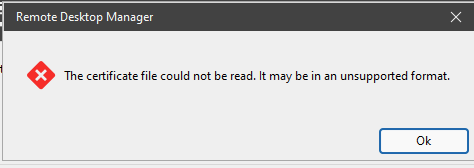
The file is in a standard BASE64 format:
-----BEGIN RSA PRIVATE KEY-----
{contents here}
-----END RSA PRIVATE KEY-----
2acbda4a-8098-4bba-b145-775e4fbd546d.png
Recommended Answer
Hello,
To ensure we provide you with the most accurate recommendation for securely storing the RSA private key in DVLS, I would like to schedule a quick session to review the setup together.
I’ll send you a meeting link shortly via email so we can connect and go through it step by step.
Looking forward to speaking with you.
Best regards,
Carl Marien
All Comments (6)
Hello.
Yes, that RSA private key is typically used for SSH authentication, and it won’t import properly as an X.509 certificate because it’s not a certificate (and may not have a matching cert/public chain).
Could you try storing it in RDM as an SSH Key credential entry instead?
In Remote Desktop Manager:
- Go to Credentials (or Add New Entry)
- Choose Credential → SSH Key (wording may vary slightly depending on version)
- Paste/import the private key contents
- If the key is encrypted, enter the passphrase
- Then select that SSH Key credential in your SSH/SFTP entry (or wherever you need key-based auth)
If you tell me which session type you’re using (SSH, SFTP, SCP, etc.) and your RDM version, I can point you to the exact menu path.
Best regards,
Carl Marien
Carl,
Using RDM 2025.3.30.0, I don't see an "SSH key" entry type. The closest one I see is "SSH key dashboard", which seems to be similar to a regular SSH session (screenshot below). 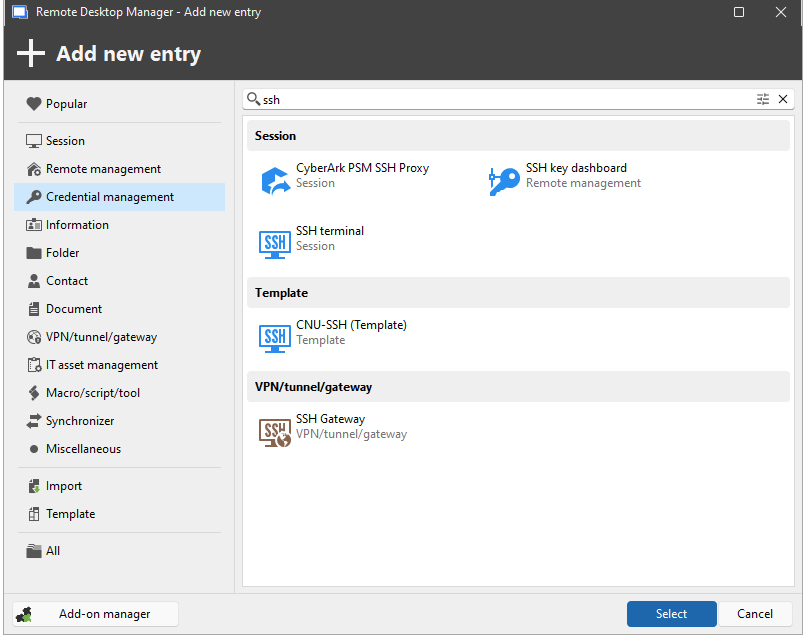
Ultimately, I am not trying to use any specific type of remote/connection entry. This key is not used for SSH or any other kind of remote connection, it gets manually uploaded via web interface to decrypt specific data when required, so I am trying to store it basically as a standalone file inside of RDM, but as a credential type, so that it can have some protections applied to it.
73fbffe8-1778-4d61-bb52-6579efe6100d.png
Hello,
Thanks for the info.
Quick check: what data source are you using in RDM (Local / DVLS / Hub / SQL, etc.)? Also, can you confirm the exact version/build from Help → About (full version string)? The interface you’re seeing looks a bit different than expected.
If you don’t need to use the key in any session and just want it stored securely, the simplest option is to save it as a Document entry.
Best regards,
Carl Marien
We're using DVLS as the data source (v2025.3.14.0). Screenshot from the RDM About box (2025.3.30.0 64-bit (PreJIT)) is below. I figured a Document entry would be the best fallback, but wasn't sure if it was encrypted like the credential types.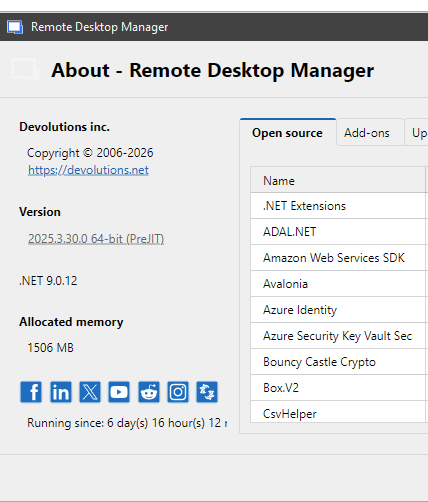
f276569c-45dd-422b-8b20-36b39352c8ed.png
Hello,
To ensure we provide you with the most accurate recommendation for securely storing the RSA private key in DVLS, I would like to schedule a quick session to review the setup together.
I’ll send you a meeting link shortly via email so we can connect and go through it step by step.
Looking forward to speaking with you.
Best regards,
Carl Marien
Hello,
Just to provide an update on this case:
During our session, we identified that the SSH Key credential entry type was disabled in DVLS. Because of this, the option was not visible in RDM, which is why it initially appeared unavailable.
After re-enabling the SSH Key entry type in DVLS, the issue was resolved and the entry type became available as expected.
If anyone encounters a similar situation where a credential type is missing, it’s worth verifying whether the entry type is enabled in the DVLS configuration.
Best regards,
Carl Marien