DVLS Certificate

Hi Team and hope you're well.
Where does RDM store the certificate when you choose "Continue and remember"?
What would cause it to repeat popup after choosing "Continue and remember"?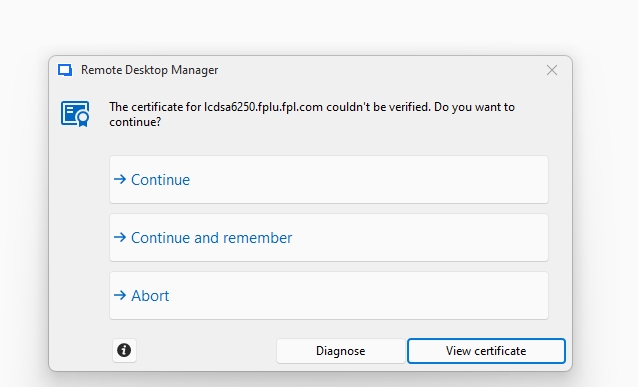
What does "Ignore application certificate errors" do?
What does the "Certificate revocation check timeout" help with?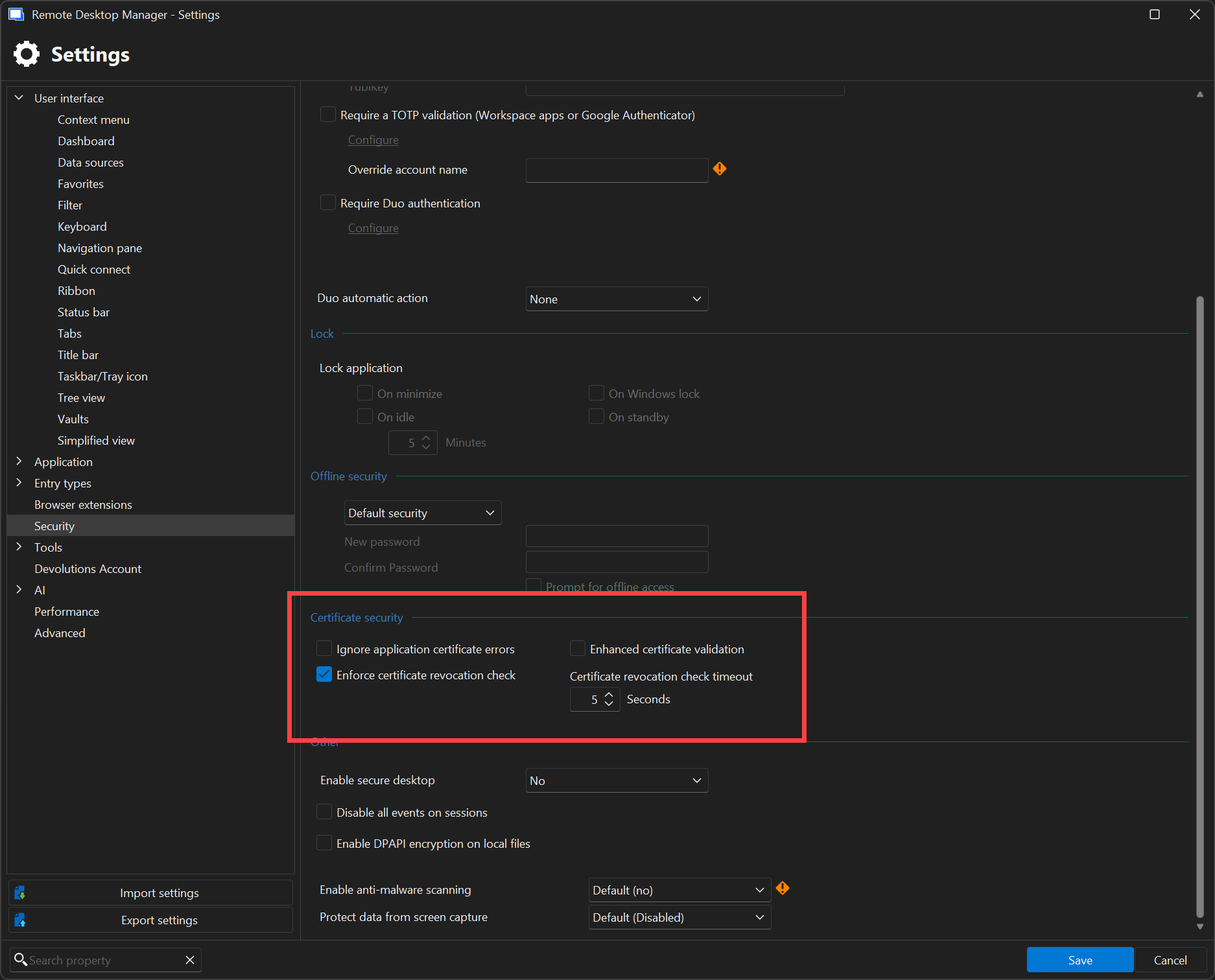
24736562-6a6d-455e-9c33-d2932cbe5d7c.png
f71b415b-f58a-4ecb-bfb9-c20009d05f1b.png
All Comments (2)
Hello,
Thank you for reaching out to us regarding this,
We have the following knowledge base article regarding this type of issue:
https://docs.devolutions.net/rdm/kb/how-to-articles/certificate-validation/
We also have the following explaining each option:
https://docs.devolutions.net/rdm/commands/file/options/security/#certificate-security
Let me know if this helps,
Best regards,
Samuel Dery
Where does RDM store the certificate when you choose "Continue and remember"?
What would cause it to repeat popup after choosing "Continue and remember"?
The certificate hostname and fingerprint are stored in a configuration file (RemoteDesktopManager.stv) in the appdata folder. When you say that the popup is repeating, is it immediately after clicking on Continue and remember, or the next time you connect? Also which type of connection are you opening when you get the popup?
Sébastien Duquette