vmware console esx 4.0

Hy, i,m trying the trail version !
I can not connect to the consol of a virtual server. I can connect to the vSphere client.
I would like to connect to the consol of our virtual servers.
I got an error:
The Server returned an erroro
Unable to connect to the remote server
I use VMware Console,
hostname ,
tab information - computer * is VMware server.
I installed VMware vSphere PowerCLI
Martijn
All Comments (17)
Hi
Is there something relevant in the application log?
Maurice
nothing in the log, is empty
Hi
The way you set it up make the information appear in the footer as soon as the session is selected
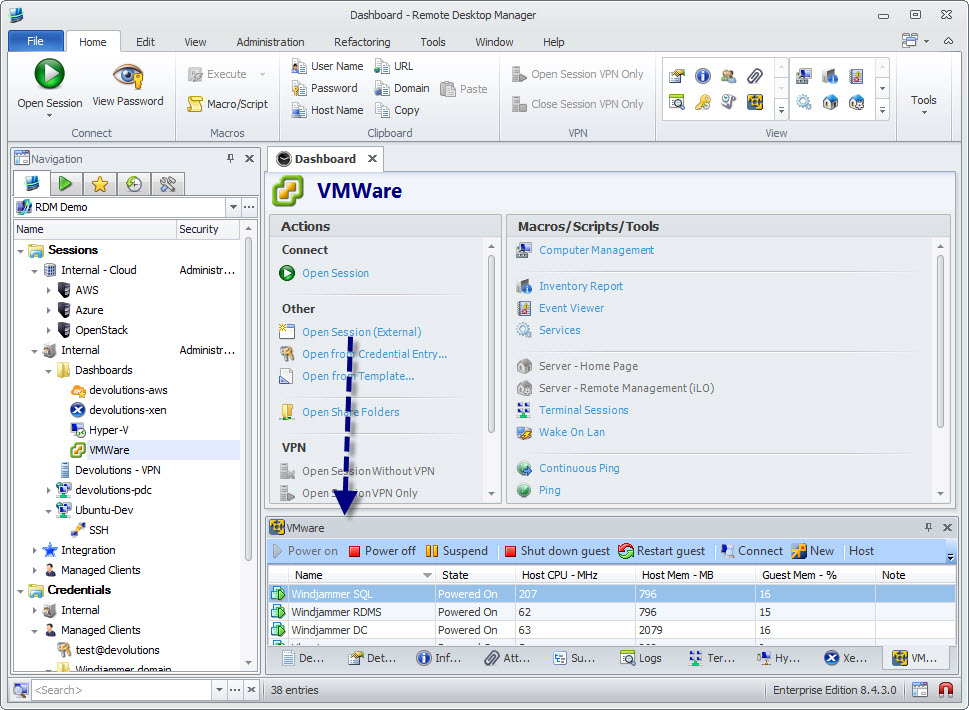
Maurice
vmware.jpg
sorry but mine says XeServer??
Remote Desktop Manager [Dashboard] - Trial version expire in 28 days_2013-08-31_06-23-10.jpg
Remote Desktop Manager - nlfsrv01_2013-08-31_06-26-19.jpg
Remote Desktop Manager [Dashboard] - Trial version expire in 28 days_2013-08-31_06-26-04.jpg
I realy need to get it to work,
We would like to buy the enterprise version but it has to work.
anyone?
Make sure the XenServer tab is visible.
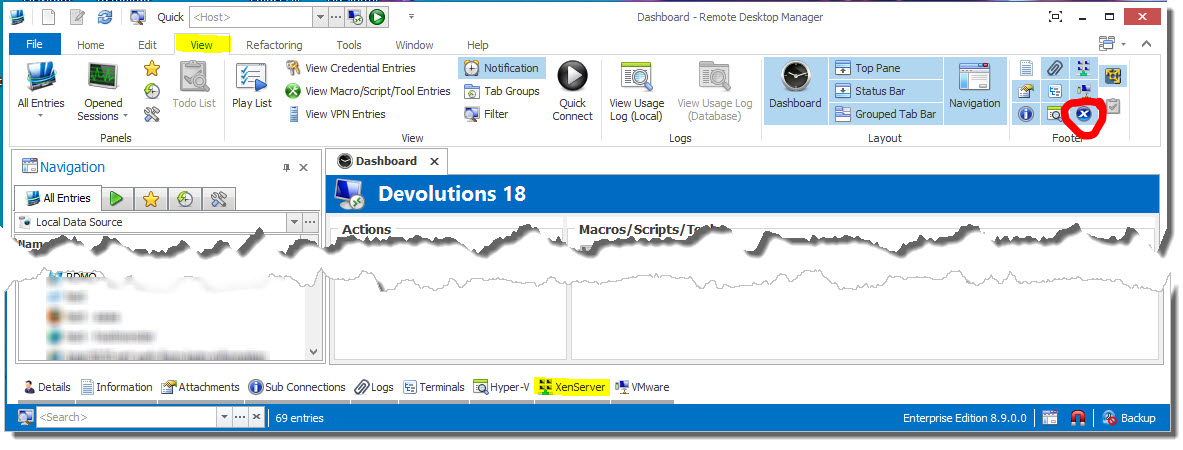
Stéfane Lavergne
9-2-2013 9-01-43 AM.jpg
is is but nothing
edited by mvdijck on 9/2/2013
Remote Desktop Manager [Virtual machines - nlfsrv01] - Trial version expire in 2_2013-09-02_15-09-12.jpg
If you hit refresh, do you get any error message in the logs?
Stéfane Lavergne
nothing
Could you export your session and send it to me (no credentials please)
slavergne at devolutions.net
Stéfane Lavergne
ok thanks
it is a virtual server, hosted on our esx 4.0 When i use vSphere i can connect to thye consol
nlfsrv01.rdm
Make sure you check the "Is XenServer server" of the Information tab.
Stéfane Lavergne
Sorry does not help
Could you try to create a new entry and pick VMware Console in the Remote Connections\Virtualization?
David Hervieux
Still the same problem.
Maby there is somthing wrong with the installation.
Maby tommorrow you can have a look with a remote session?
private message will follow
Maurice