Connecting to Beyond Trust protected Server (Password inheritance only)
Connecting to Beyond Trust protected Server (Password inheritance only)
1 vote

Hello,
we're using BeyonTrust to connect our RDP Servers.
The following settings are working, but I need to set the User Password on every connection as I'm not able to inherit only the Password.
The configuration that works looks like this (but I have to enter the user password on every RDP Host I create, which would be very time-consuming if the password changes...
Host: BrokerSerever2.calderys.net (broker server)
Username: domain.net\username+domain.net\adm_user+SERVER005
(Domain\Username\adm username+Server connecting to)
So the solution would be, that I can inherit the Password only
In mRemote it was possible that way
Best regards
Daniel
All Comments (1)
Hello Daniel,
I believe the simplest way in your case would be to leverage credential linking, variables and custom fields. Let me explain with a simple setup.
In short, what you'll need is the following:
- A credential entry where you will enter $CUSTOM_FIELD1$ in the username field, and the password you need to use in the password field, as you say it's the same on all your machines.
- Your session entry, where it links to the credential you created previously. This session entry needs to have its username configured in the first custom field, so the variable resolves properly
With this simple setup, you will only need one credential entry with the password, rather than entering that password on every BeyondTrust entry. The BeyondTrust entries will still need to have their usernames entered in their custom field, but assuming they're all different, there's not much to do here. Additionally, you can rename custom fields so their purpose is clearer.
Here's a few screen captures to illustrate the setup I described. Please note I used an RDP entry as the session but it should work with BeyondTrust entries as well.
The credential entry configuration: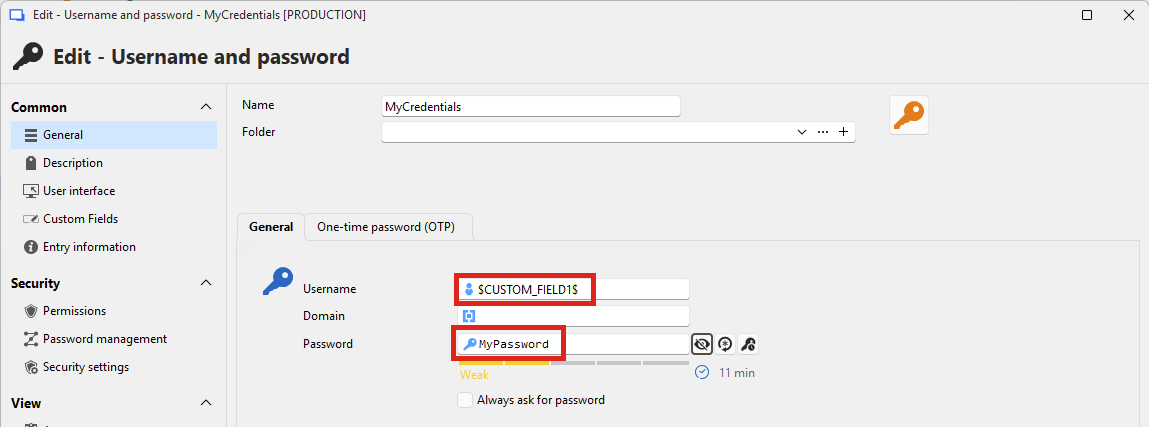
The RDP (or BeyondTrust in your case) configuration: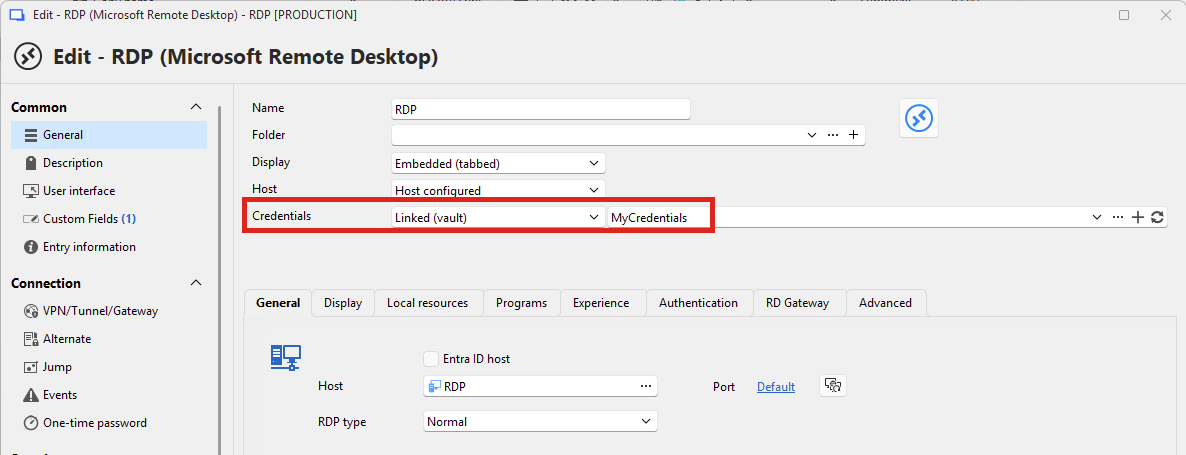
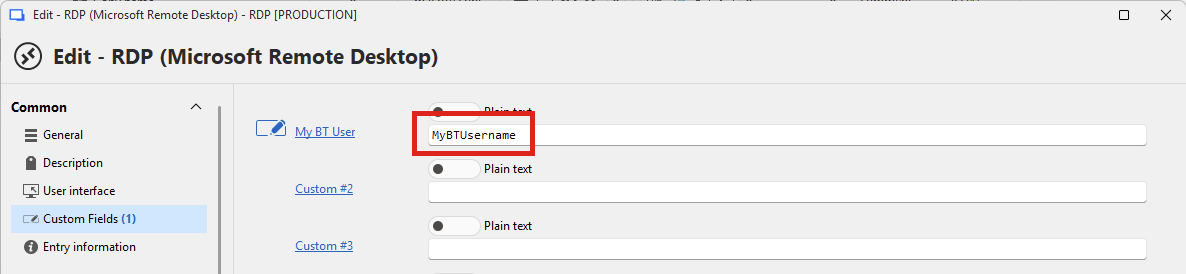
And then, if I try to view the credentials on my RDP entry: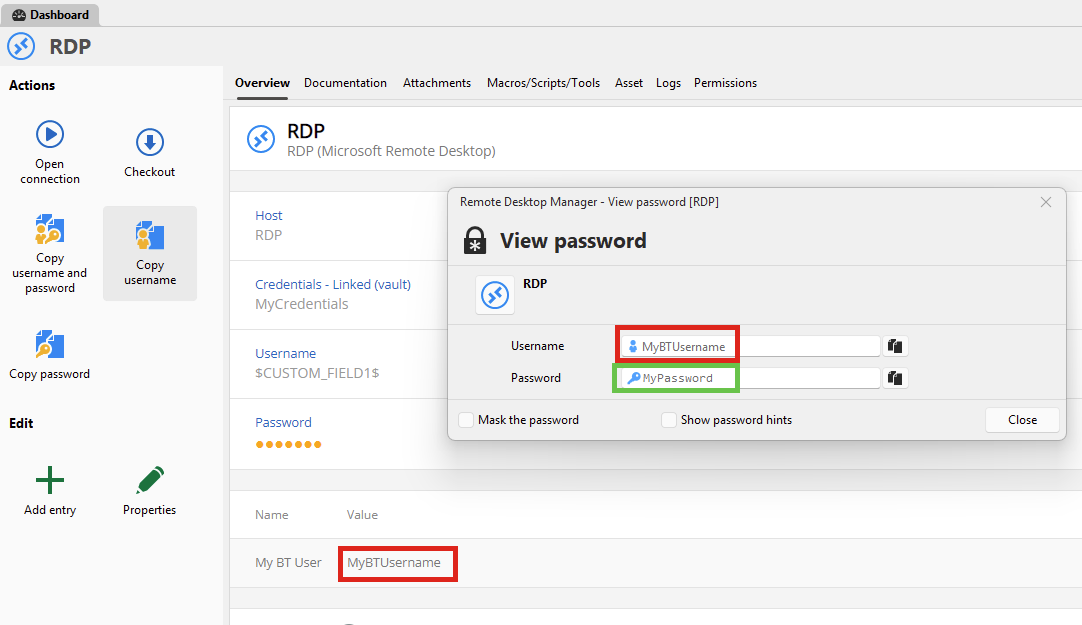
As you can see, the username is correctly the same value as the custom field of the RDP entry, and the password is the one that was configured in the credential entry.
I believe with this configuration, it should help you achieve what you need. Let me know if this helps.
Regards,
Hubert Mireault
26c35c15-bbf6-4799-a98e-01223bbe39b6.png
bc261769-ea2a-4ca5-9eb4-784ea6e0fe7f.png
b1bd7688-926f-4a7b-8490-567478f2a0d9.png
6888189e-f124-4d9e-b125-bfc1d837dd29.png