SSL Terminal Connection / Copy Issue

Hi There,
perhaps someone can help me if i use a from settings, i have migrate from putty to ssh terminal, now i have a problem with Select Text und Copy them... - If i select the Text, the Windows "Stuck" for a while... sometime 2-3 second... sometime 10.. then i got it in the Copy&Paste. - Is there a Settings that i can select this this "Stucking" stoppt?
if hade this issue only is i use "SSH Terminal". with the Old one Putty it works.
All Comments (10)
Hi There,
perhaps someone can help me if i use a from settings, i have migrate from putty to ssh terminal, now i have a problem with Select Text und Copy them... - If i select the Text, the Windows "Stuck" for a while... sometime 2-3 second... sometime 10.. then i got it in the Copy&Paste. - Is there a Settings that i can select this this "Stucking" stoppt?
if hade this issue only is i use "SSH Terminal". with the Old one Putty it works.
@mjunk
Hi Marcel,
Thank you for contacting us and for reporting the issue with text selection and copy behavior in the SSH Terminal.
To help us investigate this further and identify the root cause, could you please provide the following information:
- The exact product and module you are using for the SSH Terminal
- The application version
- Your Windows version
- Whether the issue occurs with all SSH sessions or only with specific hosts
- Whether the behavior persists when using a new or default SSH session configuration
If possible, a short screen recording or any relevant logs showing the delay when selecting text would also be very helpful.
Once we have this information, we will be able to continue troubleshooting and advise on the next steps.
Thank you for your cooperation, and we look forward to your response.
Eduard Sepulveda Lopez
Hi There,
- The exact product and module you are using for the SSH Terminal
-> I´am not Exact know what you want, i create a new Connection ( New Extry -> SSH Terminal ) 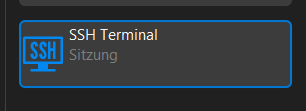
- The application version
-> Version for Windows 2025.3.30.0
- Your Windows version
-> Latest Windows 11 ( Version 25H2 Build: 26200.7623 )
- Whether the issue occurs with all SSH sessions or only with specific hosts
-> Its happens on ALL Hosts that i useing for SSH.
- Whether the behavior persists when using a new or default SSH session configuration
-> I create a completet new without a template still the same issue.
Its hard to show.. attached the Windows, after i Select the test "dovecot/auth" i do a rightklickt to inser the Copy & Paste this take in this Video nor 3 seconds.. in this time the hole Deskmanager Manager Stuck, after some seconds ths paste you see.
Best Regards,
Marcel
f63c2611-579a-4bbf-895f-c77fb6b21022.png
Aufzeichnung 2026-01-28 161500.mp4
Hi There,
perhaps someone can help me if i use a from settings, i have migrate from putty to ssh terminal, now i have a problem with Select Text und Copy them... - If i select the Text, the Windows "Stuck" for a while... sometime 2-3 second... sometime 10.. then i got it in the Copy&Paste. - Is there a Settings that i can select this this "Stucking" stoppt?
if hade this issue only is i use "SSH Terminal". with the Old one Putty it works.
@mjunk
Hi Marcel,
Thanks for the detailed explanation.
This behavior can be related to the Paste delay setting in the SSH Terminal entry.
Please try the following:
- Open the SSH Terminal entry
- Go to Entry Properties
- Navigate to Advanced
- Locate the Paste delay option (as shown in the screenshot attached)
- Try adjusting or disabling this value, then test again
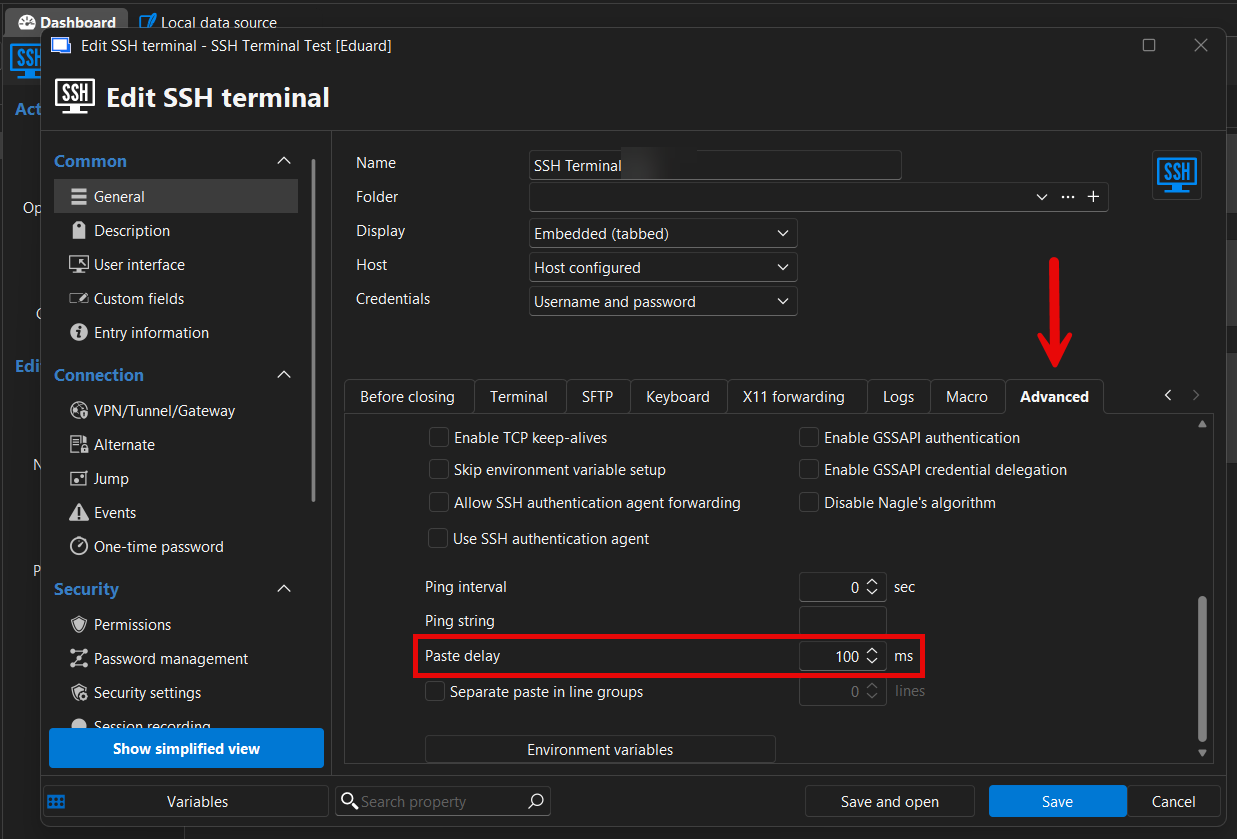
This setting can affect how text selection and copy/paste work and may cause the delay you’re experiencing when selecting text.
If the issue persists after adjusting this setting, please let us know along with your RDM version so we can investigate further.
Thanks for your feedback!
Eduard Sepulveda Lopez
54f60d67-5df0-4835-b455-108942a2873f.png
Sorry, it dont help... it still the same... if i copy something the hold system "stuck". ist very intressing happen.
this is what i use...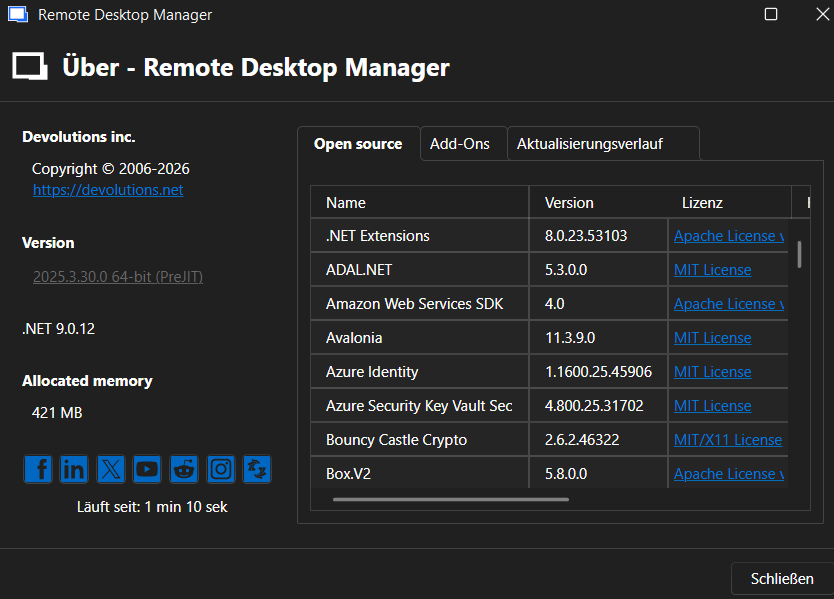
i installed it on my laptop there is stillt the same.. i fast select 2-3 lines... then everything stuck complete.
af3548cb-2bb9-4c04-9193-69cd5ed50ed0.png
Sorry, it dont help... it still the same... if i copy something the hold system "stuck". ist very intressing happen.
this is what i use...
i installed it on my laptop there is stillt the same.. i fast select 2-3 lines... then everything stuck complete.
@mjunk
Hi Marcel,
Thanks for testing this on your laptop as well — that’s helpful.
If the issue already occurs when quickly selecting just 2–3 lines and the UI freezes completely, this rules out large selections or scrollback size as the main cause. Since the behavior is reproducible on a second machine, it further points to a client-side handling issue rather than anything Linux- or server-related.
As a next step, we’d suggest checking whether disabling automatic copy on selection changes the behavior, and whether the same SSH session behaves differently in the latest stable (non-preview) RDM version. This will help us narrow down whether this is related to clipboard handling in the preview build.
If the issue persists, we can take a deeper look and collect additional details to analyze this further.
Eduard Sepulveda Lopez
Hi,
at this moment iam not able to follow you what i have to do?
Where can i Disable "the automatic copy on selection"? - But this is for me the Most Importend thing what i use... ;)
When i can give some hint... feel free... - if i can help you... you can help me that i dont have to migrate back to putty.
Best Regards,
Marcel
Hi,
at this moment iam not able to follow you what i have to do?
Where can i Disable "the automatic copy on selection"? - But this is for me the Most Importend thing what i use... ;)
When i can give some hint... feel free... - if i can help you... you can help me that i dont have to migrate back to putty.
Best Regards,
Marcel
@mjunk
Hi Marcel,
Thanks for your message — no worries, let me make this clearer 🙂
First of all, I completely understand that copy on selection is essential for you. We are not asking you to disable it permanently. That step was suggested only as a temporary test to help us identify the cause of the freeze.
Where to find the setting (for testing only):
- Open RDM
- Go to File → Preferences
- Navigate to User Interface → Terminal / SSH
- Temporarily disable Automatically copy selected text to clipboard
- Test selecting a few lines in the SSH session
- You can re-enable the option right after the test
This helps us confirm whether the UI freeze is caused by clipboard handling.
Additionally, based on the screenshot you shared, I can see that you are currently using a preview (PreJIT) version of RDM. Clipboard and terminal behavior is still actively changing in preview builds, so this issue is very likely related to that.
To help you avoid having to migrate back to PuTTY, the most important next step would be:
- Please test the latest stable (non-preview) version of RDM with the same SSH entry and settings
If the issue does not happen there, we can clearly identify this as a preview-only issue and handle it internally.
Thanks a lot for your cooperation — your feedback really helps us get this resolved.
Eduard Sepulveda Lopez
HI There, sorry this Path i cannot find: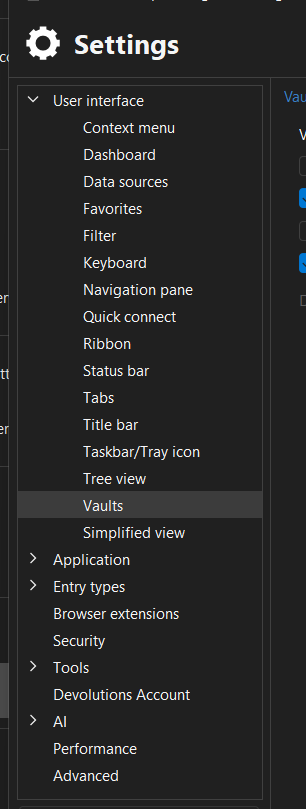
if use the Search seens it should be this section: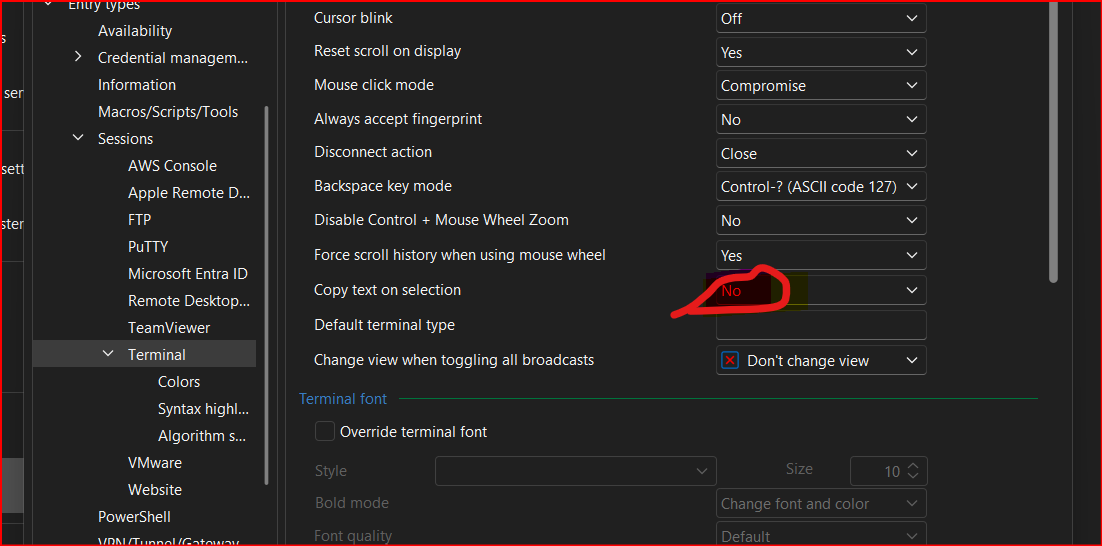
And yes, this will help no stucking. - But now iám not able to copy anything... ( strg +c ) so ne need to enable it again :/
Is there a other "Trick", that i can leave it "off". but able to copy something?
Best Regards,
Marcel
bfb17ac9-affa-4027-ad60-58714e7896a5.png
c896a0b0-3a62-4f48-9162-ab97b577d829.png
Hi Marcel,
We are currently investigating reports of similar issues internally. I will update this Forum as soon as we have more information to share.
Best regards,
Stephan
Hey,
So far, we haven’t been able to reproduce the same behavior on our side. To help us investigate further, could you please let us know the following:
- Are you using any third-party clipboard manager on the affected machine(s)?
- Have any additional settings been enabled or disabled in the SSH entry configuration?
- Which data source is your Remote Desktop Manager using (DVLS, SQL Server, SQLite, etc.)?
- Can you reproduce the issue outside of DVLS, for example by testing with a local SQLite data source?
Any additional details you can share will help us narrow this down and identify the root cause.
Thank you!
Stephan