Constant prompt to authenticate again

Hi,
Recently I deployed RDM 2025.3.29.0 to replace 2025.1.41.0 at my company and my users noticed with the new version they're constantly asked to authenticate again to fetch their credentials from Delinea. Previously it would prompt once and automatically grab it again for a while, something like 30 to 60 minutes before it would prompt again. Now, with the newest version of RDM, they're asked every time they connect to a different server. Not just for the user and password but also RSA token.
Is anyone else experiencing that and is there a way to fix that? No changes were made to the credential entry being used for those servers.
Thanks!
Bruno Soares
All Comments (13)
Hello,
Thank you for reaching out!
My name is William and I'm here to assist you in any way I can.
Would it be possible to confirm which Delinea entry you are using? Delinea Secret Server or Delinea Server PAM?
If you are using Delinea Secret Server, are you using OAuth or SSO?
If you are using SSO, which Identity Provider are you using? Could you also confirm the token lifetime configured on the IDP?
Best regards,
Thanks for your reply. We are using Delinea Secret Server and OAuth for authentication mode. Resolving mode is Injection if that matters.
None of this has changed, we've had this configured this way for years and only noticed a change in behavior now with the latest version of RDM.
Hello,
Thank you for the confirmation. Would it be possible to confirm the data source you are using with Remote Desktop Manager (RDM)? If you are unsure, you can head under Help > System diagnostics > Data Source. From there you will find the data source type and its version: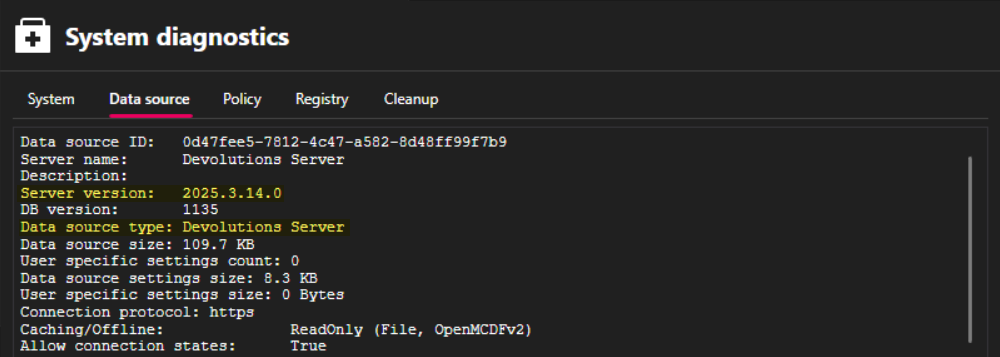
With this information, I'll be able to open an internal investigation to try and replicate the issue on our side.
Best regards,
f31d0faf-a085-454d-b3e4-0a9b8884949b.png
This is what I see in there. I guess because we have local databases and only connect to secret server for the credential?
Data source ID: be28f625-b35d-4954-8fdc-85826d4c320a
Repositories (count): 0
Data source type: SQLite
Data source settings size: 1.2 KB
User specific settings count: 0
User specific settings size: 0 Bytes
Connection protocol:
Caching/Offline: Cache (InMemory, Memory)
Allow connection states: True
Repository (ID): (00000000-0000-0000-0000-000000000000)
Repository size: 81.9 KB
Entries/Items: 199/199
Sessions: 175
Data entries: 0
Credentials: 13
Sub entries: 0
Documents: 0
Contacts: 0
-->Sub total: 188
Session tools: 0
Folders: 11
--> Total: 199
Entries with variables: 0
Virtual folders: 0
Custom images: 0
Custom images (legacy): 0
RTF notes: 0
Connection client version: 0x0000000000000000
Hello,
Thank you for the confirmation, yes you are using local data sources. I've opened an investigation with our QA team to try and replicate the issue on our side.
Best regards,
Hello,
Would it be possible to confirm if you have the Always ask for password enabled in your Delinea configuration: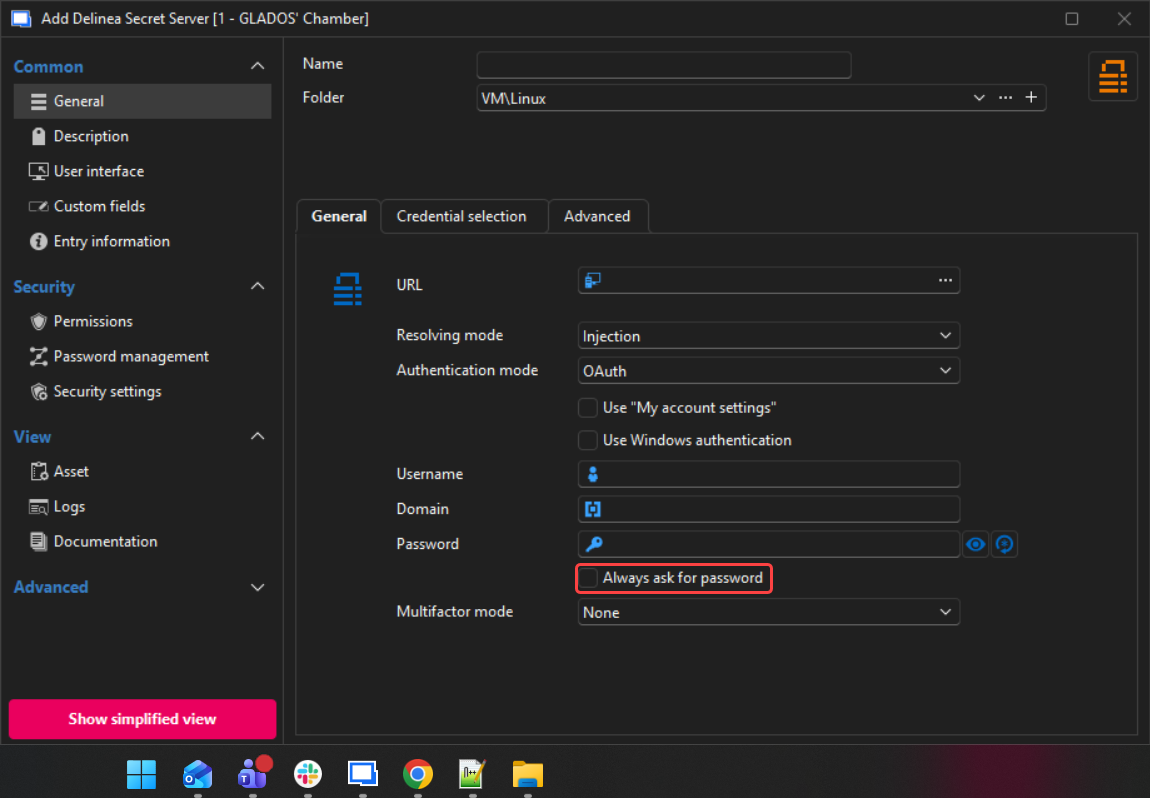
Best regards,
cd5b4d84-0cc4-4d39-94a9-ad8408d2360d.png
We do have that checked, and it used to ask for it on first attempts or after some time being idle. But now you can launch 5 connections in a row and it will ask every time. If we type the credentials in that window and uncheck that box, it won't ask for password but will ask for MFA every time, even though we have that bottom option to ask only when it expires.
Hello,
Our development team confirmed that before 2025.3 RDM would still cache the authentication and now it doesn't. They are working on a new option to chose to cache the authentication or not, but this should only be available in the 2026.1 version of RDM.
Meanwhile, I would recommend removing that option and entering your password in the Delinea entry directly.
Best regards,
Thanks for confirming the behavior we are seeing. I look forward to that updated version that gives us the option to cache it.
Have a nice day :)
Hello,
You are welcome. I suggest subscribing to this thread if you'd like to be notified for new releases of Remote Desktop Manager (RDM): https://forum.devolutions.net/forums/20/remote-desktop-manager--announcement
Best regards,
Hi. We still have this issue even with the latest versions of RDM. I'm wondering if you have an estimate of when the caching option will be available?
Thanks
Hello,
Thank you for your patience, this should already be available. Could you please confirm if you have the "Keep auth context when always ask password is enabled" option enabled under File > Settings > Entry types > Credential management > Delinea Secret Server?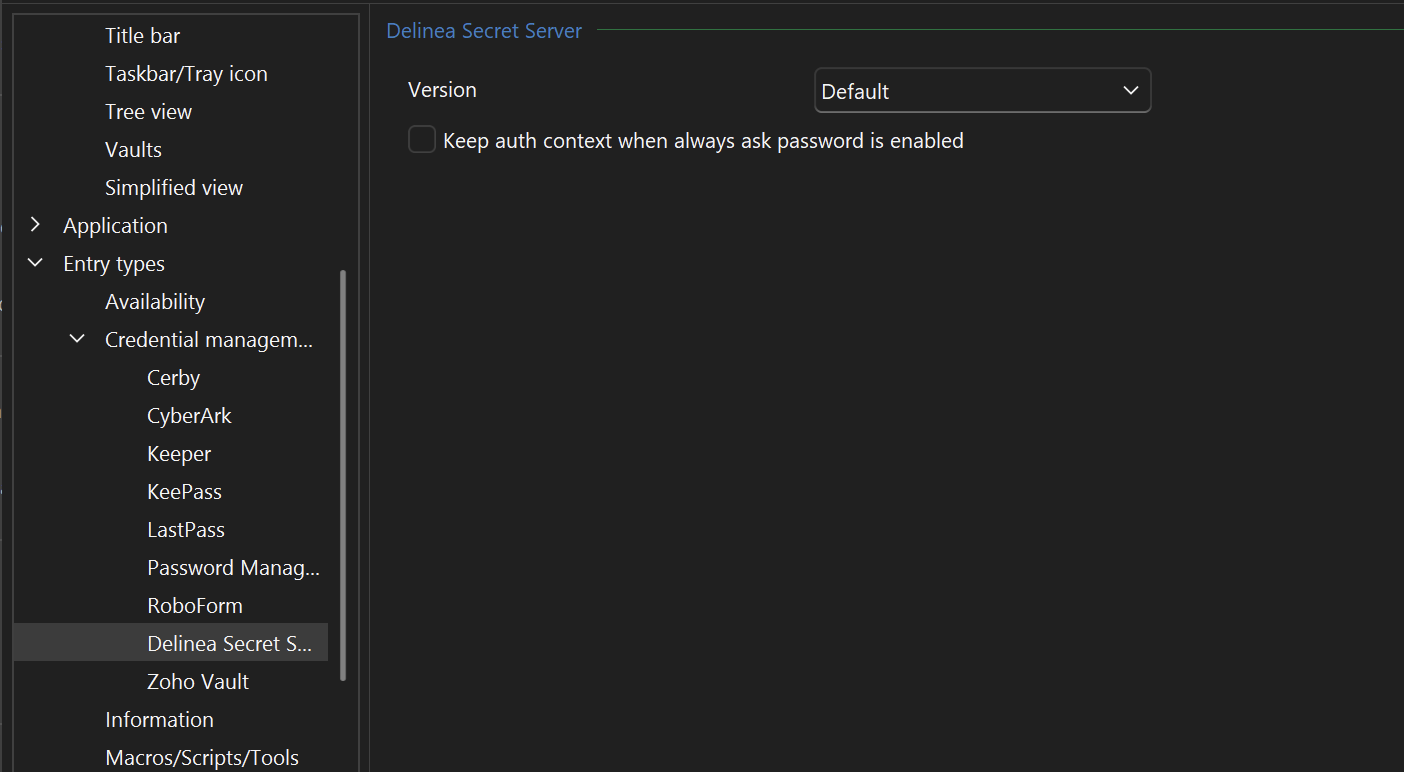
Best regards,
dcc1abc1-0049-4db9-b5be-9875bb0fa4c1.png
I didn't realize that setting had to be enabled. I gave it a try now and indeed the prompt to authenticate again did not come up. That's great. Thank you!