Can't use PAM account as credential in Active Directory dashboard entry
Can't use PAM account as credential in Active Directory dashboard entry
1 vote

Can't use privileged account as a credential in an Active Directory dashboard entry
I checked the official Devolutions video and was convinced that this option should be available (4:06).
However, when I tried to configure it in my vault, I could not find this option for an Active Directory dashboard entry - neither in RDM nor in DVLS.
For comparison, an RDP entry contains the required option, and it works fine there.
The only available option is "My privileged account", but this is not what is required.
I also tried using the "Inherited" option and set a Privileged Account on the root folder, but this resulted in the following error:
"The data source does not support the use of privileged accounts for this entry type."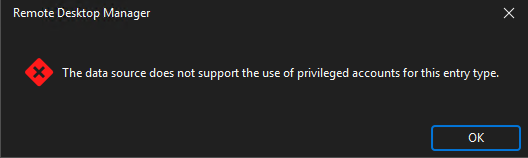
RDM version: 2025.3.16.0
DVLS version: 2025.3.12.0
cfdd518f-1944-492e-94f7-12b4183c38fc.png
88edb86a-2f2c-4375-b09f-a0ad7a493984.png
All Comments (6)
Hi @vostok
I agree this should available, we’ll get it done. We’ll update this thread once it becomes available.
Cheers,
Luc Fauvel
Hi @vostok
I agree this should available, we’ll get it done. We’ll update this thread once it becomes available.
Cheers,
@Luc Fauvel
Thanks for your prompt reply! I'm glad to hear that and will wait for the update.
Hello Vostok,
This has been completed internally and should be available starting from our next major versions of RDM/DVLS (2026.1.x.x).
These versions should officially release around mid-March. If you wish to get this improvement sooner, the beta versions for RDM and DVLS should be released next week or the one after so you could test it there.
Here is the link where the beta download will appear in the near future : https://devolutions.net/remote-desktop-manager/download/
Best Regards,
Michaël Beaudin
Hello Vostok,
This has been completed internally and should be available starting from our next major versions of RDM/DVLS (2026.1.x.x).
These versions should officially release around mid-March. If you wish to get this improvement sooner, the beta versions for RDM and DVLS should be released next week or the one after so you could test it there.
Here is the link where the beta download will appear in the near future : https://devolutions.net/remote-desktop-manager/download/
Best Regards,
@Michael Beaudin
Hello Michael,
Just upgraded RDM and devolutions server to the latest version. The problem still persist.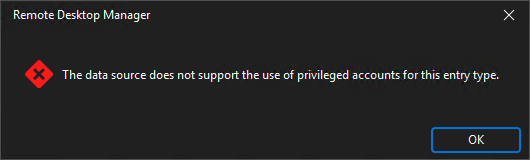
RDM - 2026.1.12.0
DVLS - 2026.1.7.0
Will be this fix released in the next update?
f6df2511-538a-45ea-99cf-7221e1f0201a.png
Hello,
I am not on the exact same DVLS version as you are but I have tried on my end and it seems to work. Are you still trying to do this on an Active Directory dashboard entry type?
If so, the usage policy for it has been added and you just have to make sure it is enabled in your DVLS usage policies as shown below.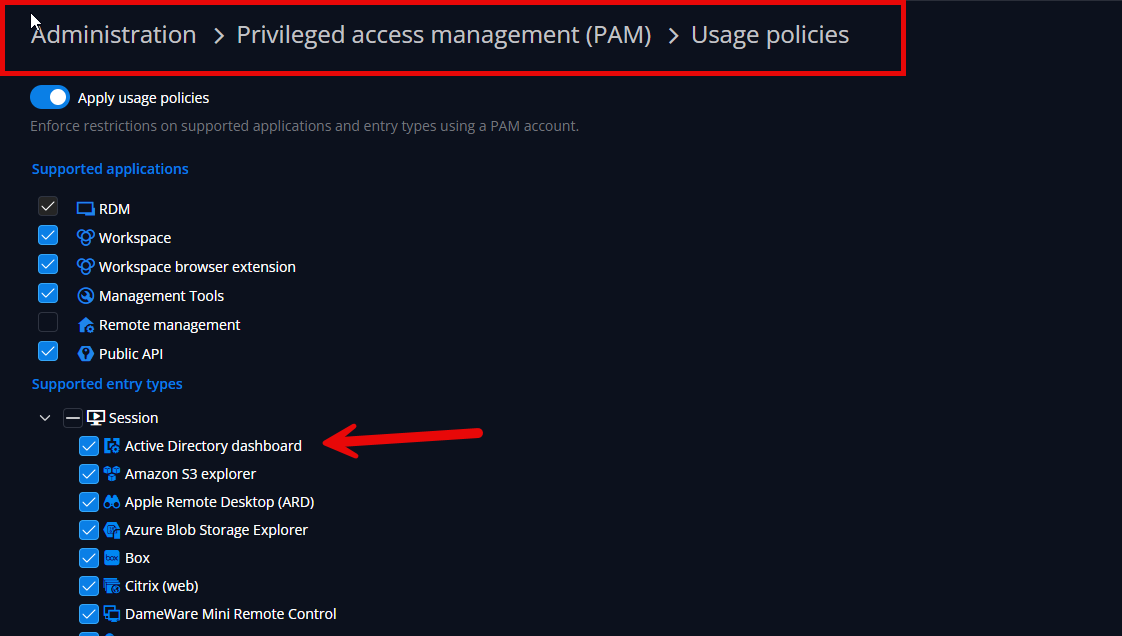
Let me know if this fixes your issue or if even with this option toggled on you get your error message.
Best Regards,
Michaël Beaudin
1f55322b-859d-480b-891b-ff7e4fa79e2d.png
Hello,
I am not on the exact same DVLS version as you are but I have tried on my end and it seems to work. Are you still trying to do this on an Active Directory dashboard entry type?
If so, the usage policy for it has been added and you just have to make sure it is enabled in your DVLS usage policies as shown below.
Let me know if this fixes your issue or if even with this option toggled on you get your error message.
Best Regards,
@Michael Beaudin
Hello,
oh I missed that detail. It works great now.
Appreciate for your help!