Unable to save Gateway mode in SSH tunnel within browser setup
Unable to save Gateway mode in SSH tunnel within browser setup

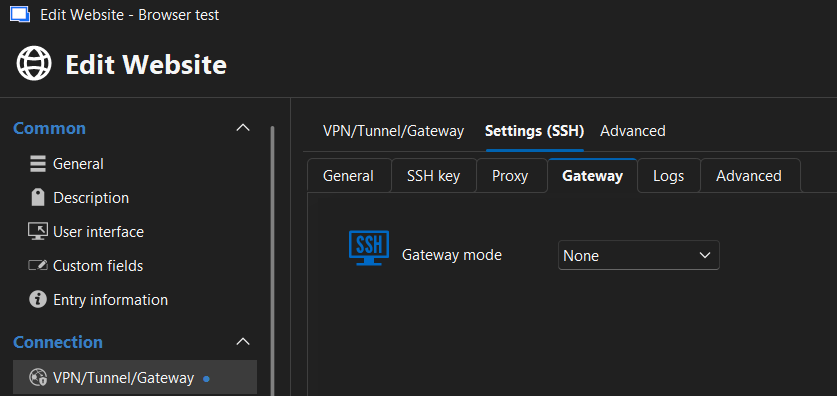
I tried custom and linked. No matter what I setup and save... does not save. it always opens back to "None". it never saves the set one.
Recommended Answer
Hello,
Thank you for being so patient!
I'm pleased to inform you that a new version of RDM (2025.3.30.0) has been released, featuring the fix for your issue.
Latest Version: Download RDM
Please let us know if this works or if you encounter any issues.
Best regards,
Maxim Robert
All Comments (10)
Hello,
Thank you for reporting this issue.
We attempted to reproduce the behavior on our side but were not able to recreate the problem. The Gateway mode setting is saving correctly in our tests.
As a next step, we recommend resetting Remote Desktop Manager to its default settings, as this can resolve issues caused by corrupted or inconsistent local configuration.
You can follow this guide to reset RDM:
https://docs.devolutions.net/rdm/kb/how-to-articles/reset-rdm-to-default-settings/
After resetting, please verify whether the Gateway mode is saved correctly.
If the issue persists after the reset, let us know and we’ll be happy to investigate further.
Best regards,
Carl Marien