Customize Tabs

Hello, is it possible to customize tabs in RDM to show the username saved with the entry.
In other words, connecting to a server using different credentials, each tab to show the credentials used for the connection.
Currently the only option I believe is to rename the entry with the username in brackets to be able to differentiate which one is which.
Thank you
Ed
2025-12-29 10_44_33.jpg
Recommended Answer
Hi,
Could you try $USERNAME$? This one resolves the username once the session is opened!
To answer your other question, when you go into the properties of an entry, you'll see a "Variables" button at the bottom left, this shows all usable variables and what they do.
You can also refer to this article: https://academy.devolutions.net/student/path/1925316/activity/2668006
Let me know if this helps!
Best regards,
Marc-Antoine Dubois
All Comments (5)
Hi,
You could use the $CREDENTIAL_LINKED_NAME$ variable in the "Name" field of your entry.
Like so: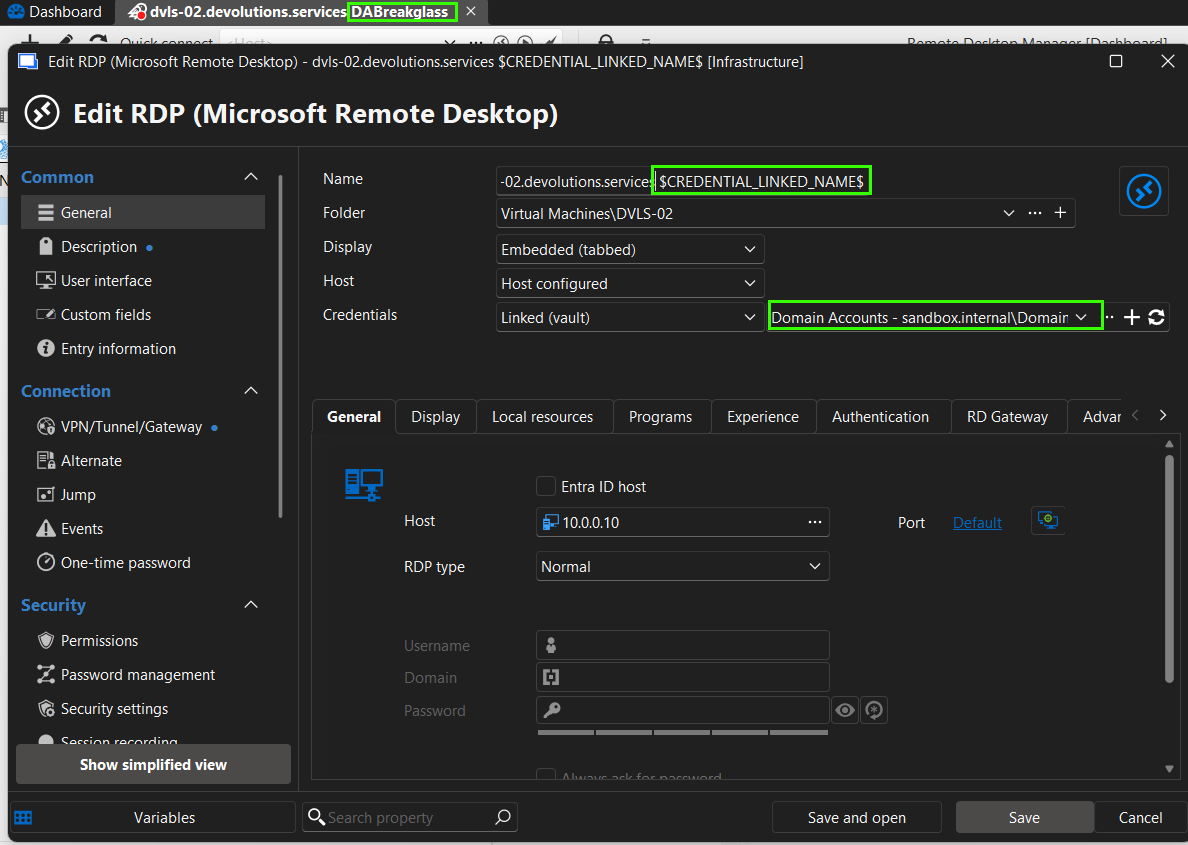
Let me know if this works for you!
Best regards,
Marc-Antoine Dubois
1275de7a-2d0f-4163-953a-90e09c0d4d90.png
Hi, thank you very much for the prompt response!
That's a great variable, didn't know about it, not sure if it's listed in a manual, my apologies if I missed it.
Have added the variable, and it shows correctly for individually stored credentials.
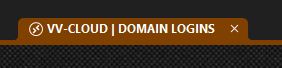
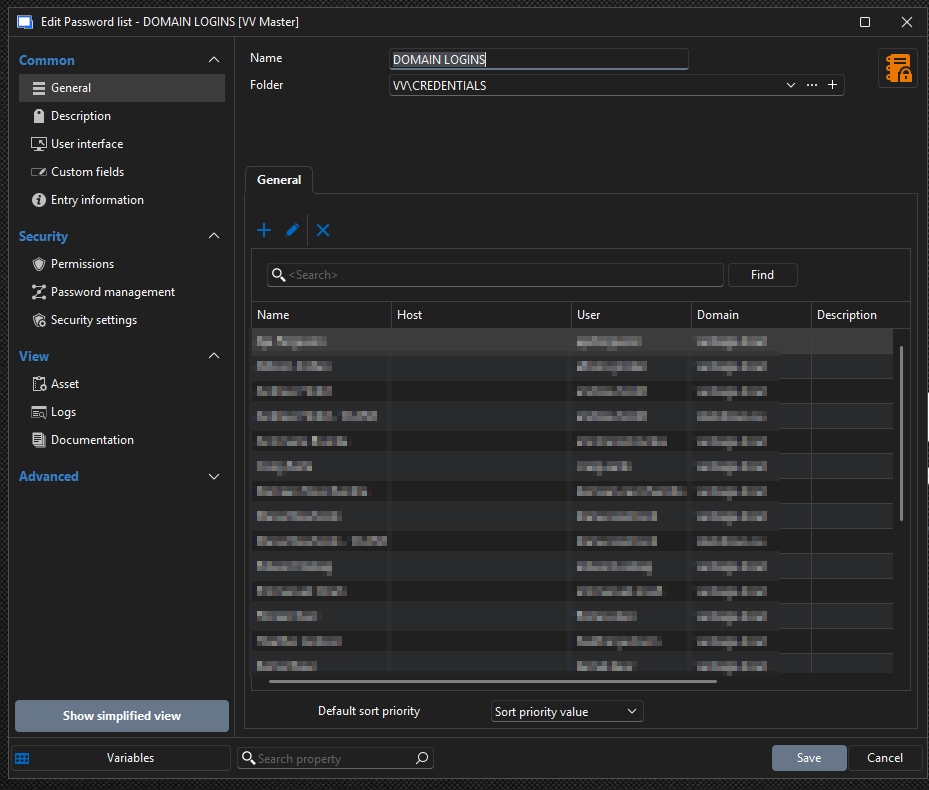
Unfortunately all creds are stored in a password list which is what it shows, the name of the password list rather than the stored names.
I assume there is no way to extract the username from the password list and showing it in the tab.
Thanks again for your help, much appreciated!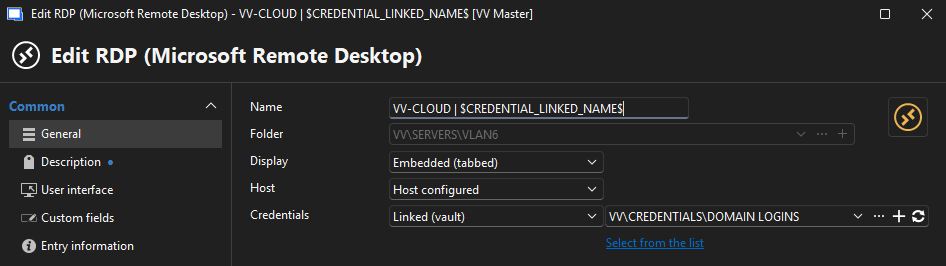
b5a3e192-2eb7-491f-aa5e-8e390e77a4c7.png
2025-12-29 12_27_43.jpg
2025-12-29 12_26_52.jpg
Hi,
Could you try $USERNAME$? This one resolves the username once the session is opened!
To answer your other question, when you go into the properties of an entry, you'll see a "Variables" button at the bottom left, this shows all usable variables and what they do.
You can also refer to this article: https://academy.devolutions.net/student/path/1925316/activity/2668006
Let me know if this helps!
Best regards,
Marc-Antoine Dubois
Awesome! The $USERNAME$ variable works like a charm!
Thank you for the hint on the variables button, completely missed that.
That is an amazing list of variables available, had no idea, the possibilites are endless.
Incredible the amount of customization available with RDM, it is an amazing product, hats off!
Thank you again!
Hi EV,
Glad to see it! Thank you for the kind comment. I shared it with the RDM team.
Happy New Year!
Best regards,
Marc-Antoine Dubois