Passing Variables to PS Scripts in Script/Tools

Hi,
Is it possible to pass the session hostname ($HOST$) to a PowerShell script that is configured as a template? Currently, it doesn’t seem to work—$HOST$ is not being passed to the PS script as expected.
this is not working, $HOST$ is being passed as a literal string, rather than being replaced with the actual hostname of the session entry: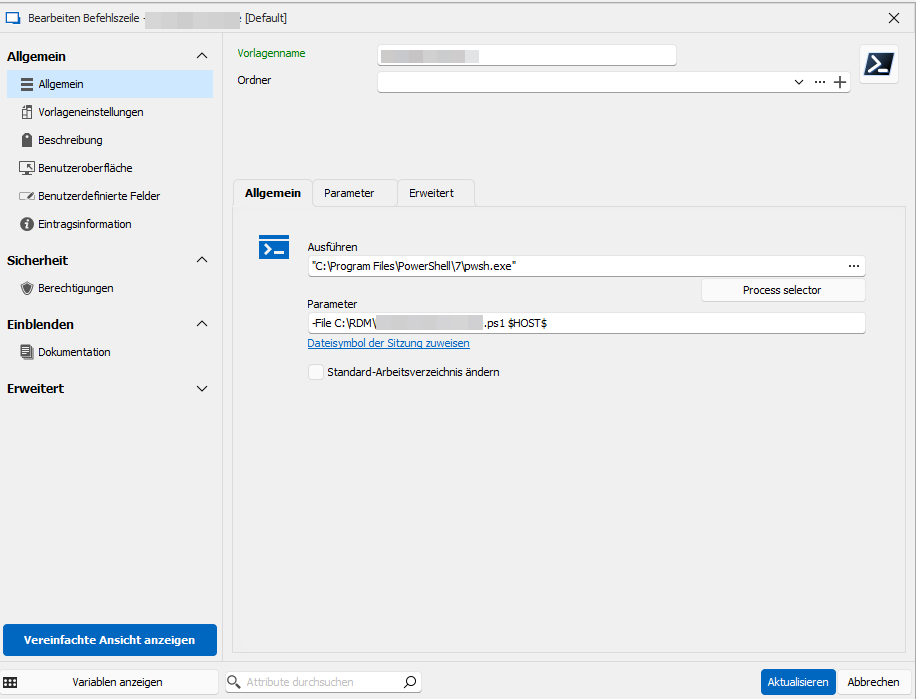
Thank you very much for your time and support.
Best regards
grafik.png
All Comments (6)
This is the session tab from which I want to trigger the script. When I click it, I would like the script to run with the session's hostname passed as a parameter. Sorry that the screenshots were taken from the German version.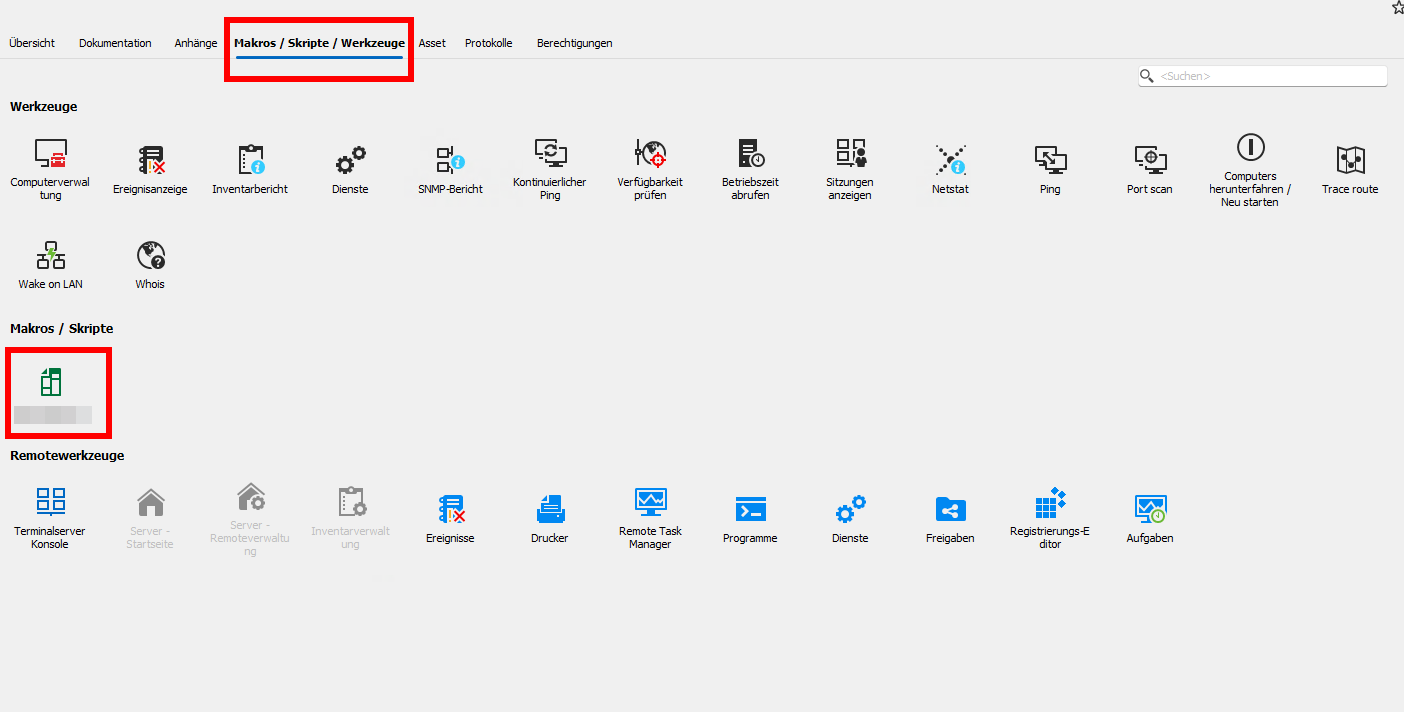
grafik.png
Hi Lapsi,
I wanted to let you know I saw your posts, but haven't had the chance to test this yet.
I'll keep you posted.
Best regards,
Marc-Antoine Dubois
Hi Marc-Antoine,
Thanks for your reply, and thank you for looking into this. I’ll wait for your answer.
Best regards.
Hello Lapsi,
We appreciate your patience on this case.
Could you follow this parrot guide and tell us if this is working?
https://docs.devolutions.net/rdm/kb/how-to-articles/testing-variables/
Best regards,
Patrick Ouimet
Hi Patrick,
I tried this. $HOST$ is being passed as a literal string and is not replaced with the actual hostname of the session entry. Please refer to my screenshots above.
The question remains how to pass the hostname in my context (a script that is configured as a template in Script/Tools). Maybe I am overlooking something, and I need more screenshots or information on how to pass the value of the variable in my context.
Thank you!
Best regards
Hello Lapsi,
Thank you for this feedback.
If I refer to your first screenshot, you are using the Template macro.
For this, I suggest a PowerShell script or a typing macro.
Both of them will return the $HOST$.
Best regards,
Patrick Ouimet