Powershell Remote Script

Hi,
For several days now, I've been trying to figure out one thing—running an interactive script on a remote server.
What exactly is the issue?
I want to configure a script (Test-NetConnection) that will check whether a given server can access another server at a specified IP address and port.
1. It will connect to a specific server (by IP address) from which the verification will be performed.
2. It will then ask for the destination address and port.
3. It will return the result from the given server.
Assumptions:
1. Selected users are to have access to this script/to run it.
2. Users do not have their own accounts on the remote server, so the script must run in the context of another user.
3. Users are not allowed to know this user's password.
I have the script ready, but I have no idea how to enforce its operation in the context of the above assumptions.
Thank you for your help and commitment.
All Comments (9)
Hello,
Thank you for reaching out on this matter.
Based on your description, it sounds like you’ll need a shared vault. You may already have one in place. From there, you can create a Remote PowerShell entry and insert the required script into it.
To manage access, go to the entry’s Properties > Permissions menu, where you can define the appropriate permissions.
Within the same entry, under the General section, you’ll find the Run As tab. Here, you can either assign a credential manually or link it to an existing credential entry.
Regarding password visibility: this can also be controlled through the Permissions menu (entry’s Properties > Permissions section). If you choose to link a credential entry (above), please ensure that the same viewing restrictions are applied to the credential entry itself, so users cannot view the password from there either.
Let me know if you have any further questions.
Best regards,
Jacob Lafrenière
Hello,
Thank you for reaching out on this matter.
Based on your description, it sounds like you’ll need a shared vault. You may already have one in place. From there, you can create a Remote PowerShell entry and insert the required script into it.
To manage access, go to the entry’s Properties > Permissions menu, where you can define the appropriate permissions.
Within the same entry, under the General section, you’ll find the Run As tab. Here, you can either assign a credential manually or link it to an existing credential entry.
Regarding password visibility: this can also be controlled through the Permissions menu (entry’s Properties > Permissions section). If you choose to link a credential entry (above), please ensure that the same viewing restrictions are applied to the credential entry itself, so users cannot view the password from there either.
Let me know if you have any further questions.
Best regards,
@Jacob Lafrenière
Thank you for your reply.
I configured Powershell Remote like below: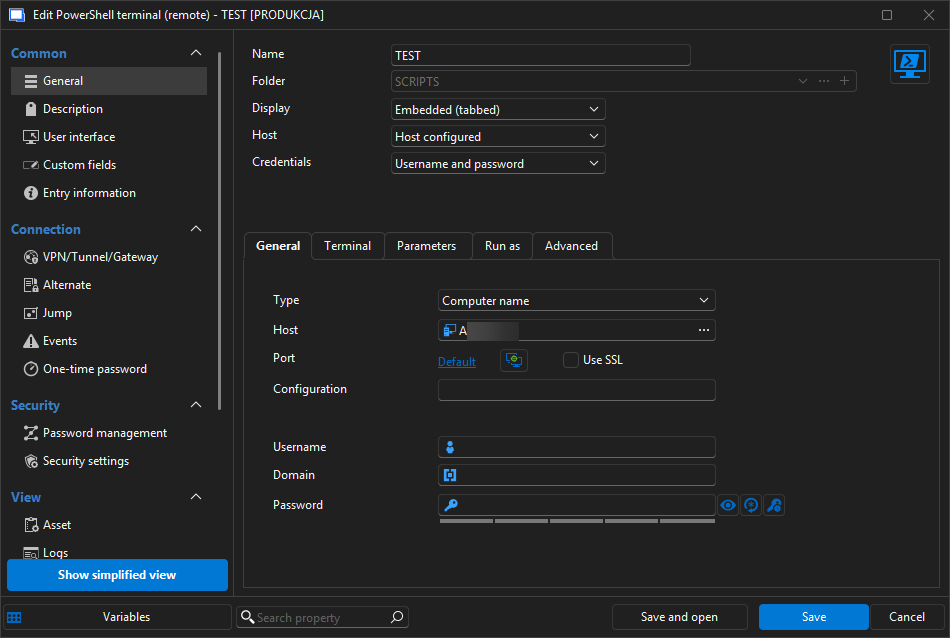
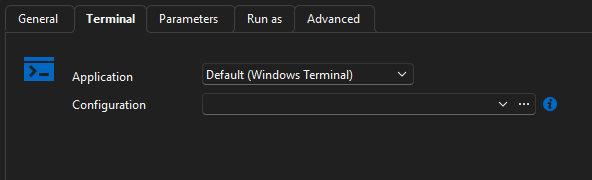
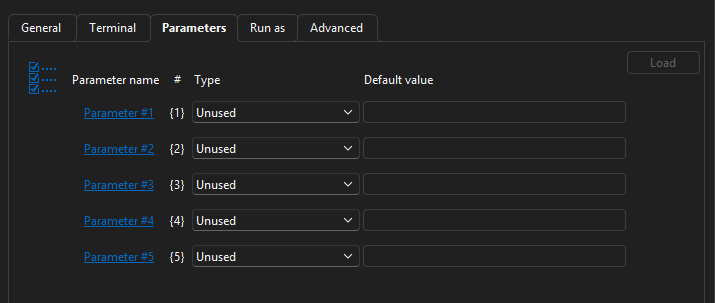
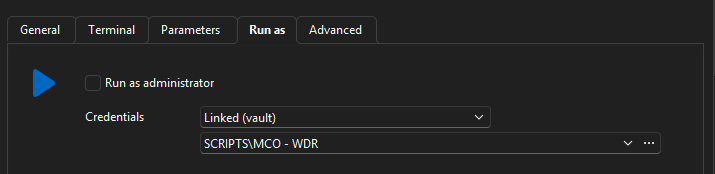
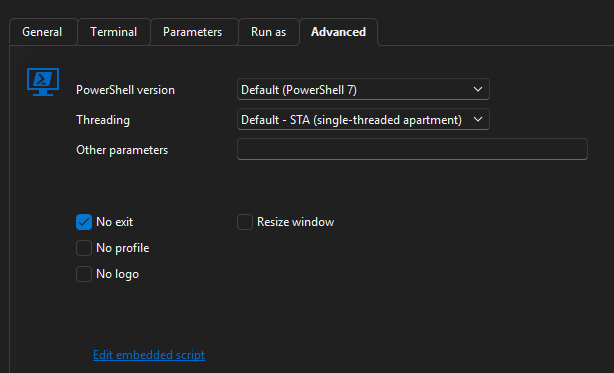
In "embedded script" i have my script.
But when I try to run this entry, I have error: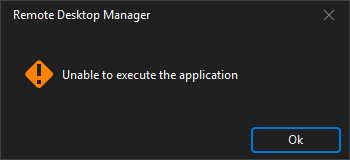
Despite tha fact that: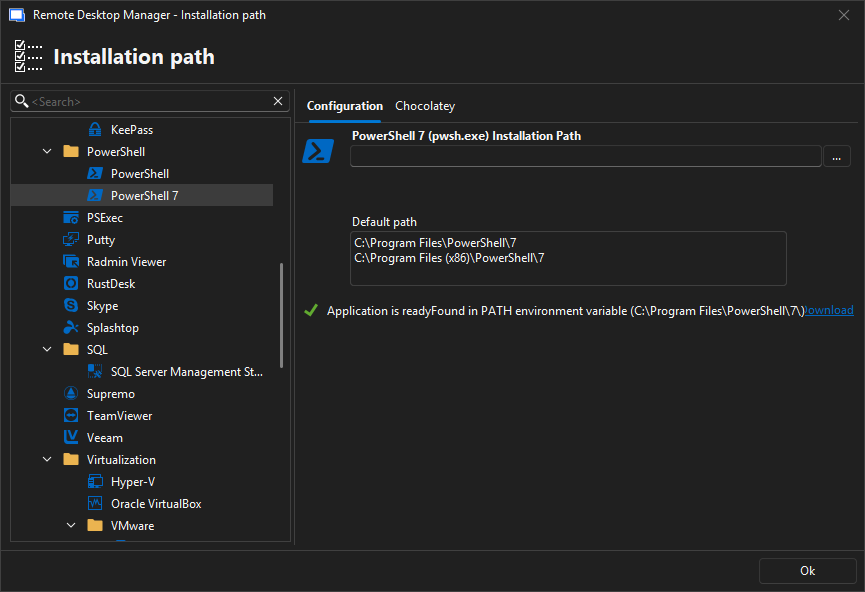
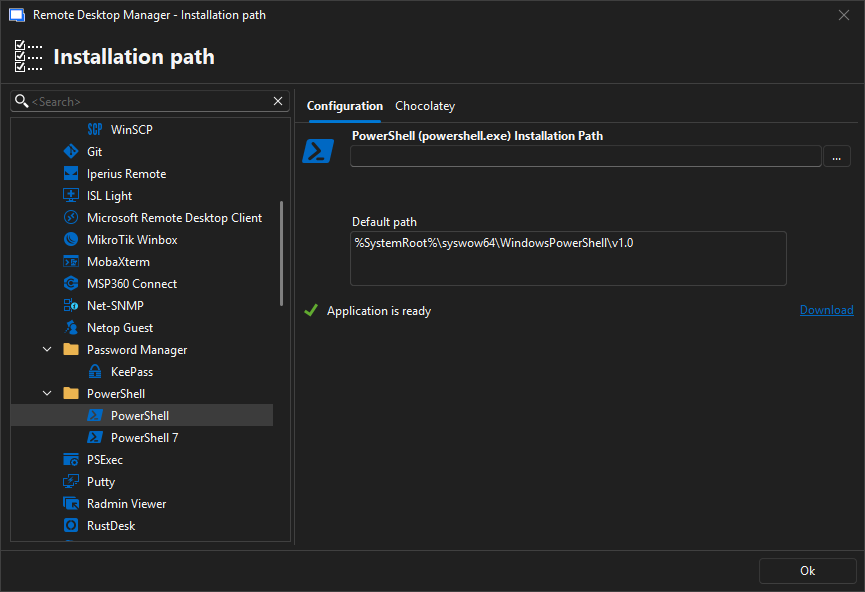
d04978c6-2182-4cf9-82cf-784135c49b57.png
8260c3c0-b066-4d23-be73-8c37a3265cf1.png
ddae1355-1646-4178-b901-85596afc19c4.png
5648a63f-ddb4-4c1a-8b2d-6c7ce828053d.png
f58bb9fd-df8e-4ce2-8c82-c411b499e573.png
a3038133-4a28-4841-9b03-bed4a0661f12.png
aeb1abb7-8b9f-44fc-bfc3-ee112cd4c034.png
0eed9585-7aa5-4ab1-9c72-0698f50dba8a.png
Hello,
Thank you for the follow-up.
This looks good! We recently identified an issue with PowerShell in a previous version of RDM. Could you please confirm which version of RDM you are currently using?
I highly recommend updating to the latest version: 2025.3.27.0.
I look forward to your reply.
Best regards,
Jacob Lafrenière
Hello,
Thank you for the follow-up.
This looks good! We recently identified an issue with PowerShell in a previous version of RDM. Could you please confirm which version of RDM you are currently using?
I highly recommend updating to the latest version: 2025.3.27.0.
I look forward to your reply.
Best regards,
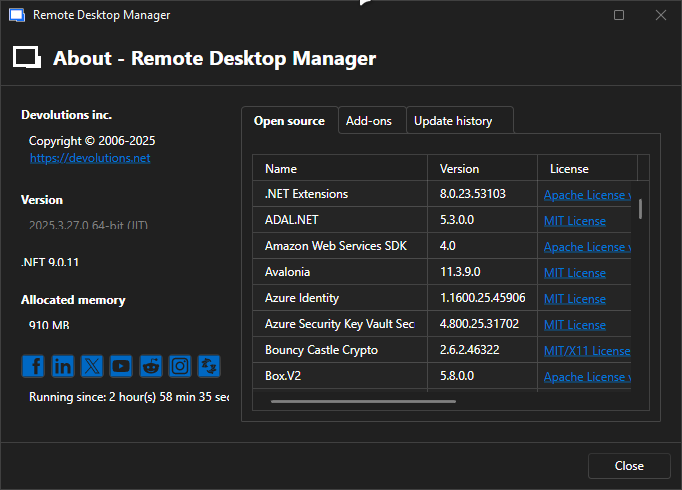
eacaf4d0-b0ff-466b-b5f9-55d35757ebb6.png
Hello,
Thank you for the follow-up.
In this case, I recommend ensuring that PowerShell 7 is up to date. If it's not, please update it and try again.
Could you let me know if this resolves the issue?
I look forward to your reply.
Best regards,
Jacob Lafrenière
I have the latest version:
https://github.com/PowerShell/PowerShell/releases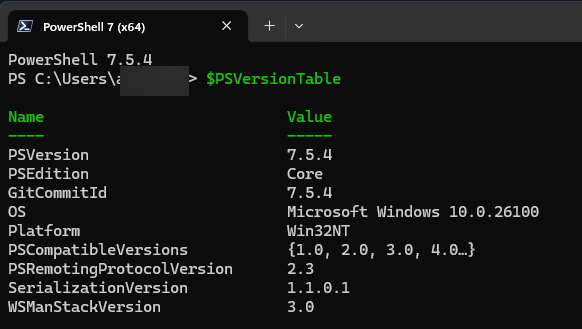
82b7f108-133f-4cff-9fd4-b1dd4e30eaab.png
Hello,
Thank you for the follow-up.
I was able to reproduce the issue on my end, though I'm not yet certain whether it's due to a misconfiguration on my side. I will report the issue to our development team to see if they can reproduce it on their end as well.
I’ll keep you updated on the next steps as soon as I have more information.
Thank you for your patience.
Best regards,
Jacob Lafrenière
Hi,
something new in this case?
Hello,
Thank you for your feedback.
There has been no progress on this so far as we speak. I have asked the development team to increase the priority.
We will let you know as soon as a fix is available.
Thank you for being so patient.
Best regards,
Érica Poirier