Allowing WHfB login

Would it be possible to allow or forward the WHfB password less request, like the PIN, when the target remote computer supports it?
So I can use the passwordless login method.
Thank you.
All Comments (6)
Hi,
I hope I understand your question correctly:
It is possible to enable Windows Hello for Business in your remote session. To do this, go to the Entry settings, navigate to the "Local resources" tab, and check the box for "Smart cards or Windows Hello for Business":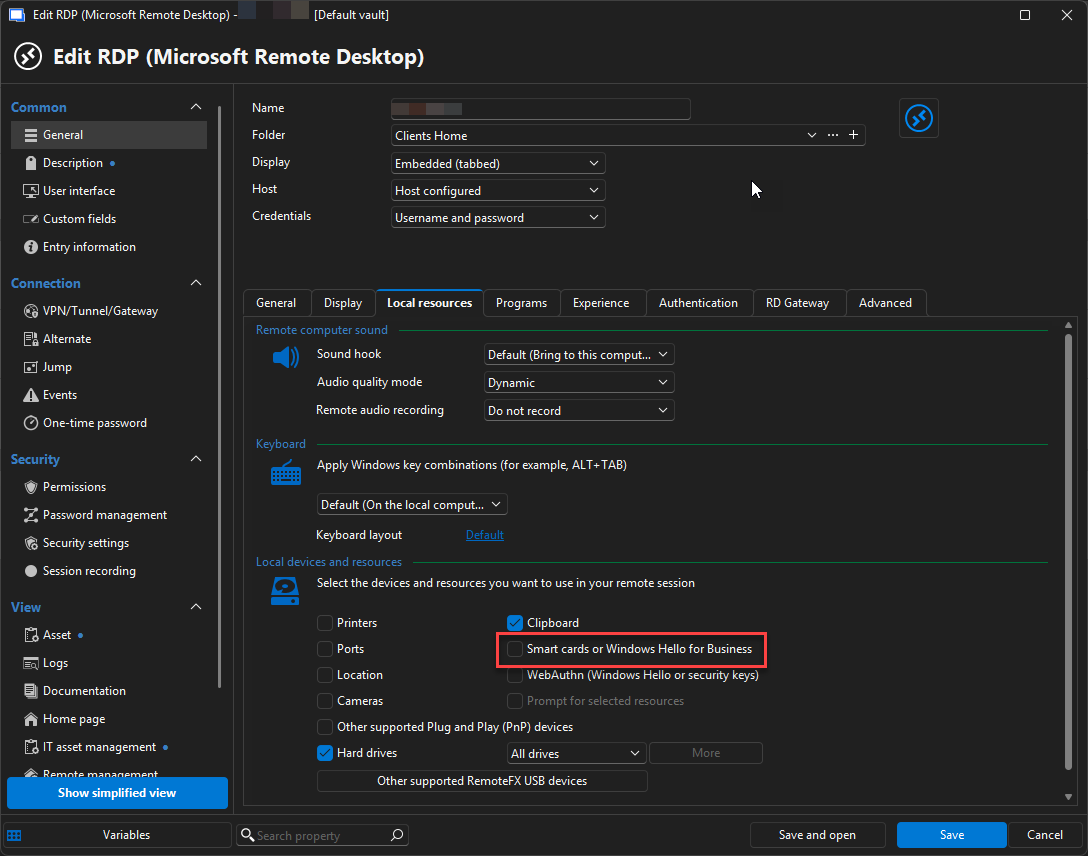
Let me know if this works for you.
Best regards,
Stephan
fbfe700e-b66c-4426-9d18-6fd3b889c9aa.png
@Stephan Haupt ,
Yes, I have tried that suggestion above, but when trying to logging in, I always prompted with username and password: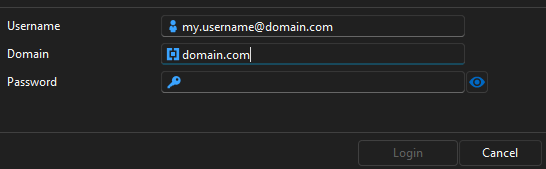
instead of the GUI with PIN for login to the remote PC (Win 11).
e5425cad-6f61-4fc6-aa2b-a752f2fa9716.png
Hey,
Thank you for your patience.
Could you please check whether you also have the following option enabled?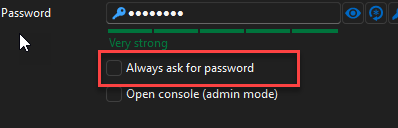
Regarding the general configuration for signing in to a remote client using Windows Hello for Business (WHfB), please review the Windows-side setup to ensure everything is in place. All required certificates must be correctly configured for WHfB authentication to work properly:
https://learn.microsoft.com/en-us/windows/security/identity-protection/hello-for-business/rdp-sign-in
to clarify: the “Smart cards or Windows Hello for Business” option in RDM only enables the redirection of your local smart card or WHfB credentials to the remote session (similar to mstsc). You will still need to enter your PIN or use your fingerprint manually.
Best regards,
Stephan
2e208c7e-8288-431e-90f1-d46d2356cc92.png
Hi @Stephan Haupt,
Yes, in this particular Windows 11 computer that is already Hybrid Azure AD joined and WHfB enabled,this is the setting:
fec78ddc-8447-476d-a3d9-9692e97703c0.png
I have also enabled these settings: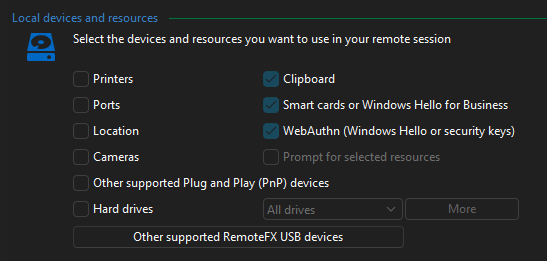 and some of these settings: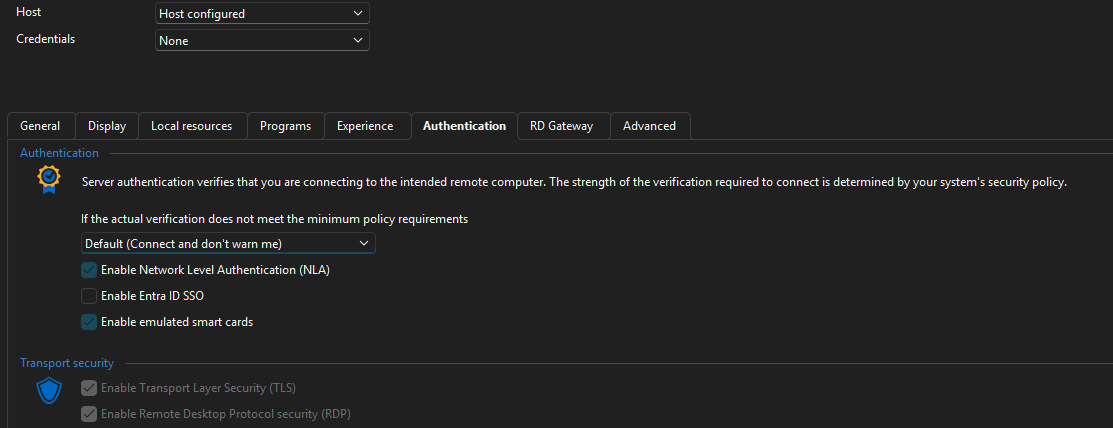
But still, I don't get the option to log in with a PIN ?
When I login interactively or in front of this physical computer, I can perform the WHfB passwordless sign-in.
8eb6dfd9-d498-41f7-b074-5a8885eaf9cb.png
d2cd19df-f273-4b4e-bda4-8bd16510a01f.png
Hello,
Thank you for sharing the details.
Checking your requirement about the WHfB client-side PIN request when connecting to a machine is a complex scenario, even outside of RDM.
Could you please verify if it works using MSTSC? The following Microsoft article describes the setup and its limitations:
https://learn.microsoft.com/en-us/windows/security/identity-protection/hello-for-business/rdp-sign-in?tabs=intune
Best regards,
Stephan