AD Import name format
1 vote

Hi there,
I am using the AD Synchronizer for my computers.
For that I am using a Teamviewer Template.
The result:
MyComputer = hostname
Test = description
I would like to realize this format:
MyComputer (Test)
How?
Thank you!
7f24df71-9a86-4b84-ae18-2cdced41f54c.png
All Comments (3)
Hi!
Thanks for reaching out.
To better understand your setup and what you’re trying to achieve, could you please share screenshots of the following?
- The AD Synchronizer configuration itself
- The properties of the entries generated by the AD Synchronizer
- The TeamViewer template you are using
Also feel free to include any additional details you think might be relevant.
Best regards,
Alexis
Alexis Geller Peiro
The AD Synchronizer configuration itself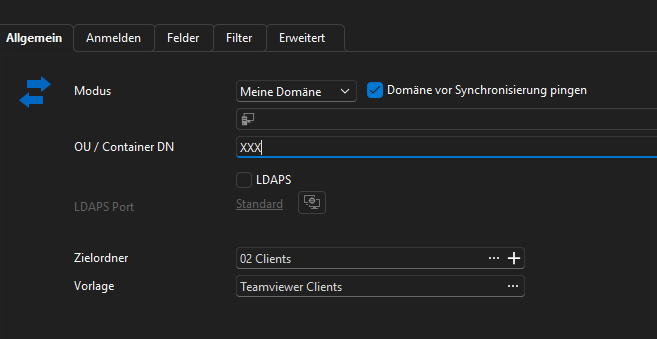
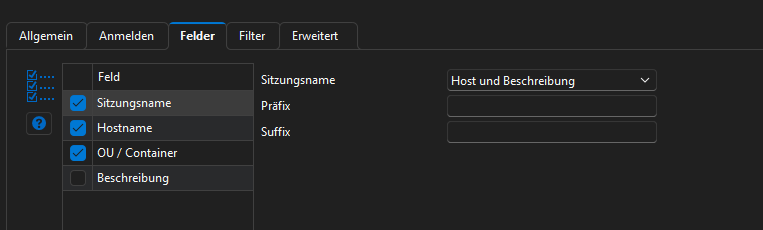
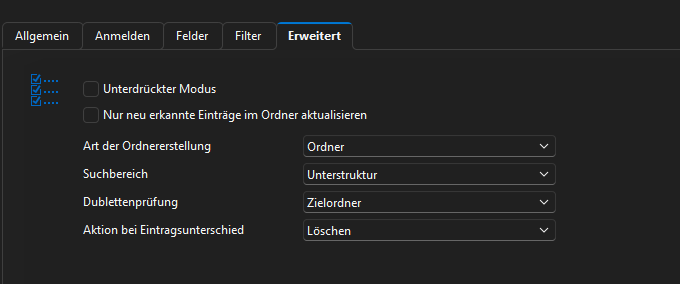
The properties of the entries generated by the AD Synchronizer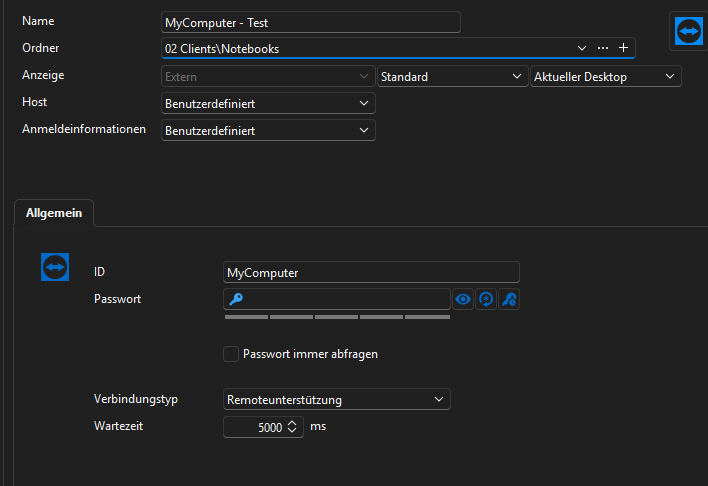
The TeamViewer template you are using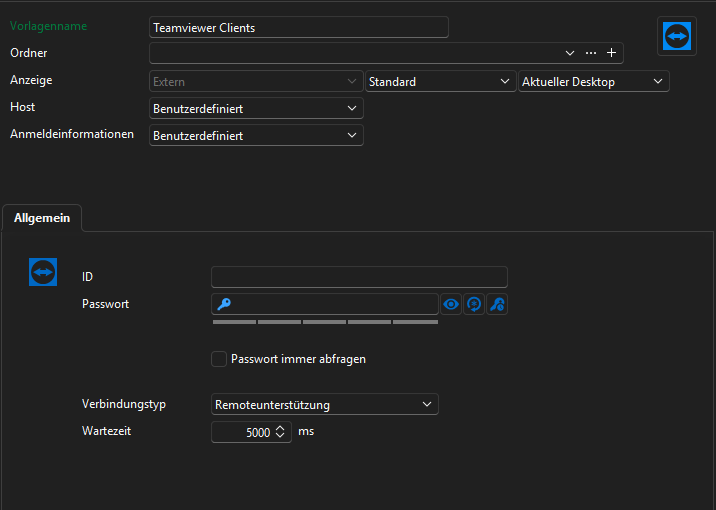
c175b1e6-592e-465a-a8a3-e4953ed52031.png
07dd3e73-ad7f-4d9f-adbc-775d7508c2ca.png
6bcc9210-54f9-4f88-b6b8-30388593087d.png
6635397f-e38a-4585-ad66-f56a1fd2a631.png
fce17065-c62a-4c6c-807c-e411ea28c344.png
Hi there,
Thanks a lot for your question. We double checked this with our development team, and at the moment the format you’re trying to achieve isn’t possible due to how the AD Synchronizer currently handles variables.
That said, your idea is completely valid and could be very helpful for other users as well. We’ll go ahead and convert your thread into a feature request so our team can review it for a future enhancement.
Thanks again for bringing this to our attention, and please don’t hesitate to reach out if you have any other questions.
Best regards,
Alexis
Alexis Geller Peiro