RDM unable to shell to Linux. This has been occurring since upgrading past version 2025.3.17.
RDM unable to shell to Linux. This has been occurring since upgrading past version 2025.3.17.

We have an issue where anyone that upgrades past 2025.3.17 gets the error below: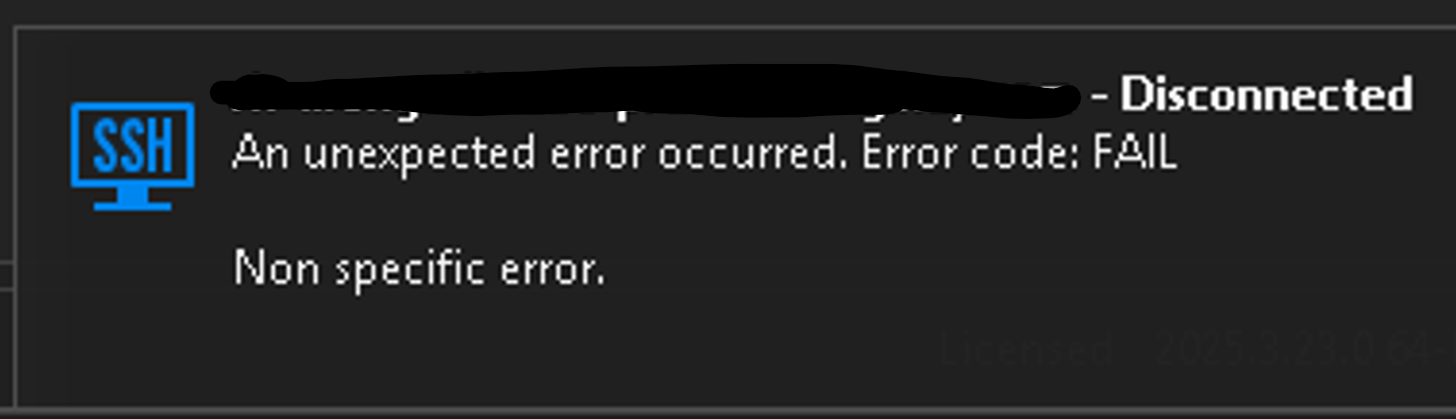
I was able to get a screen recording going with logs on my shell session before it would terminate and grabbed the info below: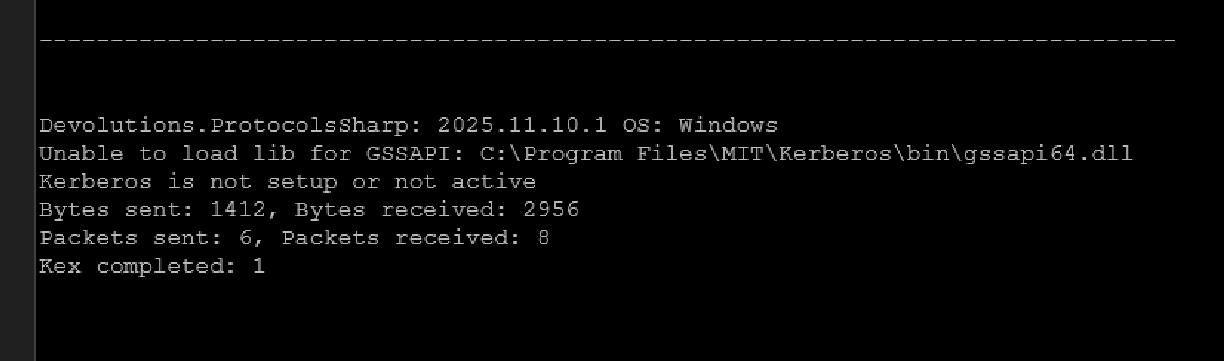
so I dug around in the settings for RDM and unchecked these two GSSAPI check boxes (below). Now shell connections are working on that specific connection.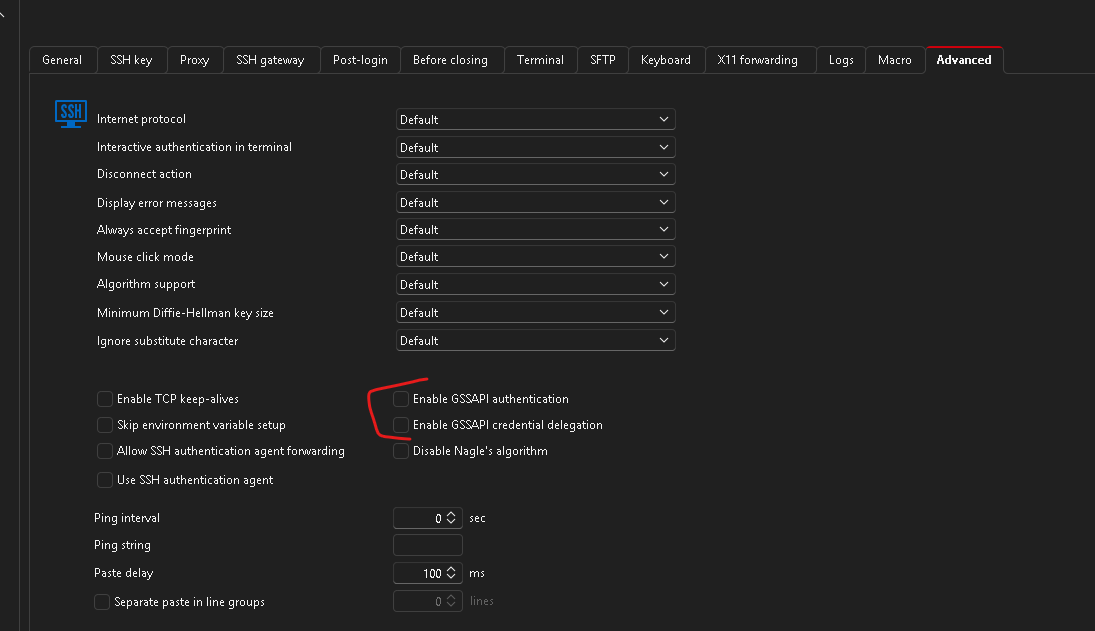
I have tested today and shell sessions are still breaking with version 2025.3.23 with those checkboxes enabled. I assume they must be some default check boxes since we don't usually dig in the settings for when we make our shell sessions that we share out with team members. Overall I'm wondering what default behavior changed that is now causing this issue (since version .17+). It doesn't seem feasible to go into the many Linux connections we have created and uncheck these two boxes for this to work going forward.
377f940a-fee4-4a3b-8290-4b93ff1134ee.png
c18c8732-67cb-421d-91d4-e76a12e7ae9c.png
77522970-0c5f-4bd7-bf16-1c70b29dfe3e.png
Recommended Answer
Hello,
Thank you for contacting Devolutions Support.
As of now, I’m not aware of any changes on our end affecting how SSH sessions work in version 2025.3.17.
However, I can guide you through editing all SSH entries at once using the batch edit feature in RDM:
1. In RDM, click on View.
2. Then go to Advanced Search.
3. Under Condition 1, select Entry Type, then choose SSH.
4. You should now see a list of all SSH terminal entries.
5. Select them all using Shift + Click.
6. Right-click one of the selected entries, then go to: Edit → Batch Edit → Session Type Settings.
7. Make your desired changes, then click Save.
All SSH entries should now be updated accordingly.
Best regards,
Carl Marien
All Comments (1)
Hello,
Thank you for contacting Devolutions Support.
As of now, I’m not aware of any changes on our end affecting how SSH sessions work in version 2025.3.17.
However, I can guide you through editing all SSH entries at once using the batch edit feature in RDM:
1. In RDM, click on View.
2. Then go to Advanced Search.
3. Under Condition 1, select Entry Type, then choose SSH.
4. You should now see a list of all SSH terminal entries.
5. Select them all using Shift + Click.
6. Right-click one of the selected entries, then go to: Edit → Batch Edit → Session Type Settings.
7. Make your desired changes, then click Save.
All SSH entries should now be updated accordingly.
Best regards,
Carl Marien