Import devices via AD as a Teamviewer session
1 vote

Hi there!
I would like to import clients via Active Direcotry synchronizer.
the clients should be synchronized as a teamviewer session.
If I double click on a client, it should be conntect to the client via teamviewer (local installed).
now my wish. We are not using the Teamviewer ID - we connect via client ip.
It would be nice, if the input field "ID" could be pre filled with the ip of the selected client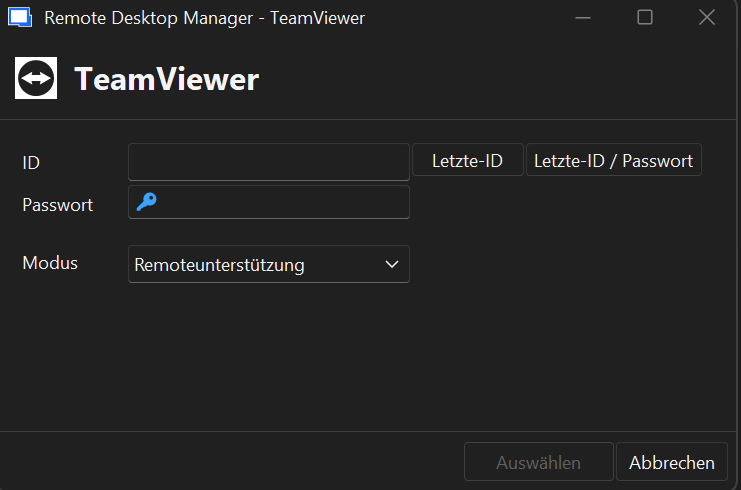
4f71a126-00d7-45ca-a85e-108d2d0a9586.png
Recommended Answer
Hello,
Thank you for your feedback.
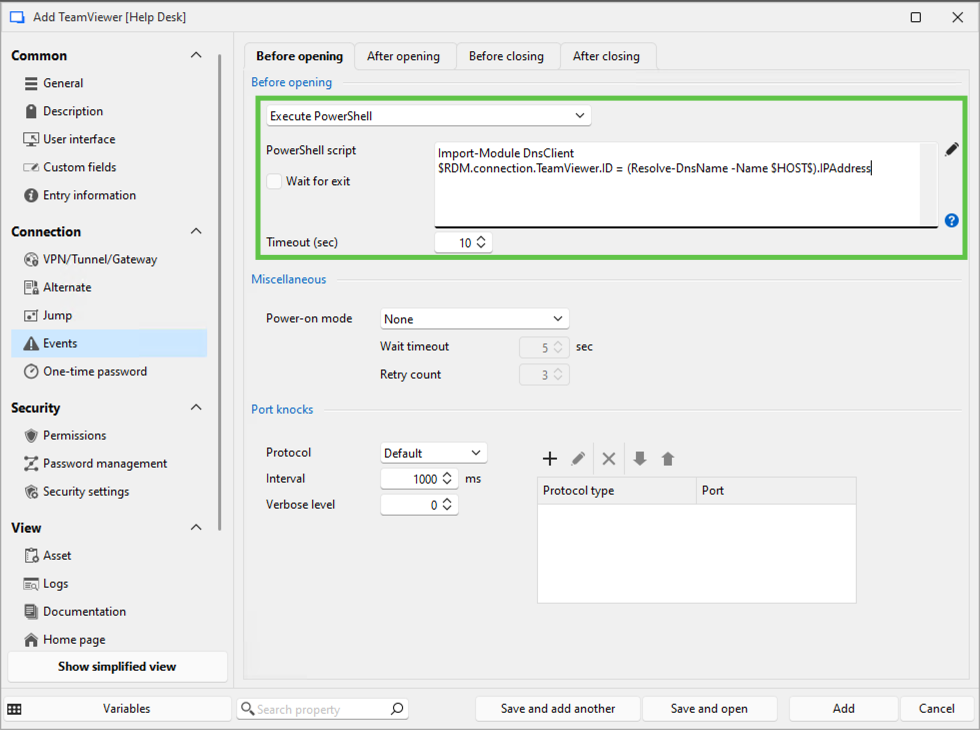
As a workaround, please try the following steps.
- Edit your entry
- Go to the Events - Before opening
- Set the Before opening to Execute PowerShell
- Add the following commands to the PowerShell script section
- Import-Module DnsClient
- $RDM.connection.TeamViewer.ID = (Resolve-DnsName -Name $HOST$).IPAddress
- Save you entry
Let us know if that helps.
Best regards,
Érica Poirier
71441f7a-5f70-472b-ad93-cf51f9c32d4f.png
All Comments (8)
Hello,
We have fixed an issue with certain features for Teamviewer entries that will also resolve this issue. This will be available starting with 2025.3.24.0, which will release within 1-2 weeks.
Regards,
Hubert Mireault
Nice! What I have to do after this update?
Hello,
You will need to make sure your Active Directory Synchronizer entry has a TeamViewer template configured, and this will ensure the host of the Active Directory object you synchronize will be set in the ID of the Teamviewer entry.
In the Active Directory synchronizer entry, you have multiple choices to set what the host will be synchronized as: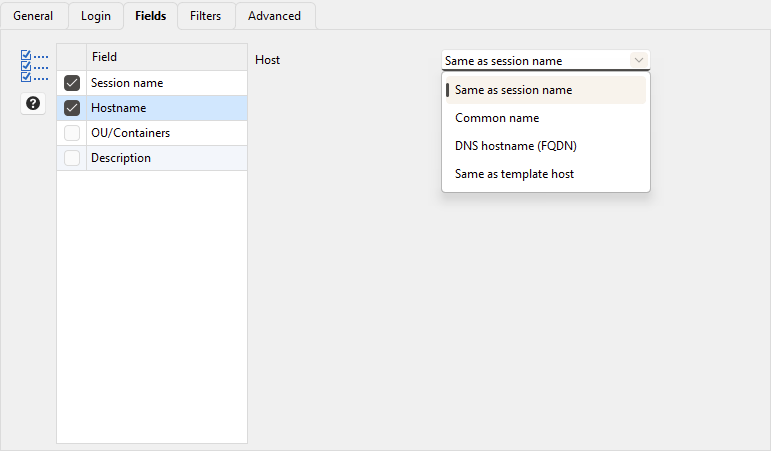
Do you specifically need the IP, or would the FQDN or common name work in your case? I don't believe the IP is stored in active directory objects, so that may not be an appropriate solution for you if that's a requirement.
Regards,
Hubert Mireault
913fba2b-3589-4b9a-b76a-31109dfc59bf.png
Do you specifically need the IP, or would the FQDN or common name work in your case? I don't believe the IP is stored in active directory objects, so that may not be an appropriate solution for you if that's a requirement.
I need the ip addresse, FQDN doens't work.
Can RDM resolve the hostname into an IP and enter it as the ID for TeamViewer?
Hello,
I know it's possible, but we will have to see the performance cost of doing this. I will open a ticket on our side to investigate.
Because of this, I've removed the flag on the thread since this specific feature isn't currently implemented.
Regards,
Hubert Mireault
Thank you! Please give me an update as soon as possible if you have any information :)
Hello,
Thank you for your feedback.
As a workaround, please try the following steps.
- Edit your entry
- Go to the Events - Before opening
- Set the Before opening to Execute PowerShell
- Add the following commands to the PowerShell script section
- Import-Module DnsClient
- $RDM.connection.TeamViewer.ID = (Resolve-DnsName -Name $HOST$).IPAddress
- Save you entry
Let us know if that helps.
Best regards,
Érica Poirier
71441f7a-5f70-472b-ad93-cf51f9c32d4f.png
Yes it works! Thank you very much. :)