Psono

Psono version 5.3.0
RDM version 2025.3.22.0 64-bit (JIT)
The Psono API is configured without secrets restrictions. When I try to view secrets (double-click on the psono Entry), I get an error.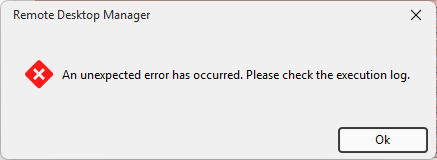
The Psono API is configured with restricted secrets. Secrets are visible.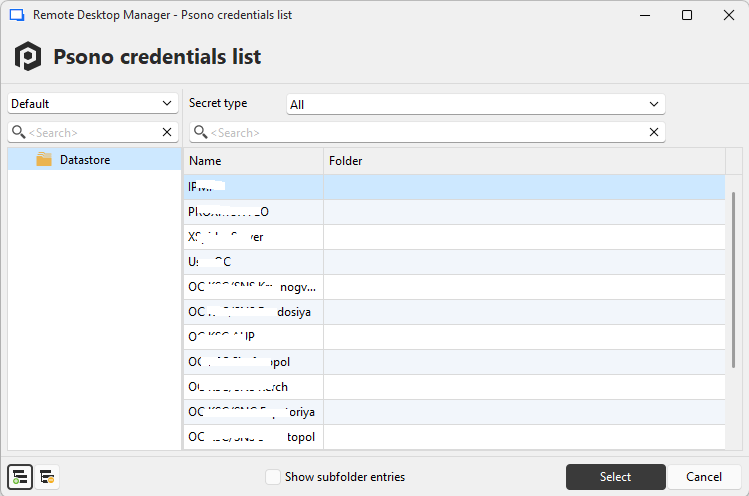
But I can't select a specific record ID - it's impossible to enter anything in the field.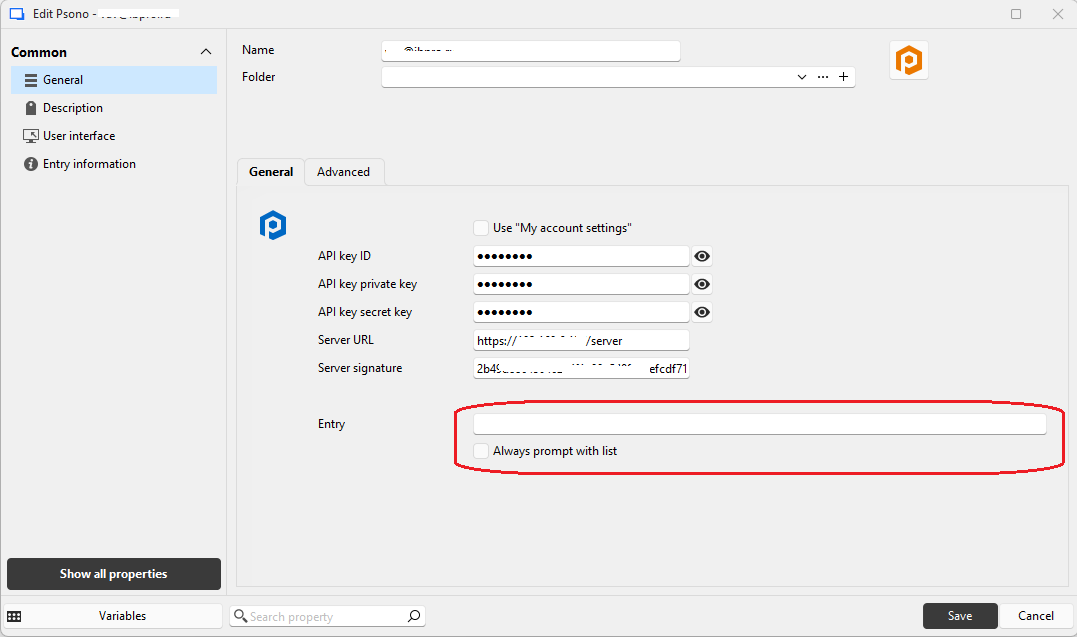
When choosing from the list I get an error.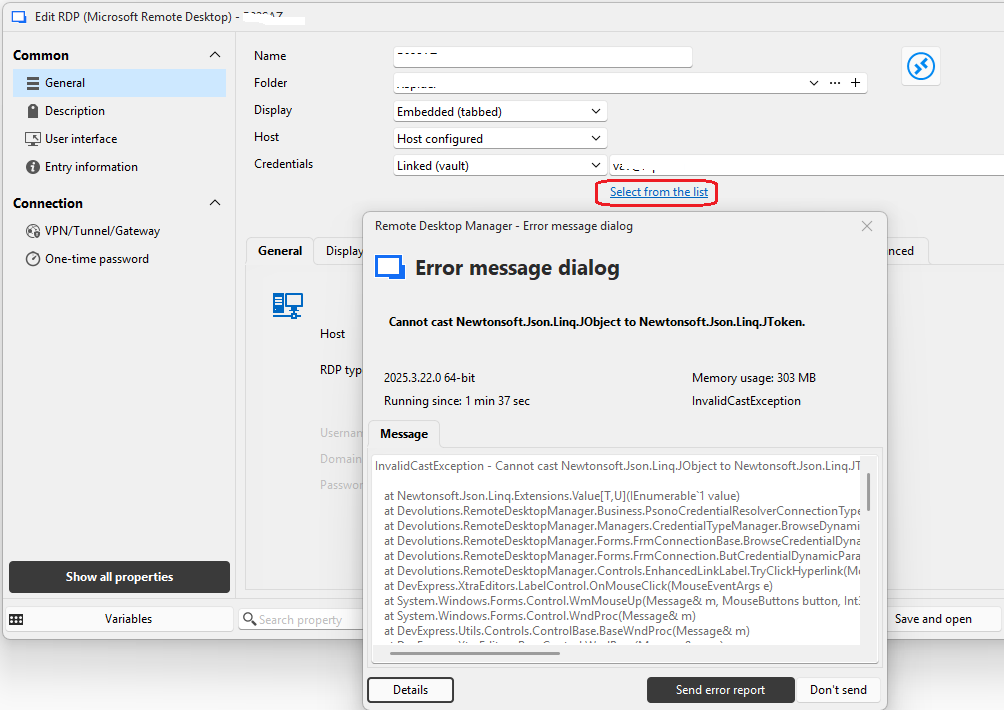
1.png
2.png
3.png
4.png
All Comments (23)
Hello,
Thank you for reporting the issue with the Psono integration in Remote Desktop Manager.
At this time, we do not have a testing environment configured for this specific setup. To proceed, I’ve opened a QA Investigation so our team can review the behavior in more detail.
We’ll keep you updated as soon as we have further findings or require additional information.
Best regards,
Carl Marien
Hello,
Our QA team has successfully reproduced your issue and has created two bug reports related to your case.
However, before opening a third report regarding the prompt "An unexpected error has occurred", they would like to confirm one thing:
Could you please check if the issue still occurs when the "Right to Read" permission is enabled?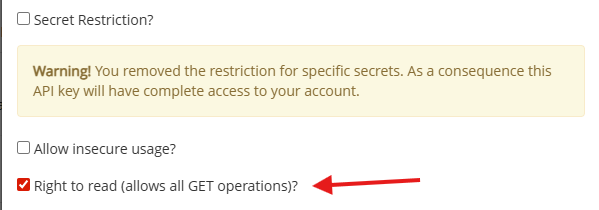
Best regards,
Carl Marien
Screenshot 2025-11-20 132453.png
Hello.
All operations were performed with "Read Permission" enabled.
I also tried enabling "Write Permission" – the errors were the same.
Hello,
Thank you for your message.
I have forwarded this information to the QA department and will keep you informed of any developments on our end regarding the case.
Best regards,
Carl Marien
Hello,
The "Select from list" and record selection issues will be fixed with the 2025.3.24.0 release.
Regards
Jonathan Del Signore
Hello,
Thank you for being so patient!
I'm pleased to inform you that a new version of RDM (2025.3.25.0) has been released, featuring the fix for your issue.
Latest Version: Download RDM
Please let us know if this works or if you encounter any issues.
Best regards,
Maxim Robert
Hi.
I checked. If secrets are restricted in the pson, everything works. If secrets aren't restricted, I get the same errors.
Hello.
To continue our investigation with the Psono integration, we need two additional pieces of information:
- Could you provide the execution logs from Remote Desktop Manager that appear when the error occurs?
The error message mentions checking the execution logs, but we haven’t seen them yet.
- What is the license type of your Psono server?
You can find this by clicking your username in the top-right corner of the Psono interface → Account → Server Info.
This will help us pinpoint why the behaviour differs between restricted and unrestricted secrets.
Best regard
Carl Marien
Psono has been updated to version 5.4.0.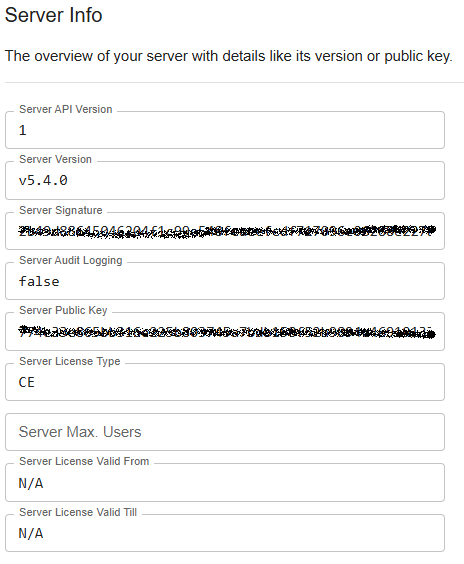
Without the "Secrets Restriction" checkbox checked: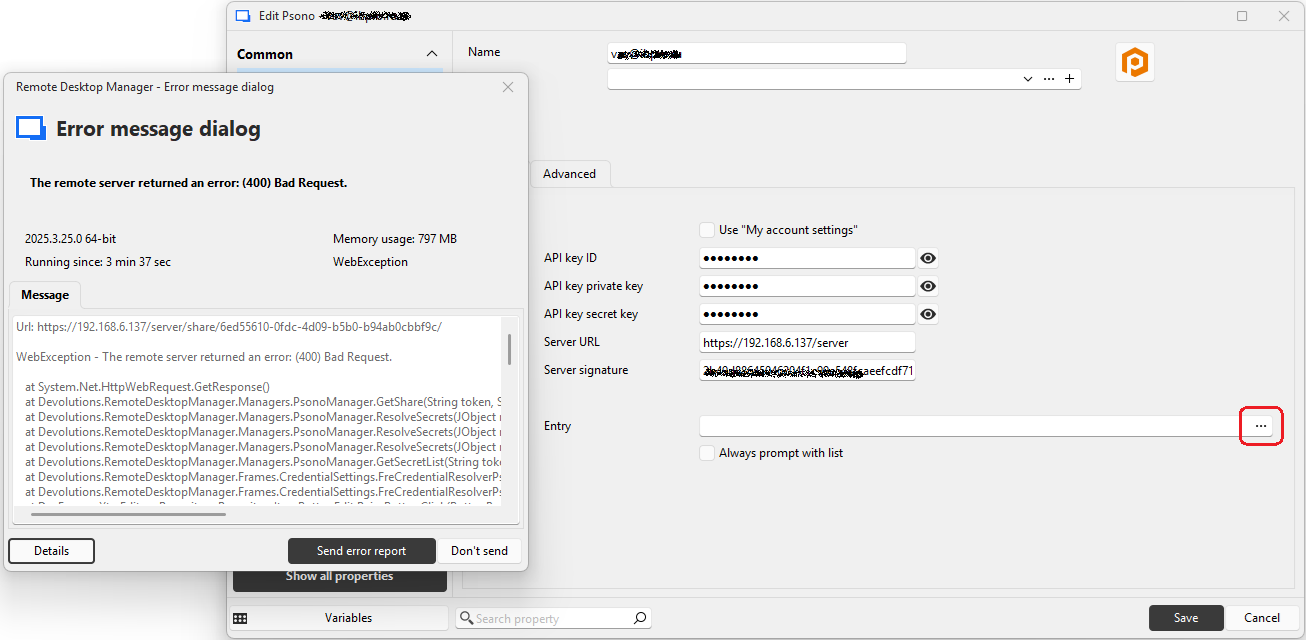
With the "Secrets Restriction" checkbox checked: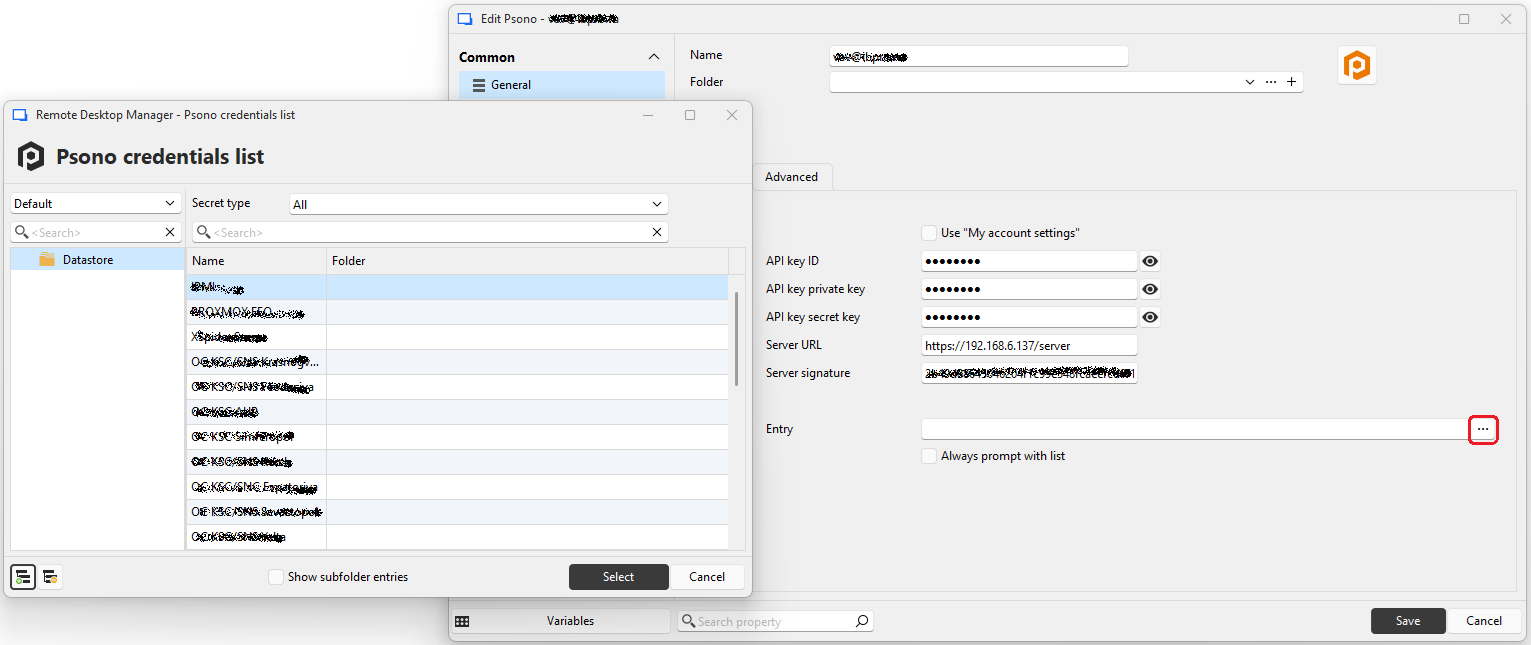 However, the folders where the credentials are located are not displayed.
5e222ed5-70e8-4d42-b248-5fdc842e7c2b.png
d1f43983-eb62-4abe-9393-968d90eb2d2f.png
d4fef420-c704-4dbe-bbcb-f4795dc39a63.png
Hello,
Thank you for the screenshot you provided. I have forwarded it to the QA team and will keep you informed of any progress on this case.
Best regards,
Carl Marien
Hello,
Thank you for your patience.
Could you please confirm if you have shared credentials configured in your psono setup?
This information is crucial for the QA team to reproduce the issue.
Best regards,
Carl Marien
Can you tell me where I can see this setting?
Hello,
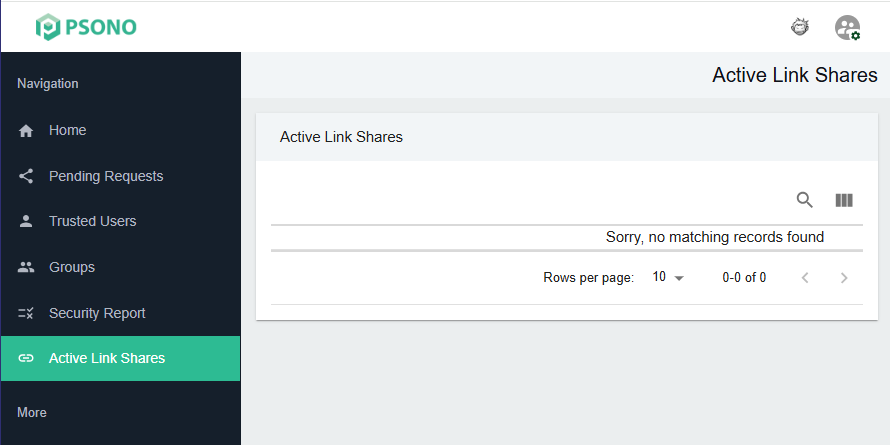
In Psono, shared credentials are managed through Active Link Shares.
You can find this option directly in the left sidebar of the Psono web interface.
Best regard.
Carl Marien
b9912418-4a01-4a7f-ae21-4330cf28fbf2.png
Hello,
In the RDM error, the issue is caused by a specific credential ID. Could you please click on a credential in your Psono setup, then click on 'Advanced', and look for the credential ID? The client needs to find the same credential ID mentioned in the RDM error within their Psono setup and check if there's anything unusual about it.
In the 'Bad Request' error you sent earlier, there's a URL included. The part that starts with '6ed55610...' is the credential ID in Psono that's causing the issue.
Best regards,
Carl Marien
If I searched for the entry '6ed55610...' in the Psono interface, the search led to an empty folder. After deleting this empty folder, the error in RDM disappeared.
Now, with the "Secrets Restriction" box unchecked, RDM shows secrets, but there's a problem with the tree. Many nested branches are displayed out of place :( You're clearly not properly handling entries with spaces in the name and with the same name in different places in the tree...
Hello,
This should be straightforward to test. I’ll get in touch with the QA team member who reviewed your issue and will get back to you shortly.
Best regards,
Carl Marien
Hello,
Thank you for being so patient!
I'm pleased to inform you that a new version of RDM (2026.1.9.0) has been released, featuring the fix for your issue.
Latest Version: Download RDM
Please let us know if this works or if you encounter any issues.
Best regards,
Maxim Robert
Hello. I checked, everything works as expected. But I have one issue. It turns out that the Psono folder was granted permissions, but none of the records within it were. The same error occurs with this folder. Please check this. Thank you.
No, the folders don't pull out in full... Psono on the left, RDM on the right...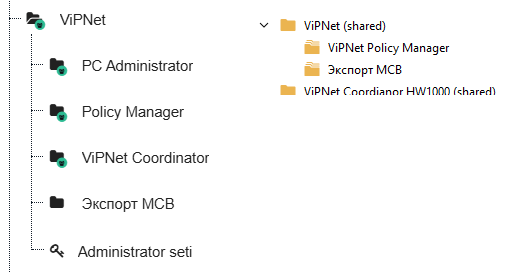
55a60d30-52dc-41f2-ac52-98a8753c18d3.png
Hello,
Thank you for the additional information and the screenshot.
I have reopened the case on my end and shared your latest findings with our QA team so they can review the folder permission behavior you described. In particular, we will investigate the situation where permissions are applied to the Psono folder but not to the records inside it, which appears to reproduce the error.
We’ll keep you informed as soon as we have an update from the team.
Best regards,
Carl Marien
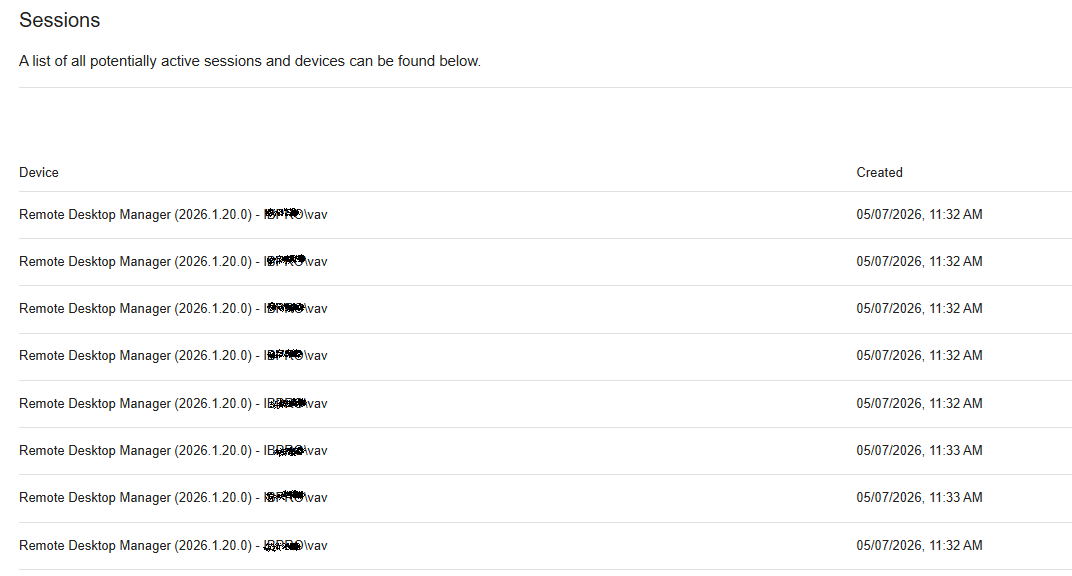
I have one more observation. Apparently, RDM establishes a new connection for every request made to Psono. If one works actively enough, RDM eventually throws a connection error, and that’s the end of it. After a while, the connections close, and it becomes possible to resume working... Restarting RDM does not help.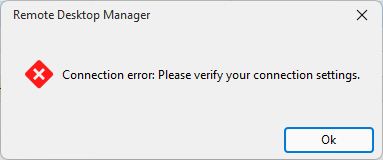
98446289-125c-43a1-8913-8ff2777cc969.png
01de65f2-5909-4779-999f-cf3b1a92bbb7.png
Hello,
Thank you for the additional information and the screenshots.
I have forwarded your latest observation to our QA team so they can review the connection behavior between RDM and Psono, specifically the possibility that a new connection is being opened for each request and eventually causing connection errors during active use.
We’ll keep you informed as soon as we have an update from the team.
Best regards,
Carl Marien