RDM dropping connection from SQL Data source

Hi all,
We have our DS hosted on a SQL server. We're getting this error periodically. 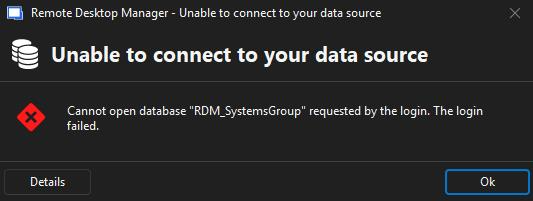
I've spoken with our DBA and he replied with this: it's a SQL Server Always On availability group. The database is hosted on both nodes, but only the primary node is setup for clients to hit. when there's a network/comm blip, then the traffic has to wait until the primary is verified and then starts flowing again.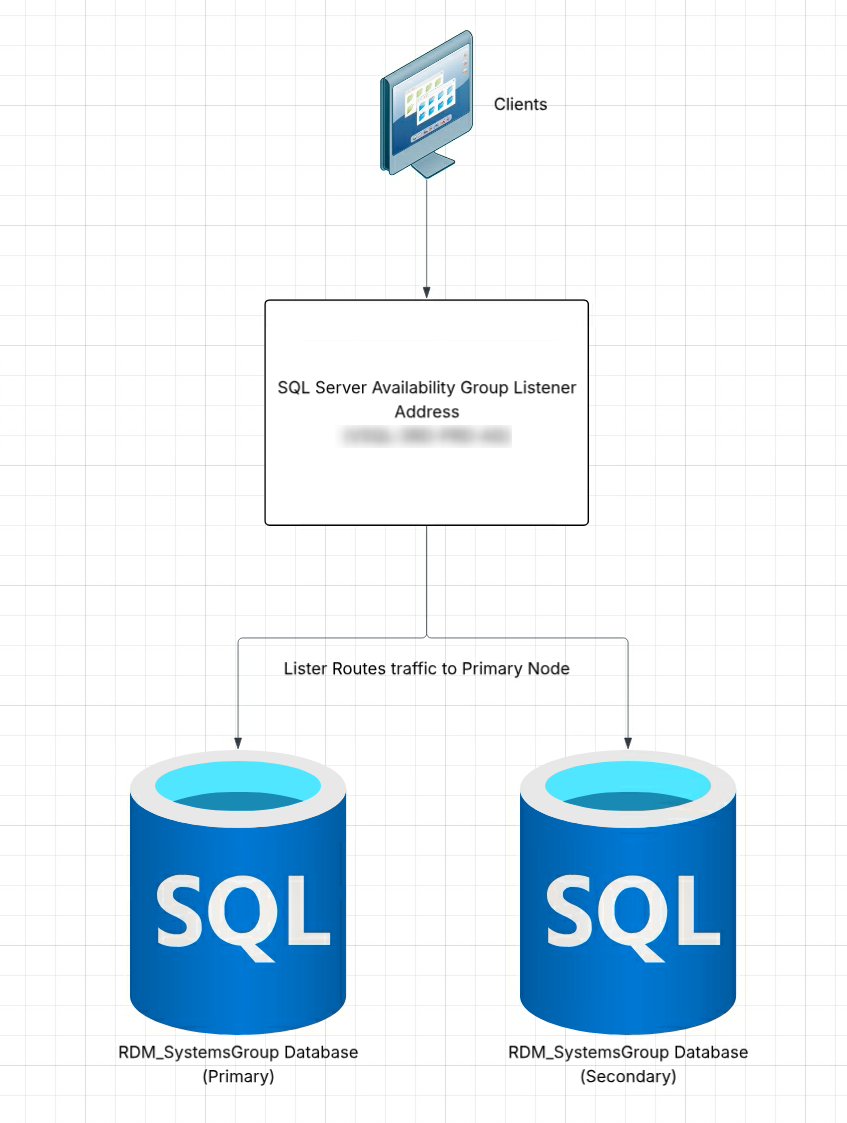
So, we're wondering if there is a setting in the app where we can increase the timeout option to where it doesn't notify us right away/gives time for the connection to reestablish itself?
Brian
SQL diagram.png
datasource.png
All Comments (2)
Hello,
Thank you for contacting us regarding this matter.
Could you please navigate to File → Data Source, then open your data source settings, go to the Advanced tab, and increase the Connection Timeout value? Let me know if that resolves the issue.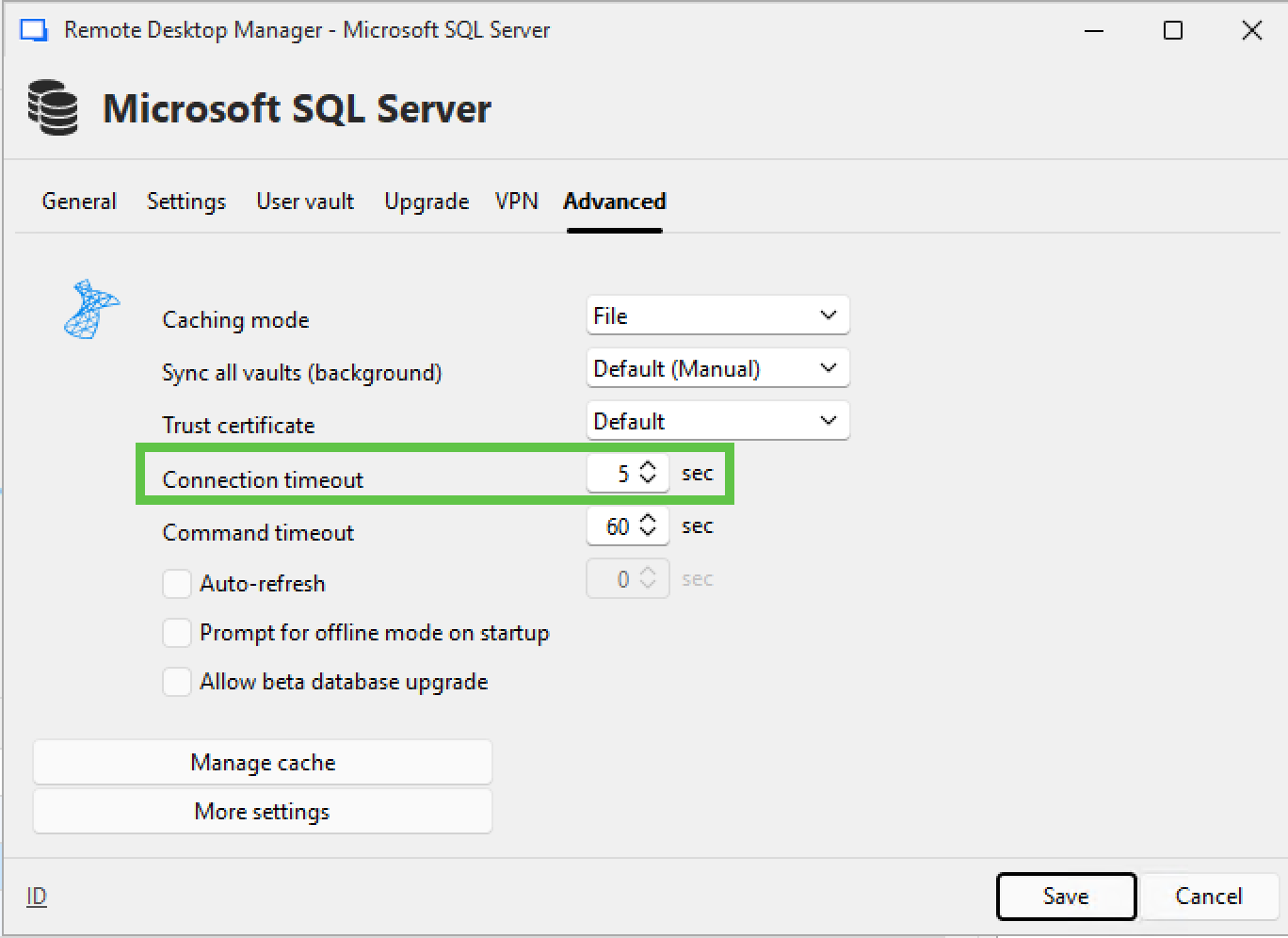
If the problem persists, you can send us a report to check whether your data source contains too many records. Please follow the steps outlined in the following article:
Email a Disk Usage by Top Tables Report via SSMS
Best regards,
Tommy Sanders
22cff511-9c59-4f20-8ae5-a2318acf90a5.png
Thanks Tommy,
Sorry for the late reply; apparently your notification email went to junk so I wasn't notified on a reply.
I haven't had an issue since I posted the question, so I went ahead and changed my setting to 10 secs today and will have the couple of coworkers who mentioned it to me change theirs too.
Brian