Devolutions Password Manager browser extension

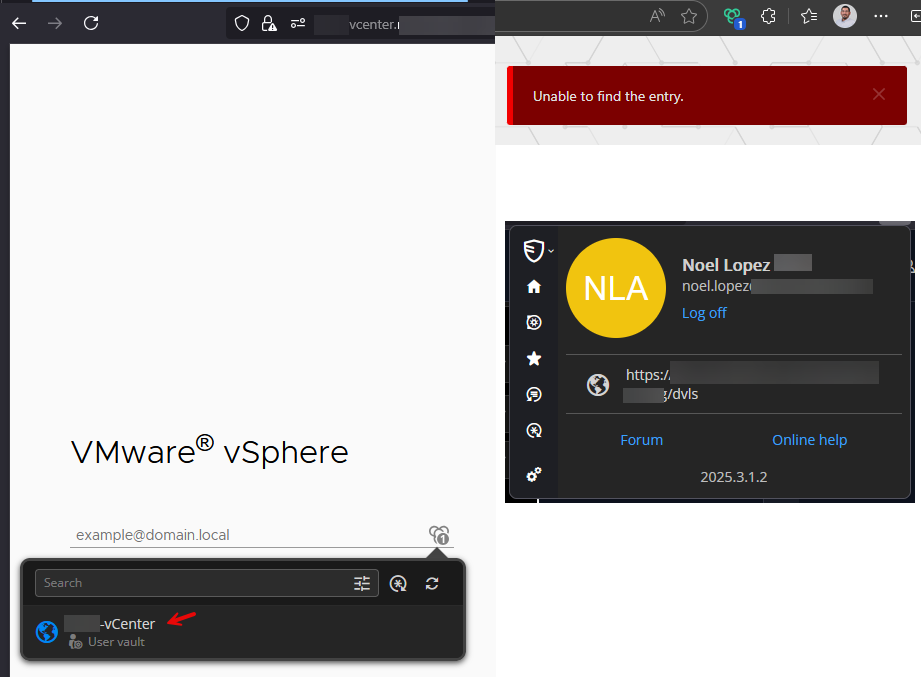
Recently the "Workspace browser extension" extension 2025.3.1.2 is giving me error "Unable to find the entry"
I have verified that the credential object is in my personal vault and that the Web url is associated with the credential object. If I save the object with the credential in the Web object, then it works. RDM server 25.2.7.0
Recommended Answer
It looks like the fix was to rename the P-List object. Problem solved!
All Comments (11)
Hello,
Thank you for getting in touch with us. To better assist you, could you kindly provide us with the following information:
- Is your Workspace Extension connected to Remote Desktop Manager, Devolutions Server or Hub Business?
- Was it previously working on an older version of the Workspace Plugin?
- When you mention version 2025.2.7.0, I believe you’re referring to Devolutions Server. Please note that the Plugin and DVLS do not share the same versioning scheme. Could you try connecting your Workspace Plugin directly to Remote Desktop Manager and confirm if the issue persists? Updating the server might also help, but we strongly recommend performing the upgrade in a staging environment first to ensure a smooth transition.
https://docs.devolutions.net/server/getting-started/installation/upgrade-server
- Any additional information and screenshots you believe might be relevant.
Once we have this information, we will be better equipped to diagnose and resolve the issue.
Best regards,
Maxim Robert
I am using Devolution server.
Yes, it was previously working. I don't recall upgrading the plug-in, unless it does automatically. Switching to RDM desktop does not solve the issue.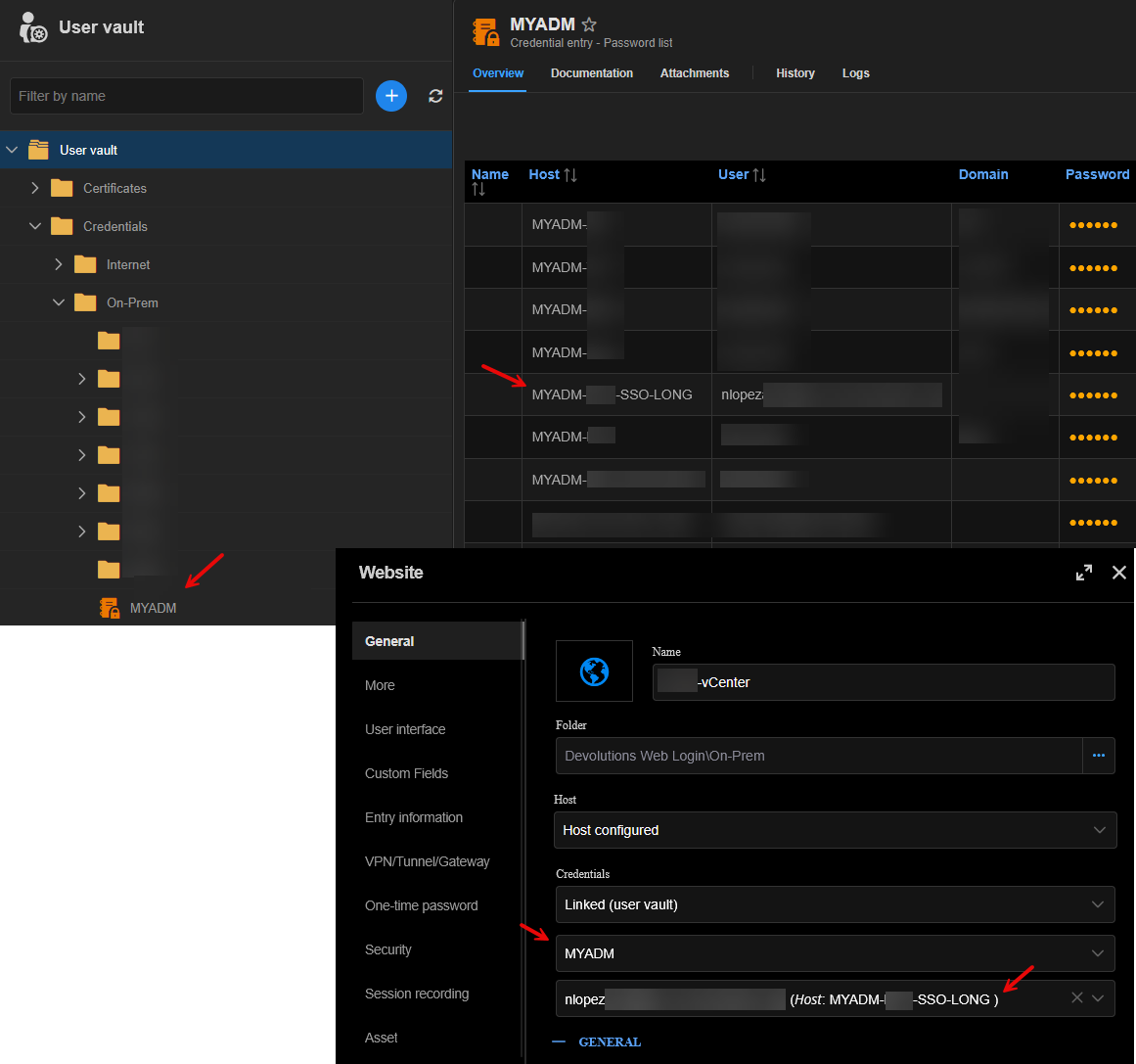
ec570563-104e-496c-b3ee-7f9da30aa2e5.png
1e1cc933-4895-45ed-b626-297fb602cc2c.png
Uninstalling and re-installing the web plug-in solved my issue.
This issue continues, same result on multiple browsers. The only solution at this point is to remove then re-install the plug-in for it to work every day.
Hello,
Thank you for your reply,
Would you be able to provide me with a recording of the behavior?
I will send you a private message with a secure link for the recording.
Best regards,
Samuel Dery
I sent the recording to you some days ago last week
Hello Noel,
Thank you for your reply,
Perfect, I can confirm I have received the recording,
I see that is indeed odd. Do you encounter the same issue when the Website entry is linked to a Credentials entry inside the User Vault that is not inside a Password List?
Let me know,
Best regards,
Samuel Dery
Hi Samuel,
I just tested with a single credential and works immediately; however, this also is the case when I uninstall / re-install the plug-in and the list works too. I will need to wait until tomorrow to see if it still works. Everything works until my sessions expire the next day.
Hello Noel,
Thank you for your reply,
No problem, keep me updated regarding this,
Best regards,
Samuel Dery
It looks like the fix was to rename the P-List object. Problem solved!
Hello,
Thank you for your reply,
Perfect, glad to hear this is now working as expected.
Let me know if the problem returns,
Best regards,
Samuel Dery