Better PuTTY support
0 vote

Currently a PuTTY Session always Shows the PuTTY Window (titlebar with icons) in the embedded tab. i found out that this can be avoided when you start putty with a commandline-session with this normal command:
"C:\Program Files (x86)\PuTTY\putty.exe" $USERNAME$@$HOST$ -pw $PASSWORD$
why couldn't you make this the Default behavior
the SSH-Session is way to slow when Scrolling and when you have much console output the pc is unter heavy load and you cannot break the active command
All Comments (6)
Do you mean that you can embed it in RDM with this commandl ine?
David Hervieux
instead of using the SSH-Session with the putty-configuration i am using a Commandline-Session with the commandline above.
then putty opens in the embedded tab with now window-title and window Buttons. it Looks like the ssh-session
There is something I don't understand. What is "SSH-Session" Could you post a print screen?
David Hervieux
Sorry i ment SSH-Shell but thats not the Problem here.
i attached screenshots of both viriants of calling the same Server
one session is a Default ssh-session with putty as type. when you open the session you get the putty window embedded with the title-bar
the other session calls the putty from command line and when you open it putty gets embedded nicely without the title-bar.
there is an older post in the Forum where someone of Devolution says that it is not possible to get rid of the title-bar in the embedded Display.
as i showed it seems to be possible because i called putty with a commandline-session and had not window-header-bar
i attached an aexport of the two sessions
edited by franzr77 on 8/9/2013
SessionProperties - Call PuTTY via Commandline-Session.png
SessionProperties - SSH Session Putty.png
SSH with putty called with command-line-session.png
SSH with standard putty integration.png
export.rdm
Thank you. I will take a look at this
David Hervieux
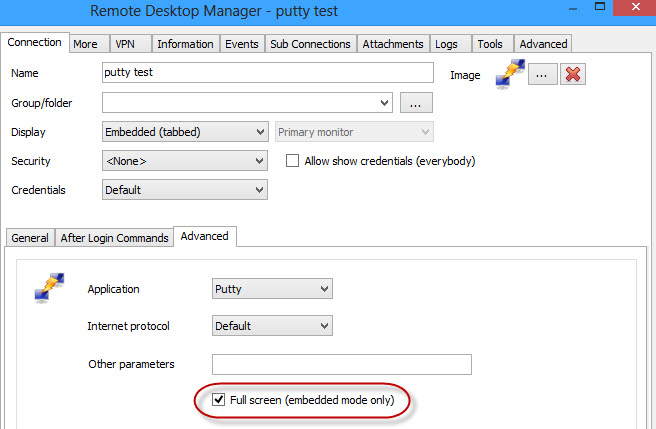
Fixed, will be in the next beta.
The putty settings has a check box:
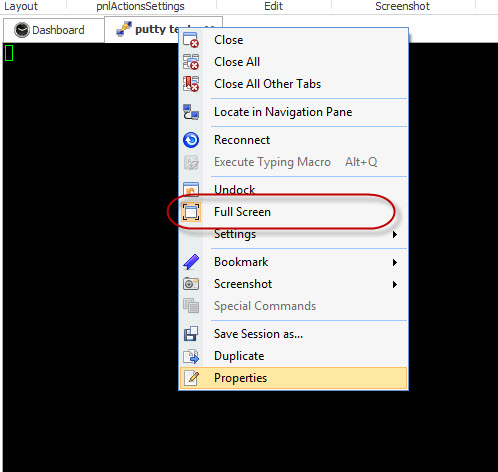
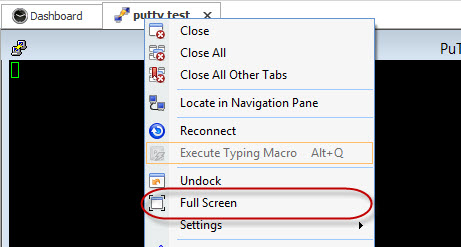
Then once opened you can toggle full-screen on/off:
Stéfane Lavergne
9-23-2013 4-39-19 PM.jpg
9-23-2013 4-40-46 PM.jpg
9-23-2013 4-41-36 PM.jpg