RDM lock doesn’t protect full-screen RDP session when Windows is locked
RDM lock doesn’t protect full-screen RDP session when Windows is locked

Dear Devolutions staff,
when RDM 2025.2.26.0 64-bit (PreJIT) is configured to lock when the computer is locked (via Windows + L), the expected behavior is that all remote sessions become inaccessible until RDM is unlocked.
However, if you have an RDP session running in full screen, then lock your PC, when you unlock it you’ll see that:
- RDM itself shows the lock screen as expected,
- but the RDP session window remains fully accessible in the background, even though RDM appears to be locked.
Essentially, the RDM lock doesn’t cover or protect the full-screen RDP session.
Steps to reproduce:
- Open an RDP session in full screen mode in RDM.
- Press Windows + L to lock your workstation.
- Unlock Windows.
Thanks!
Best regards
Recommended Answer
Hello,
This issue has been fixed. You can expect this with the upcoming 2025.3.26 version
Regards,
Jafran Majeau
All Comments (6)
Hello,
Thank you for reaching out to us regarding this,
What type of data source are you using?
https://docs.devolutions.net/rdm/data-sources/data-sources-types/
In your RDP Session Properties, the "Display" is set to "External" Is that correct?
Let me know,
Best regards,
Samuel Dery
Hi, thank you for your reply. Data source is "Local" (Solo), Session type is "RDP (Microsoft Remote Desktop)", display is set to "embedded" and remote desktop size to "full screen". Screenshot attached.
Thank you, best regards!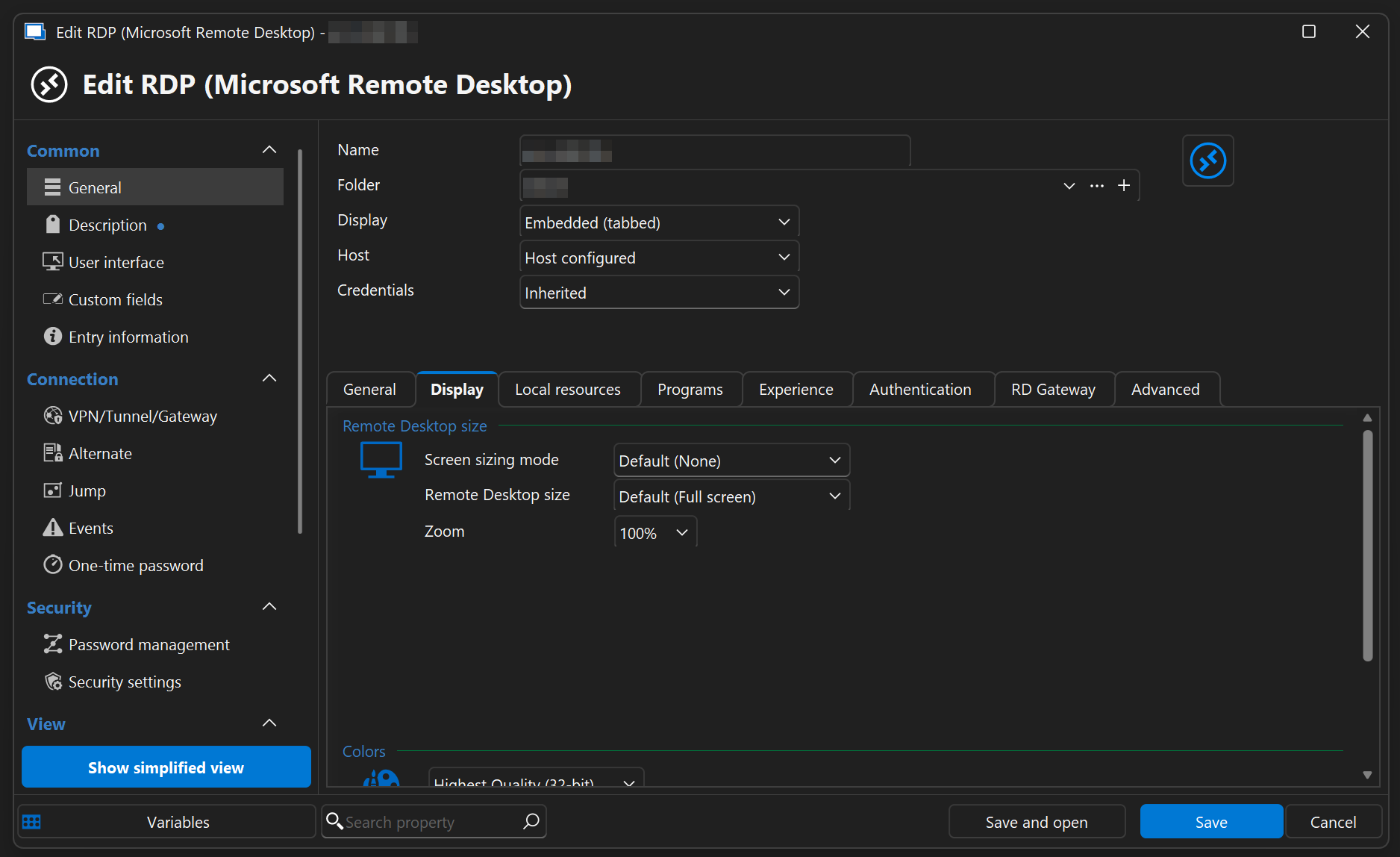
RemoteDesktopManager_hBWfVK58KZ.png
Hello,
Thank you for the details.
Initially, I thought the issue was caused by MSTSC, but I was mistaken.
I was able to reproduce the issue on my end and have submitted a bug report accordingly.
I will keep you informed about the progress of this case.
Best regards,
Carl Marien
Thank you!
Hello,
This issue has been fixed. You can expect this with the upcoming 2025.3.26 version
Regards,
Jafran Majeau
Thanks!