Importing PFX / P12 file for Certificate (X.509) entry type - file can't be read
Importing PFX / P12 file for Certificate (X.509) entry type - file can't be read

We have a couple of Certificate entries that now have the warning message "This entry type is deprecated and will eventually be removed. We recommend using the Certificate (X.509) credential entry instead.
Most have been reuploaded to the recommended credential entry, but a few certificates from a specific vendor gives an error message "The certificate file can't be read. It is possible that the format is not supported." The quote is translated from norwegian as we have Remote Desktop Manager interface in norwegian language (see screenshot below).
The certificate files itself are in P12. It is my understanding that PFX and P12 is basically the same file, I tried changing the file extension to see if it made any difference though no luck. I am certain there's nothing wrong with the certificate files as they are in use and behaves normally when handled in certificate manager in Windows.
As a workaround to the deprecated entry type warning I thought that maybe importing them as regular Document attachment, but that entry type automatically sets itself as a Certificate entry type when a certificate file is specifed, which then again is marked as deprecated.
Any solutions to this? =) We use Remote Desktop Manager version 2025.3.16.0.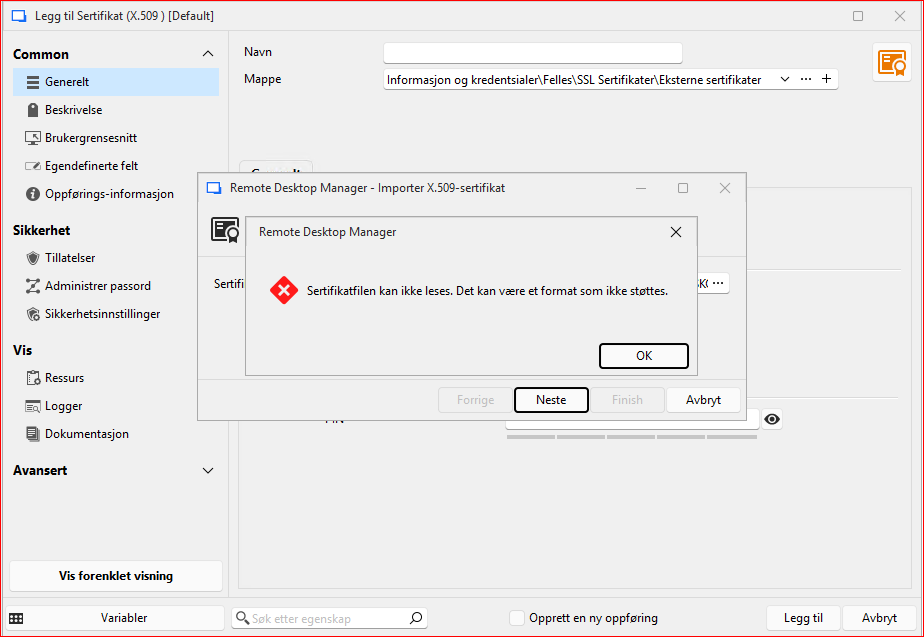
Skjermbilde 2025-10-30 115823.png
All Comments (8)
Hello
Sorry for the inconvenience. Either the certificate is in an unsupported format, or the format is supported but we are encountering something unexpected while importing it. Both of these problems can be addressed and in the meantime it's safe to keep using the certificate entry for these; it won't be removed outside of a major version update.
But, we should get to the bottom of this. If you don't mind:
- Go to Help > Performance Profiling
- Set the "Profiler Level" to "1"
- Keep the profiler window open, and try to import your certificate again
- You should get a more detailed error message that you can share here
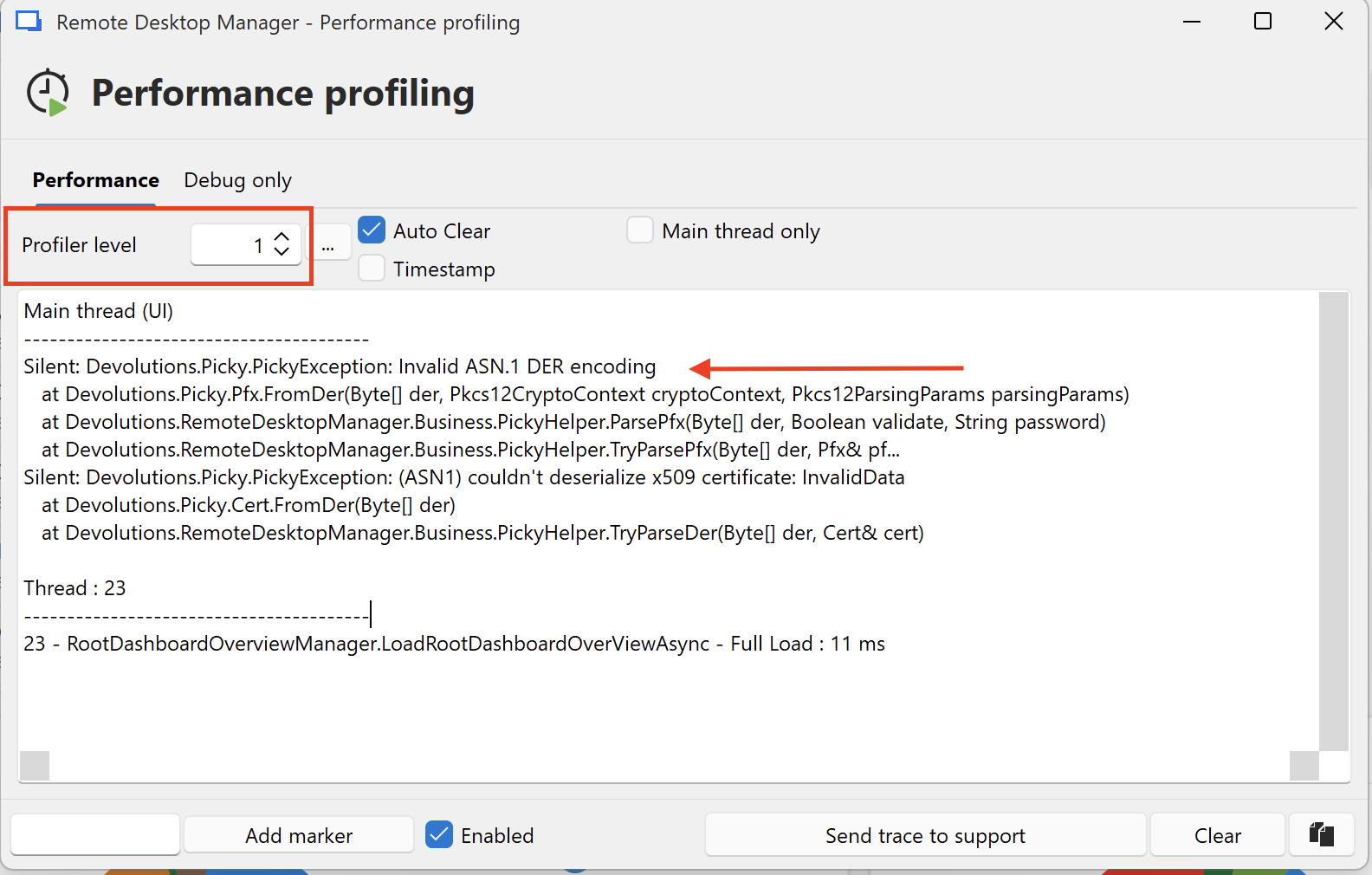
I don't know how familiar with X.509 certificates you are: do you know the format of the problem certificate(s)? Even just the file extension would be helpful. Do you know if the certificate also includes a private key (which would be possible with .p12 / .pfx files), or the private key is a separate file? If the file(s) do not contain a private key you could also share them with by PM or at service@devolutions.net which would certainly make fixing this easier.
Please, let me know if something isn't clear or you have further questions
Kind regards,
Richard Markievicz
Screenshot 2025-10-30 at 08.57.13.png
Hello and thank you for the reply. The Performance profiling did not give any output for me it looks like..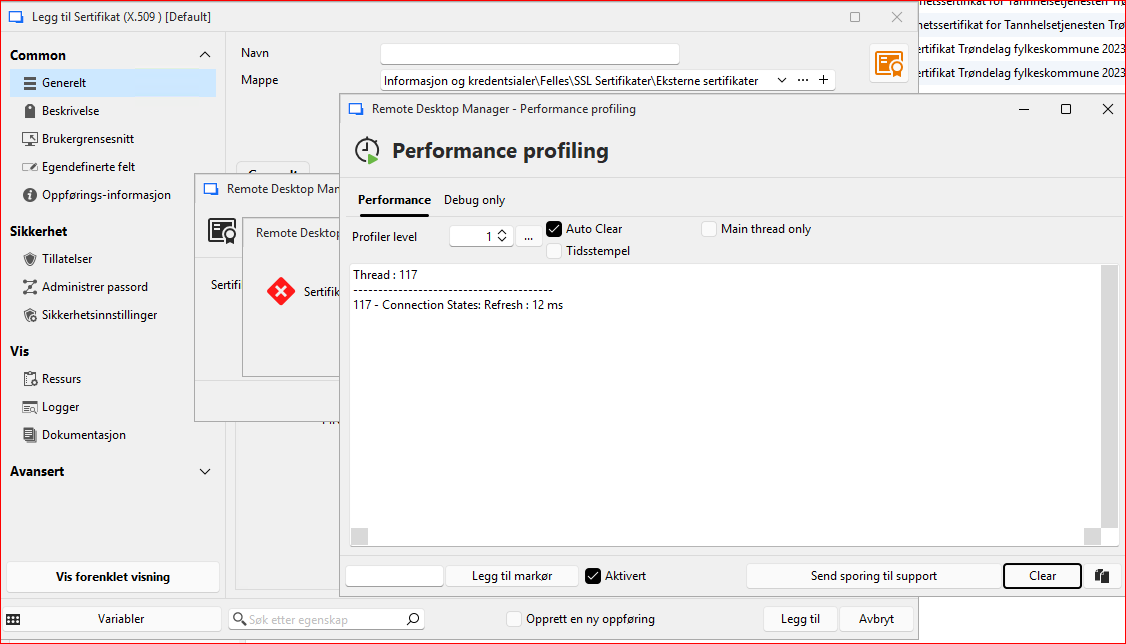
I am not that familiar with Certificates... I am not sure about the certificate format other than the file itself is P12 file extension. I believe the "p12" file contain a certificate chain that are all password protected. And that the file contain the private key for the certificate we use (Certificate 2 see below). When opening it in Windows Explorer it gives the information message "This file has password protected certificates for the following: Personal Information Exchange.". I use the command "certutil -v -dump" in order to view the file.
Number of certificates and structure in the file from the command printout:
================ Certificate 0 ================
================ Begin Nesting Level 1 ================
Element 0:
X509 Certificate:
Version: 3
Subject:
CN=vendor test Root CA
================ Certificate 1 ================
================ Begin Nesting Level 1 ================
Element 1:
X509 Certificate:
Version: 3
Subject:
CN=vendor test CA
================ Certificate 2 ================
================ Begin Nesting Level 1 ================
Element 2:
X509 Certificate:
Version: 3
Subject:
OID.2.5.4.97=some letters and numbers
CN=our test environment
Skjermbilde 2025-10-31 085345.png
Hello
Thanks for the details. I appreciate your patience while I discuss this with my team to determine the best path forward. It's obviously something that our internal tools don't like about these certificate(s), but troubleshooting it is not very easy (I can't ask you to expose your private keys to me). I have some ideas and we're working on that, so I appreciate your patience.
For your information, you're basically correct: a .p12 (or .pfx) is a file that contains PKCS12 data. It's basically a container format that commonly holds certificates (or even full certificate chains) along with public and private keys. The private keys can be encrypted, and different encryption mechanisms are supported.
Thanks and kind regards,
Richard Markievicz
Hello
I've made some changes here that I think will make this more robust and that will be available in 2025.3.24. Once the update is released I'd appreciate if you can try importing these certificates again and let me know if things are working better.
Although the old certificate (document) entry is marked as deprecated, we won't remove it until we've resolved these kind of issues. We'd also like to provide a path to automatically migrate from the document entry to X.509 credentials. Your feedback on this will be very helpful.
Thanks and kind regards,
Richard Markievicz
Allright. I will go ahead and test it as soon as I get my hands on version 2025.3.24. I will post here the results. Thank you.
Regarding the upgrade path I think that will be helpful. I used the Edit (special action) and the upgrade path for the old deprecated web entry with user/password to the entry type Username/password. That saved me a lot of time. For the certificate entry, I had to do it manually which took more time. Though we didn't have that many to begin with.
Hello,
Thank you for being so patient!
I'm pleased to inform you that a new version of RDM (2025.3.25.0) has been released, featuring the fix for your issue.
Latest Version: Download RDM
Please let us know if this works or if you encounter any issues.
Best regards,
Maxim Robert
I have done a few tests on some of our certificates that were problematic and it works now =) Thank you.
Hello
Excellent news, thank you.
We're working on a migration path from the old-time entries to X.509 credentials. We won't remove the old document entry until that is available. But in the meantime, I recommend at least creating new entries in the X.509 credential format.
Please, don't hesitate if you have other questions or problems
Kind regards,
Richard Markievicz
