Clipboard removing accents and inserting blank lines

Good morning, I've an issue with the clipboard. When I copy text containing accents from my local machine and paste it on the remote machine, the accents are removed and spaces are inserted between the lines (see attachment). Is there a configuration to be made or is there a problem? I am typing with an Italian keyboard. Could this be the cause of the problem and could I solve it with a simple configuration? Thank you very much! Have a nice day.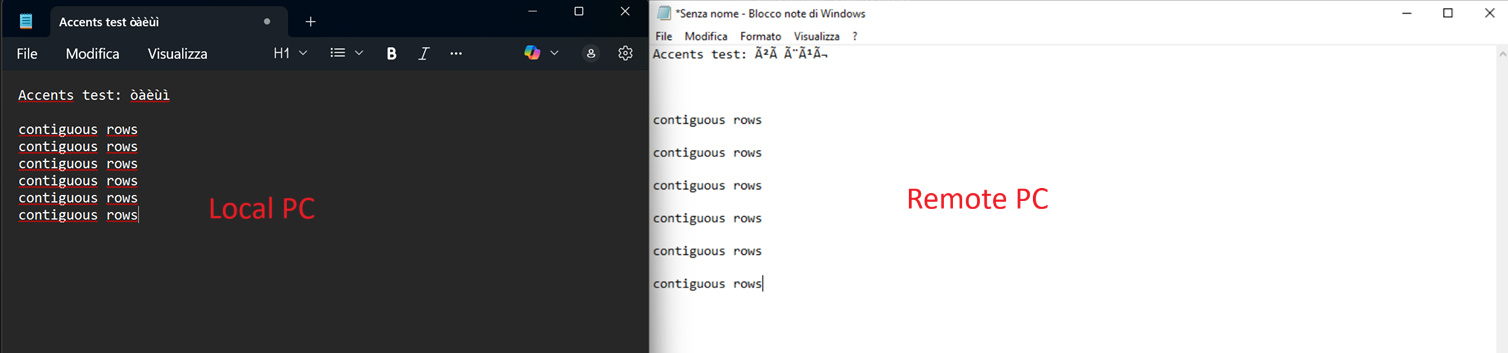
Accents test òàèùì.txt
clipboard test.png
All Comments (20)
Good morning, and thank you for your message.
This appears to be a bug, and we’ve created a ticket to address the issue. Our team will investigate it, and we’ll keep you updated as soon as we have more information.
Best regards,
Dany Galarneau
Thank you very much!
Hi Stefano,
In Devolutions Workspace, we will be deprecating support for launching in-app sessions. Going forward, you’ll need to use either the Web interface, the Launcher, or RDM to open your sessions.
The button that previously launched the in-app session will now redirect you to the correct entry in the web interface, where you can simply click ‘Open in Browser’.
We understand this may require a small adjustment, and we apologize for any inconvenience. Thanks for your understanding.
Best regards,
Sébastien Aubin
Product manager - Password Management
Does this answer relate to my question above about Clipboard issues? I don't understand... Thank you!
Hi Stefano,
Sorry for the confusion my previous reply didn’t directly address your Clipboard question. Since in-app sessions in Devolutions Workspace are being deprecated, we unfortunately won’t be making further updates to that functionality. To avoid the Clipboard behavior you’re seeing, we recommend using the Web interface, the Launcher, or RDM, which will provide the best experience moving forward.
Thanks for your understanding, and please let us know if you need help transitioning to one of these options.
Best regards,
Sébastien Aubin
Product manager - Password Management
I'm sorry, but I don't understand... I'm already using the RDM app, and that's where I'm encountering the problem. Could you tell me the steps you're referring to in order to avoid the problem, perhaps with a screenshot? Thank you!
Hi,
It looks like there may be some confusion, the issue you’re describing relates to Remote Desktop Manager, but this thread is for Devolutions Workspace.
To make sure you get the right assistance, I’ll redirect you to the appropriate RDM forum where the team can better help with the steps and troubleshooting.
Best regards,
Sébastien Aubin
Product manager - Password Management
Hello
What kind of session is the connection to the remote PC? For example, is it Remote Desktop (RDP), VNC, something else...? The answer is relevant to providing a solution here.
Thanks and kind regards,
Richard Markievicz
Microsoft RDP.
Local host: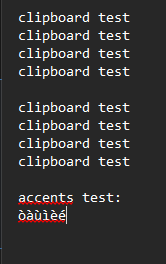
Remote host: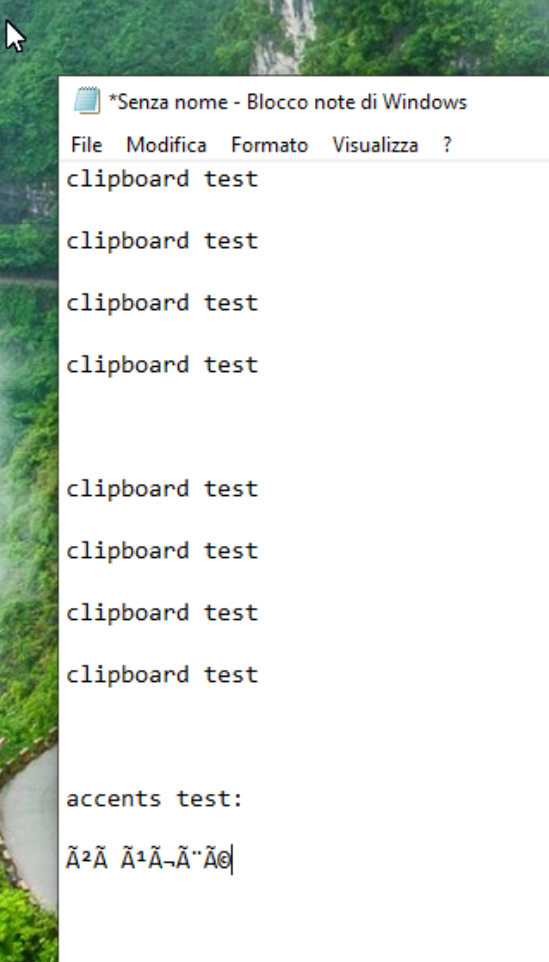
b22b6823-55e5-4896-b93b-546aa83b4f1a.png
e94c1f02-3962-442f-ad5f-81ea704d8141.png
Hello
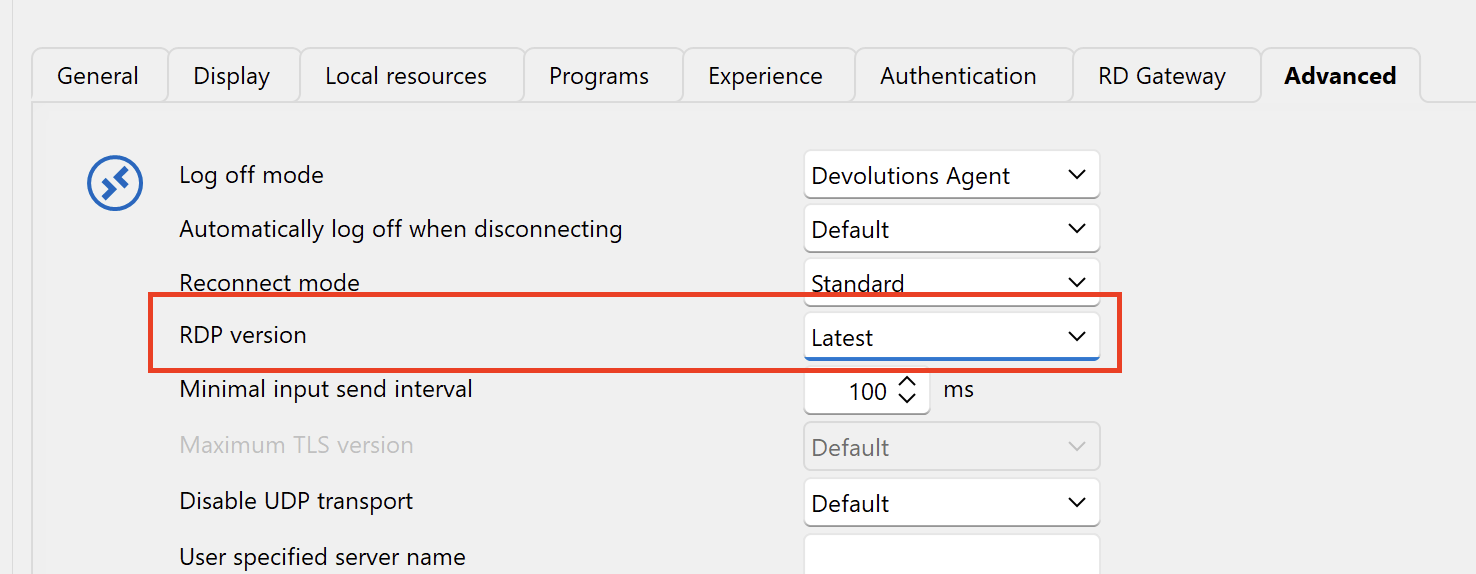
Can you tell me what you have configured in these two places?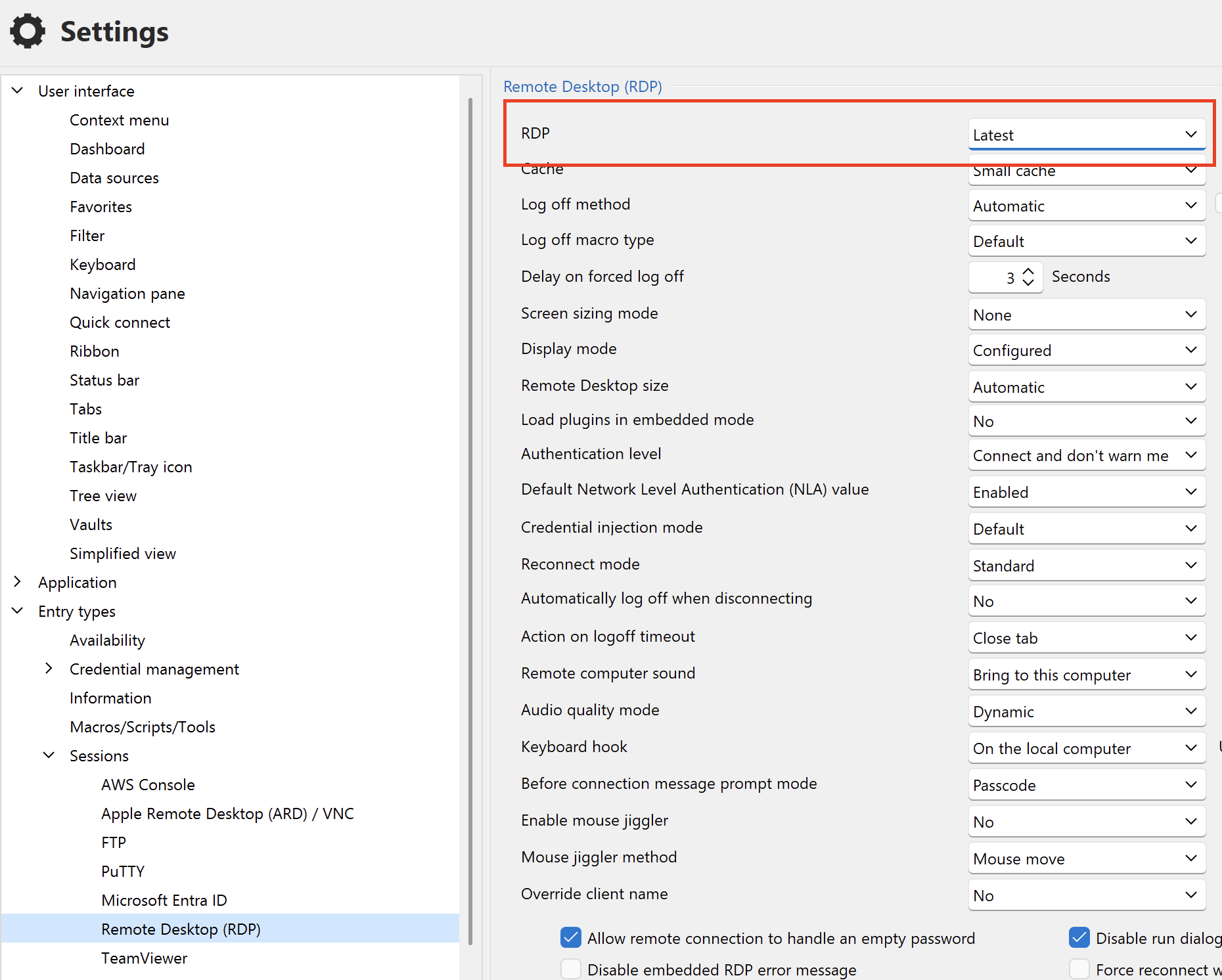
Thanks and kind regards,
Richard Markievicz
Screenshot 2025-12-10 at 09.44.49.png
Screenshot 2025-12-10 at 09.44.17.png
Here it is below, it's set at "Latest".
Unfortunately, I couldn't find the second section.
Thank you very much!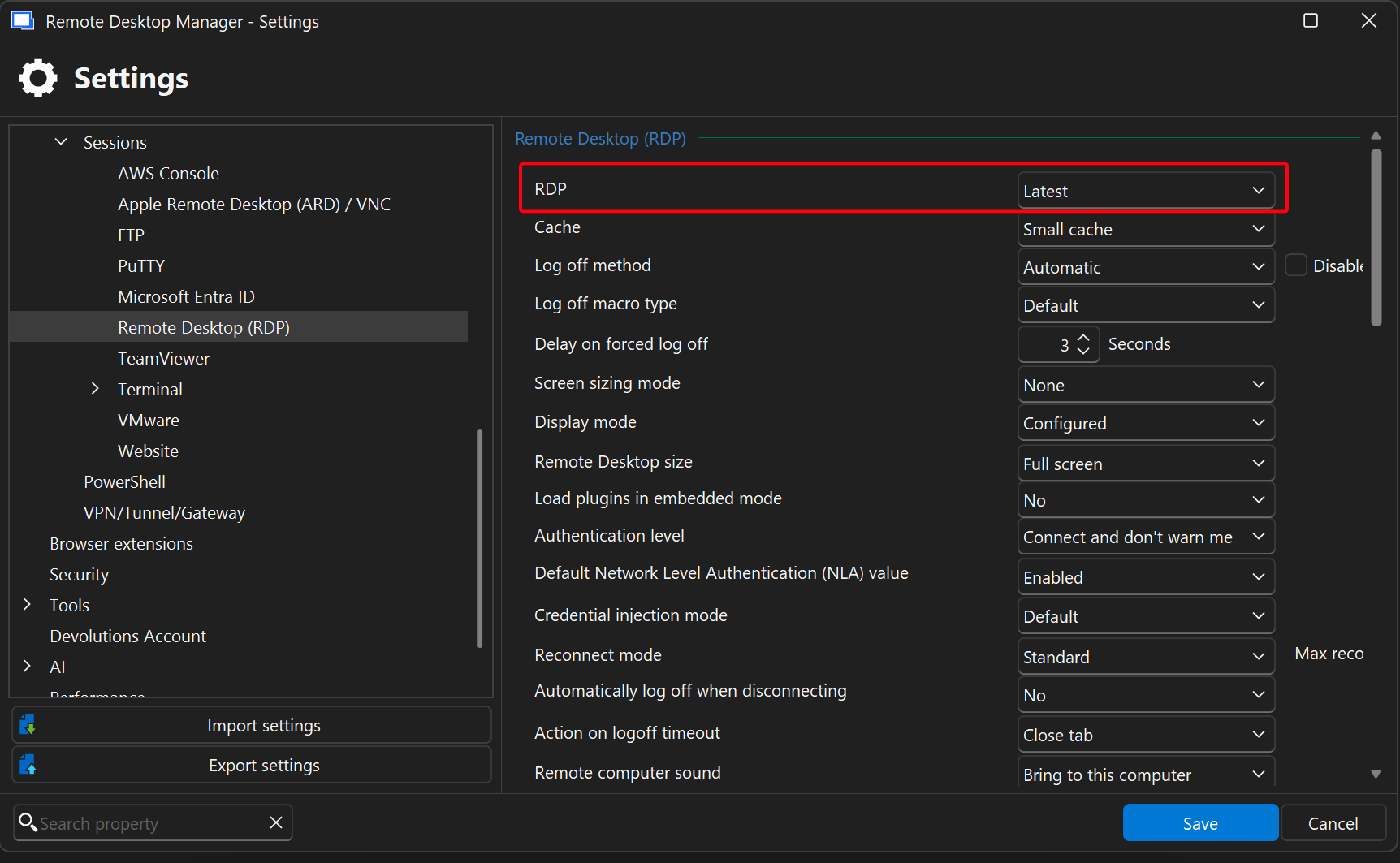
cca93073-362b-4385-bacc-497a29f4b6c8.png
Hello
Thanks for the information. Do you get the same results when you connect with Microsoft Remote Desktop (mstsc.exe)? You can choose to open the session in "External" mode to test.
Thanks and kind regards,
Richard Markievicz
I sincerely apologize for the error, and I am sorry for wasting your time, but I realized that I wrote the wrong protocol. The problem occurs with an UltraVNC connection. In any case, I ran a test with the Microsoft RDP utility in Windows, without going through RDM, and the problem does not occur.
Hello
Excellent, thanks for the information, that makes a lot more sense.
I am looking into this and will get back to you as soon as possible.
Kind regards,
Richard Markievicz
Hello
To give you an update, I did find and fix a bug that I think will correct this behaviour. I'm not sure when the fix will be integrated (at this point, it's likely to be after the holidays), but I've linked a ticket to this thread so we can notify you once that's available.
Thanks and kind regards,
Richard Markievicz
Hello,
Thank you for being so patient!
I'm pleased to inform you that a new version of RDM (2025.3.29.0) has been released, featuring the fix for your issue.
Latest Version: Download RDM
Please let us know if this works or if you encounter any issues.
Best regards,
Maxim Robert
Hello
Further to what Max wrote, I believe the issue with the accents should be corrected. Please let me know if that's not the case.
For the newlines, I was not able to reproduce it on my side. After updating to 2025.3.29, if you still have the issue with the newlines please take the following steps:
- Close RDM
- Navigate to %localappdata%\Devolutions\RemoteDesktopManager in Windows Explorer
- Locate the RemoteDesktopManager.cfg file and make a backup copy
- Open the RemoteDesktopManager.cfg file in a text editor and add the following line before the closing
</Option>tag
<VncClipboardNormalizeLineEndings>true</VncClipboardNormalizeLineEndings>
So, the end of the file should look like this:
<VncClipboardNormalizeLineEndings>true</VncClipboardNormalizeLineEndings>
</Option>
- Save the file and relaunch RDM
- See if the line ending issue is resolved
If you can let me know if that works for you, I'll make this a default option for RDM in a future version.
Please, let me know if something isn't clear or you have further questions
Kind regards,
Richard Markievicz
The update to 2025.3.29.0 fixed the accent issue but not the blank lines, while adding the tag to the configuration file fixed the blank lines issue. Thank you very much!
Hello
Thanks for the follow up. I'll make the line-endings option the default behaviour in a future version of RDM. For now, it sounds like things are working well. Please don't hesitate to post back with further questions or comments.
Kind regards,
Richard Markievicz
Thanks!