Best way to sync database between Windows and Mac OS

Hello,
I've been using Remote desktop manager for many years on Windows machines. Lately I've been trying to share my existing database (SQLite) over a local NAS with a Mac OS computer (same network). Well, had no luck or not sure the right step by step to share the database between computers so ended up with a separate db not very convenient since I do make changes often and now have to do it on both databases.
Please let me know if there is an easy way to share and configure the same database between Win and Mac OS operating systems,
Thank you in Advance!
All Comments (9)
Hello,
Thank you for reaching out on this matter.
I recommend using either Hub Personal or Hub Business Free, which you can create via File > Data Source in RDM version 2025.3.15 and up. This will allow you to export all entries from your local data source and import them directly into the Hub of your choice.
You can find more information here:
https://docs.devolutions.net/rdm/data-sources/data-sources-types/advanced-data-sources/devolutions-hub-business-free/
https://docs.devolutions.net/rdm/kb/how-to-articles/export-import-entries/
Please let me know if you have any further questions.
Best regards,
Jacob Lafrenière
Thank you for your response, it's exactly what I needed.
Any way to cache the sessions when working offline?
Hello,
Thank you for the follow-up.
Absolutely, you can refer to the following documentation article for setup instructions:
https://docs.devolutions.net/rdm/data-sources/offline-mode/hub-personal-offline-mode/
Best regards,
Jacob Lafrenière
Thanks, Looks like you guys have a bug.
On Mac OS when going offline, sessions and else disappear even the correct number of entries are showing on the bottom left.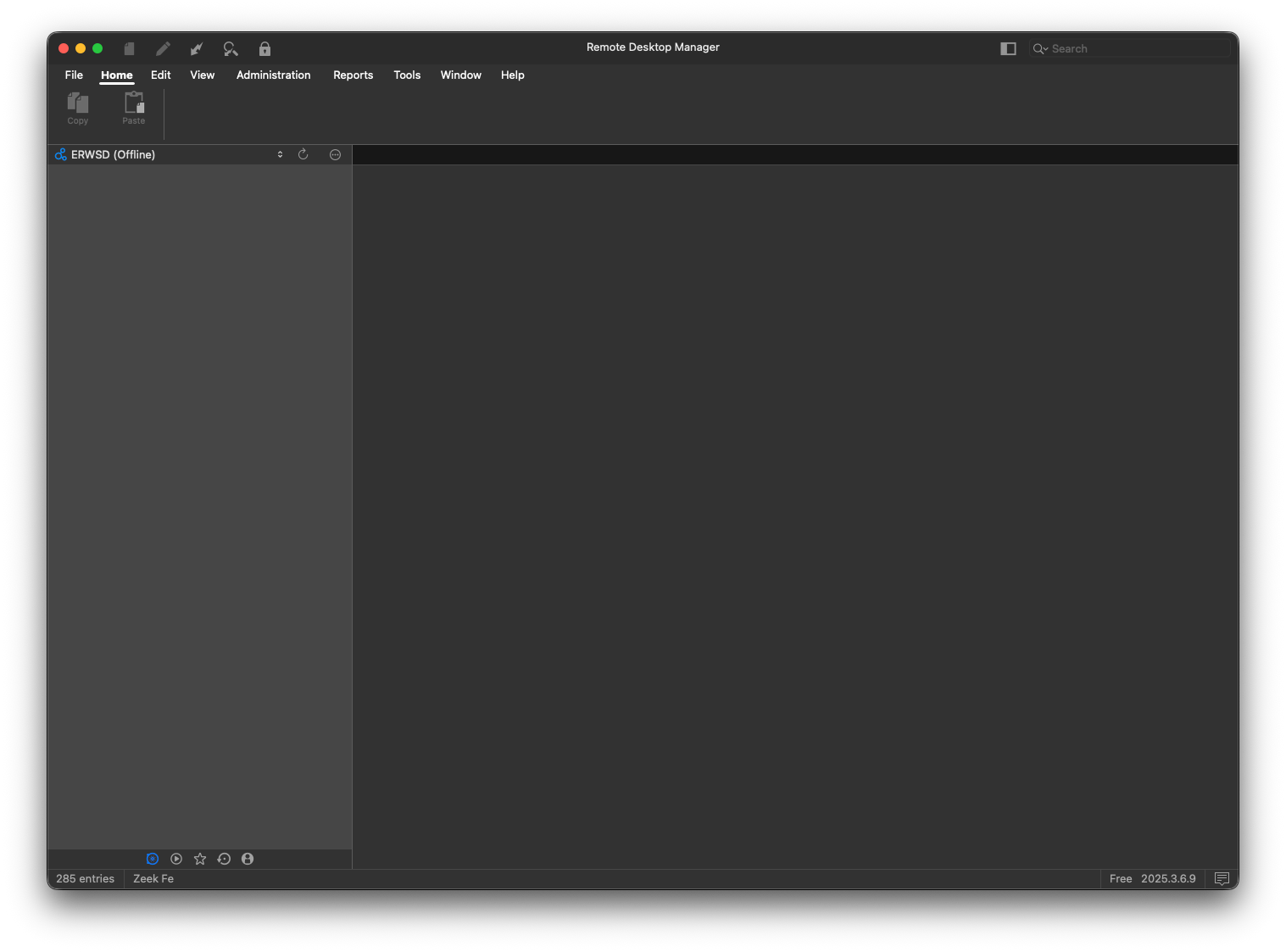
450a802c-4e3a-4f15-a8b6-4746e6f626ac.png
Hello,
Thank you for the follow-up.
I tested this on my end, and it appears to be working as expected using the "Go Offline" button under the File ribbon menu.
Please ensure that the data source has been loaded at least once on the machine before attempting to use offline mode.
At the moment, I don’t have access to a physical Mac to test the behavior without internet connectivity. I’ll plan to run that test next week.
I’ll keep you updated on my findings.
Best regards,
Jacob Lafrenière
Sounds good thanks.
On a Mac Studio on latest ios 26.
Replication steps,
- Open RDM with internet connection, all entries are loaded from Free Hub db.
- Close the application, block access to internet
- Open RDM, no entries are showing even total number of entries are displayed on bottom left.
Hello,
Thank you for your patience.
I was able to reproduce the issue you are experiencing. I will report this bug to the development team, and they will begin working on a fix soon.
I will follow up with you as soon as a fix is deployed in a future update.
Best regards,
Jacob Lafrenière
Thank you.