Custom/Override HTTP host header, mainly for SSH Tunneled conenctions.
Custom/Override HTTP host header, mainly for SSH Tunneled conenctions.

If there a way to Override HTTP host header that is sent for Website/Browser sessions, either always, or mainly when using a SSH tunnel to connect to a Web Site/Interface?
I have a few devices that seems to get cranky if you attempt to access their web interface over the tunnel because presumably the browser is sending a host header of
https://localhost:56635/login.html
instead of
https://10.0.0.1/login.html (example)
I can connect to them, but their web browsers spit back various http errors again likely due to the host header being something they don't expect.
All Comments (10)
Hello,
Thank you for reaching out on this matter.
I believe the Settings tab in the website entry’s properties should meet your needs.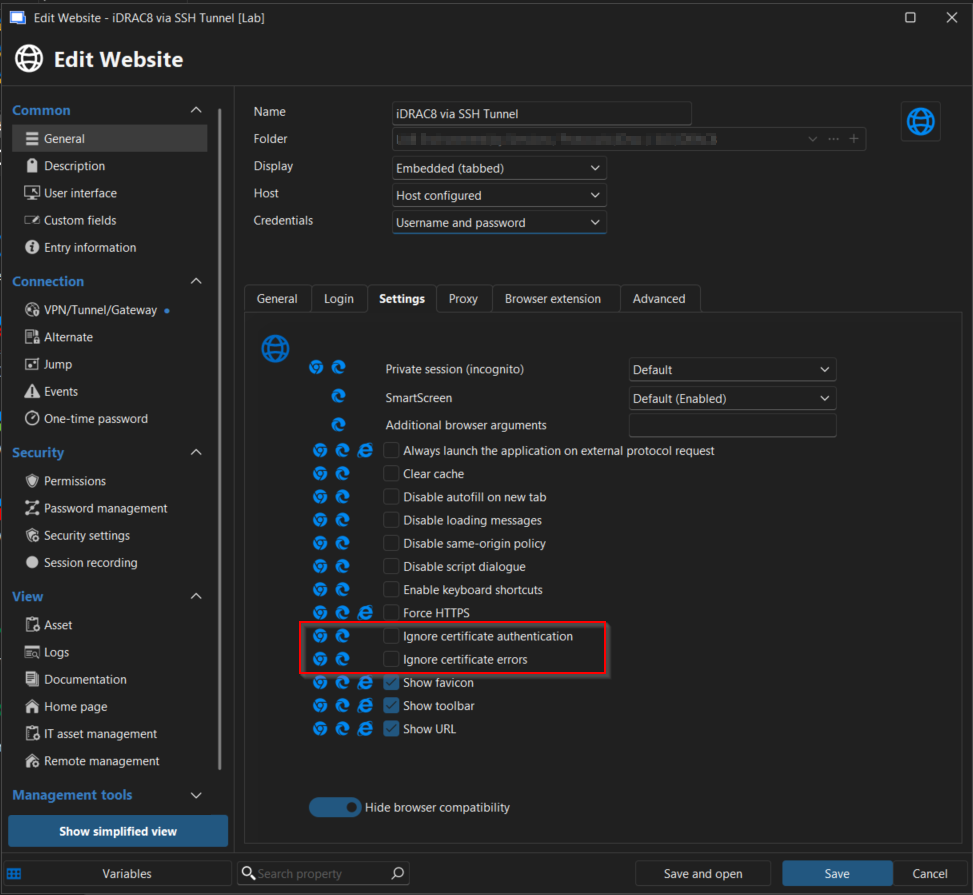
Please let me know if this works in your scenario.
I look forward to your reply.
Best regards,
Jacob Lafrenière
070f55d6-6bc1-469e-bab5-c5a03b2cdca3.png
Nope, its not a cert problem, these are HTTP sites, not HTTPS.
The HTTP Host Header sent by the client is sent as the redirected URL http://localhost:<portnumber>, I need a setting to override this to be if connected directly, i.e. http://10.0.0.1/ (example).
See this for more information: https://developer.mozilla.org/en-US/docs/Web/HTTP/Reference/Headers/Host
Hello,
Thank you for the follow-up.
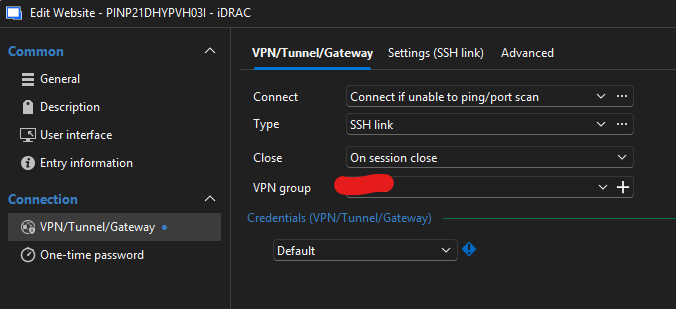
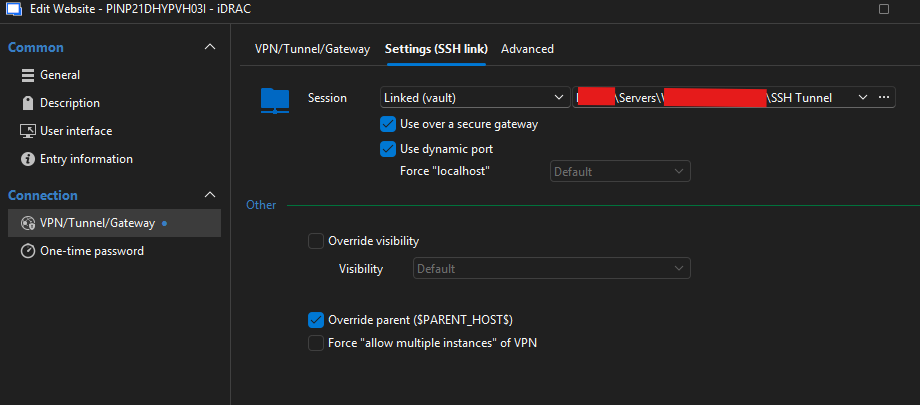
I may be misunderstanding the issue. Could you please share the configured properties of one of the website entries, as well as the SSH tunnel?
I look forward to your reply.
Best regards,
Jacob Lafrenière
In the Website filed, the redacted part is a simple IP address.
I don't think the rest of the redactions matter.
Again, the issue is, when the SSH Tunnel has to be used the embedded browser send the HTTP HOST header as https://localhost:12345/ (port number is random ofcourse)
There should be a way to tell the embedded bowser to set/send the HTTP HOST just as it would be sent if the SSH Tunnel was not used, such as https://192.168.1.1/ even though the URL its connecting to is the localhost URL.
Unfortunately some devices including this iDRAC do not behave if the HTTP HOST Header is localhost. 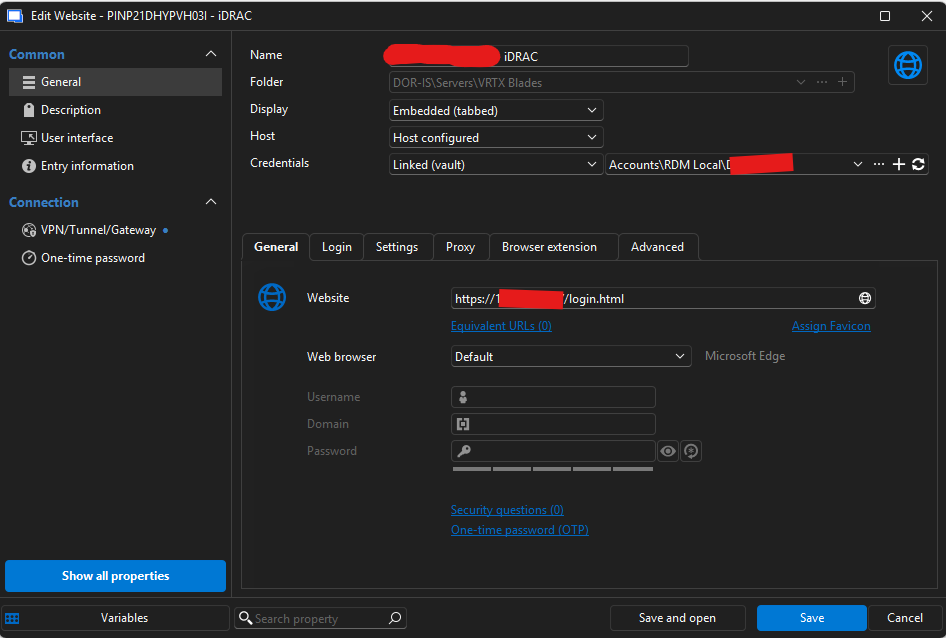
Screenshot 2025-11-11 132032.png
Screenshot 2025-11-11 132142.png
Screenshot 2025-11-11 132206.png
Hello,
Thank you for the follow-up.
I tested this on my end and was able to reproduce the behavior you’re experiencing.
It appears that you'll need to uncheck the "Use over secure gateway" option in order to modify the "Force localhost" setting to "No". Once I made this change, the connection worked correctly and used the IP address instead of localhost.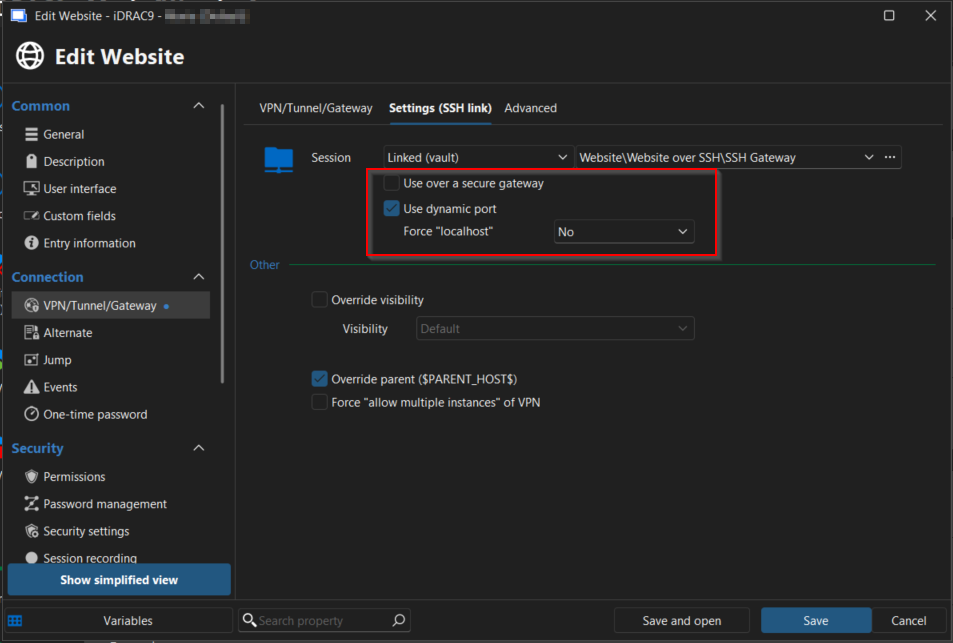
Could you please test this on your side and let me know if it works in your environment?
I look forward to your response.
Best regards,
Jacob Lafrenière
4abcd22b-a3e4-4b2f-9487-54ea39c0ce95.png
One major problem with that..... If you uncheck that, you cant connect to the host at all. The whole point of the SSH Tunnel is because those host are not reachable from outside of that network.
The SSH host for the tunnel is the bridge to that network. That is the whole point of it.
Hello,
Thank you for the follow-up.
I believe I may have misunderstood part of the situation on my end. I will gather the necessary information from our development team and get back to you as soon as I have further guidance to share.
Best regards,
Jacob Lafrenière
Hello,
Thank you for your patience.
It turns out that this functionality is not currently supported in RDM. However, I’ve opened an improvement case with our development team to add support for it.
In the meantime, one of our developers suggested a potential workaround: you can configure your iDRAC to support the localhost header. Here is some documentation on that topic https://netrouting.com/knowledge_base/dell-idrac-400-bad-request-hostheadercheck-fix/
If you prefer to wait for the native implementation, rest assured that I will follow up here as soon as it’s available in RDM.
Best regards,
Jacob Lafrenière
Hello,
Thank you for your patience.
It turns out that this functionality is not currently supported in RDM. However, I’ve opened an improvement case with our development team to add support for it.
In the meantime, one of our developers suggested a potential workaround: you can configure your iDRAC to support the localhost header. Here is some documentation on that topic https://netrouting.com/knowledge_base/dell-idrac-400-bad-request-hostheadercheck-fix/
If you prefer to wait for the native implementation, rest assured that I will follow up here as soon as it’s available in RDM.
Best regards,
@Jacob Lafrenière
Thanks for that information, that is a great find and does work around the issue at least with the iDRACs.
A setting/feature would still be awesome, but this take care of this particular issue for these devices.
Hello Brandon,I've been investigating your issue, and I'd like to clarify some things. When using a Secure Gateway, forcing the connection to localhost is not an arbitrary limitation but a core part of how the gateway works.The gateway establishes a local tunnel endpoint, and the client connects to that local endpoint while the gateway handles the remote routing. Allowing a custom URL/Host or bypassing localhost would essentially break the security and isolation guarantees that the Secure Gateway is designed to provide.That said, before we conclude anything, it would really help to better understand what you are trying to achieve functionally, this could help steer us in the right direction. Is the intent to replace "localhost" with specifically "127.0.01"? There may be alternative approaches that still fit within the Secure Gateway model (or a different feature altogether that better matches your use case).
Edit: It appears I was missing some context when I posted this. This particular query of mine has been answered already.
Regards,
Jafran Majeau