temoraray access - permission settings
1 vote

Hello,
We have recently started using the password request feature, which works wonderfully. To implement this, we initially adjusted the permissions for all entries to ensure that the rights to request passwords are inherited. We have set up rights groups for each customer folder that can view and approve passwords.
However, the issue arises when a new entry is created; we have to manually adjust the permissions each time to activate inheritance. As an interim solution, we have begun modifying the default template for each employee so that it is set by default. Is there perhaps a better solution for this? In the vault's default settings, we can only specify administrators or custom settings. Since we have multiple customers with different permissions for employees, we cannot set a global configuration that fits our installation.
Thank you for your assistance.
All Comments (6)
Hello,
Thank you for reaching out!
My name is William, and I'm here to assist you in any way I can.
Would it be possible to confirm which Data Source you are using for your Remote Desktop Manager (RDM) and is you are referring to the PAM module for password request?
If you are referring to the PAM module with the Devolutions Server, you can set the permissions on folders and have the PAM accounts inherit the permission as soon as you import them inside their destination folders.
If possible, could you share some screenshots of the permissions you are referring to? This would give me a better idea of the feature you are using.
Best regards,
Hi,
we are using RDM with SQL-Server.
I am not referring to the PAM module.
Here are some screenshots.
Its the "Grant temporary access" feature.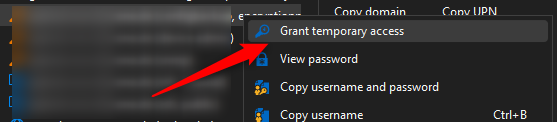
We have Customer folder with Custom Groups, that have the permission to share the password.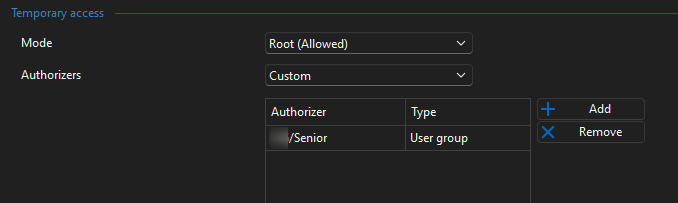
And i had to change all passwort entry permissions manually so the authorizers are inherited.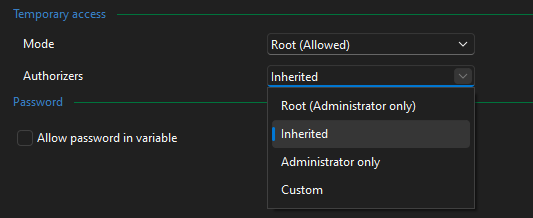
Since my colleagues create new entries daily, they must manually adjust the permission settings. Otherwise, only administrators can share the password. Currently, each user has to modify the default templates. Since this is a local setting, every new employee or anyone who gets a new computer has to do it again. Is there a better and easier way?
On the vault, you can not set inherited as default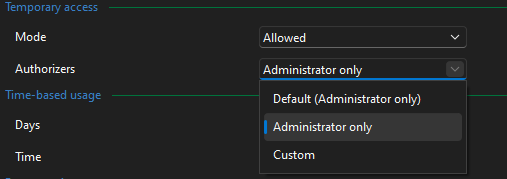
72988869-6a3f-4572-965a-209cbd11c02e.png
e8beee12-f2c4-4b71-addc-9d783db599f2.png
73ba44a2-0207-4692-b89d-382196ccb355.png
a30483b7-66c7-4f8b-983c-52eab6b9b3db.png
Hello,
Thank you for the screenshots and explanation. I've search everywhere and did not find anything to globally manage these settings. I will open a discussion with our development team for a potential improvement and keep you updated on any new information I get.
In the meantime, the only workaround we found was converting an existing entry into an entry template and advise your users to use this new template to create their entries.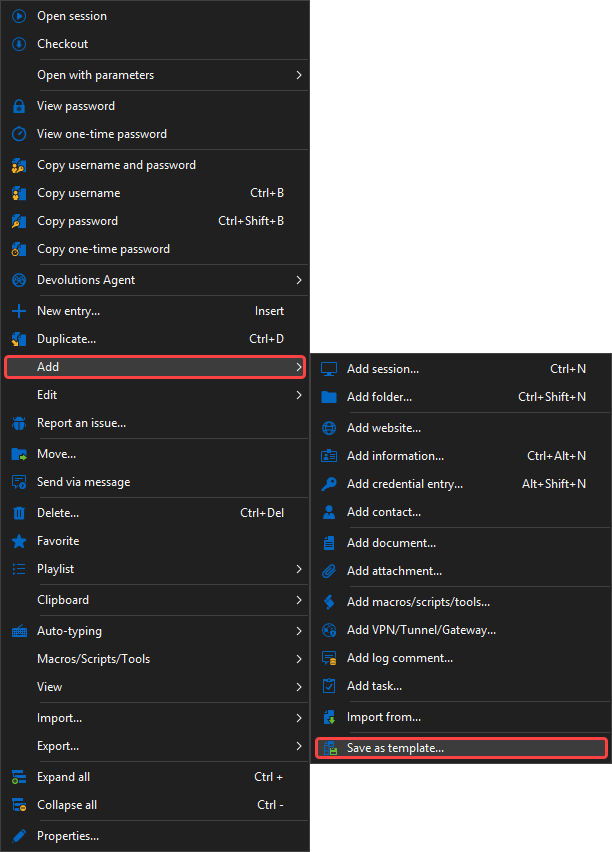
While creating a new entry template doesn't give us the ability to pre-configure the Temporary Access options, saving an already configured entry will save these settings in the template.
Feel free to reach out if you have any questions or need further clarification.
Best regards,
15aa8e9d-2619-45d7-ad31-0d3725952ddb.png
Hello,
After talking with our development team, they confirm (and I tested) that configuring the temporary access to the root folder will inherit the settings to the sub folders and entries.
Unfortunately, this does not work on folders but only from the root.
Best regards,
Hello,
Okay, thank you very much. Then we'll stick with our solution for now, adjusting the local templates, or perhaps I'll create a new template, but my colleagues have already gotten used to the standard templates.
It might be cool to consider it as a feature request that administrators can adjust the standard templates system-wide for everyone.
Hello,
Thank you for the feedback. I'll move your topic under the Feature Request section.
Feel free to add more information on how you would like the feature to work.
Best regards,