CyberArk Dashboard - Hide Popups
1 vote

In 2025 the ability to select a preferred component for a connection on the Advanced Tab allowed for the user experience to return to 2023 behavior. That behavior was we could default the type of connection used for CyberArk Dashboard connections and RDP.
The 2025 release then allowed a secondary popup to appear that no longer makes the benefit of the above as useful. The request is to be able to disable the secondary popup similar to selecting the preferred component for connections to streamline user experience.
Attached is a screenshot of the secondary popup that is part of the CyberArk Dashboard connection.
The org is stuck on 2024, due to the retraining of users required to move to the new version with the new popup.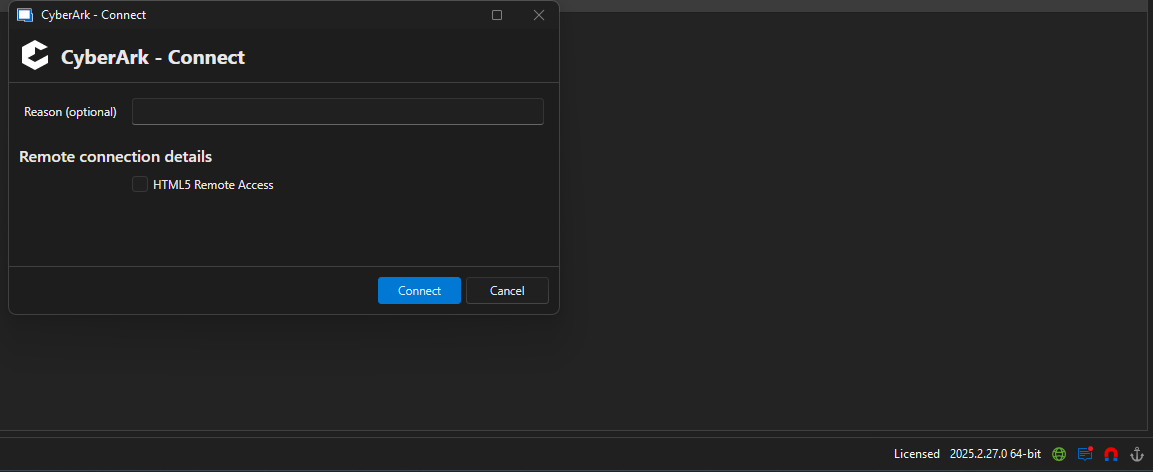
Screenshot 2025-10-15 135120.png
All Comments (2)
Hi,
Yes, I've heard about this from our support team. We will open an improvement ticket.
That being said, this window reproduce CyberArk behavior. If you don't need the "HTML5 Remote Access" option, you can disable it in CyberArk and this window shouldn't show again. Otherwise, if you need it (let's say for people using CyberArk directly from the web portal), there is no immediate solution for this and this will have to wait for an improvement.
Just to validate, would having a checkbox at the left corner of this prompt (something like "Do not prompt again for optional options") that, when checked once, will disable this prompt when all options are optional be sufficient?
Best regards,
Xavier Fortin
Hello,
Thank you for your patience, the latest version of RDM should now hide the HTML5 Remote Access popup. I've taken the liberty of closing the case we have together as well to prevent any double notification.
Feel free to reach out if you have any questions or need further clarification.
Best regards,