Settings to enable passwordless login to the Windows Server or Windows 11 via RDP
Settings to enable passwordless login to the Windows Server or Windows 11 via RDP

How can I configure the RDP settings to allow Remote Credential Guard to pass on my Kerberos token to the remote RDP target ?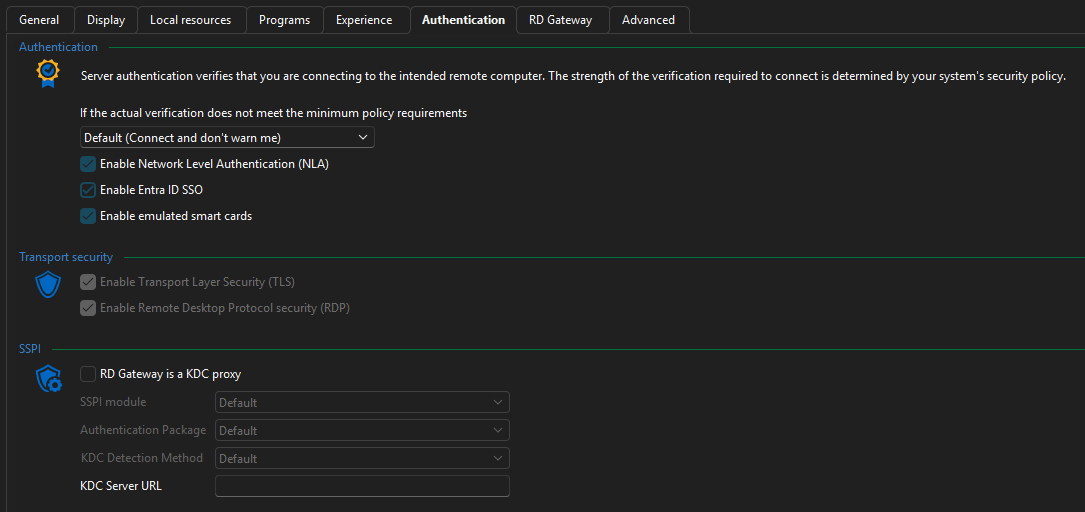
Like in this video:https://learn.microsoft.com/en-us/windows/security/identity-protection/remote-credential-guard?tabs=reg#user-experience
9b2a9a71-e19d-427b-abeb-cbf904050531.png
Recommended Answer
Hello,
Thank you for reaching out to Devolutions Support.
You should be able to enable the Remote Credential Guard option in the Advanced section of the entry properties.
For a more detailed guide with screenshots, please refer to the following blog post:
https://blog.devolutions.net/2021/05/protecting-rdp-passwords-from-mimikatz-using-remote-credential-guard
Best regards,
Carl Marien
All Comments (1)
Hello,
Thank you for reaching out to Devolutions Support.
You should be able to enable the Remote Credential Guard option in the Advanced section of the entry properties.
For a more detailed guide with screenshots, please refer to the following blog post:
https://blog.devolutions.net/2021/05/protecting-rdp-passwords-from-mimikatz-using-remote-credential-guard
Best regards,
Carl Marien