How do I set a sync with AD and have all the entries set to use my Privileged account
How do I set a sync with AD and have all the entries set to use my Privileged account

I want to pull in all the entries from my AD and use my privileged account for all entries.
When I pull in the AD it seems to set everything to username and password.
Details please, not a link to a document, I have looked at them and nothing seems to work.
All Comments (1)
Hello,
Thank you for reaching out!
My name is William and I'm here to assist you in any way I can.
This can be achieved by using an Active Directory Synchronizer entry and utilizing the Entry Templates.
Depending on your Data Source for Remote Desktop Manager (RDM), you can create some entry templates for the entry types you need and pre-configure them to use My Privileged Account. Then within the Active Directory Synchronizer, you can specify which entry template it should use to create those entries.
Here's an example of my RDP entry template pre-configured to use My Privileged Account: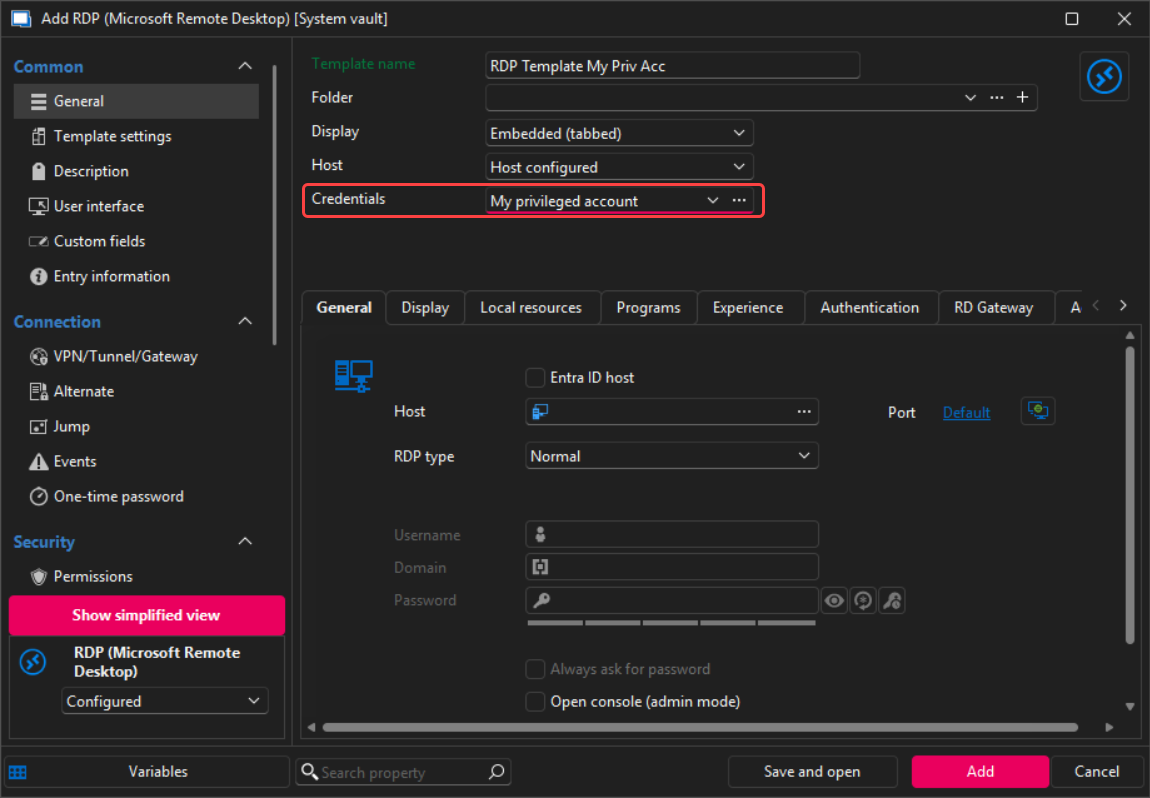
Here's an example of my AD synchronizer configured to use that template: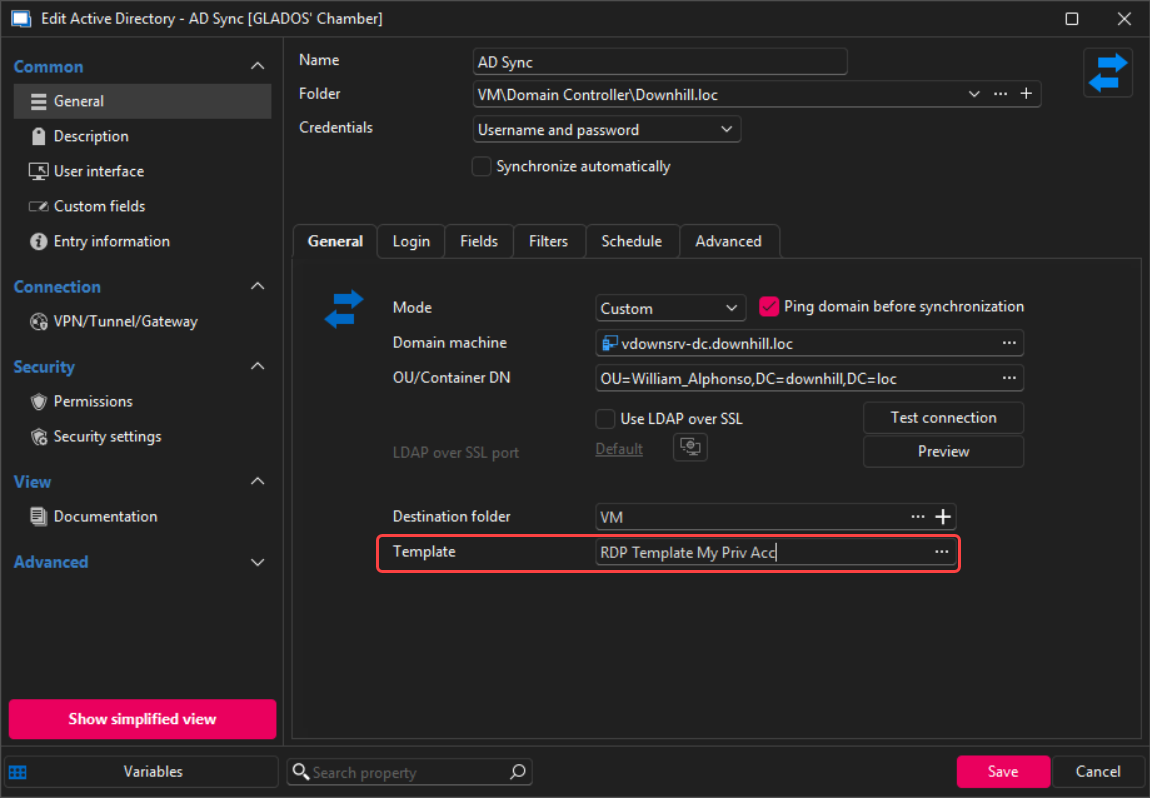
Feel free to reach out if you have any questions or need further clarification.
Best regards,
a83e3d70-306c-431f-a4a5-1407e9eb4e03.png
b613dabd-33ed-4711-9dd7-778dab9ff7c7.png