Change defaults for Windows key combinations

When in a remote desktop session in a tabbed view, the default option for sending key combinations is: "Default (On the local computer)"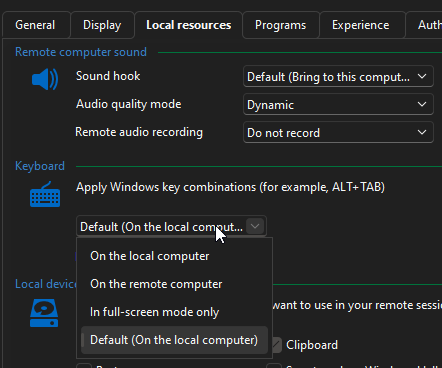
I'm really sorry about this as I know I must be missing something, but how do I change this default setting for all? I've checked the settings but I must be missing it.
I'd like to switch it just to "On the remote computer". I keep forgetting to manually change this and I end up with a random number of RDP sessions where this option is changed.
Remote Desktop Manager version 2025.2.27.0 64-bit (JIT)
3c85a8ea-a8b9-4e84-838a-58baa94514ee.png
Recommended Answer
Hello
The setting you are looking for is in File > Settings > Entry Types > Sessions > Remote Desktop (RDP) > RDP > Keyboard Hook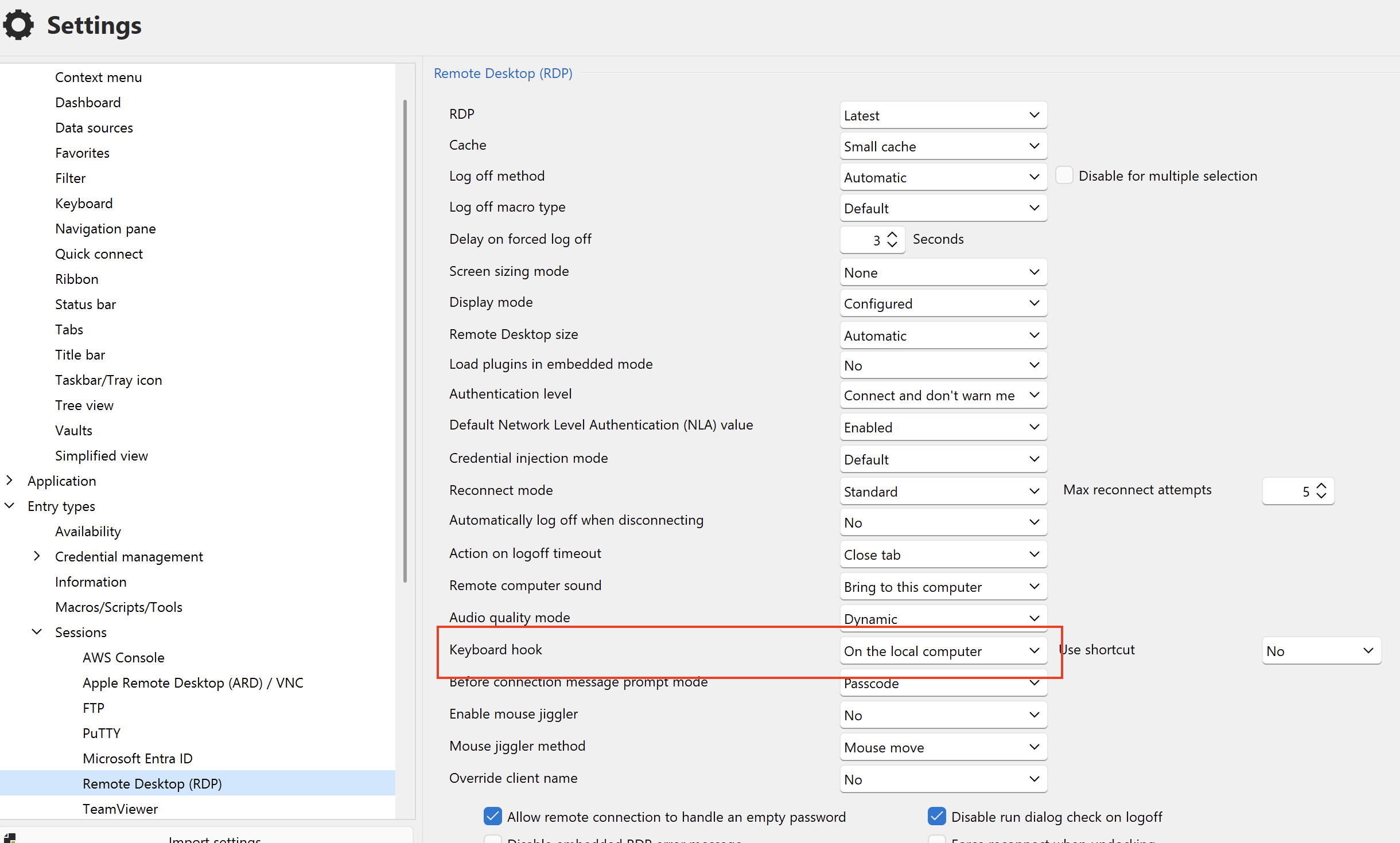
Please, let me know if that helps.
Kind regards,
Richard Markievicz
Screenshot 2025-10-02 at 08.43.24.png
All Comments (2)
Hello
The setting you are looking for is in File > Settings > Entry Types > Sessions > Remote Desktop (RDP) > RDP > Keyboard Hook
Please, let me know if that helps.
Kind regards,
Richard Markievicz
Screenshot 2025-10-02 at 08.43.24.png
Thank you so much for this, that's exactly what I needed, thanks very much for this!