'Inheritance' For Folder Options

Good morning.
I have a plethora of entries that are utilizing VMWare Sync. I created a template, VMRC, with the options I am wanting: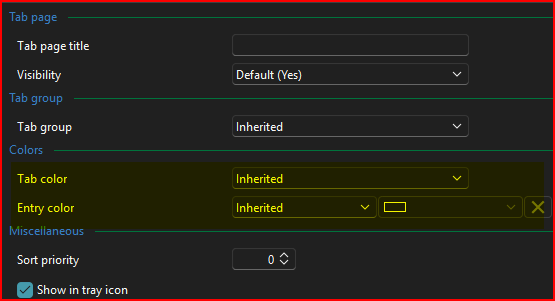
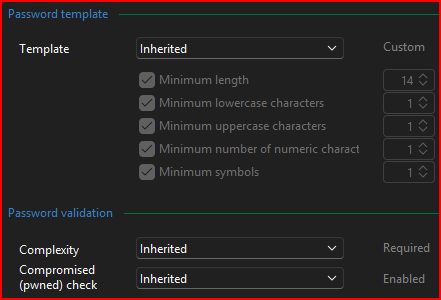
And for the main folder where the Sync'd entries end up: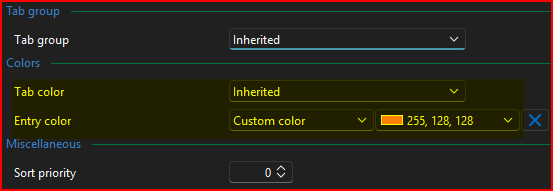
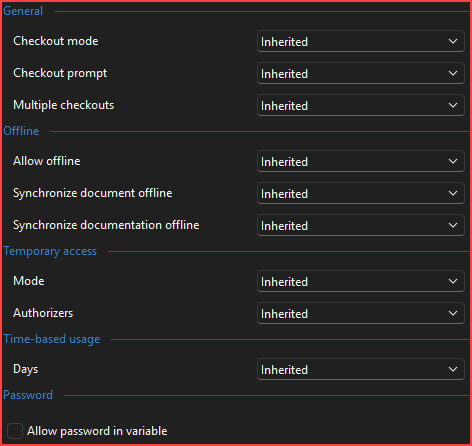
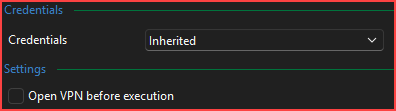
However, when creating the entries via Sync, they all end up like this:
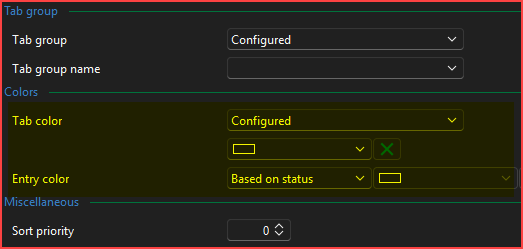
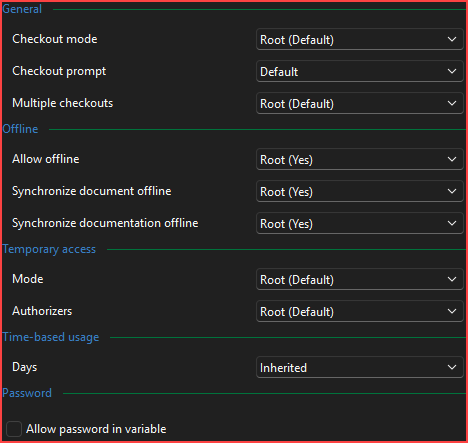
With that being said, and there being over 400 entries that are Sync'd from the VM Sync's, is there any way to 'Batch Edit' folders as well as just being able to 'Batch Edit' > 'Edit Entries (general settings)'?
I don't have this problem at all with the Active Directory Sync Template. That keeps the 'Inherited' settings, etc. as it should.
EDIT: After changing one of the folders after Sync'd to all the 'Inherited' settings, the color and other settings of the main folder came through.
So I guess back to the original question - Is there a way to do a 'Batch Edit' kind of function on folders themselves?
--- Chuck
Overgaard, AZ (-7 MST / Zulu Year-Round)
RDM Version: 2025.3.11.0 64-Bit - MSSQL - Daily Usage
RDM Version: 2025.2.28.0 64-Bit - MSSQL - VM
abbebe88-4c5f-4e49-b173-8ab5bc647c56.png
d5d0e297-e381-456f-bc6f-2873c35ccbf6.png
a2e03f10-497a-4758-953a-7b80e3bf5823.png
1f7bd8c9-c367-4388-8178-4a542c0a68d7.png
05ad2f9b-c07b-4a9f-bd3c-27299aae0693.png
90018545-d2c4-4ed4-8aa4-4b66f3463921.png
bce8bfdb-5e00-4d43-a244-017daeb30644.png
19d741b2-42a6-4570-83e0-a087450d1bc5.png
c4800b9e-993d-4aed-a74f-4e9d85e1d74f.png
All Comments (8)
Hello Chuck,
Please see this response - by using the Advanced search, it is possible to batch edit folders.
Regards,
Min
Hello Chuck,
Please see this response - by using the Advanced search, it is possible to batch edit folders.
Regards,
Min
@Min Destens
Thank you for the reply. I have used Advanced Search back in the 2023.x.x.x version when I had an issue before to make mass changes to folders, but was told by support staff I was doing it wrong and shouldn't be doing it that way - lol.
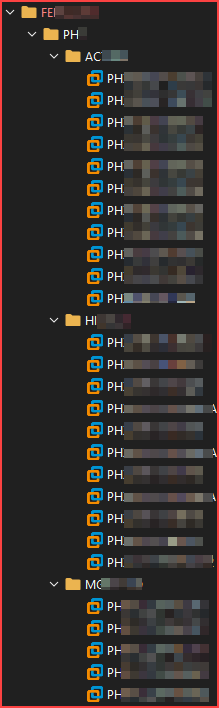
Only problem is I am not seeing all the folders I need to have changed. As you can see in the below screenshot, I have folders nested under a parent vCenter Sync: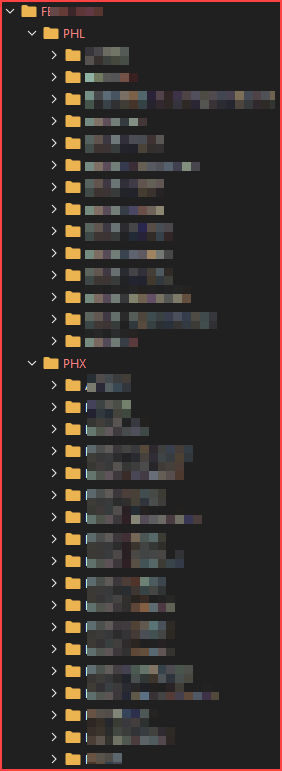
However, I don't see them anywhere on the 'Advanced Search' results. I only see the main nested folders: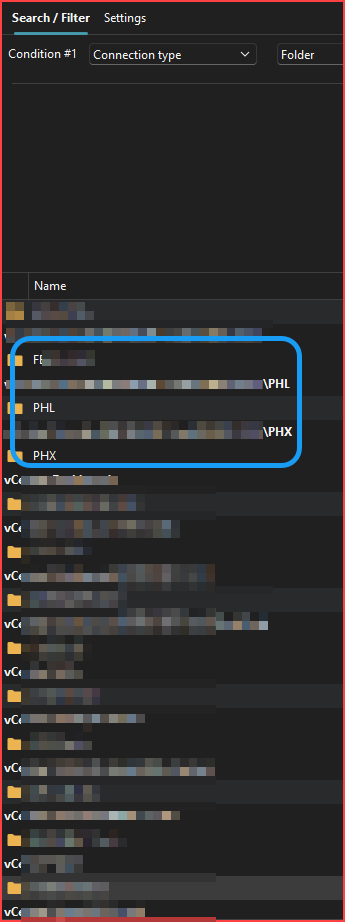
Suggestions?
--- Chuck
Overgaard, AZ (-7 MST / Zulu Year-Round)
RDM Version: 2025.3.11.0 64-Bit - MSSQL - Daily Usage
RDM Version: 2025.2.28.0 64-Bit - MSSQL - VM
6cf0b003-5fc5-4627-bc33-e315f0270355.png
aff9da16-794d-4e24-b8e6-b9898931b522.png
Hello Chuck,
Thank you for the additional information!
After a few tests, it seems that the folders created from the VMware synchronizer are not recognized as folders within RDM. Therefore, they will not be shown in the advanced search.
I'll forward this bug to the team.
Regards,
Min
Hello Chuck,
Thank you for the additional information!
After a few tests, it seems that the folders created from the VMware synchronizer are not recognized as folders within RDM. Therefore, they will not be shown in the advanced search.
I'll forward this bug to the team.
Regards,
Min
@Min Destens
Thank you!!!! So I am not going crazy!!!!
Enjoy the rest of your week and thank you for the update.
--- Chuck
Overgaard, AZ (-7 MST / Zulu Year-Round)
RDM Version: 2025.3.11.0 64-Bit - MSSQL - Daily Usage
RDM Version: 2025.2.28.0 64-Bit - MSSQL - VM
Hello Chuck,
You are more than welcome!
I have more information regarding the folder behaviour. During the VMware sync, only virtual folders are created, which is why these folder types don’t appear in advanced search.
For now, it's an expected behaviour, but please feel free to upvote the feature request here.
Regards,
Min
Hello Chuck,
You are more than welcome!
I have more information regarding the folder behaviour. During the VMware sync, only virtual folders are created, which is why these folder types don’t appear in advanced search.
For now, it's an expected behaviour, but please feel free to upvote the feature request here.
Regards,
Min
@Min Destens
Thank you for creating that post.
Looks like there are 3 Upvotes currently. Don't know how many it takes to get it looked at, but at least we are moving.
--- Chuck
Overgaard, AZ (-7 MST / Zulu Year-Round)
RDM Version: 2025.3.11.0 64-Bit - MSSQL - Daily Usage
RDM Version: 2025.2.28.0 64-Bit - MSSQL - VM
Hello Chuck,
Just letting you know that we're seeing if we can fast track the feature request to have this available at least for VMWare for our major release in a couple weeks.
Regards,
Hubert Mireault
Hello Chuck,
Starting with our next major version, 2025.3.0, it will be possible to specify the type of folder the VMware synchronizer creates. You’ll find this new option in the Advanced tab: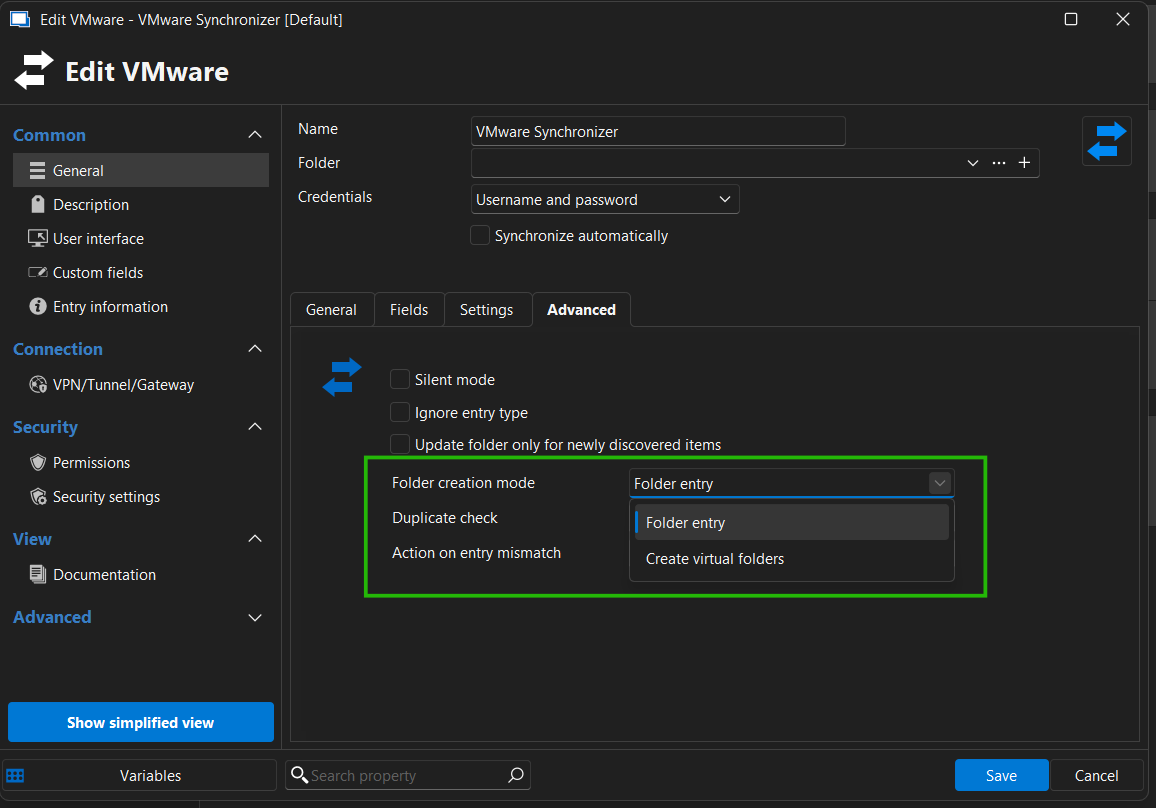
This should give you more control over how synced folders behave in RDM.
Regards,
Léon Le Brun
238be752-ee84-4e95-ba9a-7b280b69505f.png