Text in the Spreadsheet Editor doesn’t change color in Dark Mode
Text in the Spreadsheet Editor doesn’t change color in Dark Mode

Hello,
I recently tried to add documentation in RDM using the Spreadsheet Editor. I created an Excel sheet in light mode and added it to RDM, which I am running in dark mode. Unfortunately, the text is barely readable because it appears as black text on a black background.
Could you please advise if there is a workaround or if this could be fixed in a future update?
thank you in advance!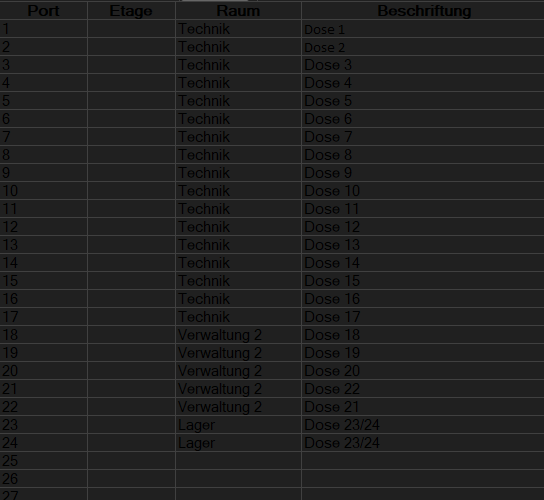
Best regards,
Jan Neufeld
fc74ad7f-02b4-47a7-aeb0-3bd9ac3a7a3d.png
All Comments (3)
Hello,
Thank you for contacting us regarding this matter.
To change the text color, select all the text, click on Font, and choose White to display your text in white. Please let me know if this resolves the issue.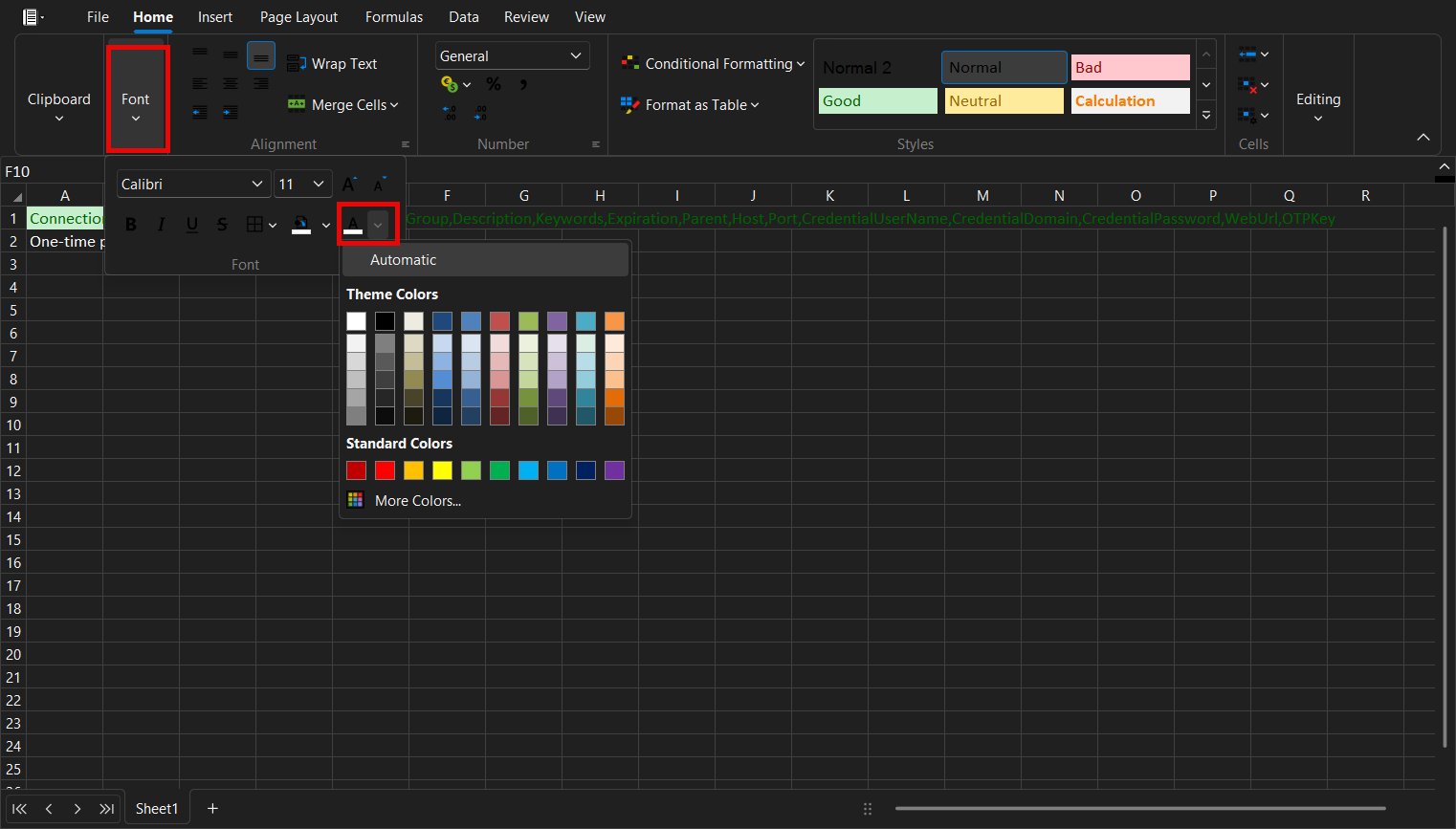
Best regards,
Tommy Sanders
78eb717f-7683-474f-b9e1-4ca98b0e38c5.png
Hello jneufield,
We use a third party component which essentially emulates several settings found in the excel sheet. There are definitely some theme issues, but for the Font specifically, it is a issue of settings in Excel itself.
You can change the Font of the excel sheet to Automatic. This will let the font be correct both when opened manually (so in Light theme) and when loaded by RDM (dark theme). You should get the correct font color every time. I would recommend changing the default font for all excel projects you plan to use with RDM to Automatic.
We have also fixed the coloring issue for icons in dark theme. You can expect this to take effect with the upcoming 2025.3 version.
Regards,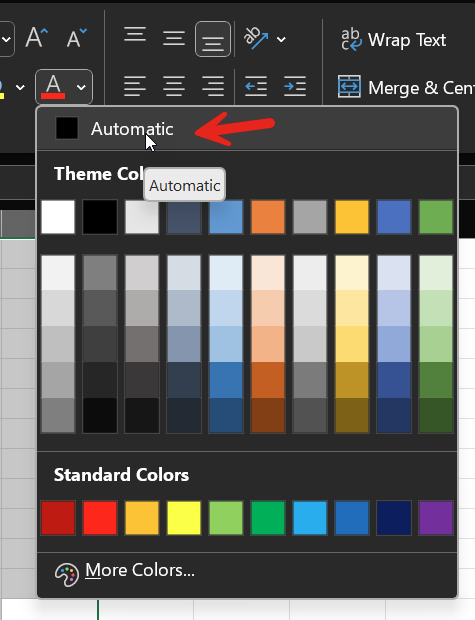
Jafran Majeau
648a2929-ee3b-422a-907f-c53fa99f73ed.png
Hello,
changing the font color to Automatic has fixed the issue.
Thank you for your quick reply.
Best regards,
Jan Neufeld