"Keep tab open on disconnect" missing on SSH Terminal

Hello,
I was wondering how to keep my SSH tabs open after losing a connection for instance, and apparently the setting is supposed to be there but it is no visible.
See screenshot below, it is found in the Search properties, but not displayed in the menu.
Confirmed on 2025.2.27.0 and 2025.2.28.0.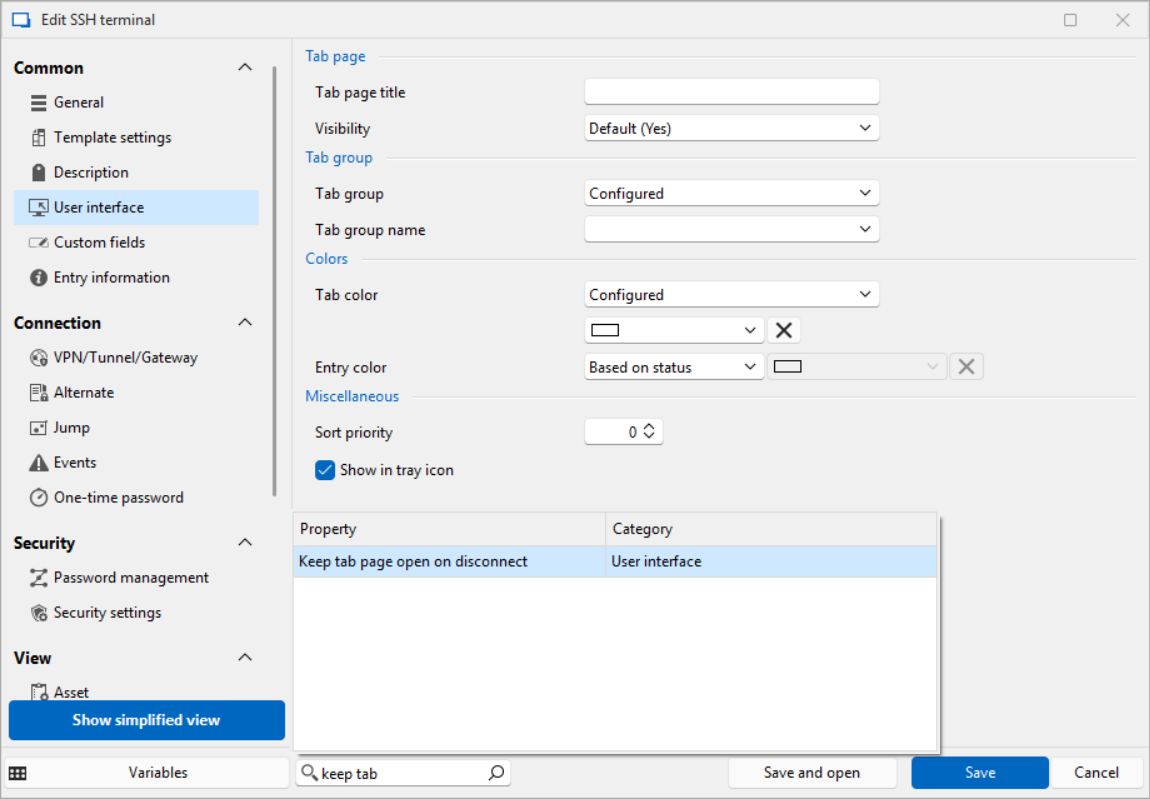
It is missing in the Templates and under a SSH connection entry.
Is there a way to change this setting ?
Thanks
15c9e536-3690-466a-8cac-25f04e1e48e6.png
All Comments (6)
Hello,
For SSH entries, you should use the following setting: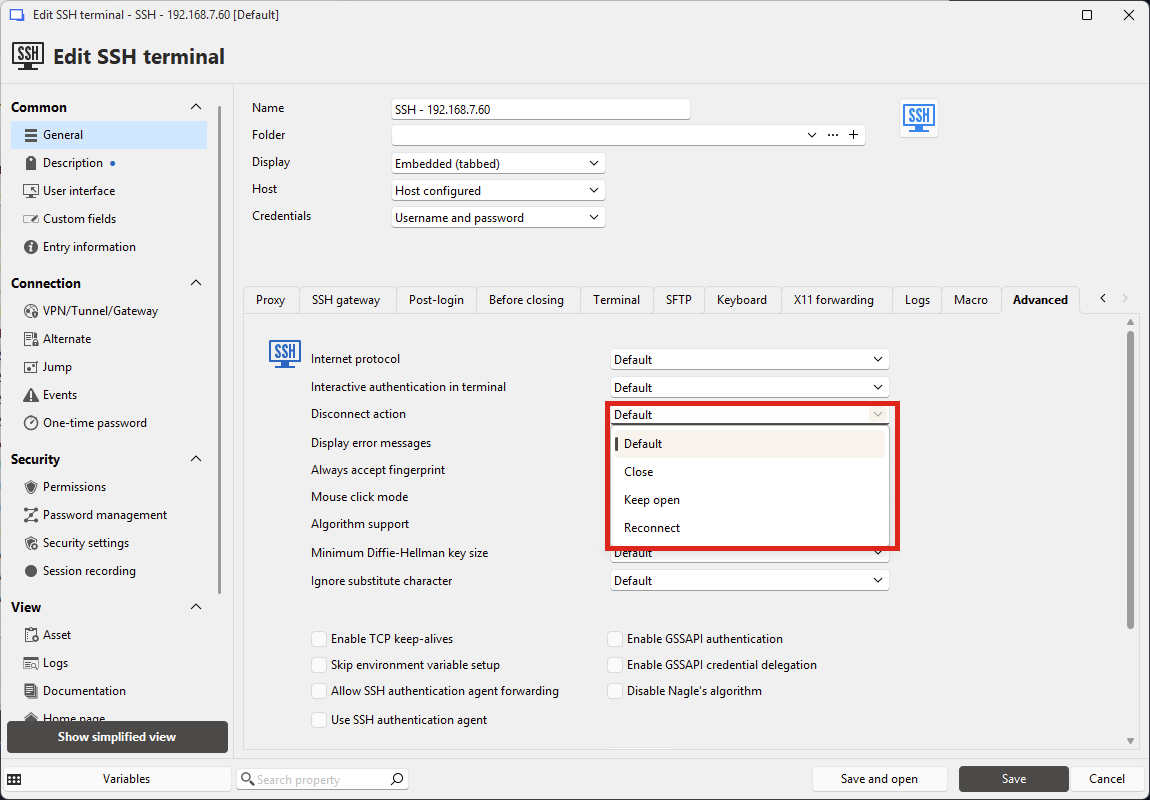
The default value can also be configured in File > Settings, if you want this to apply to all your terminals by default.
Let me know if this helps.
Regards,
Hubert Mireault
46406b87-26c7-446d-bfb1-f6796df972a3.png
great news, thank you ! It works well.
Shouldn't it be available in the template like with RDP for instance ?
Hello,
The templates have the same settings available as their regular entries, maybe I don't understand what you mean. Do you have a screen capture of what you mean with the templates?
If you mean why the settings are different for RDP and SSH, this is because we lacked some foresight years ago when we developed this feature for SSH. We eventually want to harmonize both so it's easier for users to configure across any entry type.
Regards,
Hubert Mireault
ok I understand, it is more or less the same setting and the same purpose between RDP and SSH, but they have 2 different development history and 2 different location.
What is weird is the Search Property thinks it is there, in the "User interface" section.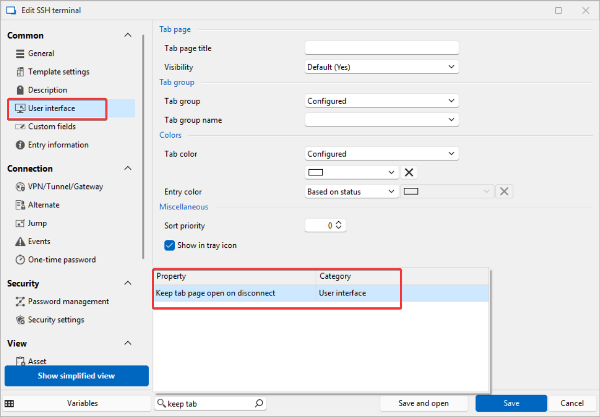
For now, I use the global setting in File > Settings, like you showed me, thanks.
166ab0cd-5029-40e8-9aa1-d3fb71a198ba.png
Perfect, I'm glad I could help.
For your point:
What is weird is the Search Property thinks it is there, in the "User interface" section.
This is something we don't have an "easy" solution for at the moment. The way we made this search, it looks at all controls that exist in the window and shows them as results. This means even controls that are hidden are returned. The reason why we can't simply ignore hidden controls is that the search would be unable to show results from other panels, which while they are not visible, would be visible when on the correct panel, for example.
Still, we are keeping this feedback in mind in case we come up with an appropriate solution. At the moment I think having the search is very useful, despite the "false positives" that sometimes come up, like in your case.
Regards,
Hubert Mireault
yes, I'd rather have this behavior than no search :)
thank you for your help !