Add "Automatically log off when disconnecting" as a User-Specific setting
Add "Automatically log off when disconnecting" as a User-Specific setting
1 vote

Good morning, folks.
Is there a way that the below function can have a User-Specific override available?: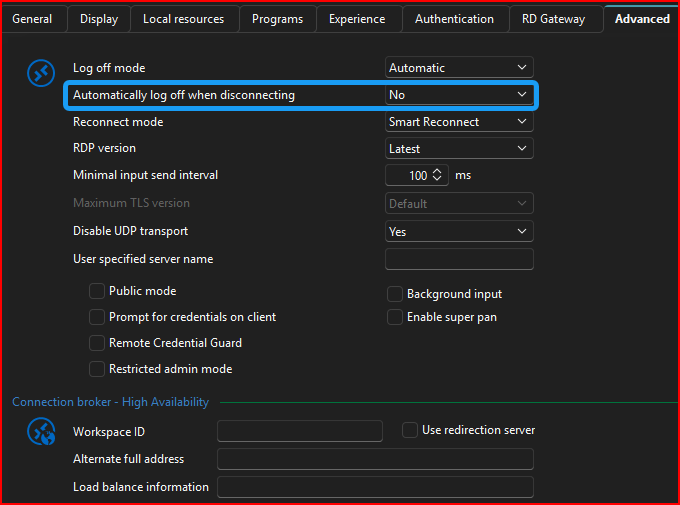
I have all our assets set to Yes on that option across the 3,000+ entries.
However, there are some servers where some of my users would like to have that as "No", because they use it throughout the day. And if RDM crashes, our VPN drops, etc., the RDP Session Timeout restriction we have in place will kick in if the user doesn't realize it before the restriction hits.
If this can be an override in the User-Specific Settings, that would be fantabulous!
Maybe on this same screen?: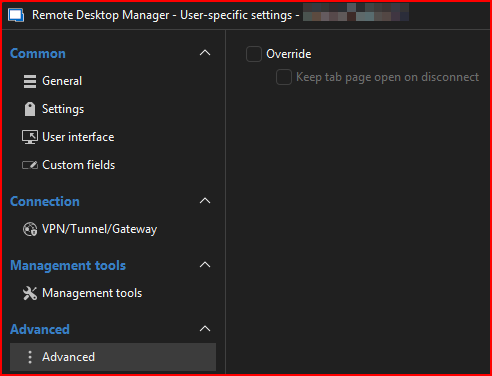
--- Chuck
Overgaard, AZ (-7 MST / Zulu Year-Round)
RDM Version: 2025.3.11.0 64-Bit - MSSQL - Daily Usage
RDM Version: 2025.2.28.0 64-Bit - MSSQL - VM
e3bf8714-31a9-4249-8caa-4ec298225e94.png
1635aa7f-fb0f-448d-ac3e-c728443c8e69.png
All Comments (3)
Hello Chuck,
We'll see what we can do to support this. I've opened a ticket.
Regards,
Hubert Mireault
Hello,
We've added the User/Local override option for Automatically log off when disconnecting, which can be found in the Settings section under Override advanced (since this is an RDP exclusive setting).
Currently this is expected to reach our 2026.1 version, but we will try to include it in an earlier version if possible.
Regards,
Jafran Majeau
Hello,
Thank you for being so patient!
I'm pleased to inform you that a new version of Hub Business has been released, with the requested feature included.
Please let us know if this works with Remote Desktop Manager or if you encounter any issues.
Best regards,
Maxim Robert