Devolutions Cloud sessions "running on" for days/weeks

Hi,
I work with sessions stored in team vault in Devolutions Hub Business. I noticed that some of them have status "Running on [my name]" for very long time, days, or even weeks, and the status never gets reset. In the screenshot below you can see these sessions marked in yellow. They have a tiny overlay icon and when hoovering it shows the above note.
- I did not use "Checkout"
- They are long closed
- RDM properly notices that they're closed (the name is not in bold font).
This is confusing. The statuses should get reset automatically when I close sessions, and/or it should be easier to reset the state manually.
Thank you.
This is the view in the portal: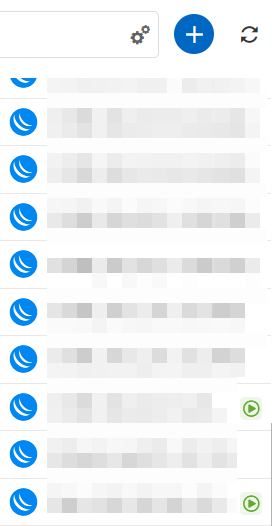
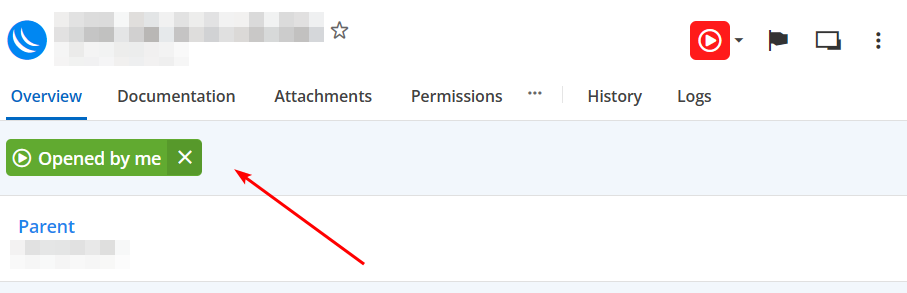
85b73981-23c8-4889-b812-59ea922a289b.png
709181fa-1471-463b-883b-17869f8e1a1c.png
135ef1b4-299e-414a-bb02-34d18b70ecba.png
All Comments (12)
Hello,
Thank you for contacting Devolutions Support.
I see, from RDM, if you go under "Opened Sessions" at the bottom of your "Navigation Pane" and then change the filter to "Opened Sessions (Global)," do you see these entries listed?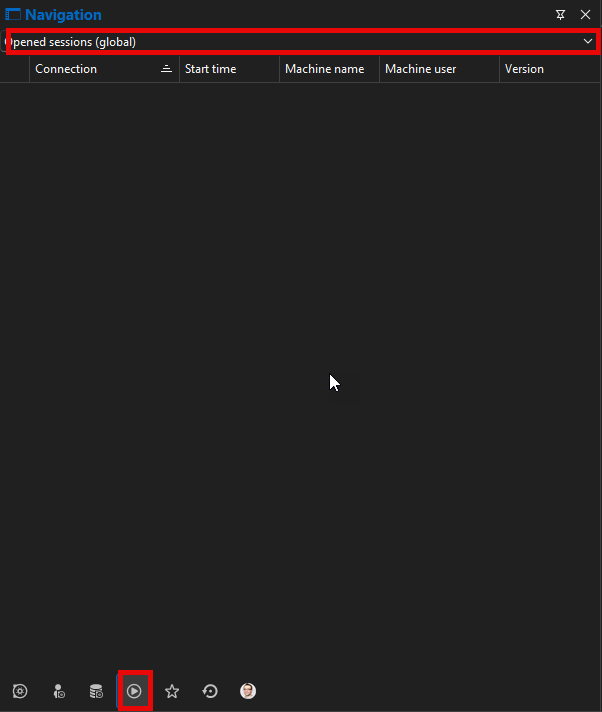
If so, from this list you can select all of them and do a "Right-click" -> "Mark as closed".
Could you confirm which entry type this issue is occurring with?
Let me know,
Best regards,
Samuel Dery
ae3c21c6-3464-438b-a379-5a1125ced4e1.png
Thank you.
These sessions are not shown in Opened sessions (local), but they're listed in Entry states view as Running which is incorrect (no sessions are really open in RDM). Sorry for such highly redacted screenshot, but this is the requirement.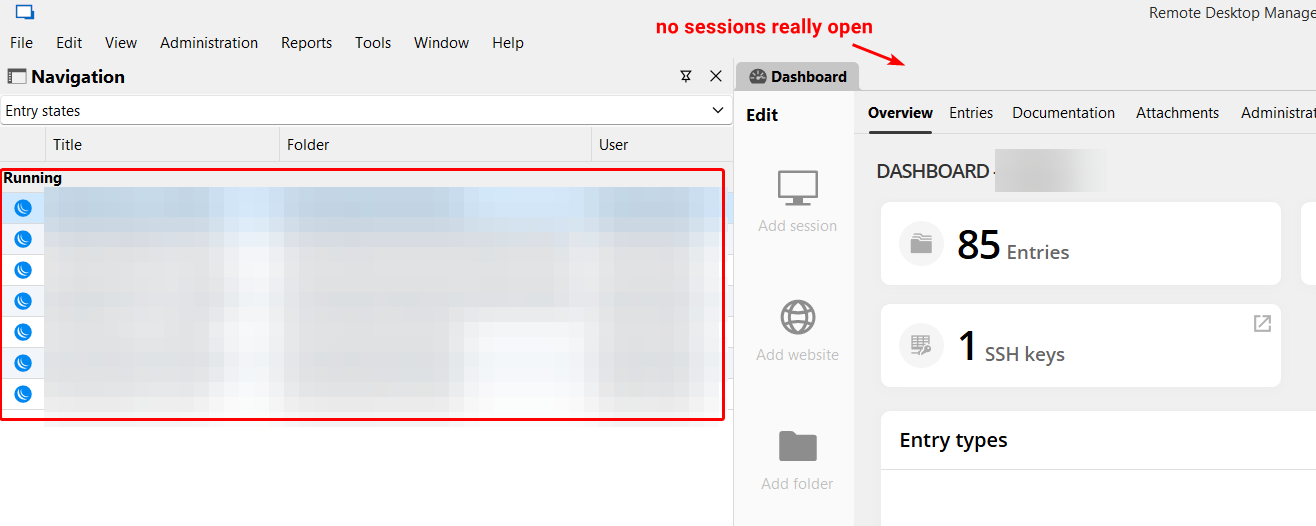
Also, when I open the Opened sessions (global), I see the following. Start time over a month old, this is incorrect. None of these sessions are really open. These are most likely dates when the entries were created. But I also see today's and yesterday's timestamps, that might be sessions that I've opened, but I closed them and the state certainly did not get reset. Also, it is not possible that another user is causing that. All rows from top to bottom have Machine name, Machine user, and Version fields empty.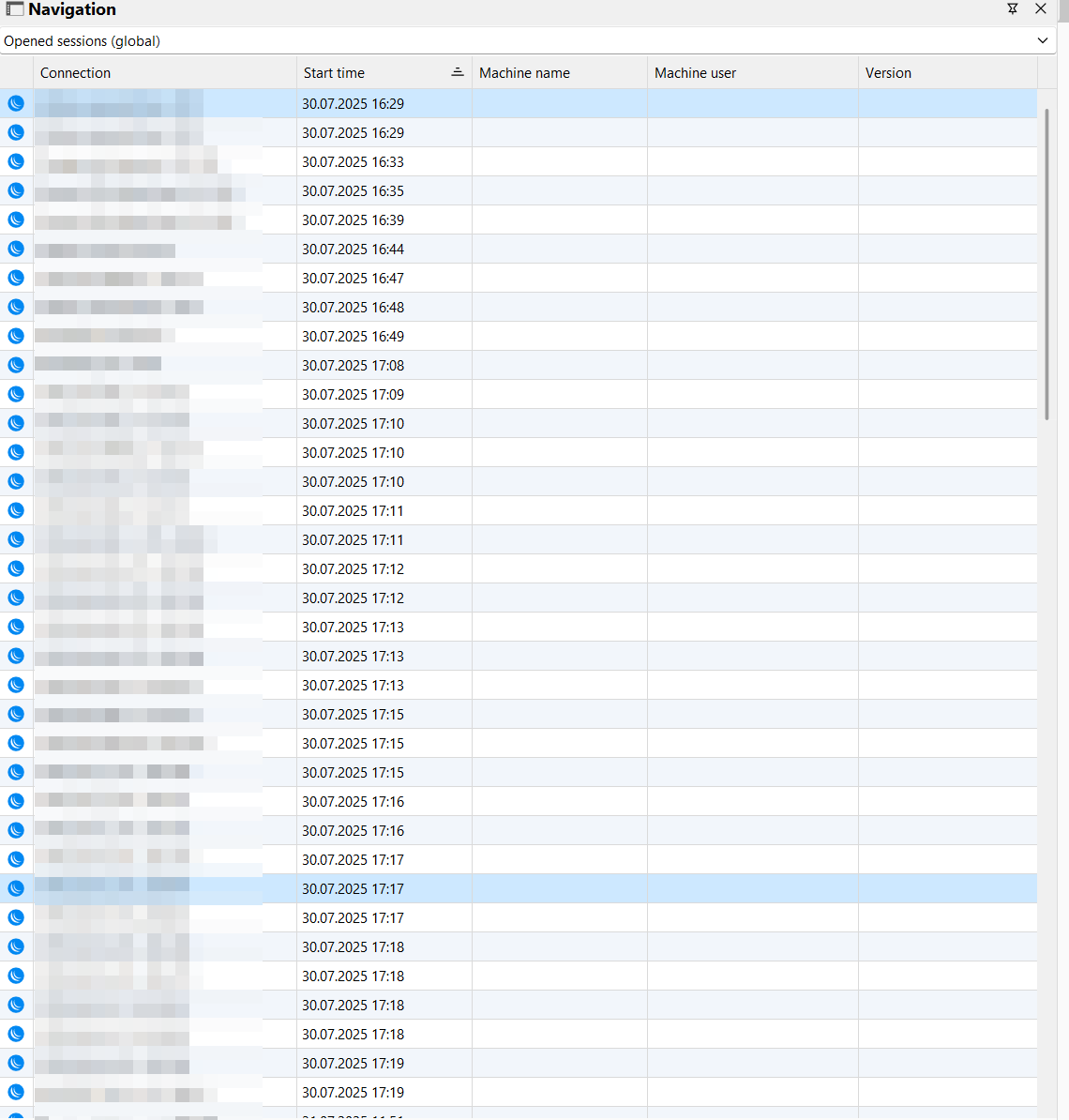
It mostly pertains to Mikrotik Winbox sessions, but occasionally I saw RDP, and SQL Server Management Studio as well.
There's another issue with this list as well. When I scroll it down, so that the topmost visible entry is not the first one, and then I select one entry in the grid, then after 10 seconds the grid gets refreshed and it gets back to the top, doesn't preserve the position I was viewing it from.
Thanks in advance.
4b1c4488-c6b0-442b-b600-68c3cd02e416.png
e926c309-a767-4c4b-8cdd-60a5e4a35b07.png
I forgot to mention that your mitigation worked - I was able to close them in Entry states view, and in Opened sessions (global).
Thanks.
Hello,
Thank you for contacting Devolutions Support.
I see. Since it seems to have all been opened a month or so ago, I suspect the problem may have been with an older version of RDM.
Could you have a look over the next few days to see if the same issue occurs?
Let me know,
Best regards,
Samuel Dery
I can tell you right away that the issue still occurs with Mikrotik Winbox sessions. After closing, the Opened sessions (global) still shows them. This does not happen with SSH or RDP for example. They disappear from the list immediately after being closed. This is RDM 2025.2.28.0.
Additional issue is that RDM doesn't show Machine name, Machine user, Version for any session (I tested RDP, SSH, Website, Winbox) in the grid - not even for active (opened) sessions.
And don't forget about the issue with scrolling and refreshing, quoting it here for reference:
There's another issue with this list as well. When I scroll it down, so that the topmost visible entry is not the first one, and then I select one entry in the grid, then after 10 seconds the grid gets refreshed and it gets back to the top, doesn't preserve the position I was viewing it from.
Thank you!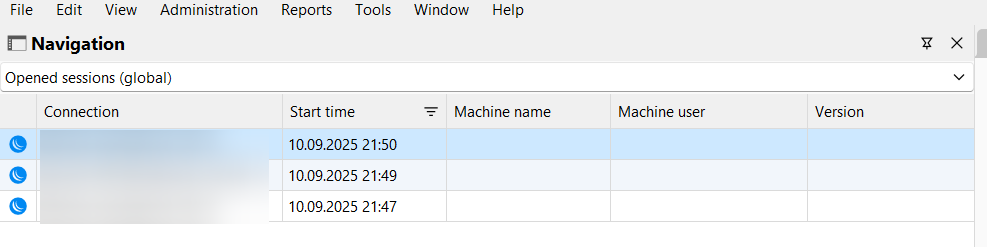
473b850f-815b-4a3b-b31f-0373de5d6fbf.png
Hello,
Thank you for your reply,
I will see if I can reproduce the behaviors. Does this occur only with Mikrotik WinBox sessions?
Could you give me some additional details on how you are closing the sessions?
Best regards,
Samuel Dery
At the moment, after cleaning up Entry States, the issue seems to be only with Opened sessions (global). Entry States might have got fixed in the meantime.
Regarding which kind of sessions - I can see Mikrotik Winbox entries and a Website entry there.
The Mikrotik entries are defined like in the followed screenshot, namely the display is External, as recommended by RDM for these sessions. Therefore RDM seems to just launch the external Winbox application, everything works fine.
When I close the Winbox application, just like you close a Windows program (either by using the "X" icon, or ALT-F4, or clicking "Exit" within the app), RDM correctly detects that the session has ended, and un-marks its name from the bold in the navigation tree. But it leaves the session in the Opened sessions (global). Therefore it looks like the issue is only with RDM / Hub not correctly deleting the state of the session from Opened sessions (global).
Apart from Mikrotik, sometimes a website session also remains in the Opened sessions (global), but I did not find a reproducible pattern here.
Hope it helps with the investigation.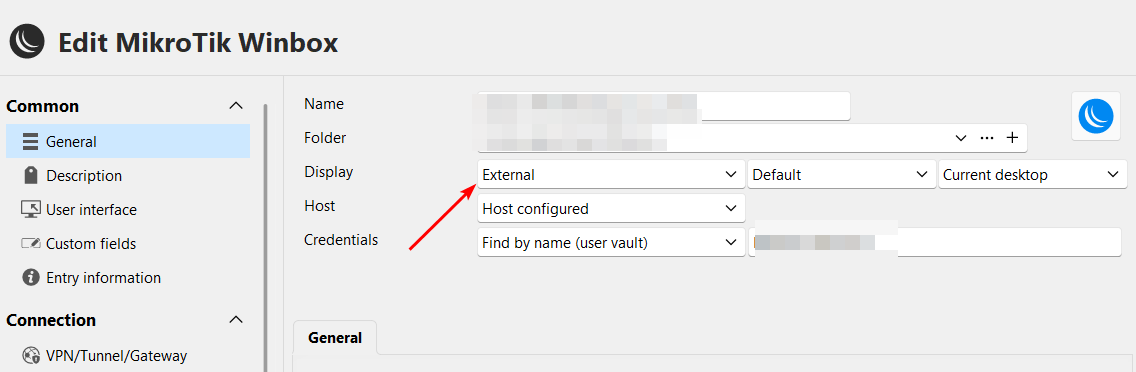
c5c5f9bc-c41c-4947-9798-e79d57efb904.png
Hello,
Thank you for your reply,
Do you encounter the same behavior if you close the "Mikrotik Winbox" session using the "Close" button from RDM instead?
For the Website session, is it also opened externally or embedded?
Let me know,
Best regards,
Samuel Dery
Do you encounter the same behavior if you close the "Mikrotik Winbox" session using the "Close" button from RDM instead?
Yes, it's 100% reproducible, even if using the "Close" button from RDM. So no matter what method to close the session is used, it remains in "Opened sessions (global)".
For the web session (embedded-tabbed) it's not reproducible anymore. If I am able to pinpoint the issue, I'll get back to you with it.
But I noticed new issues with web sessions.
My session is defined as follows, with forced Google Chrome browser.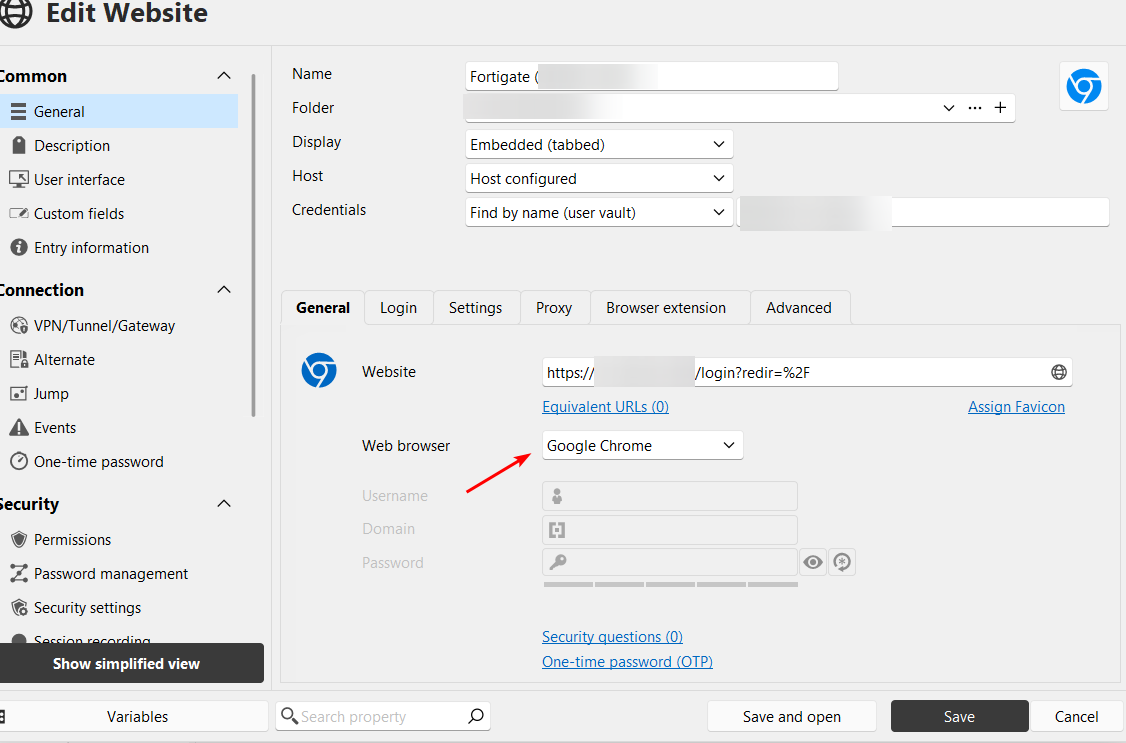
Issue 1 - with UI
On the Advanced tab there's no vertical scrollbar, I cannot reach some parts of UI. On the Login and Settings tabs, scrollbar is displayed properly: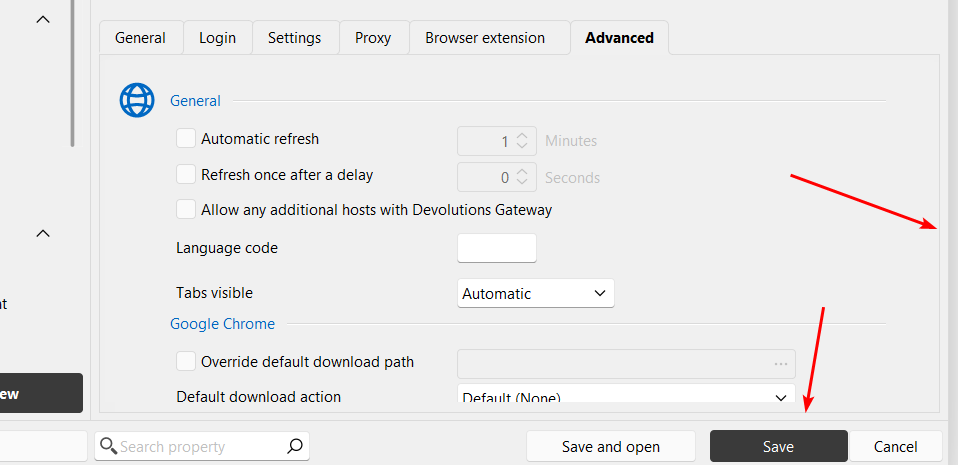
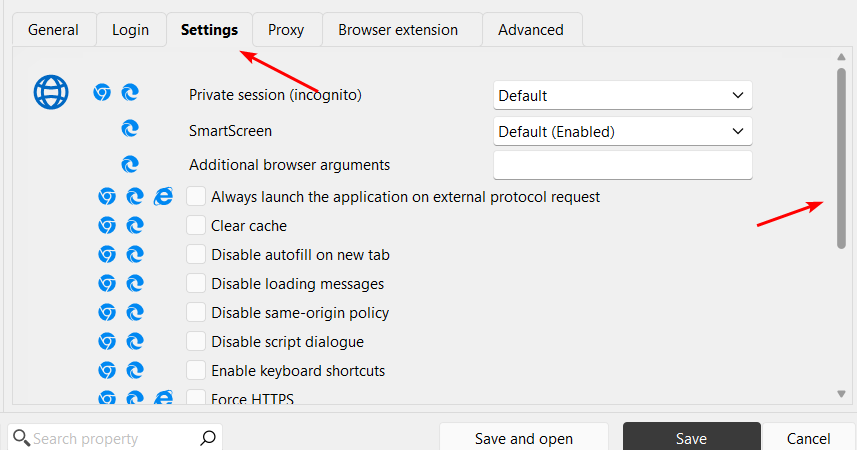
Issue 2 - the main issue
After opening this session, which is forced to use Chrome, RDM uses Edge instead of Chrome, which is confirmed by opening Process Explorer:
and in developer tools (F12) - Edge calls Incognito mode "InPrivate" and the layout suggests it's Edge, not Chrome.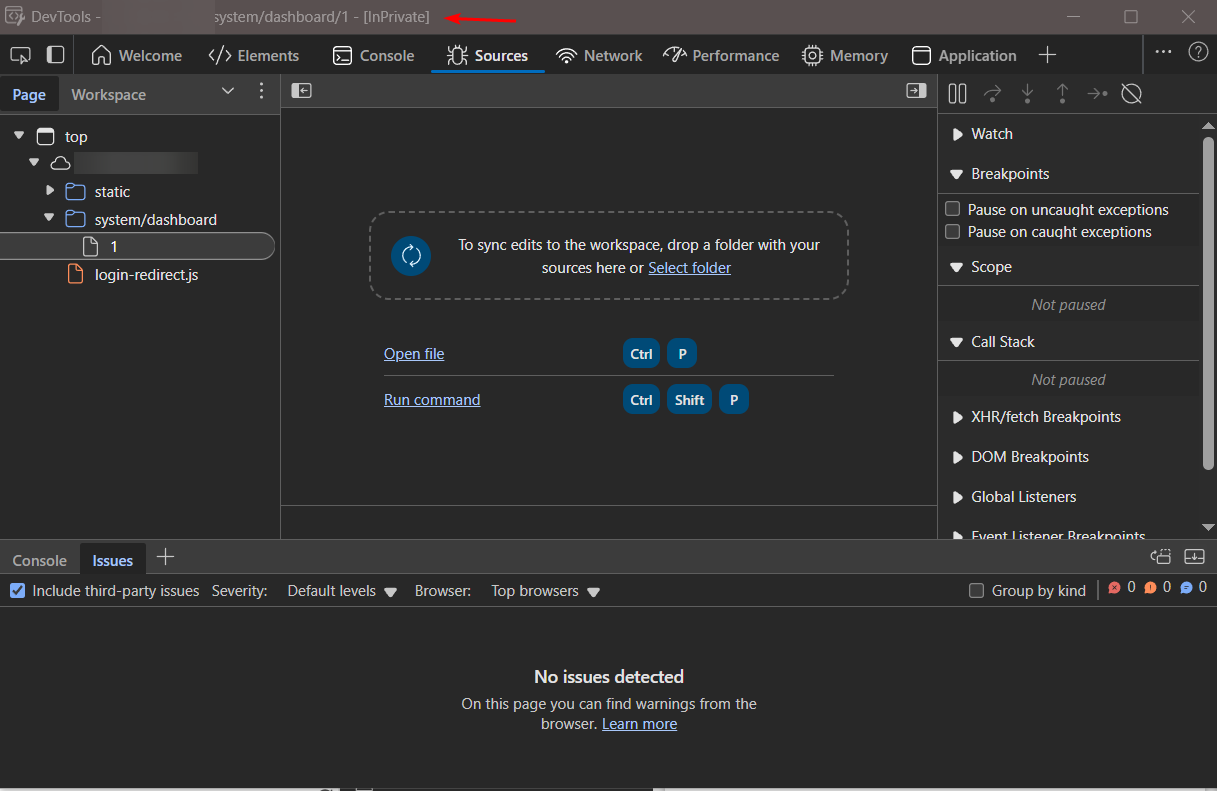
Please fix. Thanks in advance.
f92d6ce6-eb69-4f0b-a43a-078222a33ae4.png
efd6dfe9-8676-4617-9e60-b8a1e2b01de7.png
d7a2283b-3754-4f24-80a1-5f1036687d80.png
0ccd7357-c332-451d-bab6-51cb8dfad608.png
68d95b62-dcf6-4451-82a8-b83761ff4de4.png
c14d8341-c334-46bb-983c-d0741b0cb05e.png
Hello,
Thank you for your reply,
I would invite you to open new threads for your additional issues to avoid confusion. I would normally have moved your post to its own separate thread, however, since it also includes information relevant to the initial issue I cannot do so this time,
I also wanted to inform you that I have reproduced the behavior on my end and will create a case with our development team, which will be linked to this thread, so we can keep you updated with any news we have.
I can also reproduce the behavior where the Opened Sessions (Global) automatically returns back to the top after a few seconds.
Best regards,
Samuel Dery
Yeah, sorry about putting multiple issues in one thread. When I encounter them, I immediately want to inform you about them, but usually don't have enough time to open new threads and all. Remember, I'm doing RDM bughunting stuff for free and have a very limited time resources available. 😀
Thanks!
Hello,
We've fixed the issue with auto refresh causing a reset with the scroll position of the global opened connections. You can expect this fix to take effect with the upcoming 2025.3 version this fall.
Regards,
Jafran Majeau