WatchGuard VPN/Tunnel/Gateway - AutoType Macro

Hi,
I have created a WatchGuard VPN/Tunnel/Gateway entry on RDM
If I launch the WatchGuard VPN/Tunnel/Gateway, the WatchGuard SSLVPN app starts up & i can type the password & the connection gets established. so this works great
However, I wanted to add was a autotype macro, so that the macro can autotype the password on the WatchGuard SSLVPn windows (in red box on attached pic)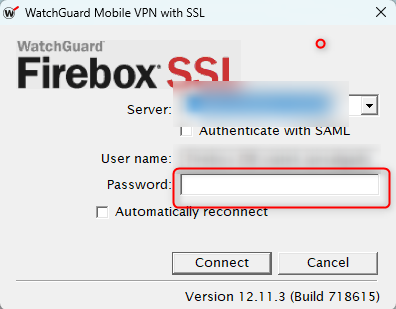
I have have configured an EVENTS & which should trigger "after opening" the connection (WatchGuard SSLVPN)
My scripts type the password is but in the wrong spot, ie: it type it on the SERVER area
But it needs to be in the PASSWORD area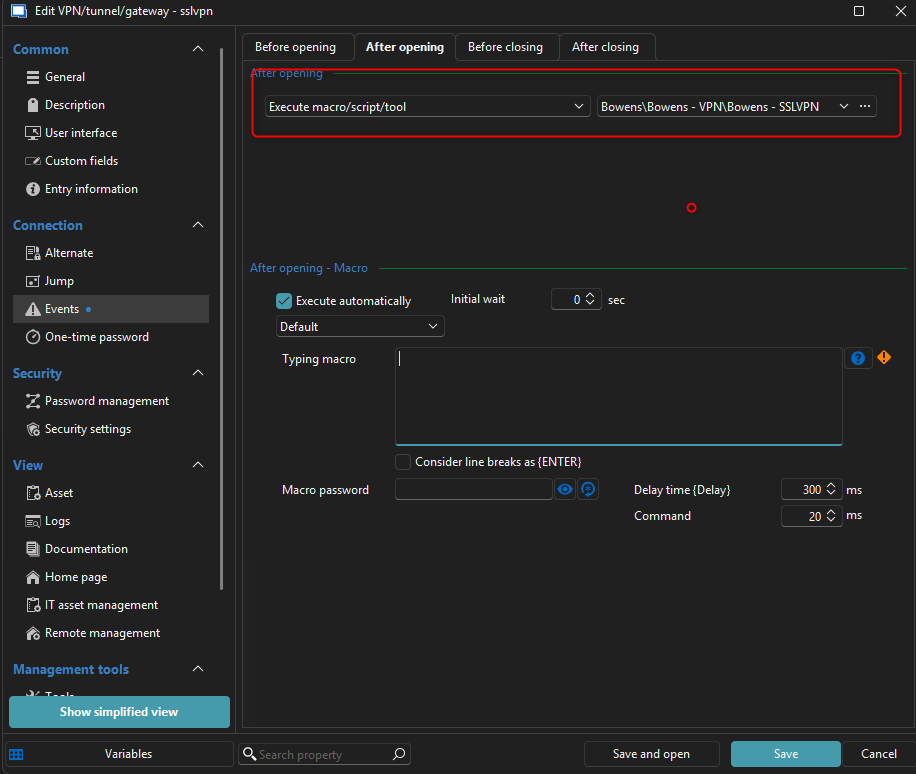
how do i do this ?
cheers
AutoType - WatchGuard SSLVPN Password v2.png
AutoType - WatchGuard SSLVPN Password v1.png
Recommended Answer
Hello,
Could you please share the current version of the script with us? Also, have you tried using the {TAB} key to navigate from the username field to the password field?
Best regards,
Carl Marien
All Comments (2)
Hello,
Could you please share the current version of the script with us? Also, have you tried using the {TAB} key to navigate from the username field to the password field?
Best regards,
Carl Marien
{TAB} !!!..... that worked !
awesome thank you very much.
I had being trying {ENTER} & {BREAK} but they did not work
thank you very much !!