Change of property values fontcolour for entries, where you don't have write permissions on
Change of property values fontcolour for entries, where you don't have write permissions on
2 votes

Hello,
in our environment, our users don't have any write permissions on any of the connections objects. We maintain the connections objects (rdp, ssh, web, ... ) via a CMDB (database of internal assets) and a powershell script, which creates all the neccessary entries automatically. Also all DVLS asset properties are maintained via powershell.
If the user wants to view those assetinformation in the dashboard of Remote Desktop Manager, the fontcolour of the values is grey. Neither in bright mode, nor in dark mode it's easy to read.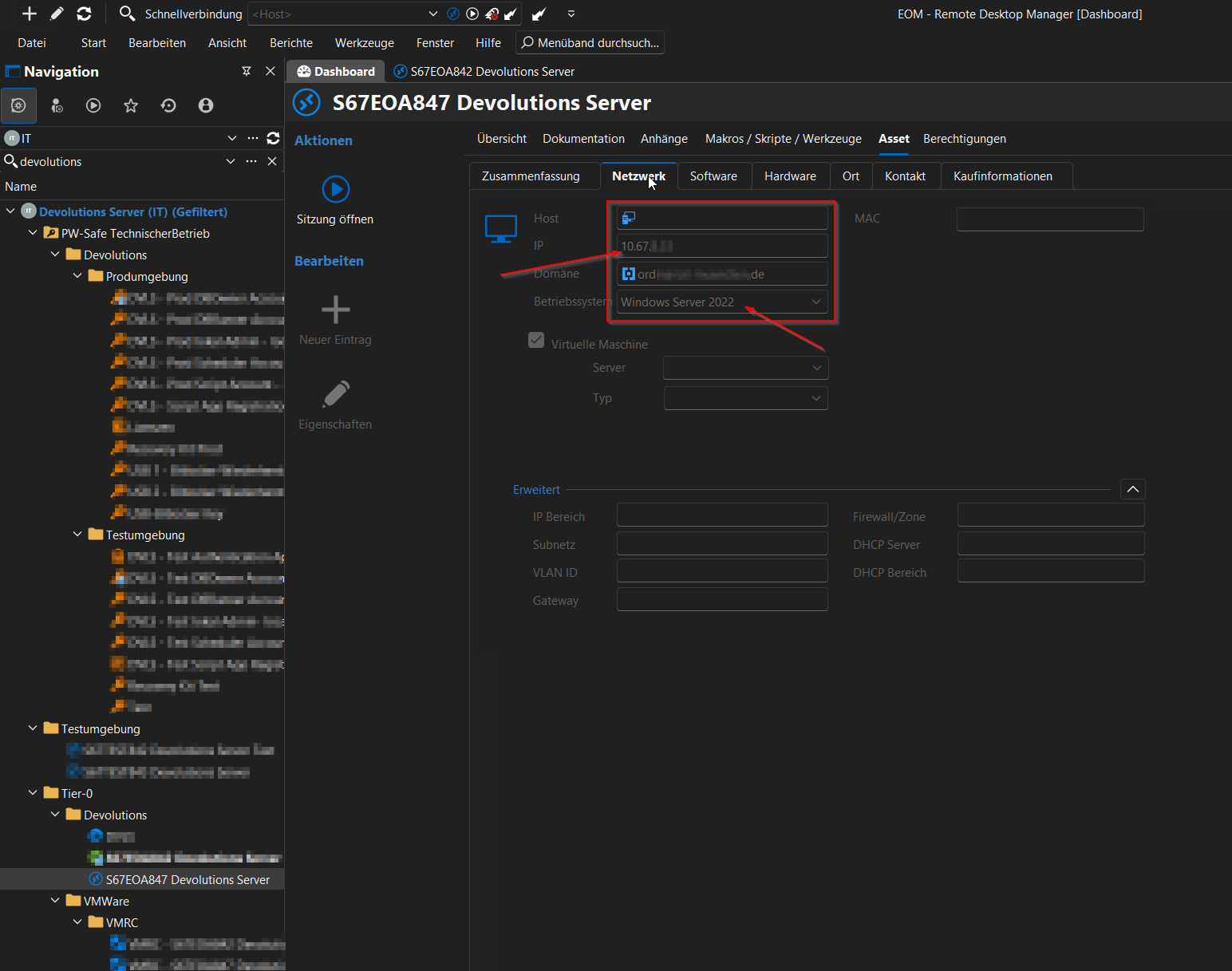
Would it be possible, to change the colour in "only view" mode? I don't see a benefit of it beeing grey. I think it would be enough, if you just could't click into the field. This indicates that you don't have write permission.
It's just a simple, not very determining change. I would be glad if you could make this happen ;)
Thanks in advance!
Sandro Widmann
c94bf30f-5d04-4872-8867-b0d64651890f.png
All Comments (4)
Hello,
You're right. I will try to tweak the default color.
Regards
David Hervieux
Hello,
thanks for the quick reply!
Thank you for taking up the topic.
Best Regards,
Sandro Widmann
Hello,
I've been able to include this in the next minor release. This version should be released in a week or two.
Regards
David Hervieux
Thanks alot!
Have a nice day :)