Load From System Information Errors

Good morning folks.
After upgrading to 2025.2.70.0 64-Bit, I was trying to update some asset information on new entries that were just recently added via A/D Sync feature.
In the past, I have had no problems doing the "Special Action":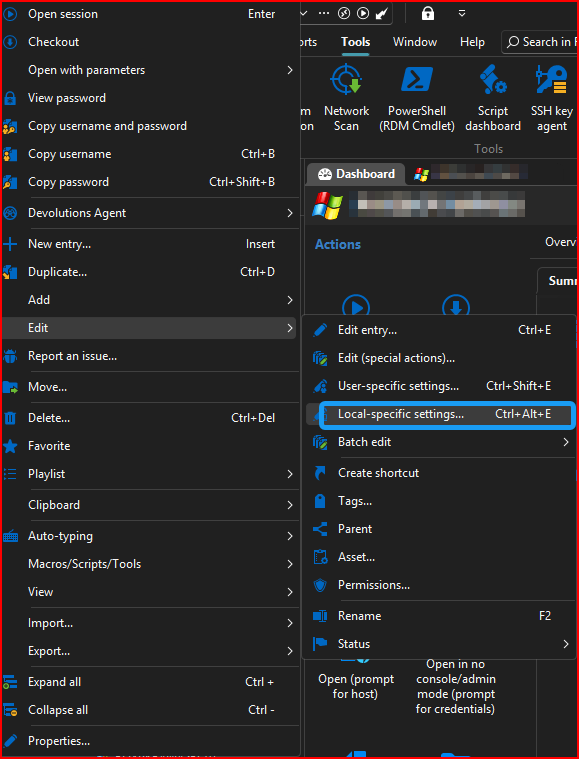
After trying on some newly added entries, I went back to existing entries and tried. All of which return the following error: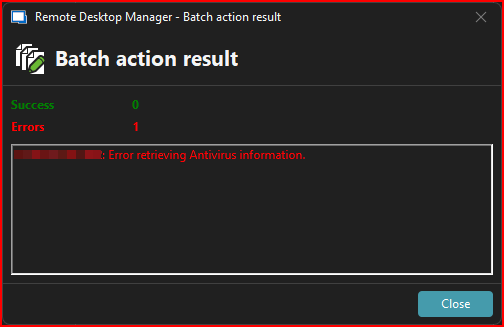
No settings have been changed in software configuration options since previous version release when it was working fine.
Please advise.
Thank you!
--- Chuck
Overgaard, AZ (-7 MST / Zulu Year-Round)
RDM Version: 2025.3.11.0 64-Bit - MSSQL - Daily Usage
RDM Version: 2025.2.28.0 64-Bit - MSSQL - VM
a5deac5b-bb89-49da-8159-62b99ccf123f.png
4e4d6825-21e1-48ba-ba4e-93b73de77753.png
All Comments (8)
Hello Chuck,
We've made a few fixes and improvements to the "load from inventory" feature recently to normalize the behavior between the report and the tool located in the entries. There's a handful of properties that were only taken into account in the report, but now they are included in the "load from system inventory" feature. This includes the antivirus information.
It's possible that on these machines, the WMI call to get the antivirus fails, so RDM is unable to fill this information. It should still properly fill out the rest of the information, can you confirm if that's the case?
Regards,
Hubert Mireault
Hello Chuck,
To add to Hubert's questions,could you also check if you have any errors in "Help -> Application logs" after you try to perform the load from system information ?
Regards,
Michaël Beaudin
Gents,
So in checking more and more in to this, here is an update...
1) My original post was related to the machine not having a DNS entry. So, instead of it returning that it couldn't find the entry via FQDN, it just immediately failed with the message I showed. NOTE: I do have Alternative Host entered as the IP, which the entry does successfully RDP to the server via IP, since there is no DNS entry resolving the FQDN. Can this functionality possibly be tweaked so that if it doesn't resolve the FQDN, and there is an alternative entry listed, it tries that before returning any kind of error?
2) I tried a couple other assets that are Physical machines. Any Physical machine I have in our inventory will not successfully connect to pull asset information. Only machines that are virtual (we run vCenter in our environment) can successfully connect and gather the needed WMI information.
Is there a way to possibly cleanup the error message that are displayed? So maybe it pings the machine by FQDN and/or Alternate (if available to tweak), then it could immediately return a message the entry is not available?
I have tried messing with the Debug Levels to see if there's a way to view the information as it does the WMI calls, other than just seeing:
root\CIMV2
root\SecurityCenter2
root\CIMV2
Thanks and sorry!
--- Chuck
Overgaard, AZ (-7 MST / Zulu Year-Round)
RDM Version: 2025.3.11.0 64-Bit - MSSQL - Daily Usage
RDM Version: 2025.2.28.0 64-Bit - MSSQL - VM
Hello Chuck,
I will create a ticket to see if we can improve the behaviour and validate the alternate hosts before returning an error.
As for the ping, I believe this option in "File -> Settings -> Tools -> IT asset management" might do what you are looking for :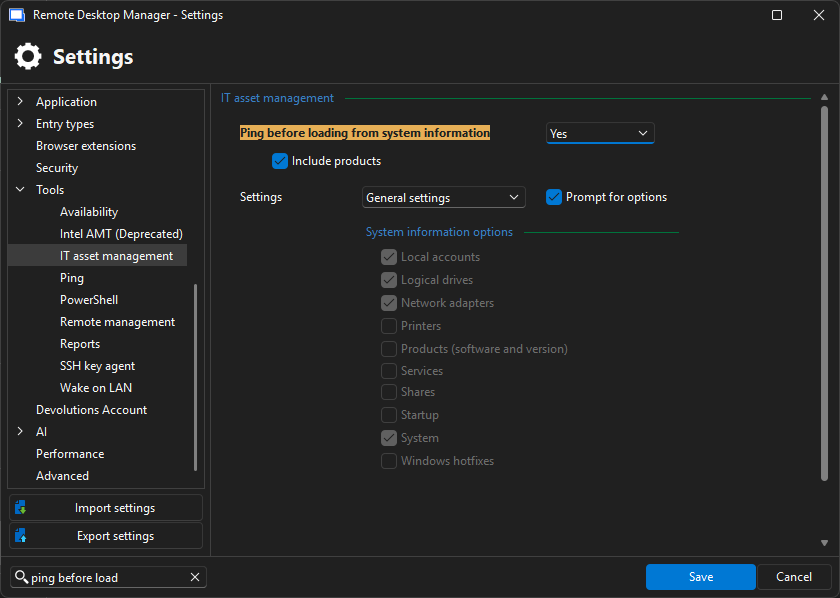
Best Regards,
Michaël Beaudin
918303f2-e462-40eb-8e2b-c5dd1b9b1ce3.png
Hello Chuck,
I will create a ticket to see if we can improve the behaviour and validate the alternate hosts before returning an error.
As for the ping, I believe this option in "File -> Settings -> Tools -> IT asset management" might do what you are looking for :
Best Regards,
@Michael Beaudin
Michael:
Unfortunately, this won't work for us in some of our environments.
Our Network Infrastructure has ICMP Requests not allowed due to client / state / government requirements.
Therefore with this: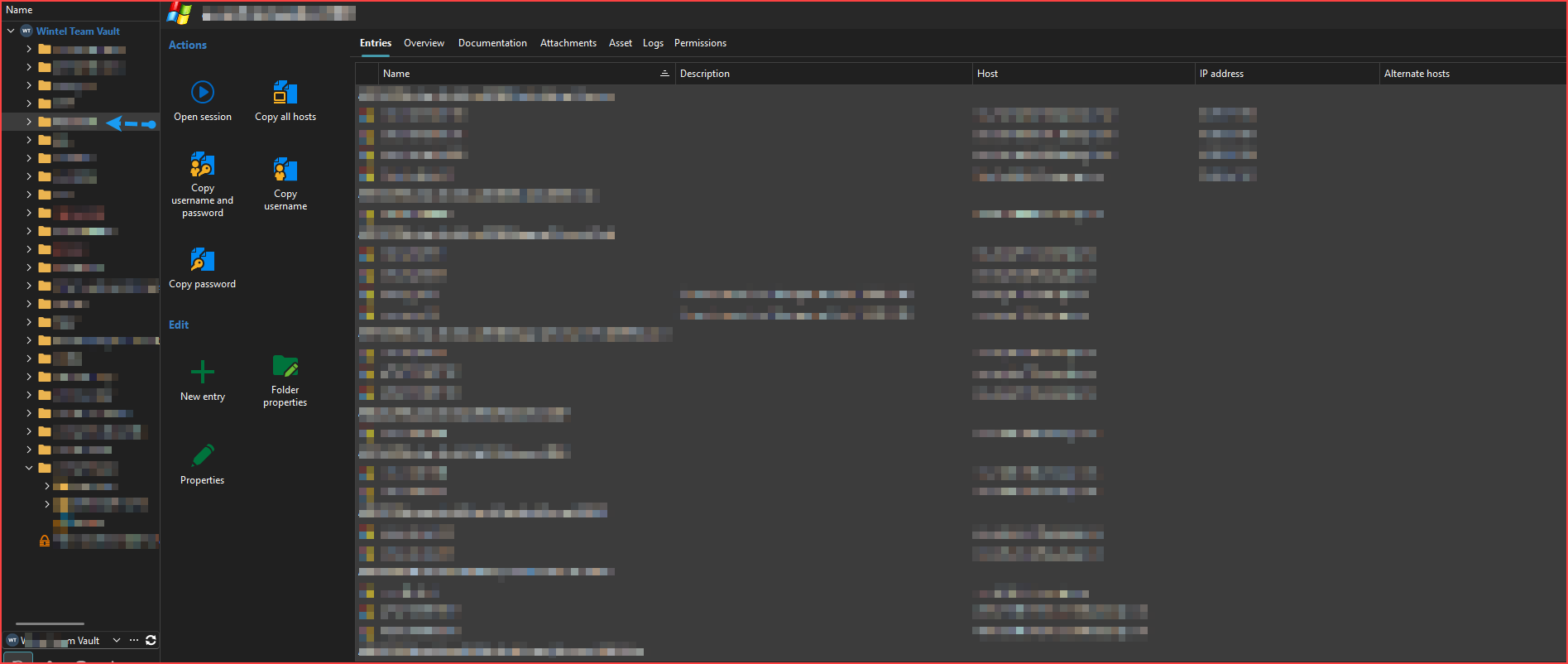
It results in this: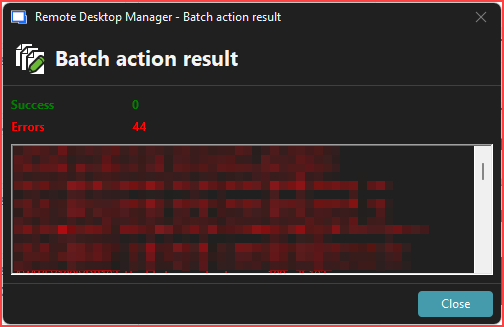
Even though the machines are 100% accessible: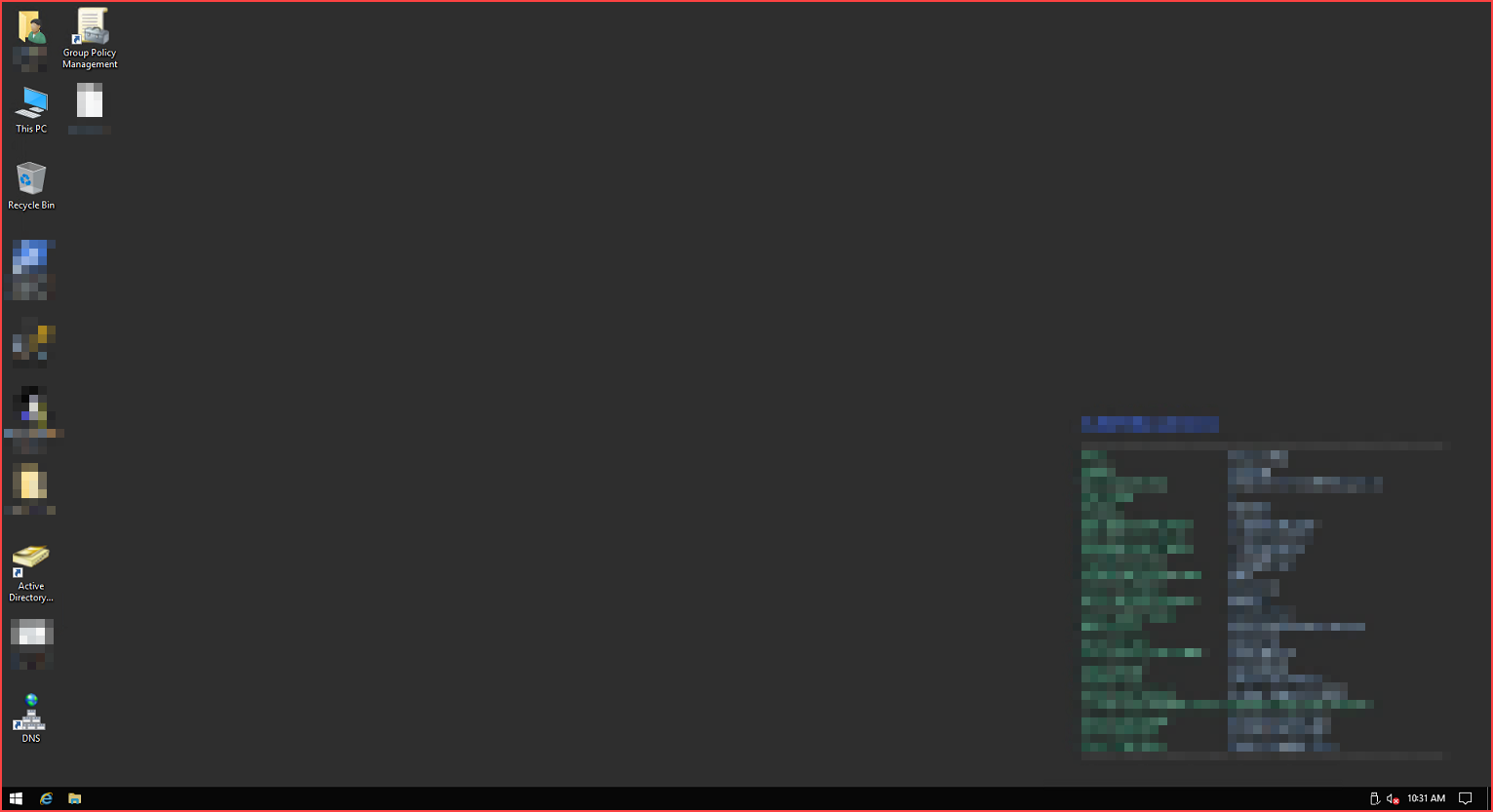
I knew I remembered there was a reason I didn't have the ping option enabled for the Load System Inventory.
And I can guarantee you, we are not the only client, or even the only of a handful of clients, that do not allow ICMP handshaking.
So, for those of us who just can't use the Ping option, it would be extremely helpful to have something in the results window as to why it failed.
Thanks!
--- Chuck
Overgaard, AZ (-7 MST / Zulu Year-Round)
RDM Version: 2025.3.11.0 64-Bit - MSSQL - Daily Usage
RDM Version: 2025.2.28.0 64-Bit - MSSQL - VM
a13394b0-545e-49ee-9913-acf79d94cdcc.png
5c9289f5-89bc-4c15-8038-651a436ad617.png
c4dfd83c-c4a9-421f-a730-37a71216ab64.png
Hello,
We are currently looking into tweaking our code so that we try to use the alternate hosts if the main host failed. This will be a new option as each call for the load from inventory process is extremely slow and we do not want this to be the default behaviour for all our users.
As for the messages in the special actions, they are indeed quite unhelpful in the case of a failed connection as it only says some error about the anti-virus. We will see if we can put an error saying that the machine could not be reached instead.
Best Regards,
Michaël Beaudin
Hello,
We've improved the error message handling when fetching inventory to better reflect what prevented the action from succeeding. We've also added Alternate host handling (this will need to be actived under File - Settings - IT asset management). You will be able to test these changes with the upcoming 2025.3 version. Let us know if they provided the solutions you were expecting for these problems.
Regards,
Jafran Majeau
Hello,
We've improved the error message handling when fetching inventory to better reflect what prevented the action from succeeding. We've also added Alternate host handling (this will need to be actived under File - Settings - IT asset management). You will be able to test these changes with the upcoming 2025.3 version. Let us know if they provided the solutions you were expecting for these problems.
Regards,
@Jafran Majeau
Thank you for the update.
I look forward to seeing the difference and added option/s.
Have a great weekend.
--- Chuck
Overgaard, AZ (-7 MST / Zulu Year-Round)
RDM Version: 2025.3.11.0 64-Bit - MSSQL - Daily Usage
RDM Version: 2025.2.28.0 64-Bit - MSSQL - VM