Unable to launch in-app RDP session configured to use gateway farm

Hello,
Using Workspace 2025.2.4, and attempting to launch an in-app RDP session that is configured to always connect via a gateway farm, it fails with error below. The same entry launches fine via Hub WebUI.
Please let me know if you would like any additional info.
Thanks
Joe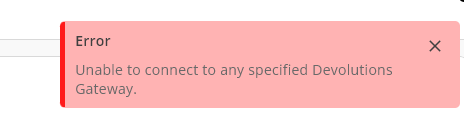
35ebf2b8-7c15-47c7-9f34-f2192520370b.png
All Comments (15)
Hi Joe, it may seems like an obvious question but are you able to use this session from the web app? It looks like it’s not able to connect to any Gateway from Workspace.
Best regards,
Sébastien Aubin
Product manager - Password Management
Hi Sébastien,
Yes the same connection/session launches fine via the web app / browser.
Joe
Hi Joe, i created a ticket regarding this issue. I will let you know as soon as i have updates on this case.
Best regards,
Sébastien Aubin
Product manager - Password Management
Hi, I noticed you made a post on Hub's forum about an issue pretty similar. Can you try to do the same thing (removing the gateway from the farm and reconfigure the RDP) and retry on Workspace. On our end, with a gateway alone, it works fine.
Best regards,
Sébastien Aubin
Product manager - Password Management
Hi Sébastien,
In the context of the other post, its a separate Hub account, and for that one there is no option showing to launch the respective RDP connection from either Web UI or Workspace, so I cant compare the behavior. Not sure why, as the gateway has been enabled for all vaults, connections and users. Maybe there is another setting that needs to be configured? I can launch connections via a gateway (when its not in a farm) in that Hub account using RDM without any issue.
So there are 2 separate issues I've encountered:
1) In a Hub account with PAM enabled, the the gateway farm works fine with RDM and Web UI, but not Workspace
2) In a Hub account without PAM, RDM doesnt work for a gateway farm, but works fine in non farm gateway mode. Additionally in this account, the option to launch via Web UI and Workspace is not shown.
Please let me know if you would like any additional info.
Joe
Thank you for the detailed information. We are currently reviewing it and will provide you with an update as soon as there is progress on this issue.
Best regards,
Sébastien Aubin
Product manager - Password Management
Hi, we just deployed a new version (2025.2.6.0) that should fix this issue. Let us know if you still have this issue.
Best regards,
Sébastien Aubin
Product manager - Password Management
Hi
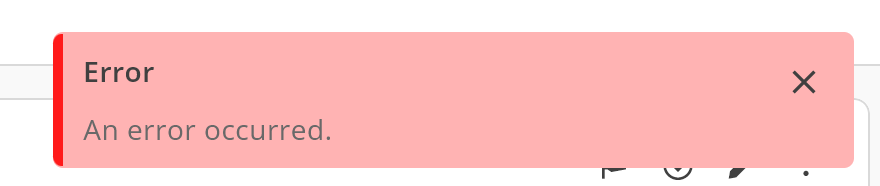
Just tried the latest version and doesn't appear to be working yet. When I click the check gateway button it responds with error 'Connection failed'. If I change the gateway to a non-farm single node then the check succeeds. Comparatively, both checks succeed with RDM. When attempting to launch a connection that works fine in RDM, Workspace instead responds with 'an error occurred'.
Joe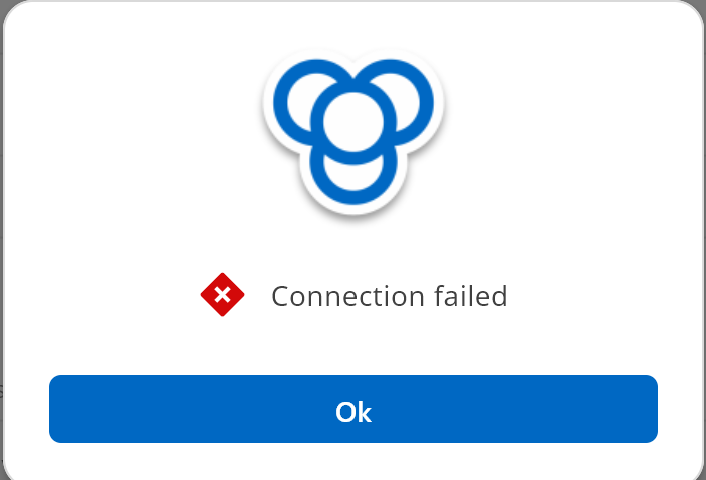
70c80c63-1a1f-4219-888c-2e493923ee25.png
7f3830b3-fe3e-4a97-a1bb-85ed4064d87b.png
Hi, sorry to hear about that. We'll continue investigating since the error has changed. I will provide you with an update as soon as there is progress on this issue.
Best regards,
Sébastien Aubin
Product manager - Password Management
Hi, we just deployed a new version that should fix this issue. Let us know if you still have this issue.
Best regards,
Dany Galarneau
Hi Dany,
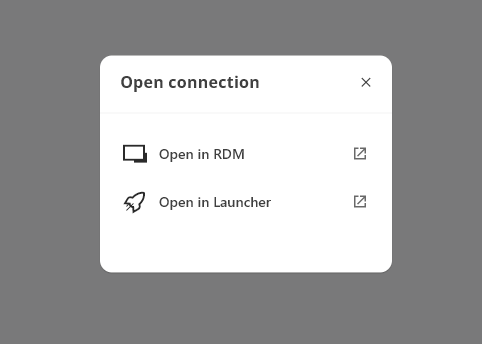
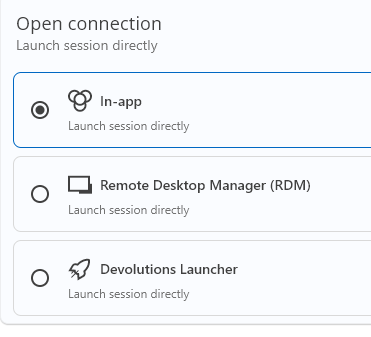
Updated to the latest version of Workspace, and there is no option to launch RDP connections 'in-app'. The same connections launch fine via Hub WebUI. The workspace app is configured to launch in-app, but the option does not appear in the toolbar, or the prompt when double clicking an entry. User is a hub admin and licensed for gateway.
Pls let me know if you would like more info.
Thanks
Joe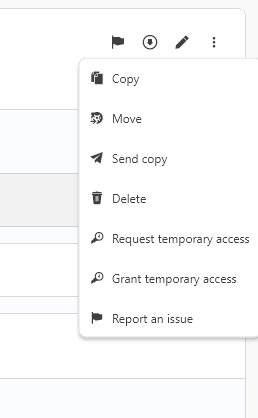
c4022dd6-4566-4881-b6d6-e4a29bc55e27.png
ad59adf2-672f-405c-bfad-f9c271b8f4a3.png
6dfc0bc1-d2b3-4d77-ad2b-a38a9eabd7b6.png
Hi Joe,
Thanks for the update.
We'll investigate the issue and get back to you as soon as we have any new information.
Best regards,
Dany Galarneau
Hi Joe,
In Devolutions Workspace, we will be deprecating support for launching in-app sessions. Going forward, you’ll need to use either the Web interface, the Launcher, or RDM to open your sessions.
The button that previously launched the in-app session will now redirect you to the correct entry in the web interface, where you can simply click ‘Open in Browser’.
We understand this may require a small adjustment, and we apologize for any inconvenience. Thanks for your understanding.
Best regards,
Sébastien Aubin
Product manager - Password Management
Hi Sébastien,
Thanks for the update. While I may have misunderstood the roadmap for Workspace, I had thought one of its primary use cases / key features was to provide a lightweight streamlined alternative to Launcher or RDM for basic session types such as RDP from multiple data sources. Without the in-app launch capability, it no longer suits that scenario, given its probably simpler for a user to just create a browser bookmark/s and bypass using Workspace altogether.
Joe
Hi Joe,
Thanks for sharing your perspective, I completely understand your concerns.
As part of our broader effort to realign the different solution tiers within the Devolutions ecosystem, Workspace will be focusing on its strengths rather than replicating capabilities already offered in RDM or the Launcher. Our goal is to ensure clearer product positioning and a more consistent experience across the platform.
Best rgeards,
Sébastien Aubin
Product manager - Password Management