Dynamic Port Forwarding on SSH Terminal Session
1 vote

Hi,
is there a way, to configure dynamic port forwarding on already open ssh terminal, or set an option on all already existing ssh terminal session elements?
I know it would work with this type, but I don't want to configure additionally for each server: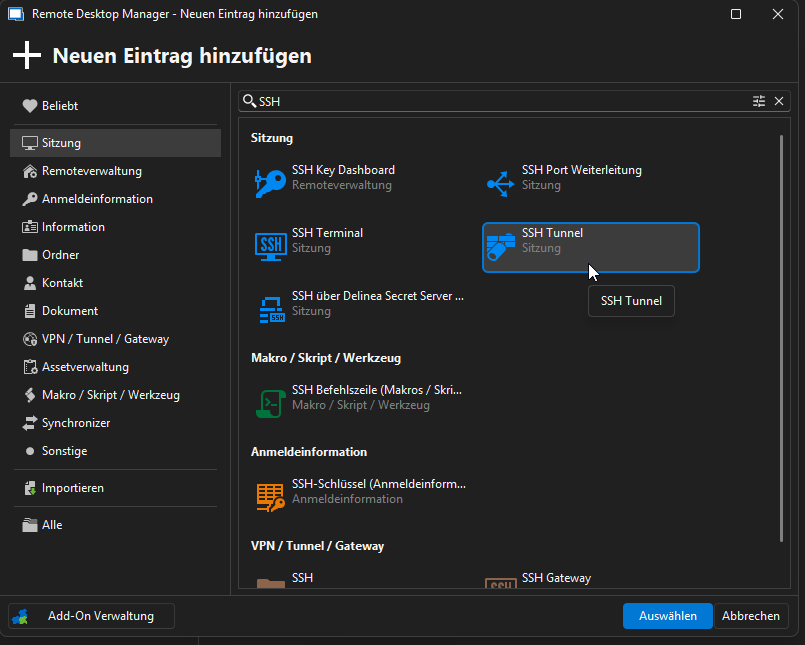
e.g.
I have a SSH Sessions, and I would like to create a dynamic port fowarding on port 1234 like 'ssh -D 1234 user@server'
After that, I can connect via socks4/socks5 proxy configured in another application (like chrome, firefox,..) and send traffic over this session.
Man page from ssh:
       -D [bind_address:]port
               Specifies a local “dynamic” application-level port forwarding.  This works by allocating a  socket  to
               listen  to port on the local side, optionally bound to the specified bind_address.  Whenever a connec‐
               tion is made to this port, the connection is forwarded over the secure channel,  and  the  application
               protocol  is then used to determine where to connect to from the remote machine.  Currently the SOCKS4
               and SOCKS5 protocols are supported, and ssh will act as a SOCKS server.  Only root can forward  privi‐
               leged ports.  Dynamic port forwardings can also be specified in the configuration file.
c7762da4-0f1e-470d-bf9e-de31c545240b.png
All Comments (8)
Hello grexaut,
Thank you for reaching out to the Devolutions support team.
You can achieve this with the SSH port forwarding entry.
This allows you to configure it on a specific port.
You can also configure the SSH tunnel.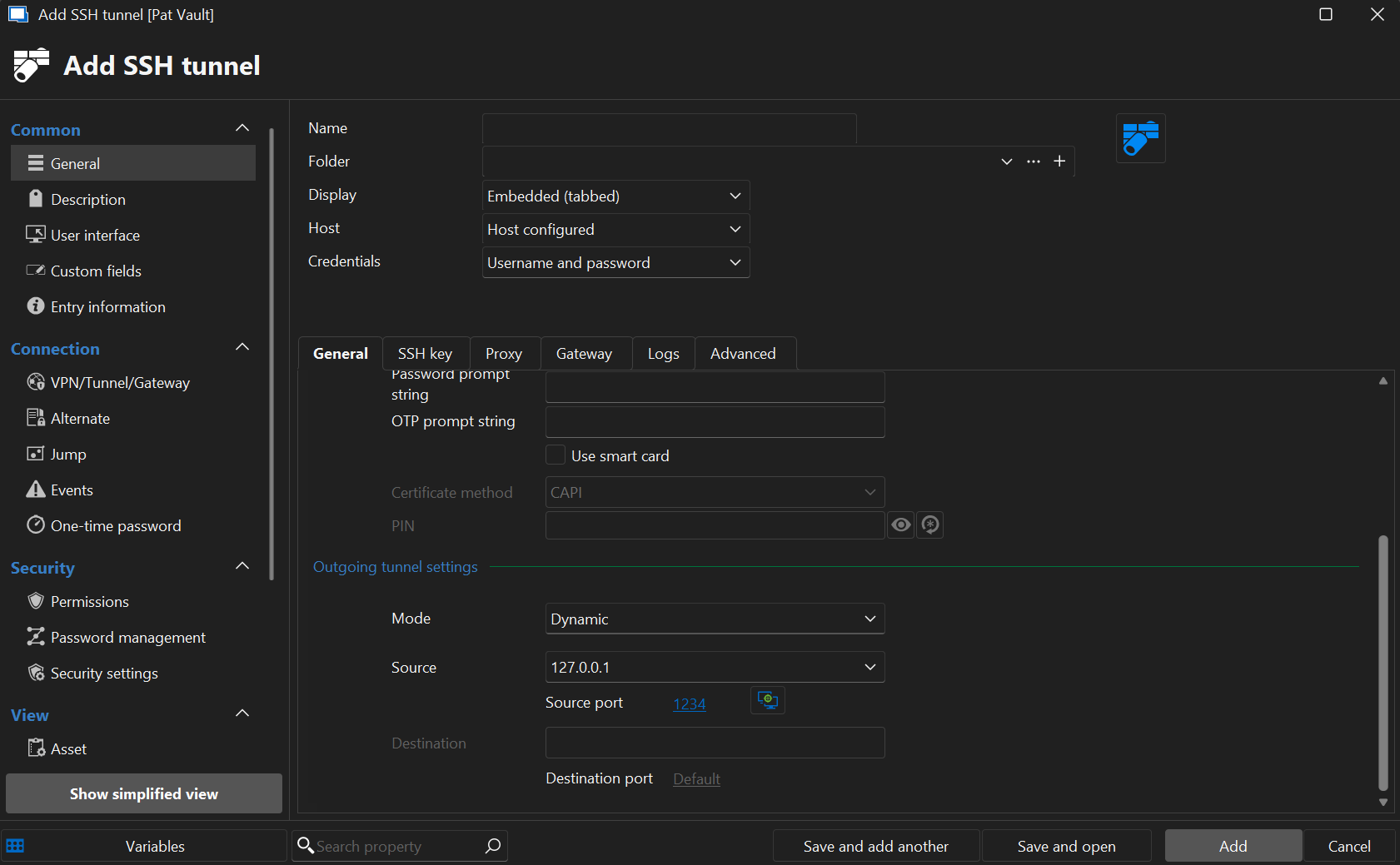
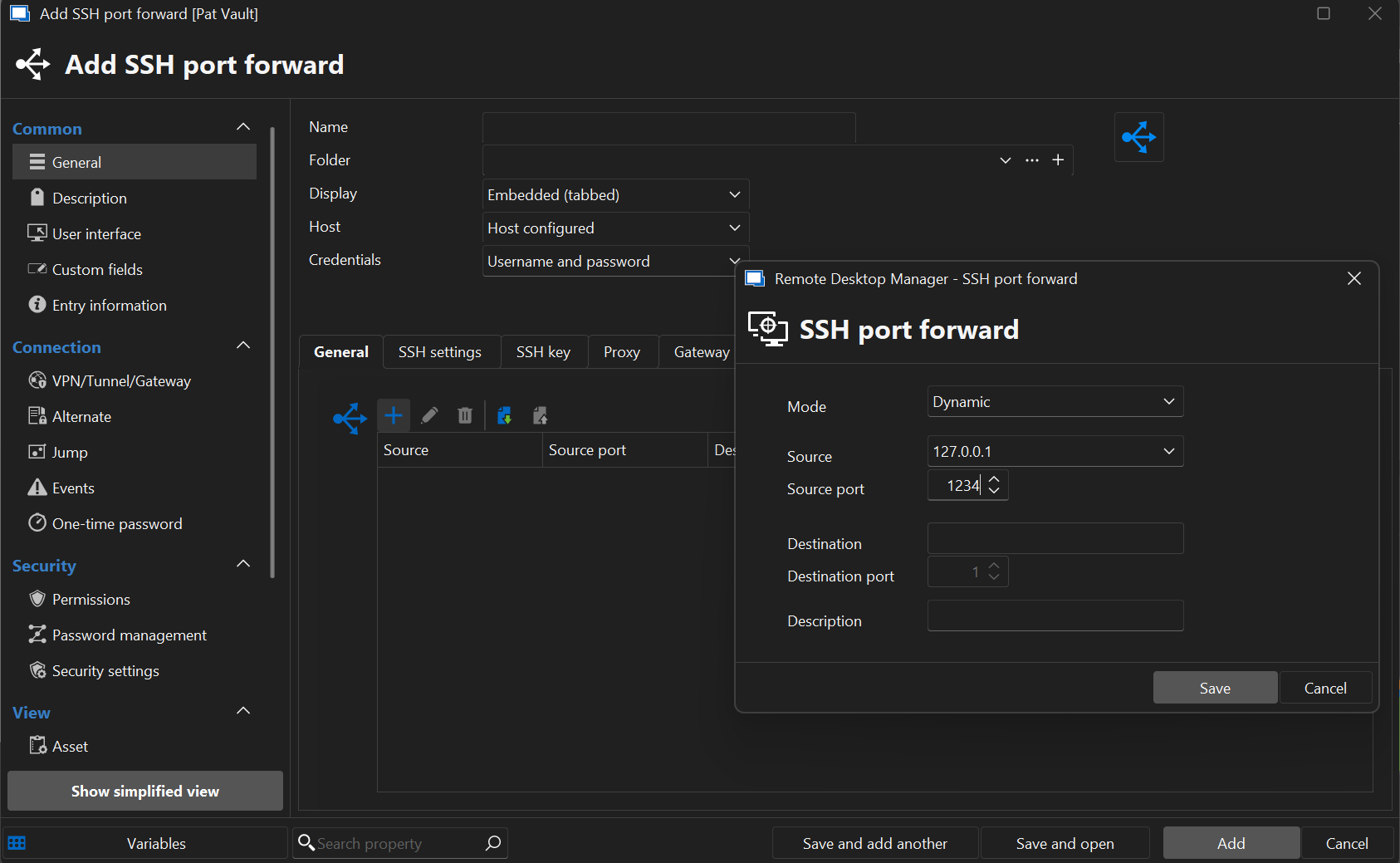
Best regards,
Patrick Ouimet
Screenshot 2025-08-08 084242.png
Screenshot 2025-08-08 084338.png
Hello,
thank you for fast reply.
I meant, is this SSH Port Forwarding function also available on SSH Terminal item?, because I want to use ssh tunnel and ssh terminal in same connection.
Hello grexaut,
Absolutely, when the tunnel is created, you can link this tunnel to your entries under the Tunnel/VPN/Gateway tab.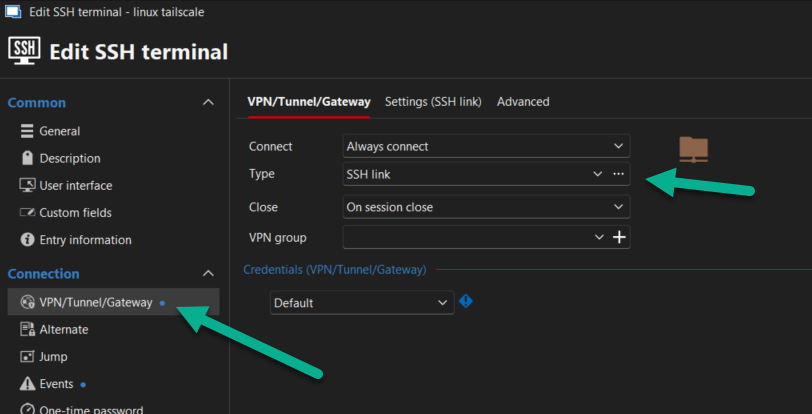
Best regards,
Patrick Ouimet
856ecb34-4a72-43c5-87f4-78338824951d.png
Hi Patrick,
thank you. But so I have to configure Host 2 times. I have a lot of already configured SSH Terminals, so I have to add a new SSH Tunnel to each SSH Terminal and link to them.
My question is, can I add a Port Forwarding on a SSH Terminal, like in putty.
For instance:
I am connected with putty to an ssh server, I can edit my connection and add a tunnel (temporary) to it.
Also in putty it is possible to add port forwarding on saved sessions.
Thanks
Hello grexaut,
Thank you for this feedback.
Like Putty, we have the same tunnel option under your SSH entries.
In Putty, it is referred to as Connection -> SSH -> Tunnel.
The port forward is configured as a tunnel with a specific port.
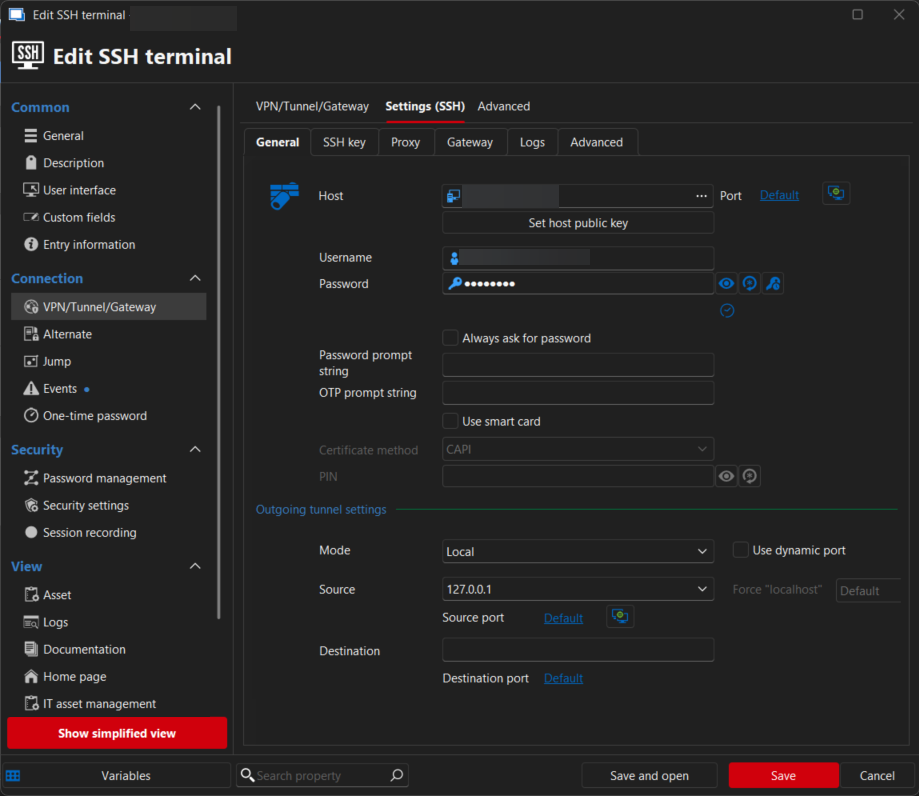
In RDM with an SSH entry, under Tunnel/VPN/Gateway, select SSH, and go to settings.
The host and credentials are already filled.
You only need to configure the mode and the port.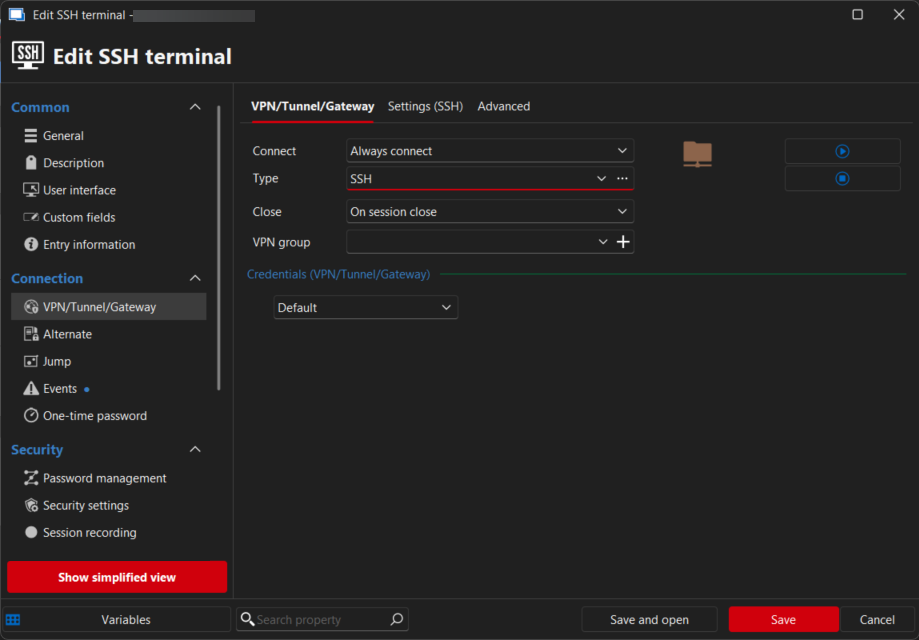
Best regards,
Patrick Ouimet
e746fc18-6dc7-4db5-827b-7fcaffedd26d.png
9d13e619-6a45-4f31-8d49-f5b286488162.png
Hi Patrick,
thank you. But this is not works as expected, because there will be opened two terminals, and none of them I can write some commands.
I just want to connect via SSH terminal and do port forwarding in same connection, so I can forward traffic from my browser to remote server and enter commands in the same time.
Hello grexaut,
I'll move this thread to the feature request section.
The development team will review your request and provide feedback.
This is also a good way to share it with the community and gather upvotes for your request.
Best regards,
Patrick Ouimet
Hello,
Thank you for the request. We will monitor this thread for additional feedback from our users to help us prioritize this request. At the moment this is not in our plans but if we see this is something our users would really need, we're open to the idea.
Regards,
Hubert Mireault