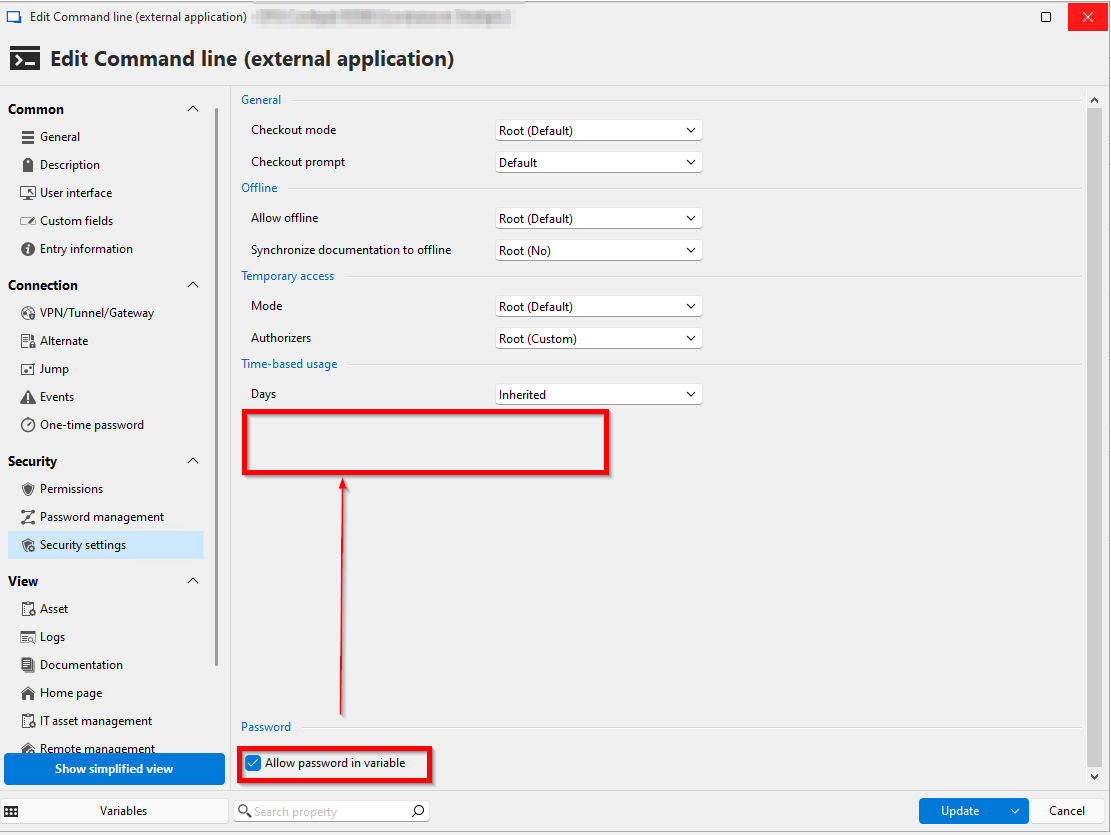
Move "Allow password in variable" up
1 vote

I had an issue where my password variable wasn't resolving, so I double-checked everything. In the end, I realized I forgot to enable "Allow password in variable" in the external application entry, as it wasn't located where it is in the Username and Password entry. If there's no specific reason for this, it would be great if it could be moved up. 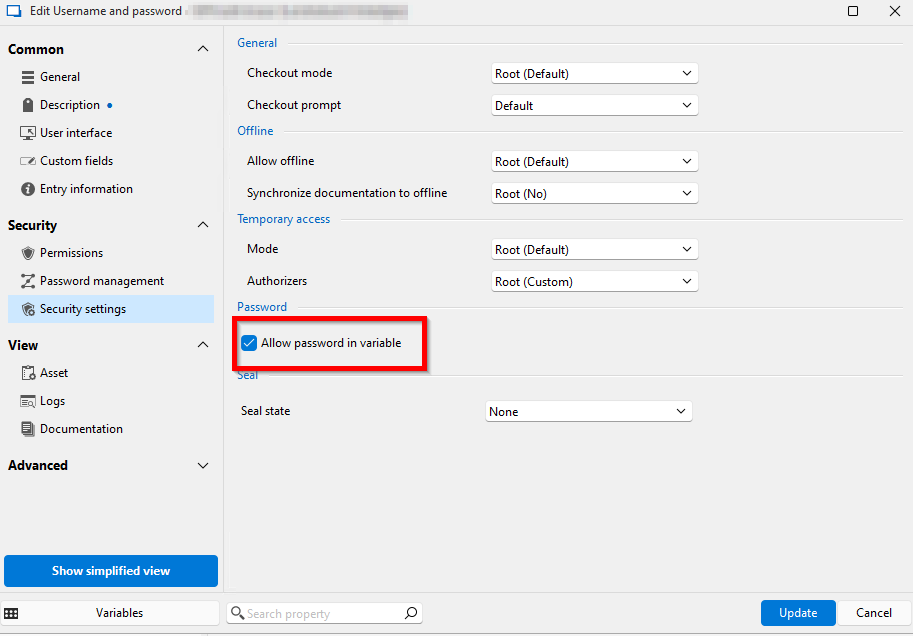
143f3134-9cfb-4bb0-8988-f91136ef2b75.png
4965b908-d110-44ec-abe5-e962278ab1ba.png
All Comments (4)
Hello,
Thank you for the request. This is more of a bug in our UI so I will flag it as such in our system. I've opened a ticket.
Regards,
Hubert Mireault
Hello,
Could you confirm for us which version or RDM you are currently using and if applicable, could you update to the latest version? We've fixed this particular issue some time ago, and are currently unable to replicate it.
Regards,
Jafran Majeau
We are on 2025.1.34.0 64-bit right now, so not the newest Version. If it is fixed in the new Version, the Ticket can be closed.
Hello,
Thank you for the quick response. We will assume this issue solved then. Let us know if you experience any further problems once you've updated.
Regards,
Jafran Majeau