The "Save and Open" button is in a bad location
1 vote

The "Save and Open" button is in a bad location. For decades, Microsoft has been teaching us that in the lower right corner, there are only 2 buttons: confirm the action (save) or cancel the action. And when a 3rd button appears next to them, our brains now EXPLODE, we add a LOT of new records first to the RDM database and only then test or open them (the function to open a newly created card is useful, but its implementation with a 3rd button next to the main ones is terrible). Our work process has slowed down catastrophically, we constantly miss, and instead of saving the card, we open a session. HIDE this button PLEASE to another place (1. you can move it to the right of the search field in the card. 2. you can make a triangle on the MAIN SAVE button, which allows you to select the purpose of this button (we have seen this in some programs, when you can reassign the button by selecting an action on it) 3. Well, at least move it to the main OPTIONS SETTINGS RDM, so that the button "Save and Open" can be disabled, visually removed).
All Comments (6)
Hello,
Thank you for reaching out to us regarding this,
I wanted to inform you that I have moved your topic to the feature request section.
This section allows our community to submit/share ideas with our development, service desk, and management teams. It’s also an opportunity for our community to demonstrate an interest in your idea. We use this interest to prioritize the features we implement.
Best regards,
Samuel Dery
Hello,
Thank you for the request. We'll discuss this internally to see about improving the UI, as there's a few different things we could do here.
Regards,
Hubert Mireault
Hello,
I'm letting you know we've opened a ticket to add an option to merge these buttons. We'll post back here once we have an update.
Regards,
Hubert Mireault
Hello,
We've added an option Merge entry properties save buttons which will combine the save buttons into a dropdown next to the save button. This option can be found in File - Settings - User interface, in the section with multiple check box.
You can expect these changes with the upcoming 2025.3.8 version that will be released this fall.
Regards,
Jafran Majeau
I couldn't find this new option (( Can you attach a screenshot of where to look?
Hello,
Should you ever need to search for a specific setting, most of our windows contain a search box. You can type the text in, double click the result, and it will bring you to the desired setting. It should also add a bold font for clarity.
Here is the setting you are looking for.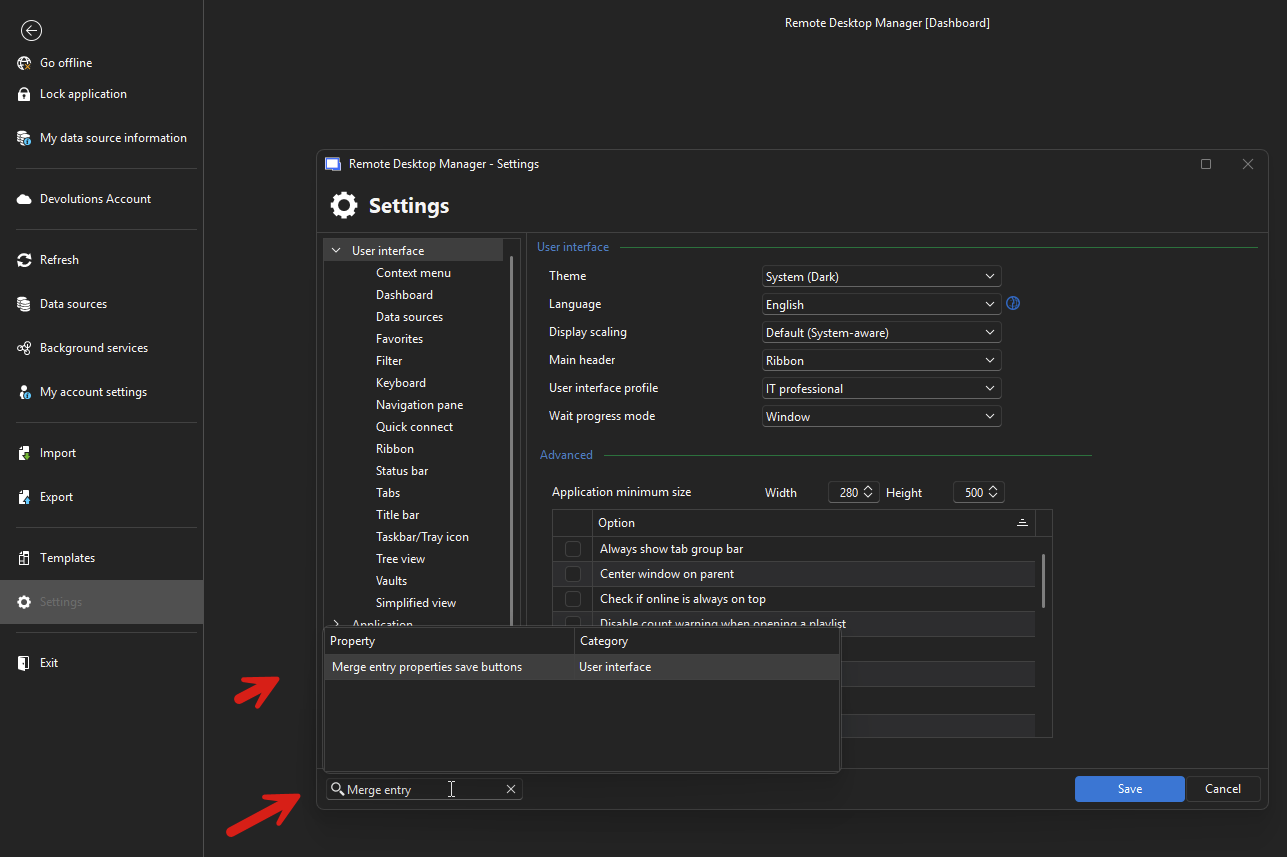
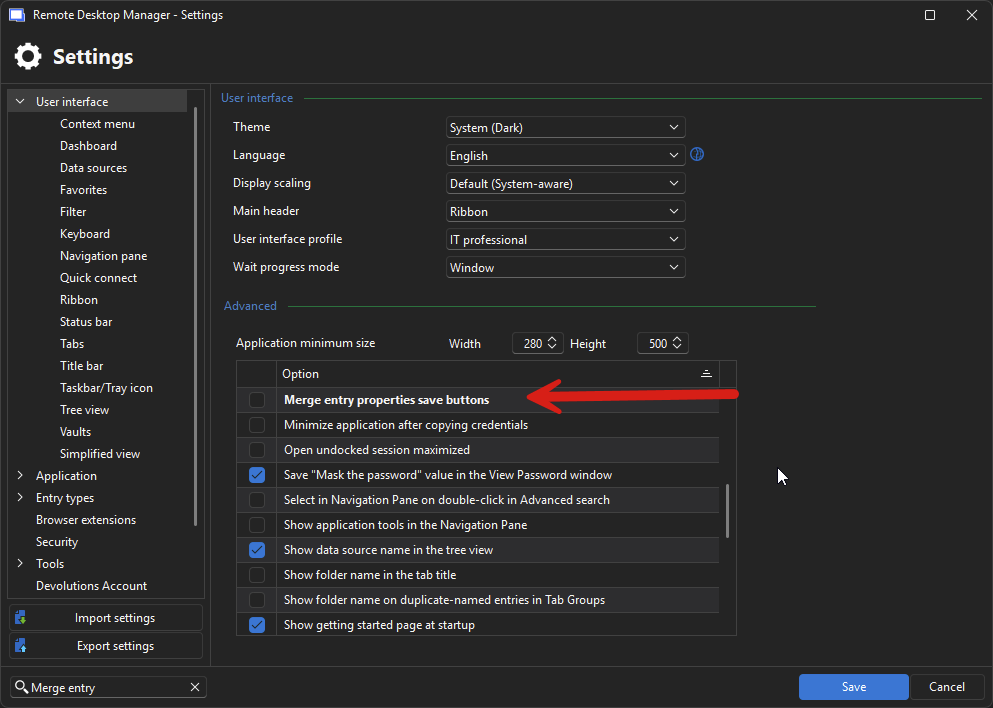
Regards,
Jafran Majeau
1f9fbbd4-151d-47b2-9857-7d0fb0018f62.png
67121370-6f7f-4d5f-b30a-fac0ba02149c.png