Can't Link Credentials in "Devolutions Cloud" Vault Templates
Can't Link Credentials in "Devolutions Cloud" Vault Templates

I'm trying to create a template in my "Hub Personal" vault for an SSH Terminal which uses an SSH key. I already have a key added to my vault.
When I create the template, there is no "Linked (vault)" option: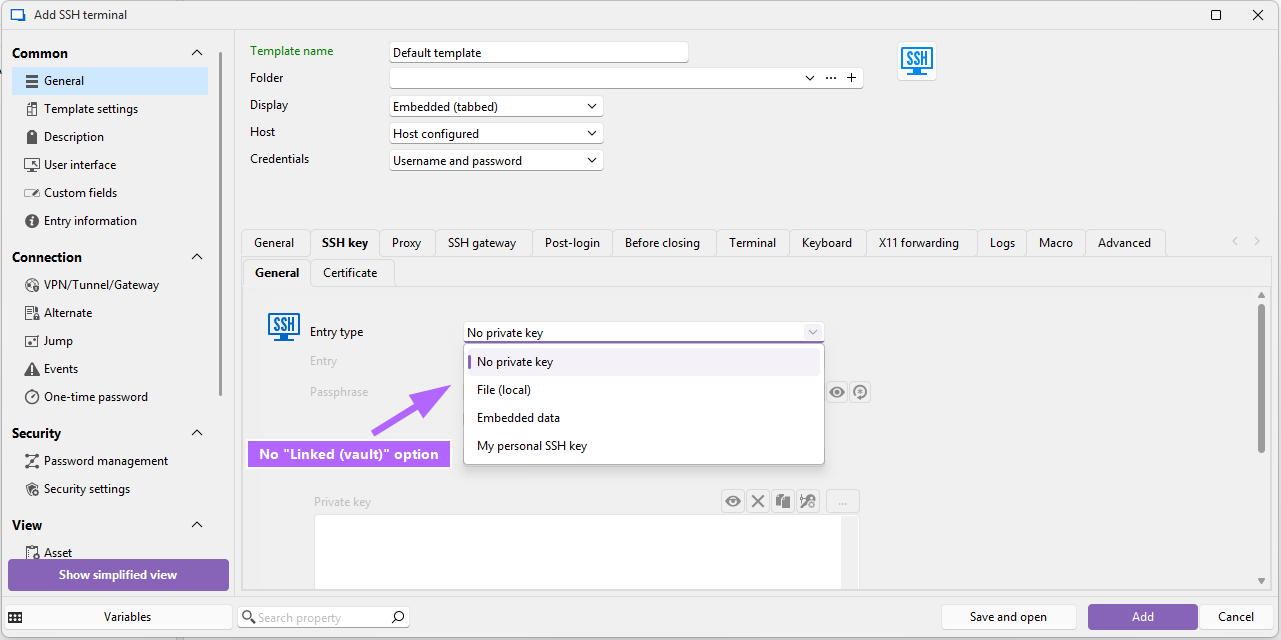
Similarly, if I try to link an SSH gateway, I do get a "Linked" option but not under my own vault -- only a "System vault" shows up, which I don't know how to access: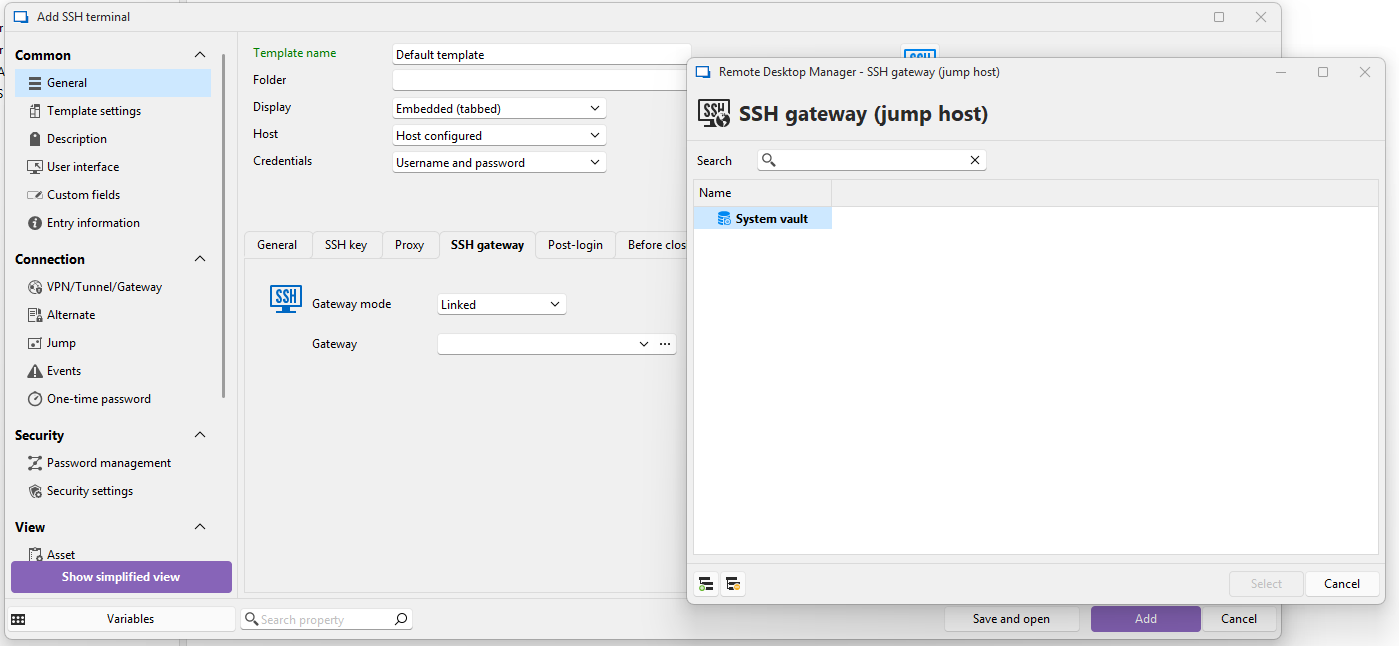
However, if I make an SQL vault and try setting up a template, everything works fine: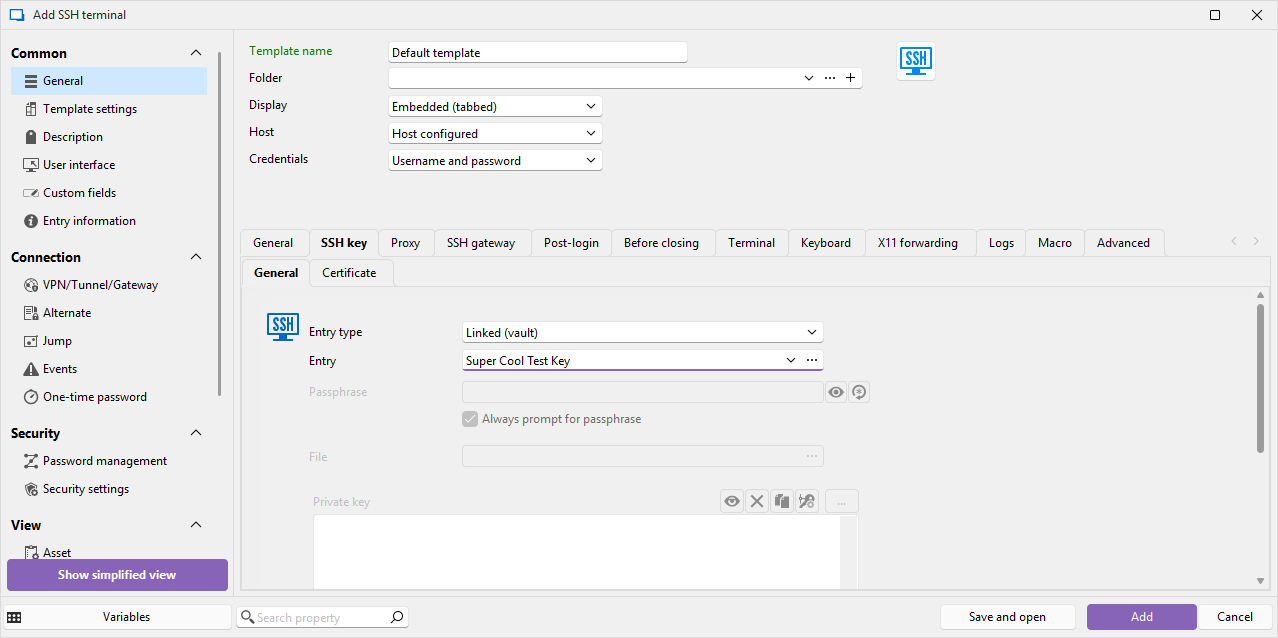
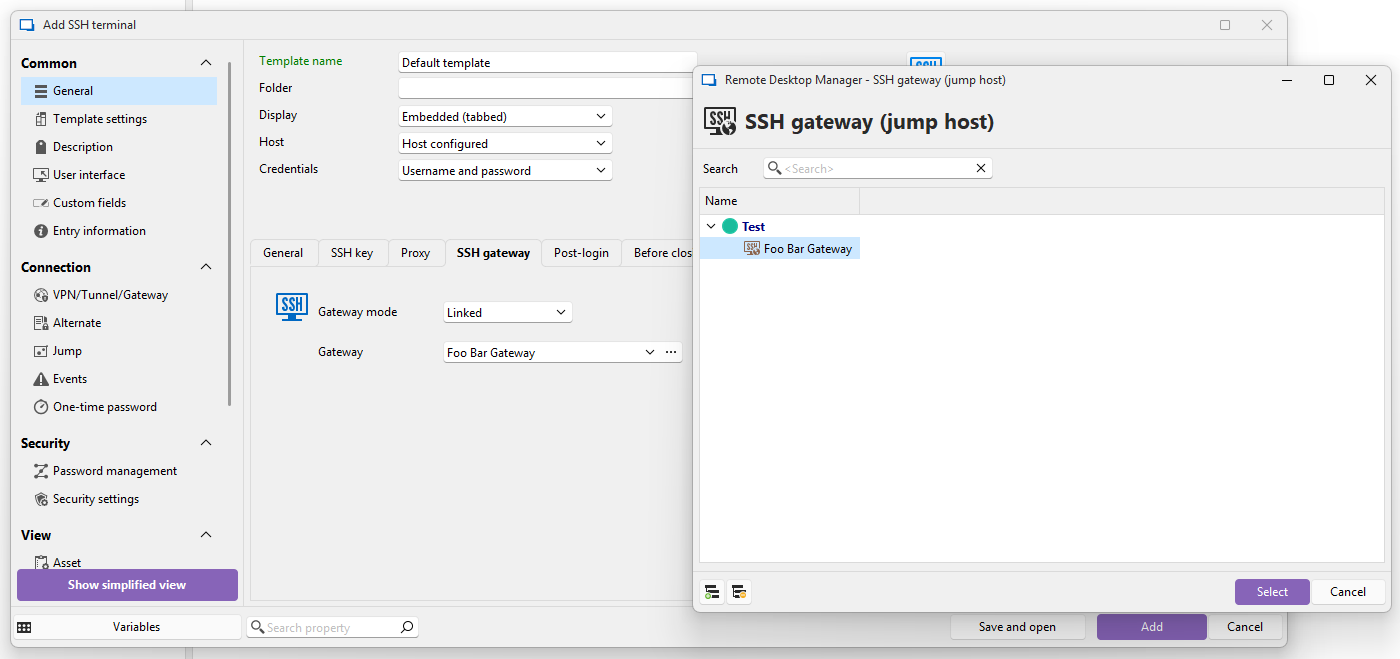
What am I doing wrong?
Thanks
6f80394f-601c-4db6-9dca-4beddc77bf4d.png
5f374ca8-7fb0-4929-9cbf-989a09a0b484.png
f2ccb420-cd36-4251-b271-5278dab799bc.png
58819ab1-c29f-41f0-9a34-a5baefbb9d5c.png
All Comments (4)
Hi,
Thank you for your message!
Could you please let us know which version of Remote Desktop Manager you're currently using?
On my end, I'm able to select "Linked (Vault)" when using a Hub Personal data source, so having your version number will help us better understand the issue.
Looking forward to your reply!
Best regards,
Stephan
Hi,
Thank you for your message!
Could you please let us know which version of Remote Desktop Manager you're currently using?
On my end, I'm able to select "Linked (Vault)" when using a Hub Personal data source, so having your version number will help us better understand the issue.
Looking forward to your reply!
Best regards,
Stephan
@Stephan Haupt
Hey! Thanks for the help! I should have provided that info to begin with, sorry for not doing that. Here's my version info:
- RDM: 2025.2.22.0 64-bit (free version)
- Windows: 11 Pro 24H2 26100.4770
The only thing I can think of that may have affected this is that at some point while exploring the software, I went into Administration -> Vault Settings, and changed the "Credentials" field from "Username and Password" to "None", which renamed my vault to "Root". After that I changed it back to "Username and Password". The actual username/password fields are blank, they always have been. But the vault name has never changed back from "Root". Maybe I messed something up with that. Don't know if it worked before then, though.
If it's possible I am willing to export my data, delete my vault, and restart.
Update: I have exported & deleted my Hub Personal vault: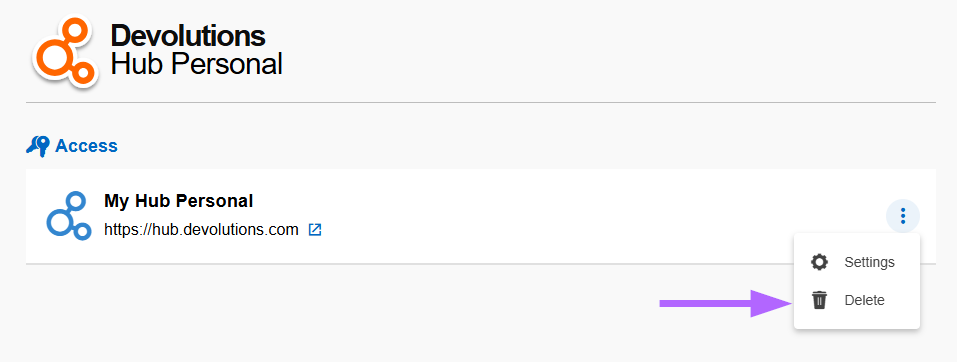 The page told me to wait 5 minutes before making a new one, so I did. Then, I made a new Hub Personal vault and connected RDM to it. I have not imported anything. I created one SSH key and the template dialog still cannot link to it: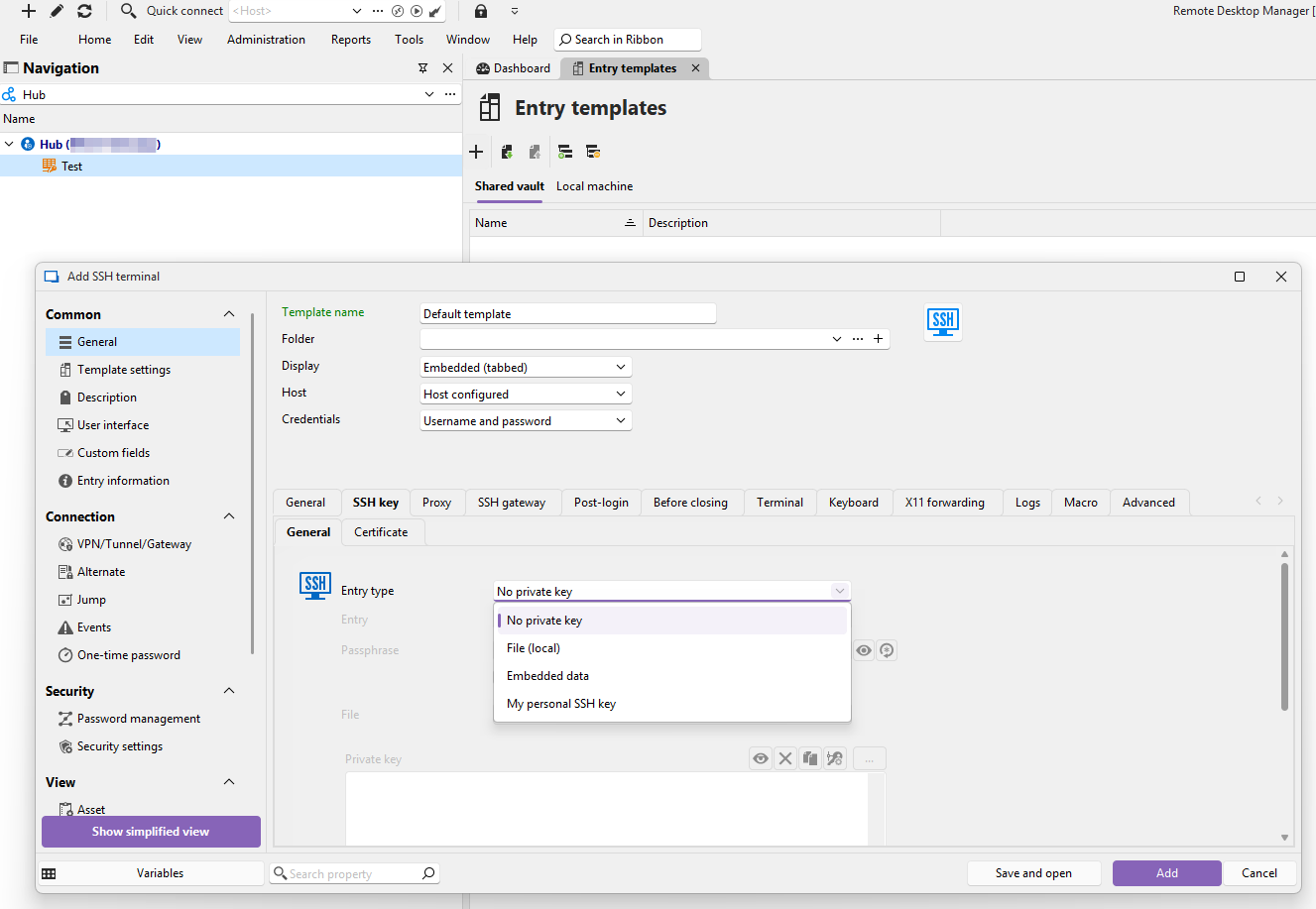
Thanks again for the help!!
c1b8fc7e-73b7-4780-88ec-134339b4b8f9.png
5fc36e09-b675-4adc-9cdb-b1f0496dd3a7.png
Hello,
Thank you for the additional information, and sorry for the confusion.
Indeed, when creating a Template, the option to link an SSH key from the vault is not available.
If you’d like to use the same SSH key for all your entries, I recommend using the “My personal SSH key” option.
You can set this up by going to File > My Account Settings > My Personal SSH Key and specifying your key there.
I hope this helps! Please let me know if you’d like to explore another approach or if you have any further questions.
Best regards,
Stephan