SFTP session asks for password for passwordless SSH key

I use a SSH key that doesn't have a password.
For interactive SSH sessions it works fine, but for SFTP sessions it asks for the password. It accepts any password I give in the input box and opens the session. Please fix this.
Reproduction.
- Create a passwordless key, I am using ED25519.
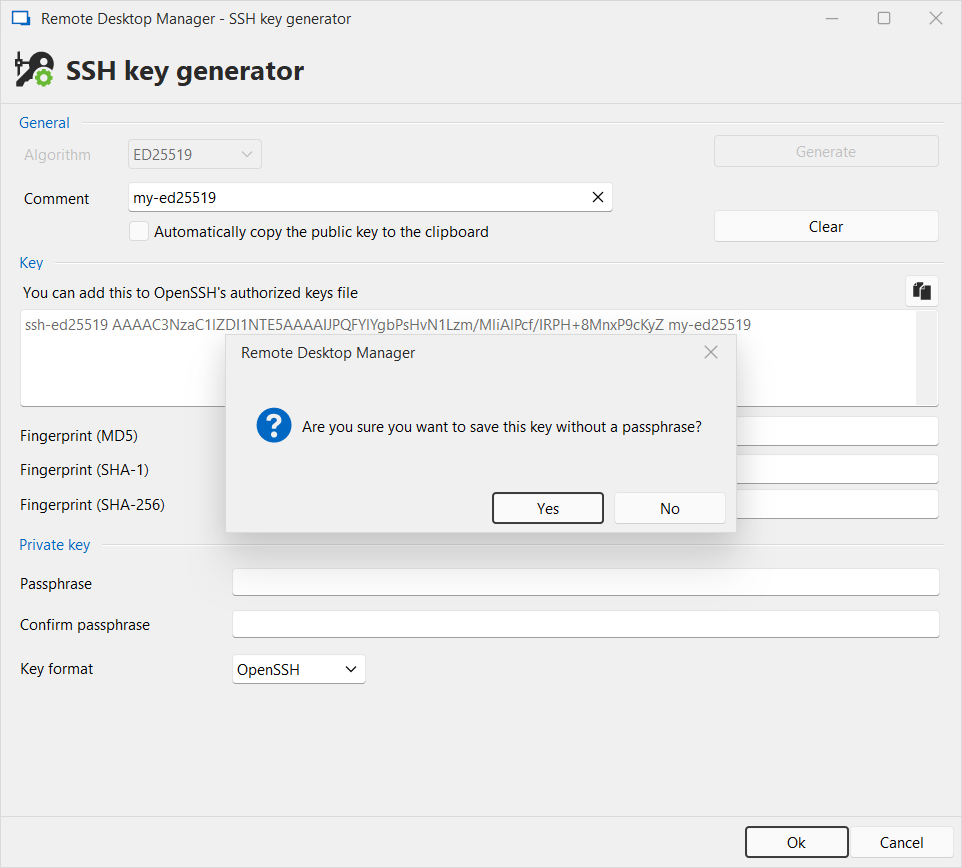 Save the public key into .ssh/authorized_keys of the target server.
- Create an SFTP session that uses this key:
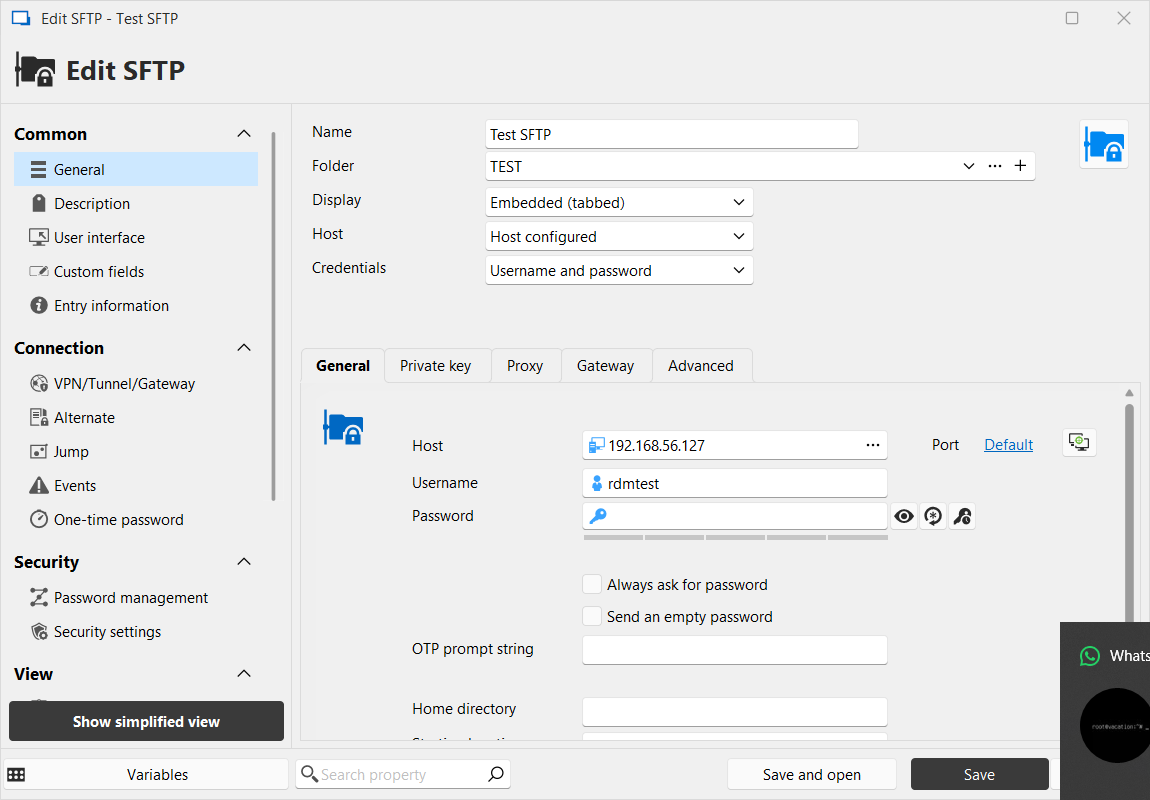
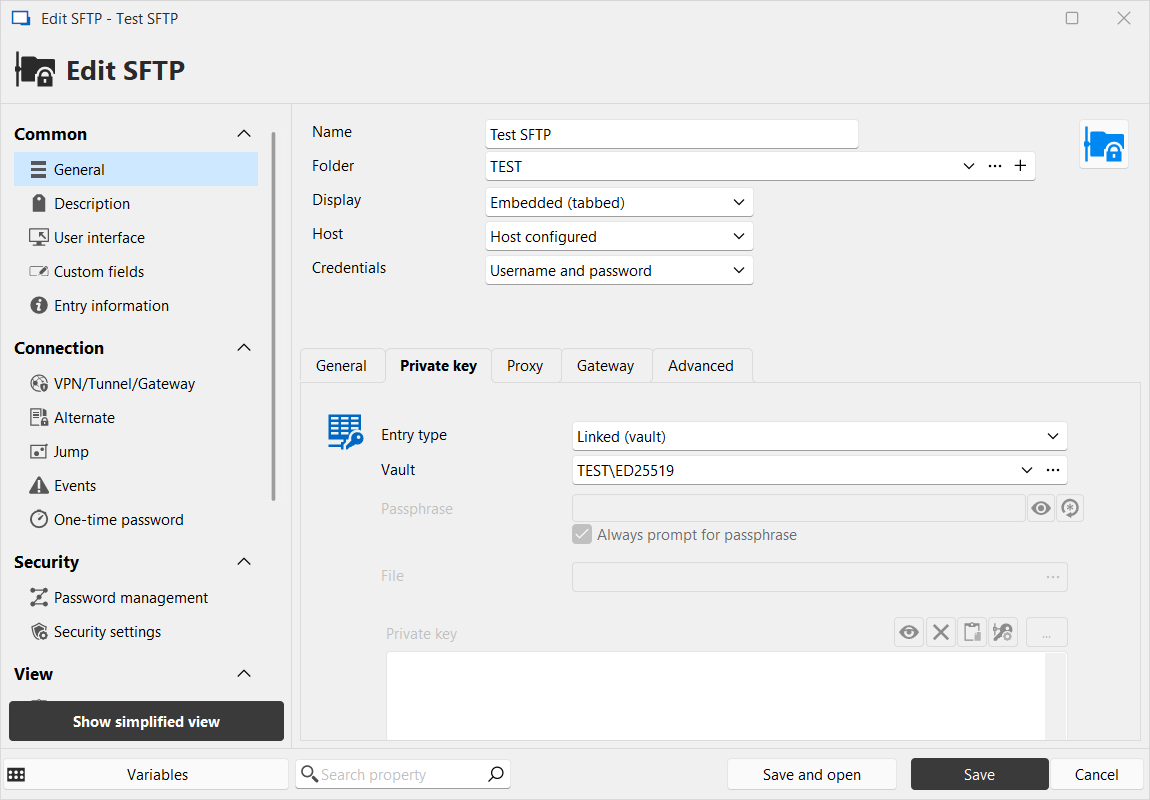 Open the session and observe prompt for passphrase. Enter any passphrase to proceed with the session.
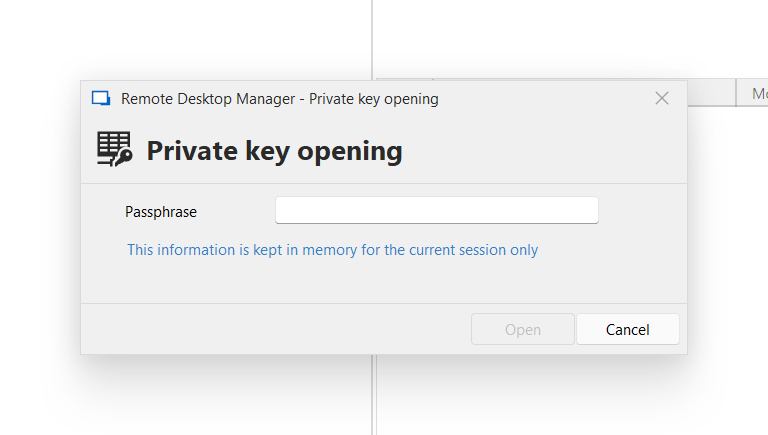
I noticed that the session has the "Always prompt for passphrase" checked, but I cannot un-check it.
Please fix it. Thanks in advance.
89640817-0777-4827-ae06-0a4f4c102aaa.png
fd332f1c-1f6e-4f19-b84a-75783c979510.png
4bc4b9a6-b6e7-4141-a5db-94f1ac7f7c3d.png
47d41239-da84-4d3f-b6b2-d9af73340677.png
All Comments (5)
Hello,
Thank you for reaching out on this matter.
Could you please try the following steps in your SFTP entry:
- Set the SSH key to Embedded.
- Uncheck the "Always prompt for passphrase" option.
- Then, set your key back to Linked (Vault).
I believe this should resolve the issue you're experiencing.
As for the prompt accepting any input, it's likely because RDM defaults to “null” for the passphrase when it's not required.
The “Always prompt for passphrase” option might be behaving unexpectedly; we can certainly look into that further.
Let me know if this helps, and feel free to reach out if you have any further questions.
Best regards,
Jacob Lafrenière
Thank you. I tried this workaround, but - unfortunately - it doesn't work. After doing what you suggested and clicking Save or "Save and open" it still shows the password prompt. After reopening Properties, the "Always prompt for passphrase" option is again selected.
For now I can work by entering any password, but it'd be great if you fixed it properly to eliminate this annoyance.
Thank you in advance.
Hello,
Thank you for the follow-up.
I was able to reproduce the issue you are experiencing with the SFTP entry. I will report this bug to the development team, and they will begin working on a fix soon.
I will follow up with you as soon as a fix is deployed in a future update.
Best regards,
Jacob Lafrenière
Hello RDMTinkerer,
We are still investigating if we can ease the process (to see if the Passphrase is currently necessary or not at the required steps).
However, there is a functional workaround for you right now. The value Always prompt for passphrase in the SFTP Private key section is not relevant in your particular case, since the Linked (vault) mode will override it and simply use the configuration in your existing SSH Key (so it essentially resets to default, which is why it doesn't save). This is linked to the Save passphrase feature in the credential entry, and in your case, this is what it will use.
In your credential entry, simply check the Save passphrase box, and save the SSH Key with no passphrase. This will fix the issue you currently have.
We are aware this isn't very intuitive and we're working towards making it so this specific workaround won't be necessary anymore, but in the mean time, this should provide you with the behavior you are looking for.
Regards,
Jafran Majeau
Hello,
This setting indeed works, so thanks a lot for finding it. I'll set it in all my passwordless keys now, but I doubt I'll remember about it in a distant future.You would surely acknowledge that it's hard to find and connect it to this behaviour, so we'll be glad if you optimize this experience.
Thank you!