Template with powershell that updates the host runs after VPN
Template with powershell that updates the host runs after VPN

Hi,
I am trying to create a setup where i have host entry for a store which contains a IP base adress for the store ie 10.20.30.0
This is so that its easier to create new stores, and update when/if the network changes.
On the POS entries I then have different templates
All these templates have this powershell script under "Event - Before opening".
It updates the host based on the base adress from the parent by,
- Adding 1 to octet 3
- Adding the till number to octet 4
Ie
POS 1 would be 10.20.31.1
POS 1 would be 10.20.31.3
POS 1 would be 10.20.31.2
# Inputs
$baseIp = "$PARENT_CUSTOM_FIELD4$"
$tillNumber = "$CUSTOM_FIELD1$"

# If till number not configured then use the configured host
if ([string]::IsNullOrWhiteSpace($tillNumber)) {
    exit
}

# Split IP into octets
$octets = $baseIp -split '\.' | ForEach-Object { [int]$_ }

# Add 1 to the third octet
$octets[2] += 1

# Add till number to the fourth octet
$octets[3] += $tillNumber

# Handle overflow from third to second
if ($octets[2] -gt 255) {
    $overflow = [math]::Floor($octets[2] / 256)
    $octets[2] = $octets[2] % 256
    $octets[1] += $overflow
}

# Build new IP
$newIp = "$($octets[0]).$($octets[1]).$($octets[2]).$($octets[3])"

$RDM.Connection.TabTitle = "Debug: $newIp"
$RDM.Connection.Host = "$newIp"
My issue is then that it seem like the powershell script are run after the VPN tries to open.
Is there are way to have the powershell update the "host name/ip" before the VPN start to connect ?
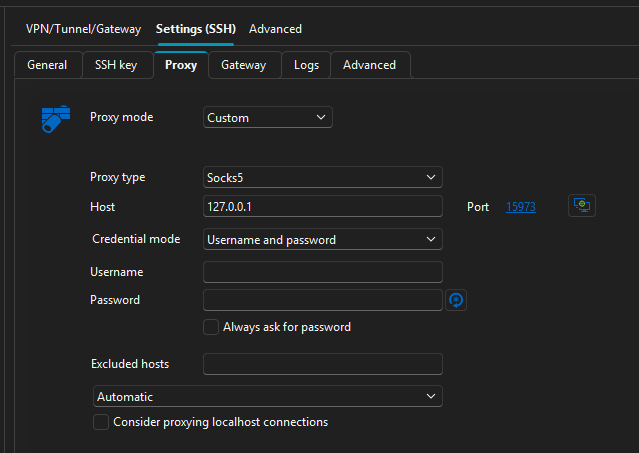
On all my other templates (ssh, browser, sftp) thats not an issue because i am using a socks5 proxy.
But for the VNC i need this "VPN" to forward from a local port to port 5900 on the remote host through the socks5 proxy.
Template configuration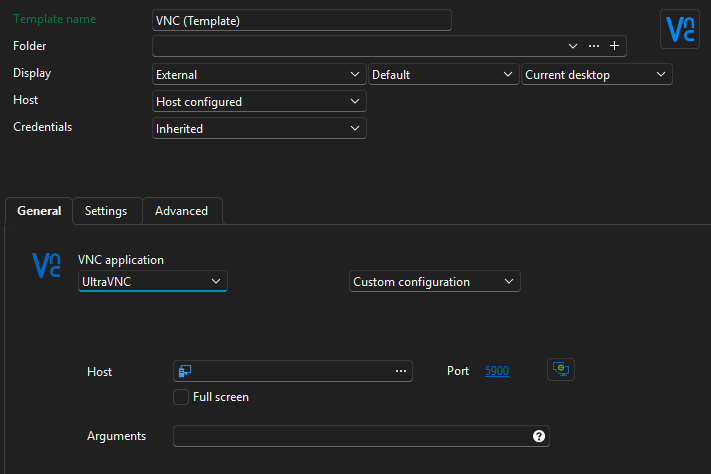
VPN configuration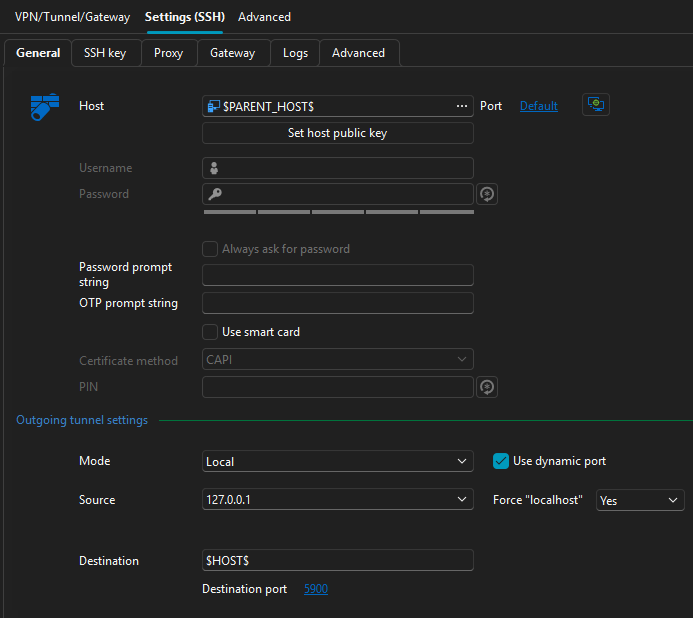
1520c736-edb9-4006-bec2-4394dda8317e.png
cb7cad4e-1922-430e-944a-efbb7e91d617.png
8c2f9770-ae41-4c7e-af19-72e59ec6c16a.png
fcf7efff-4308-4a4c-ba60-5082a081ffdd.png
26aed2b8-f4ac-4314-8b18-d8f042a9a161.png
All Comments (1)
Hello,
Unfortunately, to my knowledge, there are no options to open the script before the VPN connection. But, I suggest you try the approach below to ensure that the PowerShell script updates the "hostname/IP" on your entry before the VPN starts to connect.
- Create a separate PowerShell script entry that updates the IP address on your other session. Run this entry manually before executing the one that establishes the VPN connection.
Another thing I'd like you to try for testing purposes is to go to the properties of your entry that has the VPN configured, go to VPN/Tunnel /Gateway, and then open the Advanced tab. Under the "After execution, wait" setting, increase the delay time. Please let me know if the PowerShell script launches before the VPN is fully established.
Please let us know if that approach does not work or if you have any other questions.
Best regards,
Maxim Robert