SSH keys are not loaded

I have two versions of RDM. I recently upgraded from 2024 to 2025
2025.2.20.0 Windows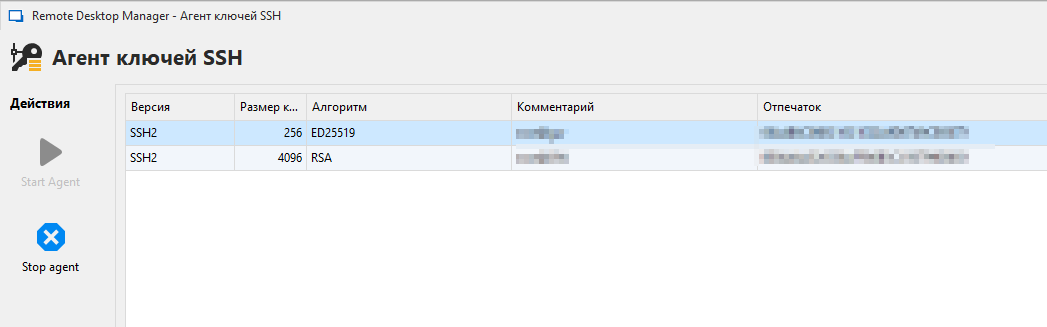
2025.1.1.11 Linux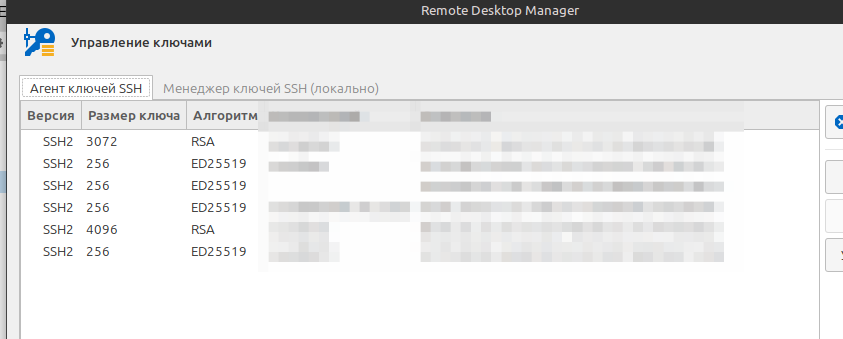
2024.3.28 Windows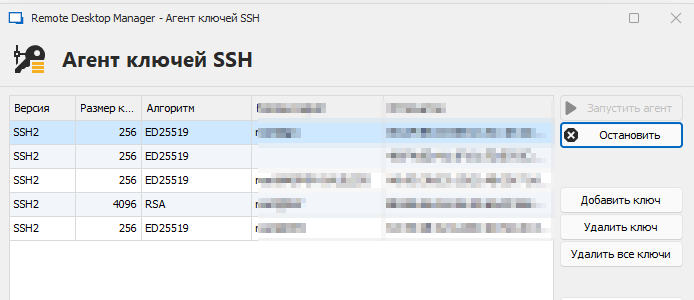
There is only one database. The agent checkboxes are worth it, of course.
What's happening?
2025-07-10 21_09_04-Window.png
Выделение_089.png
2025-07-10 21_04_07-Window.png
Recommended Answer
v 2025.3.16.0 FIX IT !
Thank you very much!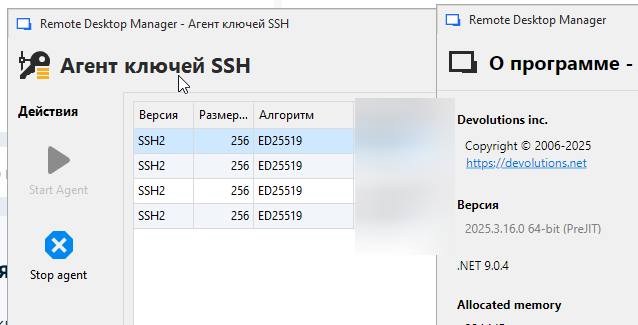
SH0lKzXAne.png
All Comments (17)
Hello,
Thank you for reaching out regarding this matter.
We are currently investigating a similar issue on our end.
Could you please confirm whether the keys are PPK keys?
Additionally, when you attempt to add them in the new version to repopulate the agent, do you receive an error message indicating that they are already present?
I look forward to your reply.
Best regards,
Jacob Lafrenière
Could you please confirm whether the keys are PPK keys?
Yes. The key is imported into RDM (PPK keys, PuTTY-User-Key-File-2: ssh-ed25519).
Additionally, when you attempt to add them in the new version to repopulate the agent, do you receive an error message indicating that they are already present?
Yes.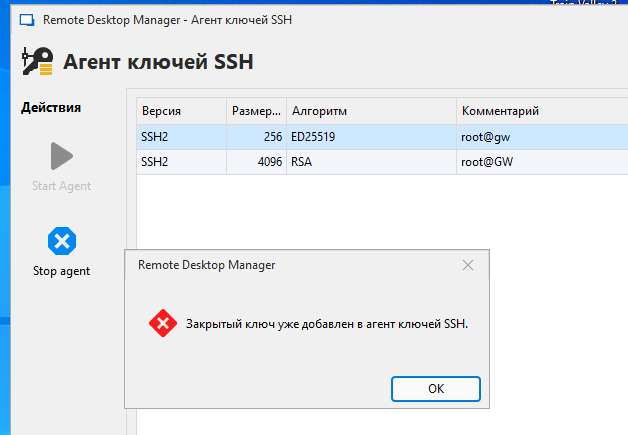
2025-07-11 22_15_59-Window.png
Hello,
Thank you for the follow-up.
It appears that you have the same issue. For diagnostic purposes, could you please test an entry that is configured to use one of the SSH keys not currently listed in the SSH key agent?
Additionally, please enable verbose logging (set to level 2) on that entry, collect the logs, and send them to us. You can refer to the following documentation for guidance:
https://docs.devolutions.net/rdm/kb/how-to-articles/send-ssh-logs-verbose/
Could you also let me know if all of the keys are in .ppk format, or if the ones shown in the SSH key agent are of a different key type?
I look forward to your response.
Best regards,
Jacob Lafrenière
...shown in the SSH key agent...
Different, no logic. Always loads only 2 keys. If you turn off the loaded keys (checkbox auto load key in agent), load the next two
LOG:
https://pastebin.com/436M5ieD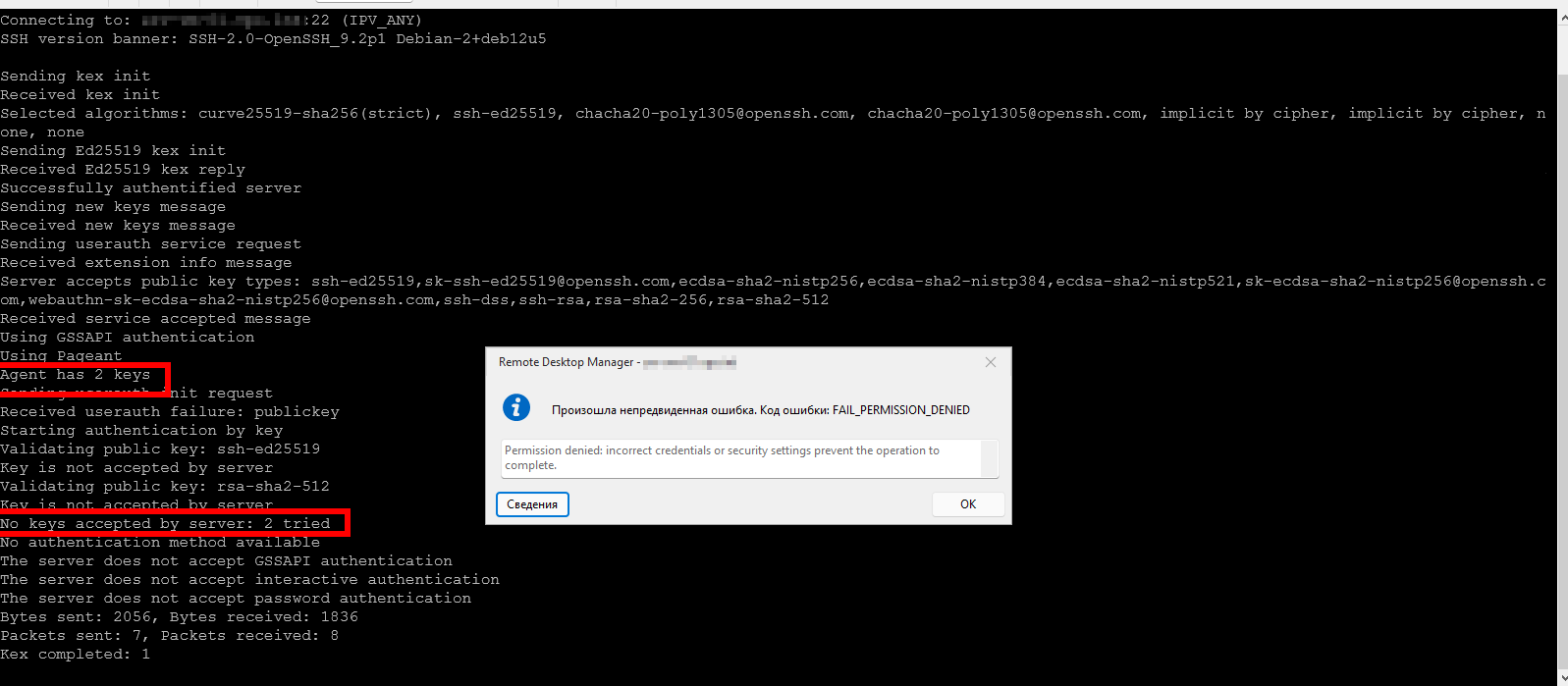
2025-07-11 23_30_34-Window.png
0) Check box off load key in agent.
1) RUN agent
2) open "load into SSH key Agent" (key not load automatically)
3) ERR "the key has already been added" о_О
Hello,
Thank you for the follow-up and for performing the test.
This is exactly the information we were looking for. I’ll forward it to our development team so we can continue the investigation.
I’ll follow up with you as soon as I receive any updates.
Best regards,
Jacob Lafrenière
Thank you!
I am install version 2024.3.31.0.
There is no bug. I will wait for the correction.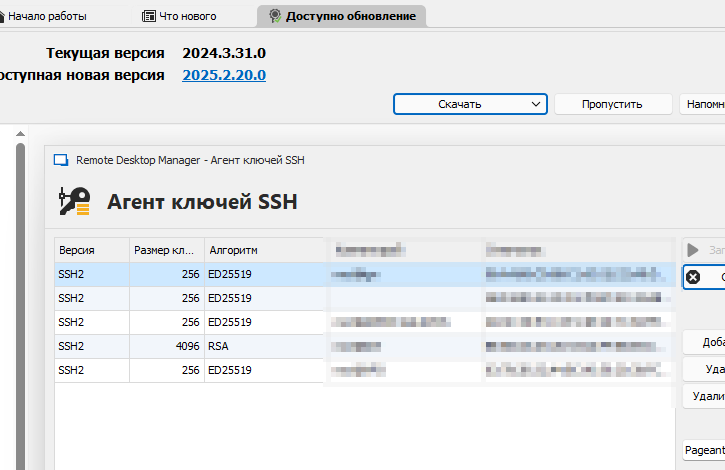
2025-07-15 11_19_48-Window.png
Hello,
Thank you for your patience.
The latest version of RDM includes a fix for the issue you were experiencing. Could you please update RDM or test the fix in a staging environment?
Let me know if the issue persists.
Best regards,
Jacob Lafrenière
Hello,
2025.2.25.0 64-bit (PreJIT)
not works :(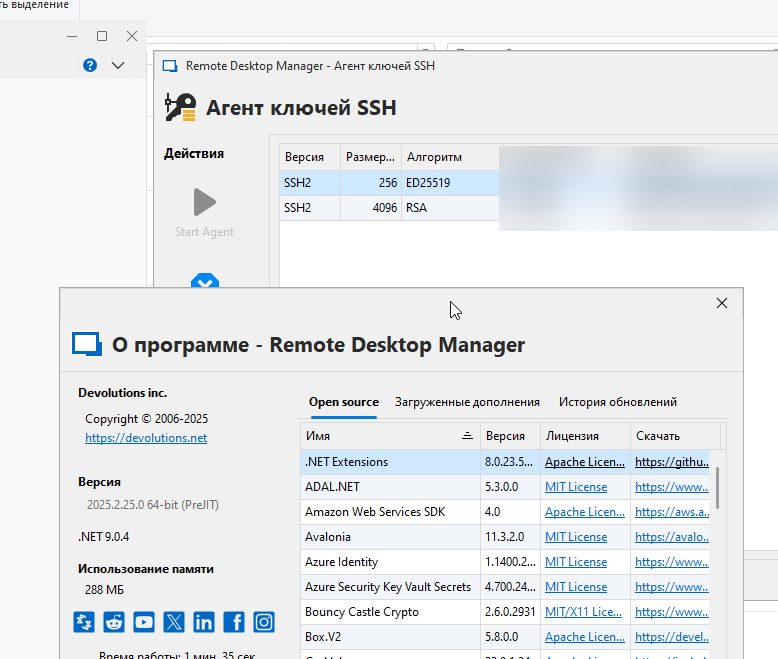
BVN0m5lgu5.png
Hello,
Thank you for the follow-up.
I will check with the development team to ensure that our internal case on this matter is reopened.
Apologies for the inconvenience, and thank you for your continued patience.
Best regards,
Jacob Lafrenière
Hello,
Thank you for your patience.
I’ve spoken with the development team, and here is what they would like to see:
- Please enable the profiler in debug mode only, limited to Level 1.
- Refer to the following procedure for setup: https://docs.devolutions.net/rdm/commands/help/profiler/
- Please use the Debug tab.
Additionally, it would be helpful if you could provide the first data line of one of the missing keys. This will allow the team to better understand what you're working with.
Let me know if you have any questions.
Best regards,
Jacob Lafrenière
log
KeyAgentLog LOG_TYPE_VERBOSE: Devolutions.ProtocolsSharp: 2025.8.6.1 OS: Windows
KeyAgentLog LOG_TYPE_MESSAGE: Agent started
there are no more entries in the log. It doesn't load more than two keys :(
KEYS ed25519 and RSA
I have updated pyttu 0.81 to 0.83, RDM crash :(
Unistal pyttu, RDM not running agent...
windwos log:
1)
Имя сбойного приложения: RemoteDesktopManager.exe, версия: 2025.2.25.0, метка времени: 0x68760000
Имя сбойного модуля: coreclr.dll, версия: 9.0.425.16305, метка времени: 0x67d355a6
Код исключения: 0x80131623
Смещение ошибки: 0x000000000024542e
Идентификатор сбойного процесса: 0xe8c
Время запуска сбойного приложения: 0x01dc0b5cdacae242
Путь сбойного приложения: C:\Program Files\Devolutions\Remote Desktop Manager\RemoteDesktopManager.exe
Путь сбойного модуля: C:\Program Files\dotnet\shared\Microsoft.NETCore.App\9.0.4\coreclr.dll
Идентификатор отчета: 2ee33f8f-47eb-4c03-963d-dc36d1aa1679
Полное имя сбойного пакета:
Код приложения, связанного со сбойным пакетом:
2)
Application: RemoteDesktopManager.exe
CoreCLR Version: 9.0.425.16305
.NET Version: 9.0.4
Description: The application requested process termination through System.Environment.FailFast.
Message: A callback was made on a garbage collected delegate of type 'Devolutions.Protocols!Devolutions.Protocols.Core.PageantManager+WndProcDelegate::Invoke'.
Stack:
   at Devolutions.Protocols.Core.PageantManager.GetMessage(MSG ByRef, IntPtr, UInt32, UInt32)
   at Devolutions.Protocols.Core.PageantManager.GetMessage(MSG ByRef, IntPtr, UInt32, UInt32)
   at Devolutions.Protocols.Core.PageantManager.MessageLoopThread()
   at System.Threading.ExecutionContext.RunInternal(System.Threading.ExecutionContext, System.Threading.ContextCallback, System.Object)
3)
Application: RemoteDesktopManager.exe
CoreCLR Version: 9.0.425.16305
.NET Version: 9.0.4
Description: The application requested process termination through System.Environment.FailFast.
Message: A callback was made on a garbage collected delegate of type 'Devolutions.Protocols!Devolutions.Protocols.Core.PageantManager+WndProcDelegate::Invoke'.
Stack:
   at Devolutions.Protocols.Core.PageantManager.DispatchMessage(MSG ByRef)
   at Devolutions.Protocols.Core.PageantManager.DispatchMessage(MSG ByRef)
   at Devolutions.Protocols.Core.PageantManager.MessageLoopThread()
   at System.Threading.ExecutionContext.RunInternal(System.Threading.ExecutionContext, System.Threading.ContextCallback, System.Object)
I'm shocked...
launched win10 in virtualbox (clean)
install latest RDM adn .NET 9 - no key loading![2025-08-12 13_21_49-win10 [Работает] - Oracle VirtualBox.png](https://forum-api.devolutions.net/api/messages/216798/attachments/2025-08-12 13_21_49-win10 %5BРаботает%5D - Oracle VirtualBox.png)
hmmm, downgrate to .2024.3.31.0, install .NET v8 - all keys loading!![2025-08-12 13_36_34-win10 [Работает] - Oracle VirtualBox.png](https://forum-api.devolutions.net/api/messages/216798/attachments/2025-08-12 13_36_34-win10 %5BРаботает%5D - Oracle VirtualBox.png)
may be database is broken?
the database is used on linux and Windows.
2025-08-12 13_36_34-win10 [Работает] - Oracle VirtualBox.png
2025-08-12 13_21_49-win10 [Работает] - Oracle VirtualBox.png
I stopped understanding what was happening...
Export storage to .RDM
Crearte new storage
Import .RDM to new storage
Check box on load key in agent...
Load Agent - NO KEY! Empty :(
Manual load key - RDM crashed.
Контейнер ошибки 1270785627791208807, тип 4
Имя события: APPCRASH
Отклик: Нет данных
Идентификатор CAB: 0

Сигнатура проблемы:
P1: RemoteDesktopManager.exe
P2: 2025.2.25.0
P3: 68760000
P4: coreclr.dll
P5: 9.0.425.16305
P6: 67d355a6
P7: 80131623
P8: 000000000024542e
P9:
P10:
Hello,
Thank you for your follow-up.
I will open a support ticket on my side and continue our communication via email. The development team would like to ask you some additional questions regarding your exact infrastructure.
Once a solution is identified, I will provide an update here.
Best regards,
Jacob Lafrenière
v 2025.3.16.0 FIX IT !
Thank you very much!
SH0lKzXAne.png
Hello,
Thank you for the follow-up.
I'm glad the dev team was able to fix the issue!
I’ll go ahead and mark this topic as resolved. If the issue occurs again, feel free to reply to this message to reopen the discussion.
Best regards,
Jacob Lafrenière